Short answer: To factory reset Windows 11, go to Settings, System, Recovery and select Reset PC. Keep my files removes apps and settings only. Remove everything wipes personal files too. I'd back up first and have the BitLocker recovery key ready.
To factory reset Windows 11, open Settings, System, Recovery and select Reset PC. Windows reinstalls itself and asks two things. Keep your files or remove everything? Download a fresh copy or use the one on the disk? We’d back up first, whatever the answers.
| Choice | What it does |
|---|---|
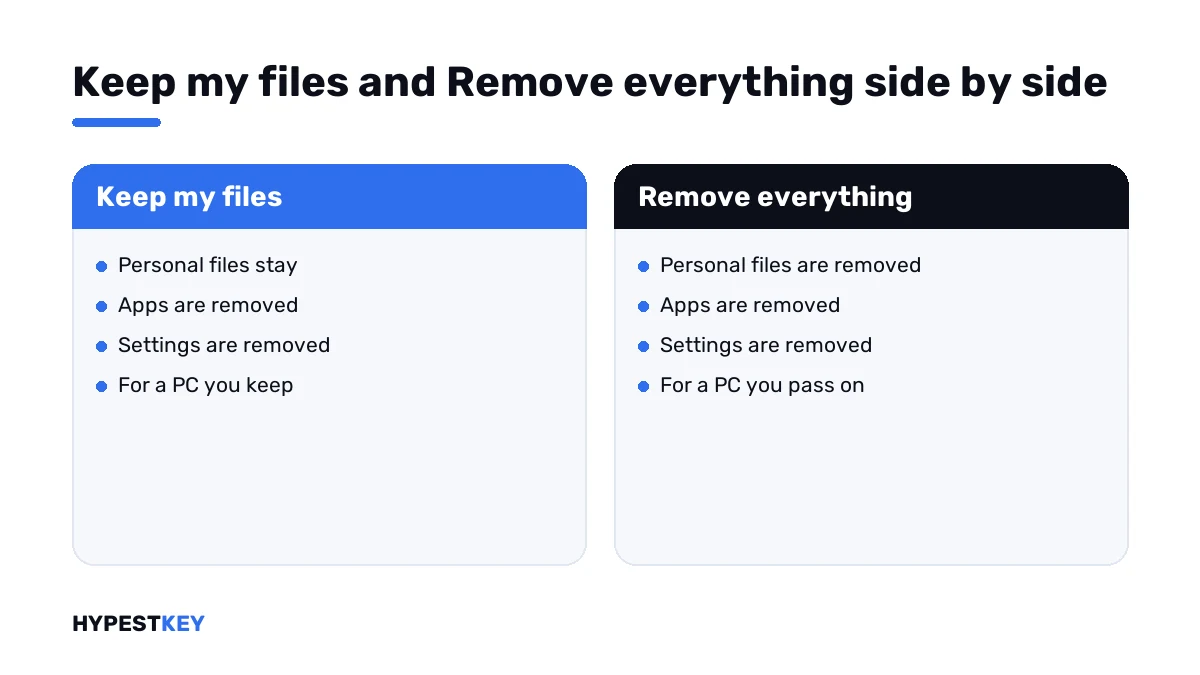
| Keep my files | Reinstalls Windows and keeps personal files; removes apps and settings |
| Remove everything | Reinstalls Windows and removes personal files, apps and settings |
| Cloud download | Downloads a fresh copy of Windows, with the latest updates |
| Local reinstall | Uses the files already on the PC; no download needed |
| Clean data | Also cleans the drive, so removed files are harder to recover |
The options are described in Microsoft’s support article Reset your PC.
Before you reset
A reset reinstalls Windows. Depending on the option, apps, settings and personal files go with it.
| Have ready | Why |
|---|---|
| A backup of your files | Even Keep my files is no substitute for one |
| The BitLocker recovery key | An encrypted device asks for it during a reset from the recovery screen |
| Installers and license keys of your programs | Both options remove installed apps |
| The Microsoft account sign-in | Setup asks for it afterwards |
| Mains power on a laptop | The reset shouldn’t be interrupted |
Office is among the apps that get removed. Its key or the account it’s tied to should be at hand before you start.
Where the recovery key is kept is explained in our BitLocker guide.
Keep my files or Remove everything
| Situation | Option |
|---|---|
| Windows is slow or unstable, the PC stays with you | Keep my files |
| Malware you can’t get rid of | Remove everything |
| Selling, donating or recycling the PC | Remove everything, with Clean data on |
| Passing the PC to a family member | Remove everything |
Microsoft adds a caution about Clean data. The erasure is aimed at consumers and doesn’t meet government or industry standards for data erasure.
Keep my files has one more setting, Restore preinstalled apps. With it on, the PC maker’s customisations come back.
Cloud download or local reinstall
Cloud download fetches a fresh copy of Windows. Microsoft recommends it when local files are corrupted or missing.
Local reinstall rebuilds Windows from what’s on the disk. It suits a slow connection, though it may not include the latest updates.
If a local reinstall fails, I’d run the reset again with Cloud download before trying anything bigger.
How to factory reset Windows 11 from Settings
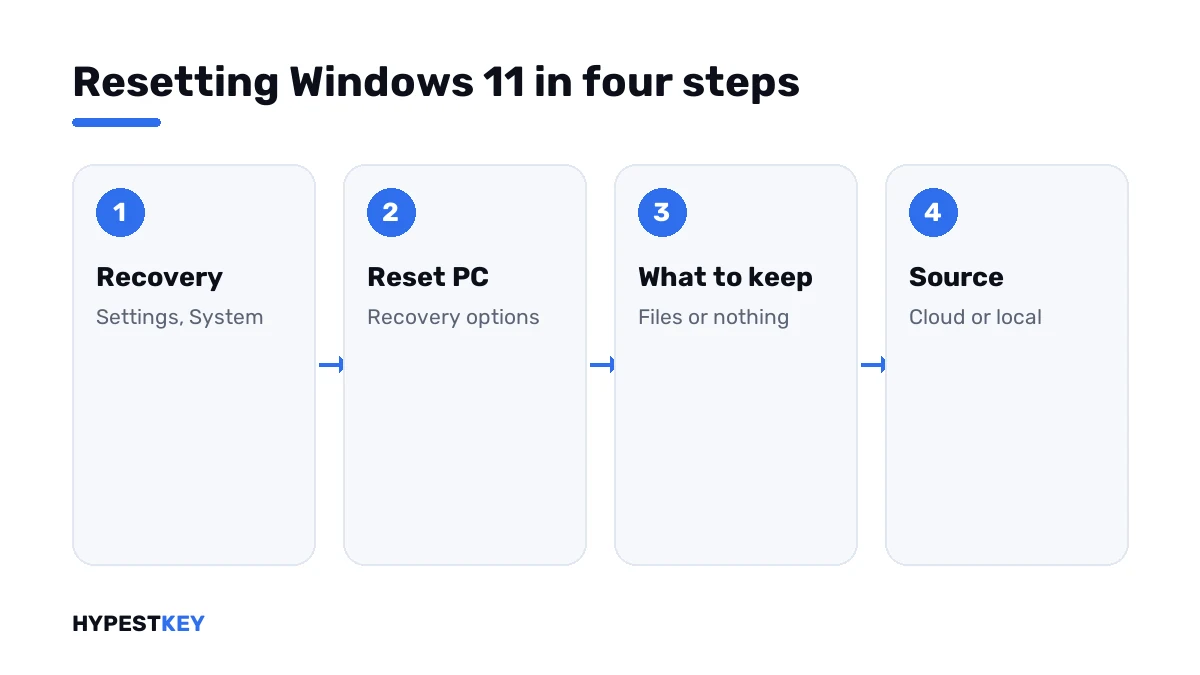
- Open Settings and go to System, then Recovery.
- Under Recovery options, select Reset PC.
- Choose Keep my files or Remove everything.
- Choose Cloud download or Local reinstall.
- Open Change settings if you want Clean data or the preinstalled apps, and confirm.
- Read the summary of what will be removed and select Reset.
- Leave the PC alone until the setup screens appear.
Microsoft warns about one thing during the wait. The screen may stay black for a long time, sometimes more than 15 minutes, and the device may restart by itself. Restarting it by hand at that point can make the reset fail.
Resetting a PC that won’t start
The same reset runs from the Windows Recovery Environment, the blue screen with the Troubleshoot tile.
| Way in | How |
|---|---|
| From the sign-in screen | Hold Shift and select Power, Restart |
| From Settings | System, Recovery, Advanced startup, Restart now |
| After failed starts | Windows opens the recovery screen by itself |
Once there, select Troubleshoot, then Reset this PC, and make the same choices. An encrypted device will ask for the BitLocker recovery key first.
This also works when you can’t sign in. Remove everything doesn’t need the old password.
Try the gentler ways first: resetting a forgotten password.
After the reset
| Task | Note |
|---|---|
| Go through setup | Region, keyboard, network, account |
| Check activation | A PC with a digital license activates again by itself once online |
| Run Windows Update | Several rounds, until nothing is offered |
| Reinstall programs | From their installers or the Microsoft Store |
| Restore files from the backup | Only what you need |
The edition doesn’t change. A PC that ran Pro comes back as Pro, and checking the Windows activation status takes a minute.
If activation doesn’t return, start with how to activate Windows 11. Why it normally does is explained in digital license vs product key.
Reset or clean installation
| Point | Reset | Clean installation from USB |
|---|---|---|
| Needs a USB stick | No | Yes |
| Can keep personal files | Yes | No |
| Rebuilds the partitions | No | Yes, if you delete them |
| Works when the recovery files are damaged | With Cloud download | Yes |
For the second route we have three guides: a clean Windows 11 installation, how to install Windows 11 from USB and the Windows 11 Media Creation Tool.
Smaller repairs first
A reset is the heavy tool. Two lighter ones are worth a try before it.
- Roll back a recent change: restore points in Windows 11.
- Find a faulty driver or program: Windows 11 safe mode.
- Go back to the previous system: Windows 11 to 10.
Need a key after all? Our Windows 11 Pro key and Windows 11 Home key arrive instant to email. All editions are under Windows 11 keys.
Mistakes we see most
- Resetting an encrypted laptop without the BitLocker recovery key.
- Trusting Keep my files and skipping the backup.
- Switching the PC off while the screen is black.
- Selling a PC after a reset without Clean data.
- Forgetting the keys of installed programs.
Terms used on this page
| Term | Meaning |
|---|---|
| Reset PC | The Windows function that reinstalls the system in place |
| Windows Recovery Environment | The repair screen Windows offers outside the normal desktop |
| Cloud download | Reinstalling from a copy of Windows fetched from Microsoft |
| BitLocker recovery key | The 48-digit key that opens an encrypted drive |
| Digital license | Activation stored for the PC’s hardware, with no key to type |
FAQ
How do I factory reset Windows 11?
Open Settings, System, Recovery and select Reset PC. Choose what to keep and where the copy of Windows comes from. I'd back up files before pressing Reset.
Does a factory reset delete everything?
Only with Remove everything. Keep my files preserves personal files and removes apps and settings. We'd still make a backup with either option.
Can I reset Windows 11 without the password?
Yes. Hold Shift and select Restart on the sign-in screen, then Troubleshoot and Reset this PC. I'd expect to lose the files, because Remove everything is the option that works there.
Will Windows still be activated after a reset?
Normally yes. A PC with a digital license activates again once it's online, on the same edition. We'd check Settings, System, Activation afterwards.
Should I choose Cloud download or Local reinstall?
Cloud download gives a fresh copy with the latest updates. Local reinstall needs no download and suits a slow connection. I'd take Cloud download when the system files may be damaged.
Is a reset enough before selling a PC?
Use Remove everything with Clean data switched on. Microsoft notes that this erasure doesn't meet government or industry standards. For sensitive data I'd add a dedicated wiping tool.
Why is the screen black during the reset?
Microsoft says the screen can stay black for a long time, sometimes more than 15 minutes. The device may restart by itself as well. We leave it alone, because a manual restart can make the reset fail.