Short answer: To reset a Windows 11 password, start with the kind of account. A Microsoft account is reset with I forgot my password on the sign-in screen, or online. A local account needs its security questions. I'd reset the PC only when neither is open.
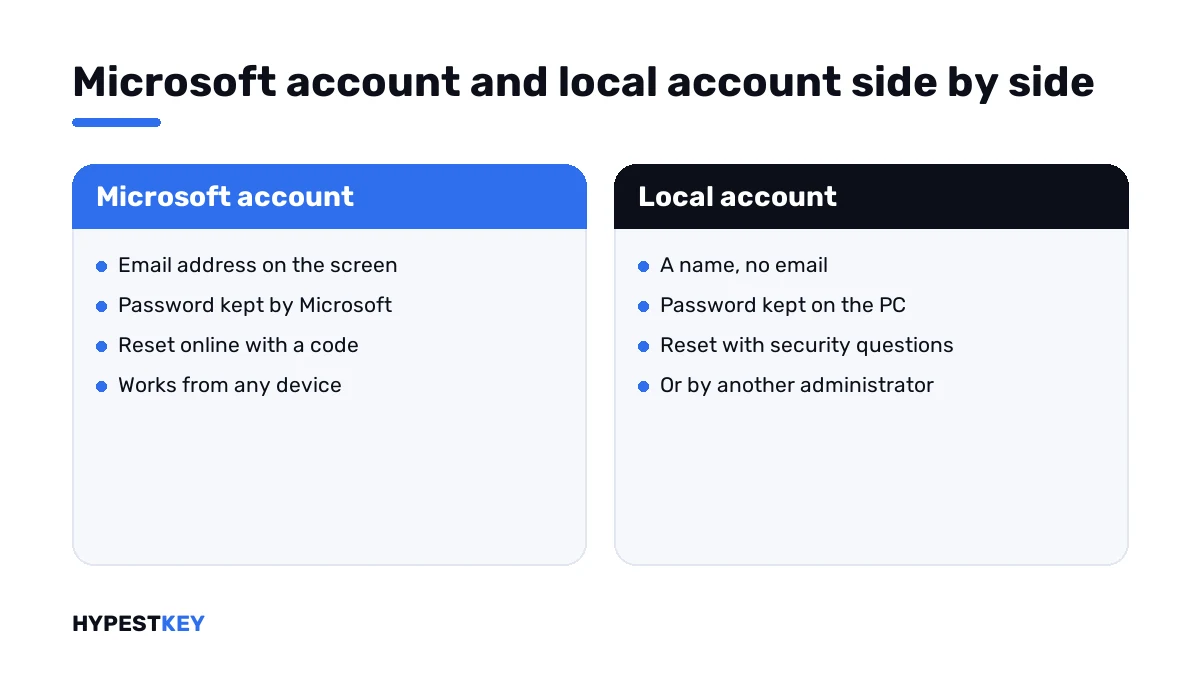
How you reset a Windows 11 password depends on the account you sign in with. A Microsoft account is reset online. A local account is reset on the PC itself, and we need its security questions for that. We’d find out which one it is first.
| You sign in with | How to tell | Where the reset happens |
|---|---|---|
| A Microsoft account | An email address is shown on the sign-in screen | Online, with a code sent to your phone or second email |
| A PIN | The box says PIN | On the sign-in screen, through the Microsoft account behind it |
| A local account | Only a name, no email address | On the PC, with security questions |
| A work or school account | The organisation’s address | With the organisation’s IT department |
The official ways are in Microsoft’s support article Change or reset your Windows password.
How to reset a Windows 11 password for a Microsoft account
The password of a Microsoft account lives with Microsoft, not on the PC. So the reset works from anywhere.
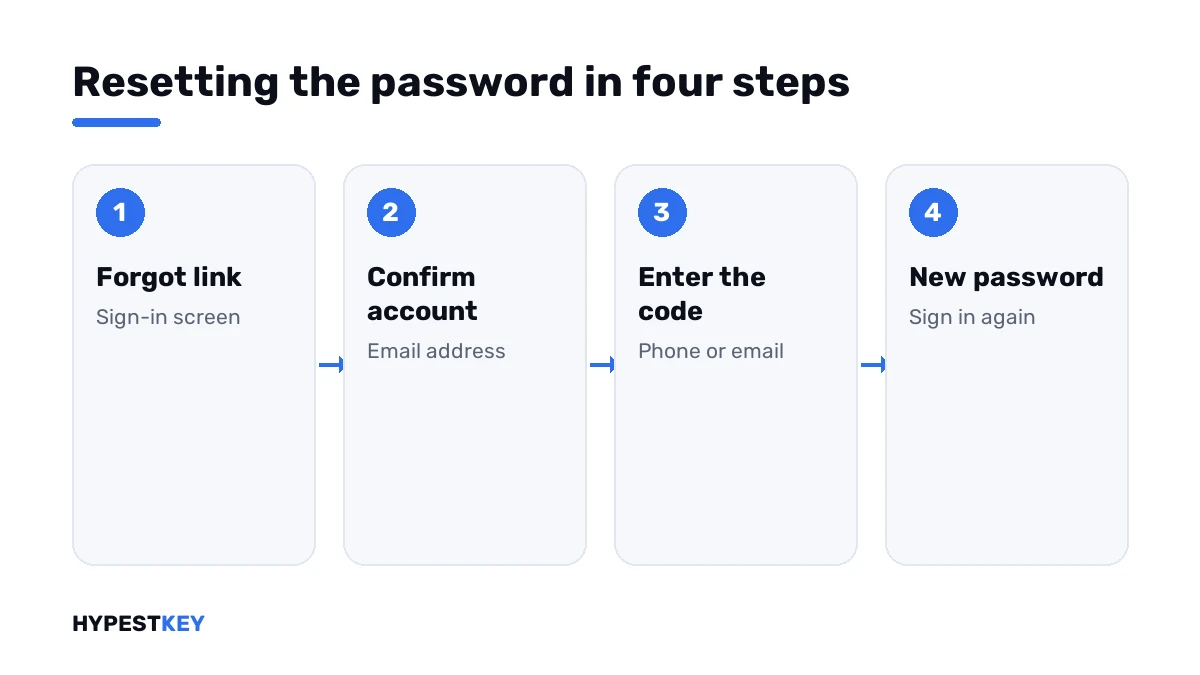
- On the sign-in screen, select I forgot my password under the password box.
- Confirm the email address of the account.
- Choose where the security code goes: the phone number or the second email address on the account.
- Enter the code you receive.
- Type a new password and confirm it.
- Go back to the sign-in screen and sign in with the new password.
For this the PC needs an internet connection. Without one, do the same from a phone at account.live.com/password/reset, then connect the PC and sign in.
| Route | When |
|---|---|
| I forgot my password on the sign-in screen | The PC is online |
| Sign-in options, Web sign-in, then Forgot my password | The link isn’t shown directly |
| The reset page in a browser on another device | The PC is offline or the screen is stuck |
A forgotten PIN
A PIN belongs to one PC and sits on top of the account. Forgetting it is the mildest case.
| Situation | What to do |
|---|---|
| You know the account password | Select Sign-in options on the sign-in screen and use the password instead |
| You want a new PIN | Select I forgot my PIN under the PIN box and confirm with the account password and a code |
| You’re signed in already | Settings, Accounts, Sign-in options, PIN, I forgot my PIN |
A new PIN changes nothing else. Files, apps and the account password stay as they were, and we set the PIN again on each PC separately.
Microsoft’s article covers the reverse case too. Suppose you know the PIN and forgot the password. Sign in with the PIN, open Sign-in options and choose Forgot my current password.
A local account
A local account exists on that one PC only. Microsoft has no copy of its password, and nobody can mail you a code.
What saves you are the security questions. Windows asks for three of them when a local account with a password is created.
| Step | On the sign-in screen |
|---|---|
| Type any password and press Enter | Windows says the password is incorrect |
| Select OK | A Reset password link appears under the box |
| Select Reset password | The security questions are shown |
| Answer all of them | Spelling counts |
| Type a new password | You’re signed in with it |
A password reset disk does the same job, if one was made in advance. We make it from Control Panel on a USB stick while the password is still known.
With the help of another administrator
If the PC has a second account with administrator rights, its owner can set a new password for a local account.
| Step | Where |
|---|---|
| Sign in with the administrator account | Sign-in screen, bottom left |
| Open Control Panel, User Accounts, Manage another account | Any edition |
| Select the account, then Change the password | Read the warning |
| On Pro, Computer Management offers the same | Local Users and Groups, Users, Set Password |
The warning is real. A password set this way cuts the account off from files it encrypted with EFS and from passwords stored in Windows. For ordinary documents nothing changes.
When nothing above works
A local account with no security questions, no reset disk and no second administrator can’t be opened by any official means. Microsoft says its support can’t retrieve a lost password.
| Option | What you keep |
|---|---|
| Reset the PC with Remove everything | The PC and Windows; not the files |
| Take the drive out and read it in another PC | The files, if the drive isn’t encrypted |
| A backup made earlier | Whatever it contains |
The reset starts from the sign-in screen: hold Shift, select Power and Restart, then Troubleshoot and Reset this PC. The steps are in factory reset Windows 11.
On an encrypted drive the second option needs the recovery key: see BitLocker in Windows 11.
We don’t describe tricks that swap system files to get a command prompt at the sign-in screen. They break on current builds and leave the PC open to anyone who repeats them.
Work and school PCs
A PC joined to an organisation follows other rules. The password belongs to the organisation’s directory, and so does the reset.
Ask the IT department, or use the organisation’s own reset page if it has one. I wouldn’t change local settings on such a PC.
Making the next time easier
| Measure | Where |
|---|---|
| Keep the phone number and second email on the Microsoft account current | The account’s security page |
| Add a PIN or fingerprint as a second way in | Settings, Accounts, Sign-in options |
| Update the security questions of a local account | Sign-in options, Password, Update your security questions |
| Create a second administrator account for emergencies | Settings, Accounts, Other users |
| Store passwords in a password manager | Any reputable one |
| Keep a backup of your files | An external drive or cloud storage |
After you’re back in
- A restore point for the next mishap: creating a restore point in Windows 11.
- Starting with minimal drivers: Windows 11 safe mode.
- Checking the license after a reset: check Windows activation status.
- Activation that didn’t come back: how to activate Windows 11.
- The same question on a server: changing a Windows Server password.
A reset doesn’t change the edition or the license: see digital license vs product key. For a PC that needs a key after all, we send the Windows 11 Pro key instant to email. Every edition is under Windows 11 keys.
Mistakes we see most
- Trying dozens of passwords instead of using the forgot link.
- Resetting the Microsoft account password on a phone and typing the old one on the PC, which is still offline.
- Answering security questions with jokes nobody remembers later.
- Wiping the PC before checking for a second administrator account.
- Following a video that replaces system files.
Terms used on this page
| Term | Meaning |
|---|---|
| Microsoft account | An online account, usually an email address, used to sign in to Windows |
| Local account | An account that exists on one PC only |
| PIN | A short code tied to one device, part of Windows Hello |
| Security questions | Three questions a local account answers to allow a reset |
| Password reset disk | A USB stick prepared in advance for a local account |
| EFS | Encrypting File System, per-file encryption tied to the account |
FAQ
How do I reset my Windows 11 password if I forgot it?
With a Microsoft account, select I forgot my password on the sign-in screen and follow the code steps. With a local account, we use the Reset password link and the security questions.
How do I know which kind of account I have?
Look at the sign-in screen. An email address under the name points to a Microsoft account. With a name alone it's a local account, and I'd expect security questions there.
Can I reset the password without losing data?
Yes, with any of the official ways: the online reset, the PIN, the security questions or another administrator. Only the last resort, resetting the PC, removes files. We'd try everything else first.
What if I never set security questions?
Then a local account can be reset only by another administrator on the PC. Without one, Microsoft offers no way in. I'd reset the PC and restore files from a backup.
Can Microsoft tell me my password?
No. Its article says support can't retrieve a lost password. Agents aren't allowed to send reset links or change account details either, so we use the self-service reset.
I reset the password online, and the PC still rejects it. Why?
The PC has to be online to learn the new password. Connect it to the network on the sign-in screen, then try again. I'd also check the keyboard layout shown there.
Is the PIN the same as the password?
No. The PIN works on one device only and sits on top of the account. We reset it with I forgot my PIN, which asks for the account password.