Short answer: To check Windows activation status, open Settings, System, Activation on Windows 11, or Settings, Update & Security, Activation on Windows 10. The status line says whether Windows is activated and how. For more detail, I'd run the xpr and dli lines of slmgr in Command Prompt.
To check Windows activation status you need one page in Settings, and ten seconds. The command line tells you more. I’d use it to see what kind of license sits behind the word “activated”.
| Way | What you learn |
|---|---|
| Settings, System, Activation | Activated or not, and whether a Microsoft account is linked |
slmgr /xpr |
Whether the activation is permanent or has an end date |
slmgr /dli |
Edition, channel and the last five characters of the key |
| PowerShell | The status as a number, handy for scripts |
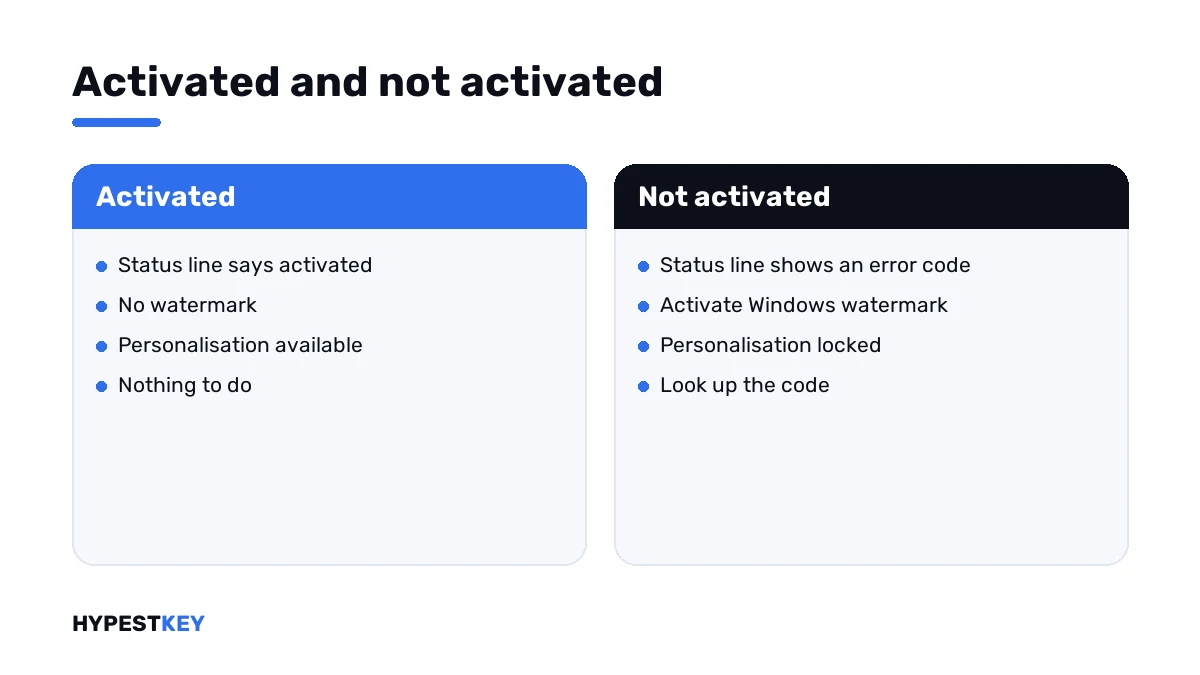
A watermark in the corner of the desktop answers the question too, in its own way. If it says “Activate Windows”, the status is no.
How to check Windows activation status
The Settings route is the one Microsoft describes on its page Activate Windows.
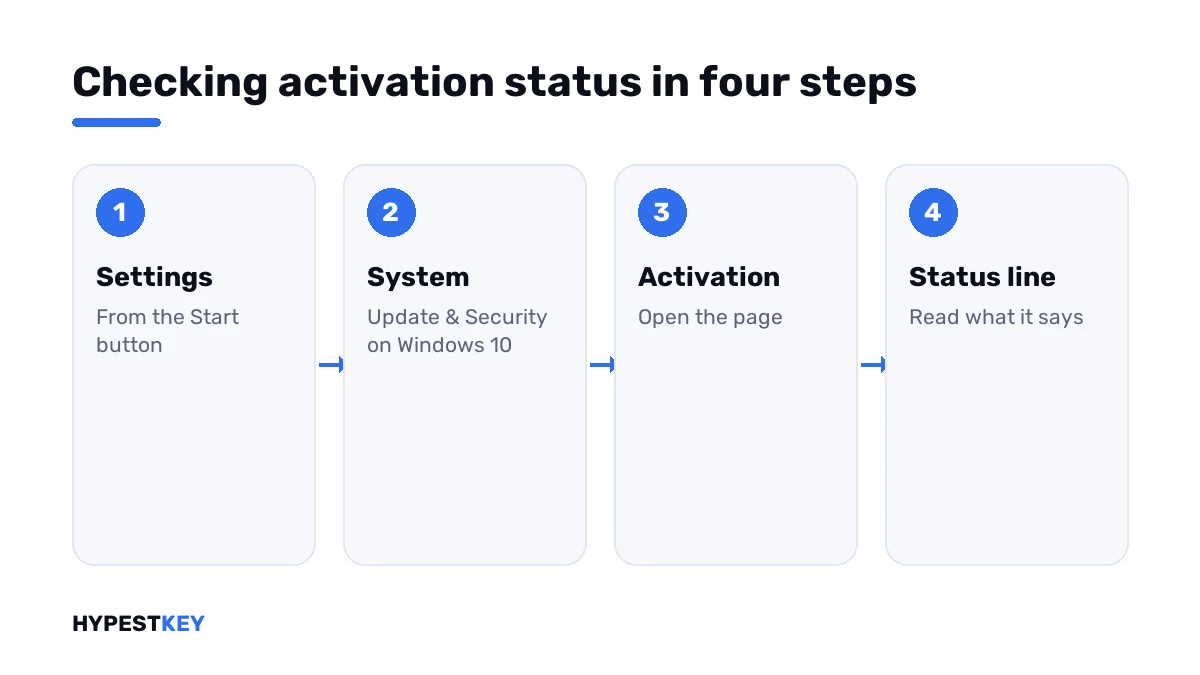
- Press the Start button and open Settings.
- On Windows 11, choose System and then Activation.
- On Windows 10, choose Update & Security and then Activation.
- Read the line next to Activation state.
- If it says activated, note whether it mentions a digital license and a Microsoft account.
- If it says not activated, read the error code shown under it.
- For more detail, open Command Prompt and run the lines from the next section.
What the status line says
Microsoft lists four messages. Each one tells you a little more than yes or no.
| Status | Microsoft’s meaning | What I’d do |
|---|---|---|
| Windows is activated | Activated; your Microsoft account isn’t linked | Keep the key somewhere safe |
| Windows is activated with a digital license | Activated; the account isn’t linked to the digital license | Link an account before the next hardware change |
| Windows is activated with a digital license linked to your Microsoft account | Activated, and the account is linked | Nothing; this is the best state |
| Windows is not activated | Activation failed; an error message explains why | Look up the error code |
Company PCs show one more. “Windows is activated using your organization’s activation service” stands for a volume license that the employer manages.
The command line view
Three lines, none of which changes anything. They run in a normal Command Prompt.
slmgr /xpr
slmgr /dli
slmgr /dlv| Line | Typical answer | Reading |
|---|---|---|
slmgr /xpr |
The machine is permanently activated | A retail, preinstalled or MAK license; no end date |
slmgr /xpr |
Volume activation will expire, with a date | A KMS client; it renews by itself on the company network |
slmgr /xpr |
Windows is in Notification mode | Not activated |
slmgr /dli |
License Status: Licensed | Activated; the line above it names the channel |
slmgr /dlv |
The same with more fields | Adds the activation ID and the remaining rearm count |
The channel in the description line is worth a look. RETAIL can move to another PC, OEM stays with this one, and VOLUME belongs to an organisation. More on that in Retail vs OEM vs Volume license.
Every switch of the script is listed in our slmgr commands reference.
The PowerShell view
For scripts, or for checking many PCs, the status is available as a number.
Get-CimInstance SoftwareLicensingProduct -Filter "Name like 'Windows%' and PartialProductKey is not null" | Select-Object Name, LicenseStatus| LicenseStatus | Meaning |
|---|---|
| 0 | Unlicensed |
| 1 | Licensed |
| 2 | Initial grace period |
| 3 | Grace period after a hardware change |
| 4 | Non-genuine grace period |
| 5 | Notification |
| 6 | Extended grace period |
A 1 is what you want to see. A 5 is the state behind the watermark.
Signs without opening anything
| Sign | Activated | Not activated |
|---|---|---|
| Desktop corner | Clean | “Activate Windows” text |
| Personalisation settings | Available | Greyed out, with a note |
| Settings home page | No banner | A reminder to activate |
| Updates | Arrive | Security updates still arrive |
What the watermark limits and what it doesn’t is in our watermark guide.
If it says not activated
The Activation page shows a code under the status. That code decides the next step.
| Code | What it points at |
|---|---|
| 0x803F7001 | No valid license found on the device |
| 0xC004F213 | No product key found on the device |
| 0xC004F211 | The hardware changed |
| 0xC004C003 | The key is blocked |
| 0xC004F074 | A company KMS server didn’t answer |
The full set is in our list of Windows 11 activation errors. No code and no key at all? Then the PC simply was never activated.
For that case: our Windows 11 Pro and Windows 10 Pro keys are genuine and arrive instant to email. Entering one takes a minute, and we show it in how to activate Windows 11.
Linking the license while you’re there
Microsoft calls it essential to link your Microsoft account to the license. The link is what lets the Activation troubleshooter reactivate Windows after a big hardware change.
- Sign in to Windows as an administrator.
- On the Activation page, press Add an account and sign in with your Microsoft account.
- Read the status again; it should now end with “linked to your Microsoft account”.
Do it before you swap a motherboard, not after. The case where it wasn’t done is described under 0xC004F211.
Where these steps apply
| System | Notes |
|---|---|
| Windows 11 | Settings, System, Activation |
| Windows 10 | Settings, Update & Security, Activation |
| Windows Server | The command lines; the same answers |
| Work devices | Expect the organisation’s activation service in the status line |
Looking for the key itself, not the status? That’s a different search, covered in how to find your Windows product key.
Mistakes we see most
- Taking “activated” as proof that the key can move to another PC.
- Ignoring the error code under “not activated”.
- Reading a KMS expiry date as a problem on a company PC.
- Expecting the status page to show the product key.
- Forgetting to link the account before a hardware change.
Terms used on this page
| Term | Meaning |
|---|---|
| Activation state | The line on the Activation page that says whether Windows is activated |
| Digital license | Activation without a product key to type; Microsoft also calls it a digital entitlement |
| Channel | How the license was sold: retail, preinstalled or volume |
| Notification mode | The state of an unactivated system, with reminders and a watermark |
| KMS | Activation through an organisation’s own server, renewed regularly |
FAQ
How do I check if Windows is activated?
Open Settings, then System, then Activation on Windows 11. On Windows 10 it's Update and Security, then Activation. The status line gives the answer. I'd read it before any reinstall.
How do I check activation status from the command line?
Run the xpr line of slmgr in Command Prompt. It says whether the machine is permanently activated. The dli line adds the edition, the channel and the last five characters of the key.
What does "activated with a digital license" mean?
Windows is activated without a product key, through a license stored on Microsoft's side for this PC. If the line doesn't mention your Microsoft account, we'd link one on the same page.
Why does slmgr show an expiry date?
The PC works as a KMS client, activated through an organisation's server. Those activations renew by themselves on the company network. On a private PC, an expiry date tells me a volume key is installed.
Does the status page show my product key?
No. It shows the state, not the key. The dli line of slmgr shows the last five characters. For the rest, see our guide on finding the product key.
What does LicenseStatus 1 mean in PowerShell?
Licensed. The other values are 0 for unlicensed, 5 for notification mode and several grace period states in between. Scripts that check many PCs usually test for the 1.
Windows says it is not activated. What should I do first?
Read the error code under the status line and look it up. The code says whether the key, the hardware or the connection is the reason. I wouldn't buy or change anything before that.