Short answer: The slmgr commands manage Windows licensing from the command line. Five cover most needs: install a key, activate, show the license, show the expiry and remove the key. I'd run them in Command Prompt opened as administrator, because the switches that change something need those rights.
The slmgr commands are how Windows licensing is handled without clicking through Settings. One script, a few dozen switches. I’d say most people only ever need five of them.
| Job | Line |
|---|---|
| Install a product key | slmgr /ipk followed by the key |
| Activate online | slmgr /ato |
| See the license in short | slmgr /dli |
| See whether activation is permanent | slmgr /xpr |
| Remove the key | slmgr /upk |
The full list below follows Microsoft’s own reference, sorted by what you want to get done.
What slmgr is
Its full name is slmgr.vbs, short for Software License Manager. It’s a script that ships with every edition of Windows, client and server.
Microsoft’s reference, Slmgr.vbs options for obtaining volume activation information, sums up its jobs. Keys, activation, status: those are the three.
Typed alone, the script answers in pop-up windows. Start it through the console script host and the answers stay in the Command Prompt window, where you can copy them.
cscript //nologo C:\Windows\System32\slmgr.vbs /dliHow to run slmgr commands
Most switches change the system, so they need an administrator window.
- Press Start and type cmd.
- Right-click Command Prompt and choose Run as administrator.
- Confirm the User Account Control prompt.
- Type the line and press Enter.
- Wait for the answer; some switches take a few seconds before the window appears.
- After changing a key, run the short license line to check what’s installed.
- Close the window when you’re done.
slmgr /ipk XXXXX-XXXXX-XXXXX-XXXXX-XXXXX
slmgr /ato
slmgr /dli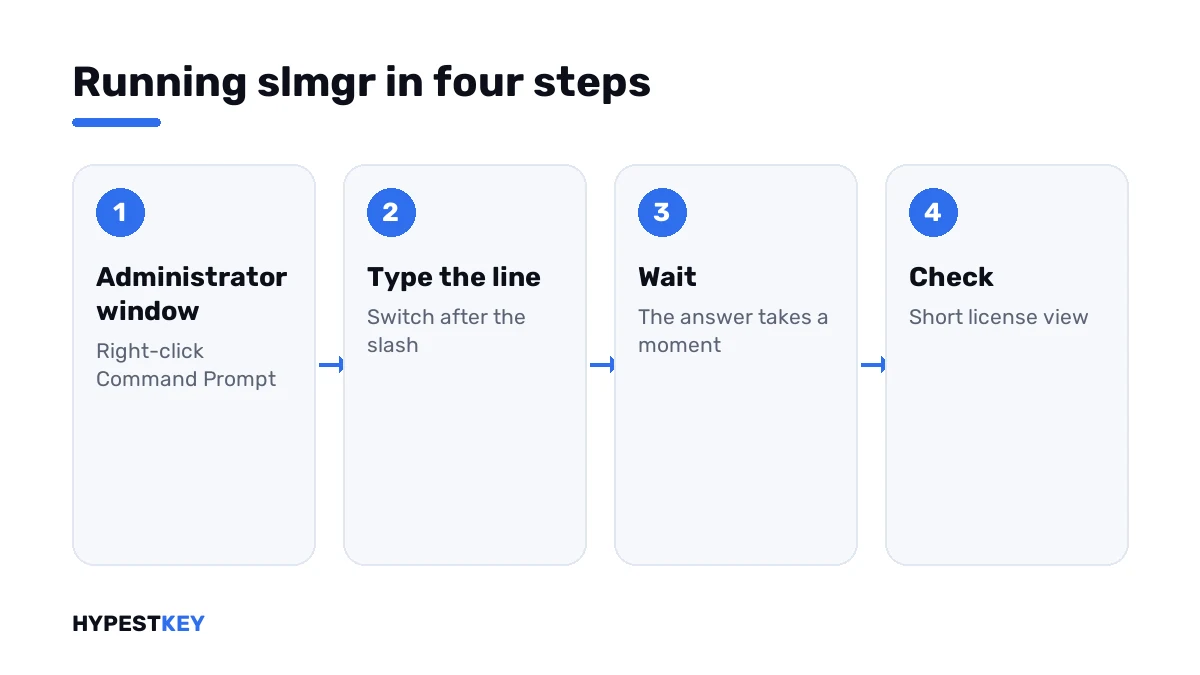
A line run in a normal window fails with “Access denied”. That’s 0x80070005, and the same line works once the window is opened as administrator.
Keys and activation
| Switch | What it does | Administrator needed |
|---|---|---|
/ipk key |
Installs a product key; a key that’s already there is replaced without a question | Yes |
/ato |
Tries online activation; with a KMS client key it tries the organisation’s server | Yes for online activation |
/upk |
Uninstalls the product key of the current edition | Yes |
/cpky |
Removes the key from the registry, so other software can’t read it | Yes |
/rearm |
Resets the activation timers; the same step runs when an image is generalized | Yes |
The uninstall and clear switches are what you use to move a retail key. Old PC first, then the new one. We describe the whole move in transferring a Windows license to a new PC.
Status and information
| Switch | What it shows | Administrator needed |
|---|---|---|
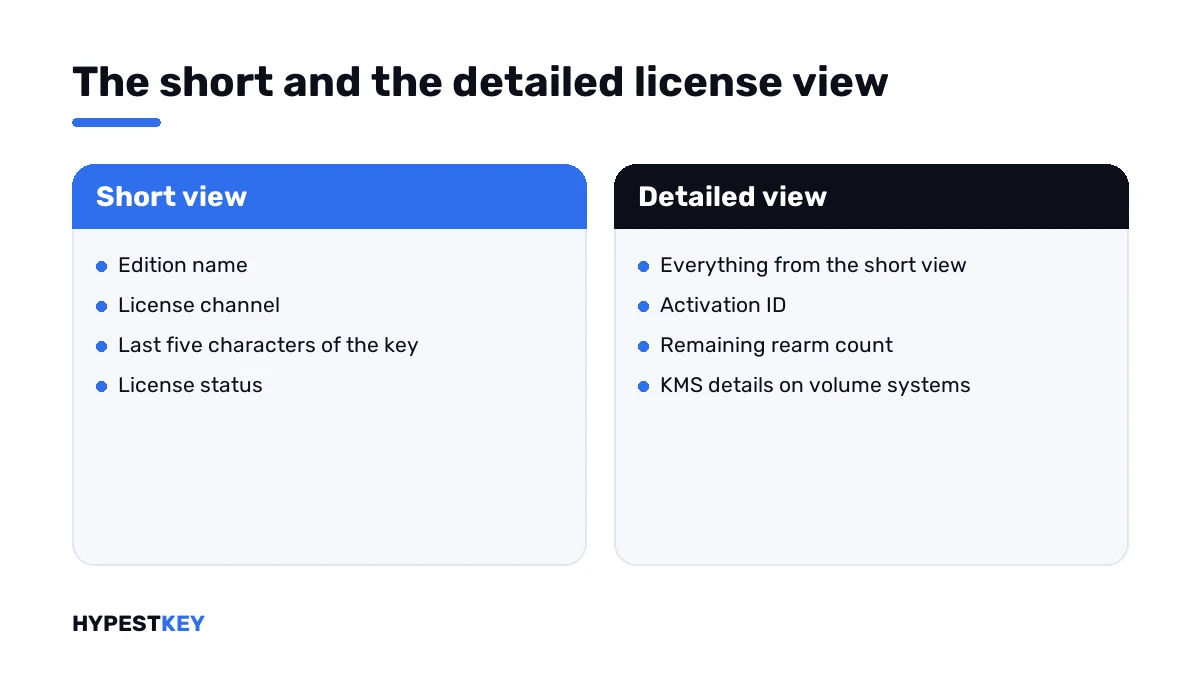
/dli |
Edition, channel, last five characters of the key, license status | No |
/dlv |
The same in detail, with activation ID, remaining rearm count and, on volume systems, KMS details | No |
/xpr |
The expiry date of the activation; retail and MAK activations show as permanent | No |
/dlv all |
Details for every license installed, beyond the active edition | No |
Reading these answers takes some practice. We go through each line in how to check Windows activation status.
Offline activation
| Switch | What it does |
|---|---|
/dti |
Displays the installation ID for offline activation |
/atp confirmation ID |
Activates with the confirmation ID you got from Microsoft |
These two are the script side of what Windows still calls phone activation. The steps in between are in activating Windows by phone.
KMS client switches
These only matter on PCs that activate through an organisation’s server.
| Switch | What it does |
|---|---|
/skms name and port |
Names the KMS host to contact and switches automatic discovery off |
/skms-domain domain |
Sets the DNS domain in which the KMS records are searched |
/ckms |
Removes the manual host and restores automatic discovery |
/skhc |
Enables KMS host caching, the default |
/ckhc |
Disables host caching, so DNS is asked at each attempt |
On a home PC the one worth knowing is the clear switch. If a tool once pointed Windows at some server, that line undoes it.
KMS host switches
For administrators who run the activation server.
| Switch | What it does |
|---|---|
/sai minutes |
Sets how often unactivated clients retry; the default is two hours |
/sri minutes |
Sets how often activated clients renew; the default is 10,080 minutes, seven days |
/sprt port |
Sets the port the host listens on; the default is TCP 1688 |
/sdns |
Enables DNS publishing by the host, the default |
/cdns |
Disables DNS publishing |
/spri |
Sets the KMS priority to normal, the default |
/cpri |
Sets the KMS priority to low |
/act-type number |
Limits volume activation to one type: 1 Active Directory, 2 KMS, 3 token, 0 any |
Microsoft’s reference also lists switches for token-based and Active Directory-based activation. They’re used in large organisations and are documented on the page linked above.
Other computers
The script accepts a computer name, a user and a password before the switch.
slmgr.vbs PC-NAME USER PASSWORD /dliMicrosoft’s own advice for remote work is its Volume Activation Management Tool, and it warns that the script isn’t meant to work across different Windows generations.
Lines that go together
| Task | Sequence |
|---|---|
| Activate with a new key | /ipk, /ato, /dli |
| Free a key before moving it | /upk, /cpky |
| Replace a volume key on a home PC | /ckms, /ipk, /ato |
| Activate offline | /dti, then /atp |
| Check a KMS client | /dlv, /xpr |
When a line answers with an error number, the number is the next thing to look up. We keep a page for each in our list of Windows 11 activation errors, from 0xC004F050 to 0xC004F074.
Need a key to install? Ours are genuine and arrive instant to email: Windows 11 Pro and Windows 10 Pro. For the Settings route, I’d open how to activate Windows 11.
Where these lines apply
| System | Notes |
|---|---|
| Windows 11 and Windows 10 | All switches; home users need the first two tables |
| Windows Server | All switches; see our Windows Server 2022 activation guide |
| Office | Office has its own script with other switches |
| Work devices | Reading the status is fine; changing keys is IT’s job |
Mistakes we see most
- Running the lines in a normal window.
- Typing the uninstall switch on a PC whose key isn’t written down anywhere.
- Using the rearm switch as if it were activation.
- Pasting a key with a long dash where a hyphen belongs.
- Pointing a private PC at a KMS server found online.
- Expecting the short view to show the full key.
Terms used on this page
| Term | Meaning |
|---|---|
| Switch | The part after the slash that tells the script what to do |
| Activation ID | The identifier of one installed license, shown in the detailed view |
| Installation ID | The number Windows shows for offline activation |
| Confirmation ID | The number Microsoft returns for it |
| KMS | Key Management Service, activation through an organisation’s own server |
| Rearm | A reset of the activation timers |
FAQ
What is slmgr?
A script that ships with Windows, with the full name slmgr.vbs. It installs and removes product keys, starts activation and shows the license status. I'd think of it as the Activation page in command form.
How do I activate Windows with slmgr?
Open Command Prompt as administrator. Install the key with the ipk switch, then run the ato switch to activate online. The dli switch shows the result. We use those three lines every day.
What is the difference between slmgr /dli and /dlv?
Both show license information. The first gives the short version: edition, channel, partial key and status. The second adds details such as the activation ID and the remaining rearm count.
What does slmgr /xpr show?
The expiry of the current activation. For retail and MAK activations it reports that the machine is permanently activated. Per Microsoft, the date matters mainly for KMS clients, which renew regularly.
Do slmgr commands need administrator rights?
The ones that change something do: installing or removing a key and online activation. The information switches run without them, according to Microsoft's reference. I'd open an administrator window anyway.
How do I remove a product key with slmgr?
Run the upk switch, then the cpky switch, in an administrator window. The first uninstalls the key, the second clears it from the registry. Write the key down before, because Windows won't show it afterwards.
Why does slmgr open pop-up windows?
By default the script runs in the windowed script host. Start it through the console script host, and the answers appear as text in the Command Prompt window. We find that easier to read and copy.