Short answer: Where to buy a Windows activation key comes down to five places. The Microsoft Store app in Settings. Microsoft's online store. A shop or reseller. A PC that ships with Windows. Volume Licensing for companies. Match the edition first. A Home key won't activate Pro. And keep the email with the key, since we'd need it later too.
Where to buy a Windows activation key comes down to five places: the Microsoft Store inside Windows, Microsoft’s online store, a shop or reseller selling a boxed or digital copy, a PC that ships with Windows, and a volume agreement for companies. Each one hands the license over differently.
| Where you buy | What you get | Where the key is afterwards | Fits best when |
|---|---|---|---|
| Microsoft Store app, opened from Settings | A digital license, no key to type | Linked to the PC and your Microsoft account | Windows is installed and just needs activating |
| Microsoft Store online | A product key | The confirmation email with the order history | You want the key before you install |
| A shop or reseller, boxed copy | A product key | A label inside the box | You like a physical box on the shelf |
| A shop or reseller, digital copy | A product key | The confirmation email or the store’s digital locker | You want the key by email |
| A new or refurbished PC | A key that belongs to the device | Preinstalled, on the packaging, on a card or on the COA sticker | You’re buying the hardware anyway |
| Volume Licensing or an MSDN subscription | Keys for an organisation | The program’s web portal | A company with many PCs |
The list comes from Microsoft’s own Activate Windows page, which sorts every route by how the license reaches you. We’ve only added the last column.
Where to buy a Windows activation key: the short answer
Depends on where you’re standing. Windows already installed and nagging you? Then the Store button in Settings is the shortest path. Building a PC from parts? A product key first, then the install.
Same thing, different names. Activation key, product key, license key. All three mean the 25-character code that tells Microsoft’s servers which edition you’ve paid for. A digital license? No code at all. Just a record tied to the hardware. We go through the difference in digital license vs product key.
What matters more than the shop is the edition. A Home key activates Home. A Pro key activates Pro. Mixing them gets a fresh key rejected, because Windows checks the key against the installed edition.
Buying inside Windows from the Microsoft Store
No browser needed. Windows has the purchase built in.
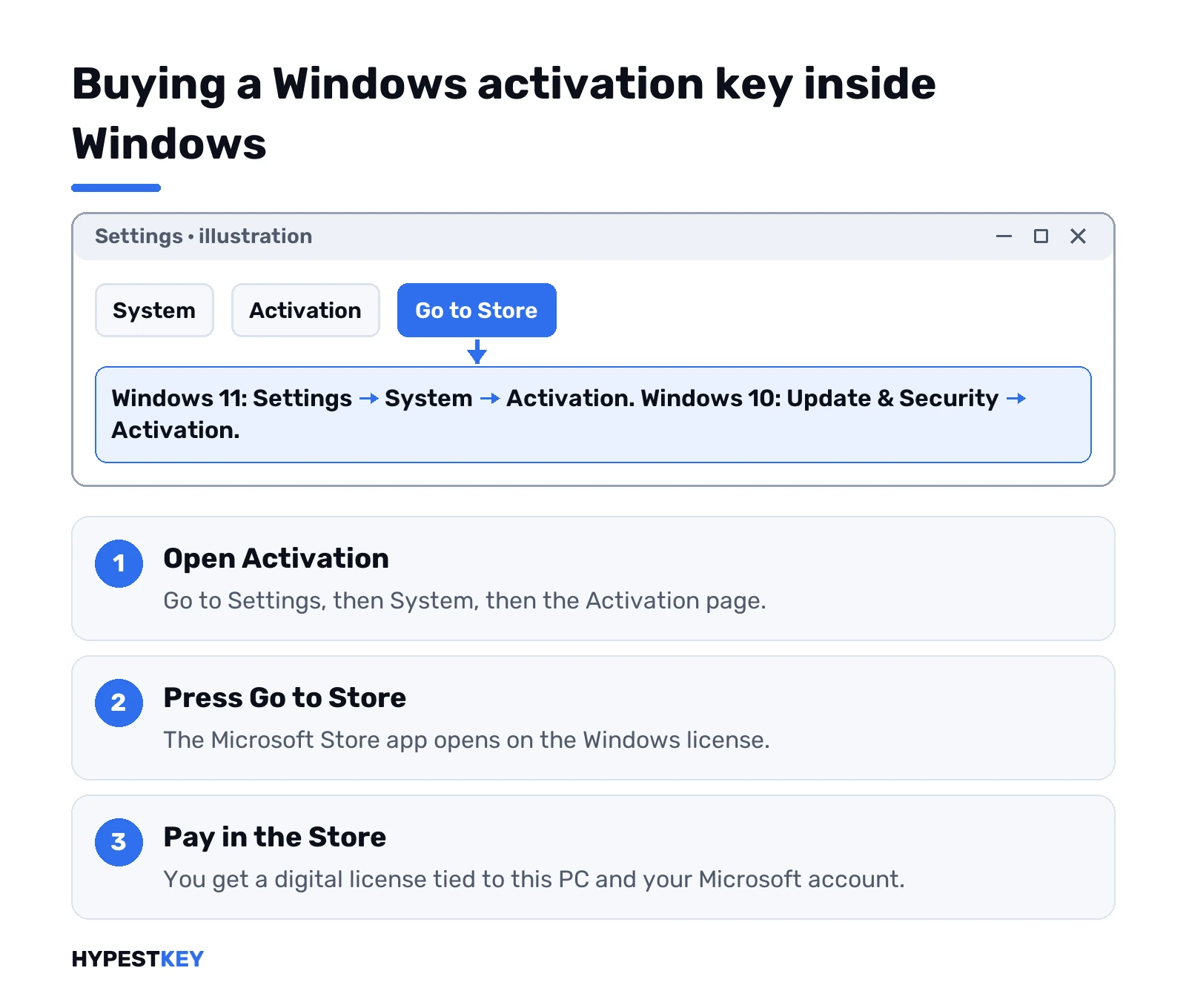
- Settings, then System, then Activation on Windows 11. On Windows 10 it’s Update & Security, then Activation.
- Go to Store.
- The Microsoft Store app opens on the Windows license. Pay there.
What you end up with: a digital license, tied to the hardware and to the Microsoft account you’re signed in with. So sign in with the account you plan to keep. Home PC? The Store sells the Pro upgrade too. Confirm, install, restart.
Fresh install with no key at hand? Pick “I don’t have a product key” during setup. Windows installs, and the Store route above is waiting once you reach the desktop.
A boxed or digital copy from a shop
The classic route. A box has the product key on a label inside. A digital copy sends it by email, or puts it in a digital locker on the shop’s site.
Microsoft’s online store works the same way, with one difference worth knowing. Microsoft keeps a record of product keys only for orders from its own online store. Anywhere else, the email is your only copy. We’d star it, print it, or both.
Before you click buy, read the listing for three things:
- Edition. Home, Pro, or an N version. The key has to match what you’ll install.
- License type. Retail, or a key meant for one device. Our guide to retail vs OEM vs volume licenses explains what each allows.
- Delivery. Email or a box. Know where to look before you pay.
A PC that already comes with Windows
Often the cheapest answer, if you needed a new computer anyway. The license comes with the device. The key is preinstalled, printed on the packaging, on a card in the box, or on a Certificate of Authenticity sticker.
Refurbished machines are the exception people trip on. Microsoft is clear here: the refurbisher, not Microsoft, has to give you the key. No sticker, no card, nothing in the box? Ask the seller right away.
A self-built PC is the opposite case. Microsoft’s Get Windows 11 page says it straight: on a custom build you may need to buy a license. Parts don’t come with one.
Volume licenses for companies
Different world. A business with a Volume Licensing agreement, or a developer with an MSDN subscription, gets keys from that program’s web portal. Not from a shop.
Some of those editions activate against a company server rather than Microsoft directly. That’s KMS, and it does nothing on a home PC. Our explainer on what KMS activation is covers why. For one or two home computers we’d skip this route entirely.
Which Windows activation key to buy
Start from the edition you have, or the one you want. Then the hardware.
- Windows 11 Home. Personal use, gaming, school work. It needs a Microsoft account during setup. Ours is the Windows 11 Home key.
- Windows 11 Pro. BitLocker, Remote Desktop hosting, Hyper-V. The Windows 11 Pro key also upgrades a Home PC in place.
- Windows 10 Pro. For hardware or software that has to stay on Windows 10. The Windows 10 Pro key covers 32-bit too.
Stuck between Home and Pro? Our Windows 11 Home vs Pro comparison lays out the feature gap. And check the hardware before any Windows 11 purchase, since it runs on 64-bit only and wants TPM 2.0. The Windows 11 requirements guide lists the rest.
Checks before you pay for a Windows key
Five minutes now, fewer emails later.
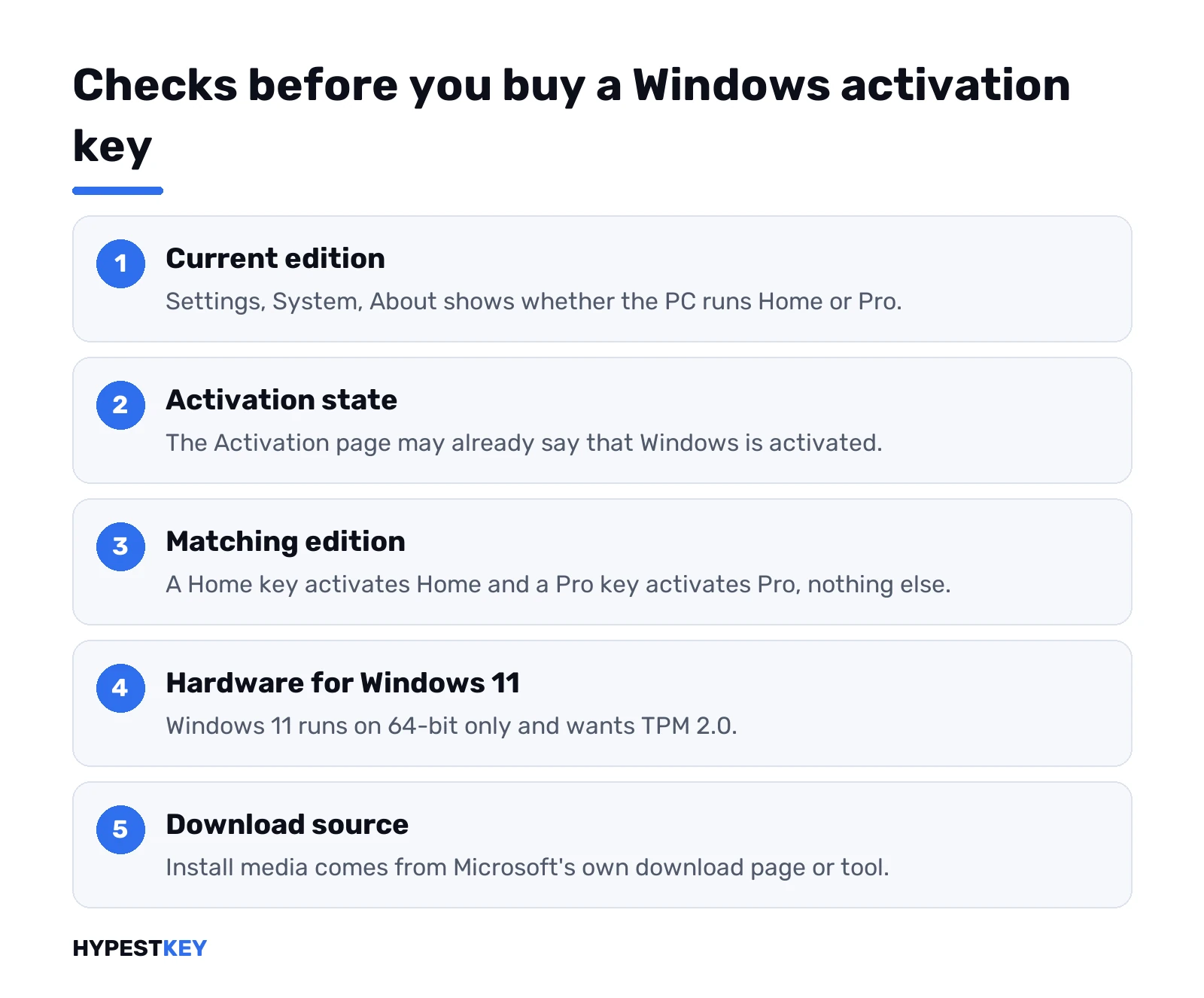
- Current edition. Settings, System, About shows it.
- Activation state. Maybe it’s already activated. Our page on checking Windows activation status shows where to look.
- The PC’s own key. It may have one already. The guide to finding a Windows 10 product key walks through it.
- Edition on the listing matches. Home for Home, Pro for Pro.
- Download source. Microsoft only, through its own download page or the Windows 11 Media Creation Tool.
And one thing to stay away from. Scripts or tools that claim to activate Windows without a license aren’t a license at all. Nothing to buy there.
How to judge a seller before you buy a Windows activation key
Microsoft’s own store is the reference point. Anywhere else, the listing and the shop have to tell you enough on their own.
| Look for | Why it matters |
|---|---|
| The exact edition: Home, Pro, N | A key activates only its own edition |
| The license type: retail or a key for one device | It decides whether the license can move to a new PC later |
| Windows 11 or Windows 10 named on the listing | Old Windows 7, 8 or 8.1 keys no longer activate Windows 10 or 11 |
| How the key arrives | Email, a box, or a locker on the shop’s site; you should know before paying |
| A company name, address and a support contact | Someone to write to if the key is refused |
| An invoice or order email with the key | Outside Microsoft’s store, that email is your only record |
| A download link that points to Microsoft | Windows itself should always come from Microsoft’s download page |
Old keys trip people up here. A label that says Windows 7 or 8.1 is the warning sign. Microsoft stopped accepting those for Windows 10 and 11 activation in 2023, so a key like that won’t help on a new install.
Listing silent on the edition? Ask before paying. A good shop answers that in one line.
Our own store sits on this list too. HypestKey has been selling since 2018, keys go out instant to email, and the order email keeps the key for later. If one gets refused, support@hypestkey.com.
Where to buy a Windows 11 or Windows 10 product key
Same routes, two small differences.
- Windows 11. 64-bit only, TPM 2.0. Check the PC first, then buy.
- Windows 10. A key for a PC that has to stay on it, or one with a 32-bit install.
- Licensed Windows 10 already. Compatible hardware moves to Windows 11 free, same edition.
Home to Pro on Windows 11 needs no reinstall. A Pro key in Settings, Activation, Change product key does it. Our guide to upgrading to Windows 11 Pro has the screens.
After you buy: entering the Windows activation key
Settings, System, Activation. Change product key. Type the 25 characters, press Next.
That’s all on a working PC. Windows checks the key with Microsoft, and the page should read “Windows is activated” a moment later. After that? A digital license for that hardware. Reinstall on the same machine and it activates by itself.
Edition mismatch? Windows won’t activate. The license has to match the edition you bought, no way around it. We’d open our walkthrough on how to activate Windows 11 for the full steps. Got an error code back? The Windows 11 activation errors guide sorts those out.
When you don’t need to buy a key at all
More often than people think. Windows 10 on hardware that meets the Windows 11 requirements upgrades for free through Windows Update, and keeps the same edition. Windows 10 Pro becomes Windows 11 Pro. No purchase.
A reinstall on the same PC usually needs nothing either. The digital license is already on Microsoft’s side. A new computer? Separate question. Our page on transferring a Windows license to a new PC answers it.
Second-hand PC asking for activation
A used laptop, and Windows wants a key on day one. Annoying, and fixable.
The advice on Microsoft’s Q&A forum is sensible. Back up anything you need. Reinstall a clean copy of Windows that matches the edition you’re going to buy. Then activate it with a digital license or a product key. A clean install also clears out whatever the last owner left behind, so we’d do it anyway.
Buying from us? Every key in our Windows keys category comes as a genuine retail license, sent instant to email.
FAQ
Can I buy an activation key straight from Microsoft?
Yes. Open Settings, then Activation, and press Go to Store, or order a product key from Microsoft's online store.
Is an activation key the same as a product key?
Yes. Both names mean the same 25-character code, and Windows checks it with Microsoft when you activate.
I installed Windows without a key. Can I still buy one?
Sure. Choose "I don't have a product key" during setup, then buy a digital license from the Store once you reach the desktop.
Does a key bought from a shop show up in my Microsoft account?
No. Microsoft keeps a record of product keys only for orders from its own online store, so save the shop's email.
Will a Home key activate Windows Pro?
Nope. The key has to match the edition, so a Home key activates Home and a Pro key activates Pro.
Do I need to buy a key to move from Windows 10 to Windows 11?
Usually not. Compatible hardware upgrades for free through Windows Update and keeps the same edition you have now.
The refurbished laptop I bought has no key. Who gives me one?
The refurbisher does, not Microsoft. Ask the seller for the key, the card or the Certificate of Authenticity.
I have an old Windows 7 key. Will it activate Windows 11?
No. Microsoft stopped accepting Windows 7, 8 and 8.1 keys for Windows 10 and 11 activation in 2023. A Windows 10 or 11 key is needed.