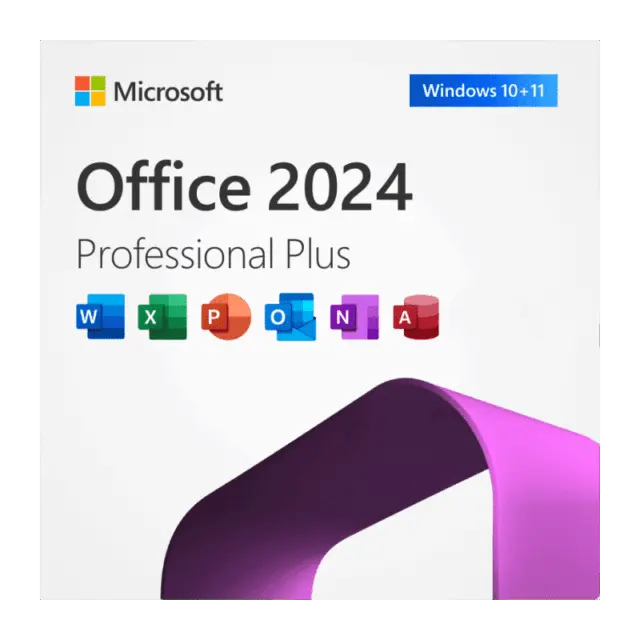






Microsoft Office LTSC Professional Plus 2024 is the perpetual, locked feature set edition of Office for Windows: Word, Excel, PowerPoint, Outlook, OneNote and Access, with no subscription and no monthly feature changes. An Office 2024 Professional Plus key from HypestKey activates it on one Windows PC. It suits offices, accountants, schools and IT teams who want the same stable apps for years and the database tool Access, which home editions leave out.
Key takeaways
- Six desktop apps: Word, Excel, PowerPoint, Outlook, OneNote and Access. Skype for Business is an optional install.
- One-time purchase for one Windows PC, no subscription.
- Microsoft supports Office LTSC 2024 until October 9, 2029.
- Publisher and Teams are not part of the suite.
What is included in Office LTSC Professional Plus 2024?
Office LTSC Professional Plus 2024 includes Word, Excel, PowerPoint, Outlook, OneNote and Access as installed desktop apps, plus Skype for Business as an optional component during setup. Microsoft Publisher is not included because Publisher is being retired in October 2026, and the Teams app is a separate free download from Microsoft.
| App | What you use it for |
|---|---|
| Word 2024 | Documents, reports, contracts, mail merge |
| Excel 2024 | Spreadsheets, formulas, PivotTables, charts |
| PowerPoint 2024 | Presentations and slide decks |
| Outlook 2024 | Email, calendar and contacts |
| OneNote | Notebooks for meetings, research and notes |
| Access 2024 | Desktop databases, forms and reports |
| Skype for Business | Optional; only if your company still runs it |
Need Publisher for old brochure files? Keep a previous Office version for them, or convert the files to Word or PDF before you switch.
What does LTSC mean, and who should pick it?
LTSC stands for Long Term Servicing Channel. Office LTSC 2024 receives security and quality fixes but no new features after launch, so the menus your staff learn today stay the same until support ends on October 9, 2029. It fits regulated offices, shared front desk PCs, labs and anyone who hates surprise interface changes.
Stability is the whole point. A clinic running a scheduling add-in, a warehouse with an Access stock database, a school computer room: all of them break when buttons move. With LTSC, nothing moves. Security patches still arrive through the normal Office update channel, typically on the second Tuesday of each month.
Want cloud co-authoring in real time and AI features every few weeks? Then the subscription apps are a different product with a different goal. For a fixed set of reliable desktop tools, a perpetual license is the economical choice.
System requirements for Office 2024 Professional Plus
Office LTSC Professional Plus 2024 needs a 1.1 GHz or faster two-core processor, 4 GB of RAM, 4 GB of free disk space and a 1280 x 768 display. Microsoft supports it on Windows 11, Windows 11 LTSC 2024, Windows 10 LTSC 2021 and 2019, Windows Server 2025 and Windows Server 2022. Both 32-bit and 64-bit builds exist.
| Component | Minimum (source: Microsoft) |
|---|---|
| Operating system | Windows 11, Windows 11 LTSC 2024, Windows 10 LTSC 2021, Windows 10 LTSC 2019, Windows Server 2025, Windows Server 2022 |
| Processor | 1.1 GHz, two cores |
| Memory | 4 GB RAM |
| Disk space | 4 GB available |
| Display | 1280 x 768; 64-bit Office needed for 4K and higher |
| Arm devices | Windows 11 minimum |
Source: Microsoft Learn, Overview of Office LTSC 2024. Regular Windows 10 Home and Pro are not on Microsoft’s list, and Windows 10 itself left support on October 14, 2025.
Tip: Pick 64-bit Office on any PC with 4 GB of RAM or more. Microsoft recommends it, and large Excel workbooks and Access files run better on it.
How do I install and activate Office LTSC 2024?
Install Office LTSC Professional Plus 2024 with the download link from your order email or with Microsoft’s Office Deployment Tool, then enter the 25-character key in any Office app under File, Account. Activation goes online in under a minute. Uninstall older Office versions first, because Microsoft recommends removing them before setup.
- Remove older Office versions in Settings > Apps > Installed apps.
- Run the installer from your order email. Admins can use the Office Deployment Tool with Product ID
ProPlus2024Volumeand channelPerpetualVL2024. - Open Word, then go to File > Account > Change Product Key.
- Paste the key from your email and select Activate Office.
- Prefer the command line? Open Command Prompt as administrator, go to
C:Program FilesMicrosoft OfficeOffice16and runcscript ospp.vbs /inpkey:XXXXX-XXXXX-XXXXX-XXXXX-XXXXX, thencscript ospp.vbs /act. - Check the result with
cscript ospp.vbs /dstatus; it should show LICENSED.
For a walkthrough with screenshots, read our Office 2024 installation guide.
Office LTSC 2024 Professional Plus vs Office 2021 Professional Plus
Office LTSC 2024 Professional Plus is the newer edition, supported until October 9, 2029, while Office 2021 support ends on October 13, 2026. The 2024 suite drops Publisher, adds OpenDocument 1.4 support and newer Excel functions, and keeps Access. For a PC you plan to use beyond 2026, 2024 is the safer pick.
| Feature | Office LTSC Professional Plus 2024 | Office 2021 Professional Plus |
|---|---|---|
| Word, Excel, PowerPoint, Outlook, OneNote | Yes | Yes |
| Access | Yes | Yes |
| Publisher | No | Yes |
| OpenDocument format | ODF 1.4 | ODF 1.3 |
| Microsoft support ends | October 9, 2029 | October 13, 2026 |
Browse every edition in our Office 2024 category.
How is the key delivered, and what if something goes wrong?
Your Office 2024 Professional Plus key is emailed instantly after payment, together with the download link. No account is needed. Most keys arrive within 5 minutes; a rare fraud check can take longer. Pay by card, Apple Pay or Google Pay through Stripe. Support answers at support@hypestkey.com and in live chat.
Something went wrong? We’ll help you fix it. Send your order number and a screenshot of the activation message, and HypestKey will fix the problem or send a replacement key. Since 2020 we have delivered more than 30,000 licenses, so most activation errors are familiar territory.
Delivery and activation
Visa, Mastercard and other cards, Apple Pay, Google Pay, processed by Stripe. Guest checkout, prices in USD.
Instant delivery to your email: the key is sent automatically as soon as your payment is confirmed. In rare cases (high demand or a fraud check) it can take up to 24 hours.
Check your spam folder first. Still no email? Write to support@hypestkey.com with your order number and we will resend it.
FAQ
How do I activate my Office 2024 Professional Plus key?
Install Office, open Word and go to File > Account > Change Product Key. Paste the 25-character key and select Activate Office. On the command line, run cscript ospp.vbs /inpkey:YOUR-KEY and then cscript ospp.vbs /act from the Office16 folder.
Does Office LTSC 2024 work on Windows 10?
Microsoft lists Windows 10 LTSC 2021 and LTSC 2019, not regular Windows 10 Home or Pro. On a home or office PC, Windows 11 is the supported choice.
Is Publisher included in Office LTSC Professional Plus 2024?
No. Microsoft removed Publisher from the 2024 suite because Publisher support ends in October 2026. You get Word, Excel, PowerPoint, Outlook, OneNote and Access.
Can I use the key on two computers?
No. One key activates Office on one Windows PC. For a second computer, buy a second key.
Will Office 2024 keep getting updates?
Yes, security and quality updates until October 9, 2029. New features are not added to LTSC versions, so the apps stay the same for the whole period.
How fast will I receive the key?
The key is emailed instantly after payment, usually within 5 minutes, with the download link. No account is needed. Nothing arrived? Check spam, then write to support@hypestkey.com.