Microsoft Office Home and Business 2019 for Mac is the one-time-purchase Office suite for macOS with Word, Excel, PowerPoint and Outlook, licensed for home and business use. An Office 2019 for Mac key from HypestKey activates it on one Mac, with no subscription to renew. It suits freelancers and small offices that need the classic Mac apps, including Outlook, and want to pay once. Before you buy, know one thing: Microsoft ended support for Office 2019 for Mac on October 10, 2023, so the apps work but no longer get security updates.
Key takeaways
- Four apps for macOS: Word, Excel, PowerPoint and Outlook, with commercial use rights.
- One-time purchase for one Mac; no monthly fee.
- Microsoft support ended October 10, 2023; the final build, 16.78, needs macOS 12 Monterey or later.
- Activation goes through setup.office.com and your Microsoft account.
- Need security updates? Office Home and Business 2021 for Mac or Office Home and Business 2024 are the newer choices.
What’s Included in Office Home and Business 2019 for Mac?
Office Home and Business 2019 for Mac includes four desktop apps: Word, Excel, PowerPoint and Outlook. They install together from Microsoft and activate with one product key on one Mac. Unlike Office Home and Student, the Home and Business edition adds Outlook and includes commercial use rights, so you can legally run a business on it.
| App | What you use it for |
|---|---|
| Word | Documents, letters and reports, with Focus Mode and a built-in Translator |
| Excel | Spreadsheets with newer functions such as CONCAT, IFS and TEXTJOIN, plus funnel and map charts |
| PowerPoint | Presentations with Morph transitions, 3D models and SVG icons |
| Outlook | Email, calendar and contacts for work accounts |
Dark Mode on macOS Mojave and newer, Continuity Camera (insert a photo or a scanned page straight from your iPhone) and Retina-sharp text came with the 2019 release. Want OneNote too? It is a free separate download from Microsoft and works fine next to this suite.
Is Office 2019 for Mac Still Supported in 2026?
No. Microsoft ended support for Office 2019 for Mac on October 10, 2023. Since then there are no feature updates, no security updates and no Microsoft phone or chat support. The apps keep running and your files stay on your Mac. Microsoft says build 16.78 from October 2023 is the last one that supports Office 2019 license types.
What does that mean in practice? Offline work in Word, Excel and PowerPoint carries on as before. Outlook is the app where missing security fixes matter most, because it opens mail and attachments from strangers. Open files only from people you know and keep macOS itself current. Planning a new setup that should run safely for years? Look at Office Home and Business 2024, supported until October 9, 2029.
Note: Source for the dates and the 16.78 build: Microsoft, End of support for Office 2019 for Mac.
Office 2019 for Mac System Requirements
Office Home and Business 2019 for Mac needs a Mac with at least 4 GB of RAM, 10 GB of free disk space formatted as HFS+ or APFS, and a 1280 x 800 display. The final 16.78 build installs on macOS 12 Monterey or later. Intel Macs and Apple silicon Macs (M1 and newer) are both supported.
| Component | Minimum |
|---|---|
| Operating system | macOS 12 Monterey or later for the final build 16.78 |
| Processor | Intel or Apple silicon |
| Memory | 4 GB RAM |
| Disk space | 10 GB available, HFS+ or APFS |
| Display | 1280 x 800 resolution |
| Internet | Needed to redeem the key, download and activate |
Running a macOS version released after October 2023? Microsoft no longer tests Office 2019 on new releases, so check that your Mac works with it before you upgrade macOS on a machine you depend on. Usually the apps keep opening, yet nobody guarantees it for future macOS versions.
How Do I Install and Activate Office 2019 for Mac?
To activate Office 2019 for Mac, redeem your product key at setup.office.com with a Microsoft account, download the installer from that account, install it and sign in when Word first opens. Activation then happens online automatically. The whole process typically takes 15 to 20 minutes, most of it spent on the download.
- Complete checkout. Your 25-character key arrives by email right after payment.
- Go to setup.office.com, sign in with your Microsoft account (or create one) and enter the key. The license is now tied to that account.
- Open account.microsoft.com > Services & subscriptions, find Office Home and Business 2019 for Mac and click Install.
- Open the downloaded .pkg file from your Downloads folder and follow the installer. macOS asks for your Mac password once.
- Launch Word from the Dock or Launchpad and sign in with the same Microsoft account. Office activates within a minute.
- Confirm under Word > About Word: it should show the license as Office Home and Business 2019.
Tip: Have a Microsoft 365 trial on the Mac? Sign out of it or remove its license first. Two license types on one Mac often cause an “unlicensed product” message.
Because the license lives in your Microsoft account, reinstalling later is simple: sign in, download again, activate again. Moving to a new Mac works the same way, after you remove Office from the old one.
Office 2019 for Mac vs Office 2021 and 2024 for Mac
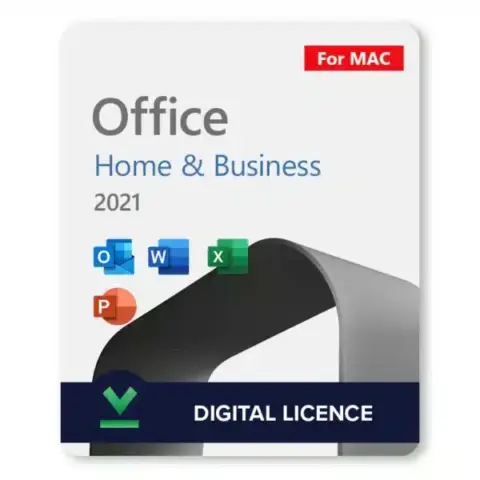
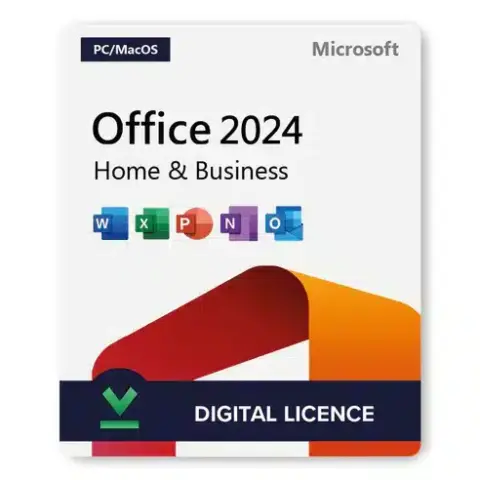
Office Home and Business 2019, 2021 and 2024 for Mac all contain Word, Excel, PowerPoint and Outlook for one Mac with a one-time license. The main difference is support: 2019 ended in October 2023, 2021 ended on October 13, 2026, and 2024 runs until October 9, 2029. Newer versions also add features such as XLOOKUP and dynamic arrays.
| Edition | Apps | Microsoft support ends | Best for |
|---|---|---|---|
| Home and Business 2019 for Mac | Word, Excel, PowerPoint, Outlook | Ended October 10, 2023 | Matching an existing 2019 setup, older workflows, tight budgets |
| Home and Business 2021 for Mac | Word, Excel, PowerPoint, Outlook | Ended October 13, 2026 | Newer Excel functions on a Mac you already run |
| Home and Business 2024 | Word, Excel, PowerPoint, Outlook | October 9, 2029 | New setups that need years of security updates |
So which one? For a home office that edits offline documents and wants the lowest one-time cost, 2019 still does the job. For anything that handles client email every day, the 2024 edition is the safer pick. Browse every Mac edition in the Office 2019 for Mac category.
Who Is Office Home and Business 2019 for Mac For?
This suite fits Mac users who want Word, Excel, PowerPoint and Outlook with business rights and no subscription: freelancers billing clients, small offices standardised on 2019 files, and people replacing a lost 2019 install. It is less suited to anyone who needs current security fixes or Microsoft 365 cloud features such as real-time co-authoring with the newest tools.
Moving from Windows to a Mac? Your .docx, .xlsx and .pptx files open the same way, and the ribbon layout feels familiar. Curious what a new MacBook ships with? Our guide on whether a MacBook Air comes with Microsoft Office explains it.
Delivery and Support
Your Office 2019 for Mac key is emailed instantly after payment, and no account is needed on our side to receive it. Most keys arrive within minutes; in rare cases a fraud check takes longer. Questions about redeeming or installing? Write to support@hypestkey.com or use the live chat. Something went wrong? We’ll help you fix it.
If the key does not activate, HypestKey helps you fix it or sends a replacement. Keep the order email: it holds your key and order number, the two things support asks for first.
Delivery and activation
Visa, Mastercard and other cards, Apple Pay, Google Pay, processed by Stripe. Guest checkout, prices in USD.
Instant delivery to your email: the key is sent automatically as soon as your payment is confirmed. In rare cases (high demand or a fraud check) it can take up to 24 hours.
Check your spam folder first. Still no email? Write to support@hypestkey.com with your order number and we will resend it.
FAQ
How do I activate Office 2019 for Mac?
Redeem the key at setup.office.com with your Microsoft account, download the installer from account.microsoft.com under Services & subscriptions, install the .pkg file, then open Word and sign in. Office activates online within a minute.
Is Office 2019 for Mac still supported?
No. Microsoft ended support on October 10, 2023. The apps keep working, but there are no more security or feature updates. Build 16.78 from October 2023 is the last one for Office 2019 licenses.
Which macOS versions does Office 2019 for Mac run on?
The final build, 16.78, needs macOS 12 Monterey or later. It runs on Intel Macs and on Apple silicon Macs. Microsoft does not test it on macOS versions released after support ended.
Can I move Office 2019 to a new Mac?
Yes. The license is linked to your Microsoft account. Remove Office from the old Mac, then sign in on the new one, download the installer from your account and activate again. It runs on one Mac at a time.
Can I use Office Home and Business 2019 for Mac for work?
Yes. The Home and Business edition includes commercial use rights, unlike Home and Student, and it adds Outlook for business email.
How fast will I get my key?
The key is emailed instantly after payment, usually within minutes. Check your spam folder if you don't see it, or write to support@hypestkey.com with your order number.
Does it include OneNote?
OneNote is not part of the 2019 Mac suite, but it is a free separate download from Microsoft and works alongside Word, Excel, PowerPoint and Outlook.