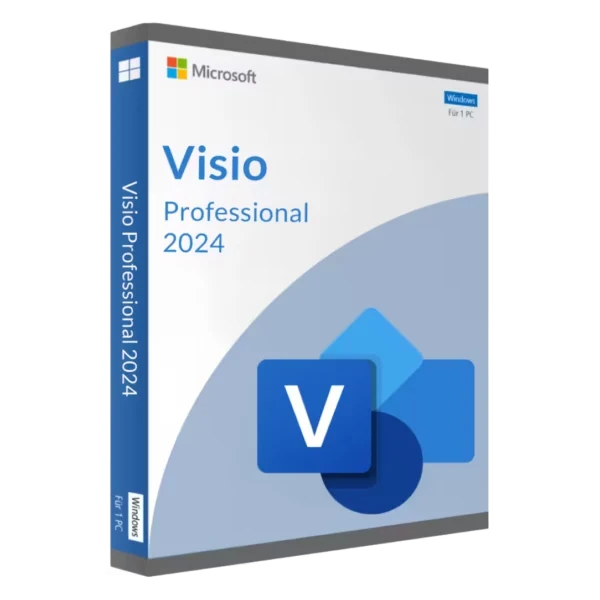





This Visio Professional 2024 key is a genuine one-time license for Microsoft’s diagramming app on one Windows 11 PC, instant to email and activated through your Microsoft account. Visio without the monthly bill. No Plan 2 subscription, no renewal date. Flowcharts, network and rack diagrams, floor plans, BPMN, UML, Azure architectures. Shapes linked to live data, too. We’d hand it to IT admins, engineers and process analysts. Project managers too. Anyone who doesn’t want to pay for Visio Plan 2 every month. We also write Visio 2024 Pro for Visio Professional 2024; same edition, same key. Buy a Visio Professional 2024 key here; we email it right after payment.
| Detail | This key |
|---|---|
| Edition | Microsoft Visio Professional 2024 |
| Also written | Visio 2024 Pro |
| Released | October 1, 2024 |
| Platform | Windows 11 |
| Devices | 1 device |
| License | Lifetime access, one-time purchase |
| Download | Direct from Microsoft |
| Region and language | Global key, multi-language |
| Delivery | Instant to email |
What you can do with it
Thousands of shapes, dozens of templates. Grouped by job, it looks like this.
- IT and networks. Rack layouts, LAN and WAN maps, Active Directory and Azure diagrams.
- Processes. Swimlane flowcharts, BPMN 2.0 maps, audit diagrams with validation rules.
- Software. UML class, sequence and activity diagrams. Database models.
- Facilities. Floor plans, office layouts, electrical or engineering schematics.
- People. Org charts built automatically from an Excel or Exchange data source, with the Organization Chart Wizard.
Basic and cross-functional flowcharts are still the bread and butter. Everything else grows from there.
Three typical Visio Professional 2024 projects
A cloud diagram for a migration. Current Azure icons are in the box, more than 10 new Azure stencils in this release. Nobody redraws vendor icons by hand.
A process map for an audit. BPMN 2.0, validated, exported as a PDF for people who don’t own Visio.
And the office floor plan nobody updated since the last move. Someone finally redraws it to scale.
Data linking
The reason to go Professional. It sits under Data > Link Data to Shapes. A diagram connects to an Excel workbook, an Access database, a SharePoint list or SQL Server. Each row binds to a shape.
Data graphics then show the values. As text, as icons, as colour. The source changes, you hit Data > Refresh All, and every shape updates at once. Standard can’t do any of this.
We’d use it for a server room first. Status in a sheet, colours on the diagram. Nobody has to redraw anything when a machine goes down.
What’s new in Microsoft Visio Professional 2024
More than a coat of paint, though there’s paint too.
- New shapes, stencils and templates.
- A sleeker look. There’s a transparency effect behind the canvas and the menus.
- The Office 2024 theme and colour palette.
- Search, moved up into the title bar.
- New icons, sticky notes for brainstorming, and infographic shapes such as pictograms and to-do lists.
That list is for both editions. Professional gets extra on top. More than 10 new Azure stencils. Kubernetes shapes. Yourdon-Coad notations. It’s all on Microsoft’s “What’s new in Visio 2024” page, if you want the long version.
The file format didn’t change. Still .vsdx, the same as Visio 2013 and later. So older diagrams open as they are. And when a colleague on an ancient version needs a file, it still saves to .vsd.
Visio Professional 2024 vs Visio Standard 2024
Standard is for everyday diagrams. Flowcharts, simple org charts, basic network and business drawings. Professional is for diagrams that carry data or technical detail. Both are one-time purchases for Windows.
| Feature | Visio Standard 2024 | Visio Professional 2024 |
|---|---|---|
| Flowcharts, basic org charts, basic network diagrams | Yes | Yes |
| New 2024 icons, sticky notes and infographics | Yes | Yes |
| Link shapes to Excel, SQL Server, SharePoint data | No | Yes |
| Data graphics and Refresh All | No | Yes |
| BPMN 2.0 and UML templates with validation | No | Yes |
| Detailed network, rack and engineering shapes | No | Yes |
| 10+ new Azure stencils, Kubernetes shapes, Yourdon-Coad notations | No | Yes |
| License | One-time | One-time |
Still on 2021 diagrams and happy with them? They’ll open here without conversion. The Visio Professional 2021 key is the previous version, so for a new purchase we’d take 2024.
Microsoft Visio Professional 2024 system requirements
Windows 11. Start there, because that’s the line people miss. The rest is modest.
| Component | Minimum (Microsoft) |
|---|---|
| Operating system | Windows 11 (also on ARM devices) |
| Processor | 1.1 GHz or faster, 2 cores |
| Memory | 4 GB RAM |
| Disk space | 4 GB available |
| Display | 1280 x 768 (4K and higher needs 64-bit) |
| Graphics | Direct3D 9.1 or higher, WDDM 1.3 driver |
| Internet | Needed to redeem, install and activate |
Windows only. A Mac needs a Windows 11 virtual machine for it, and that Windows needs its own license. Source: Microsoft’s Office 2024 system requirements. They cover this app as well.
Before you order
- Windows 11 on the PC. Not Windows 10.
- A Microsoft account you’ll keep. The license gets linked to it.
- The bitness of the Office you already run. Visio has to match.
- 4 GB of free disk space.
How to install and activate Microsoft Visio Professional 2024
The key doesn’t go into the app. It goes to setup.office.com and ends up linked to your Microsoft account. Visio then installs from that account.
- setup.office.com, in a browser. Sign in with your Microsoft account. No account? A free one will do.
- Type the key from our email. Choose country and language. Confirm.
- account.microsoft.com > Services and subscriptions. Find the app and select Install.
- Run the setup file. 64-bit or 32-bit, to match the Office apps already on the PC.
- Open Visio. File > Account should read “Product Activated, Microsoft Visio Professional 2024”.
Activation runs online the first time you open it. After that it works offline.
Reinstalling later is easy. The key stays linked to your Microsoft account. Download again from the same Services and subscriptions page, and nobody asks you to type the key.
Visio Professional 2024 key not accepted or install blocked
Most failures come from the PC, not the key. Here’s the short list, built from Microsoft’s own rules.
- Windows 10. Microsoft lists Windows 11 as the minimum for every 2024 app, ARM devices included.
- 64-bit Visio next to 32-bit Office. Can’t share a PC. Our Office 32-bit vs 64-bit guide shows how to check yours.
- A different Microsoft account at sign-in than the one that redeemed the key. The app finds no license. Switch accounts.
- An old Windows Installer copy of Office 2016 on the PC. Same version number, 16.0, but a different install technology, and Microsoft doesn’t allow that pair. Remove it first with the Office uninstall tool.
- Mixed update channels. Every Office, Project and Visio product on one machine has to use the same channel.
- Microsoft 365 Apps older than version 2408. Update Microsoft 365 first, then install Visio.
The full matrix sits on Microsoft Learn: supported scenarios for installing different versions of Office, Project and Visio. Worth a look before a big rollout.
Visio Professional 2024 vs Visio Plan 2 and Visio in Microsoft 365
Microsoft sells Visio two ways. Pay once for the desktop app, or rent it per user. The subscription side looks like this.
| Option | How you pay | Desktop app | Web app and co-authoring |
|---|---|---|---|
| Visio Professional 2024 (this key) | Once | Yes, one Windows PC | No |
| Visio in Microsoft 365 | Included with commercial Microsoft 365 plans | No | Lightweight web app |
| Visio Plan 1 | Per user, per month, annual subscription | No | Yes |
| Visio Plan 2 | Per user, per month, annual subscription | Yes | Yes |
One more difference matters over the years. Only the subscription versions of Visio get regular feature updates. A one-time 2024 copy stays as it is, with security fixes. That’s fine if you want a tool that doesn’t change under you. We’d go subscription only for real-time co-authoring in the browser.
Source: Microsoft’s Compare Visio versions page. For the same question about the Office suite, see Microsoft 365 vs Office 2024.
Older one-time copies exist too. The Visio Professional 2019 key still runs on Windows 10. Project and Visio together live in the Project and Visio category.
Next to Office or Microsoft 365
Works. Same PC as Office 2024 or Office LTSC 2024, fine. Microsoft 365 Apps too, from version 2408 on. They all use Click-to-Run and version 16.0. One strict rule: the same bitness for every product on the machine.
Diagrams paste into Word or PowerPoint and stay editable. Excel takes them as well. Double-click one and the Visio ribbon opens in place.
Want the full suite of the same generation? See Office LTSC Professional Plus 2024, or the whole Office 2024 range. Activation for those works much like here, see how to activate Office 2024. Planning projects as well as drawing them? Project Professional 2024 uses the same install method.
How the license works
One payment, one Windows device. No subscription. The license is perpetual, no subscription, it doesn’t expire. The key is global and works worldwide, and the app installs in any of its supported languages.
You keep version 2024. Upgrades to later versions aren’t part of it.
A second computer? A second key. Moving to a new PC? Uninstall from the old one. Then install on the new PC from your Microsoft account. One device at a time.
The PC itself needs Windows 11. On Windows 10 hardware that passes the checks, we’d move to Windows 11 first. A Windows 11 Pro key covers that.
Delivery and help
The key is emailed instantly after payment. No account with us. Card, Apple Pay or Google Pay, through Stripe. A key that won’t redeem or activate gets fixed with you or replaced.
Questions go to support@hypestkey.com or the live chat. Add your order number and a screenshot of the error. All versions are in the Visio category. Something went wrong? We’ll help you fix it.
Delivery and help
Visa, Mastercard and other cards, Apple Pay, Google Pay, processed by Stripe. Guest checkout, prices in USD.
Instant to email: the key is sent automatically as soon as your payment is confirmed.
Check your spam folder first. Still no email? Write to support@hypestkey.com with your order number and we will resend it.
Microsoft Visio Professional 2024 key: FAQ
How do I activate it?
Through your Microsoft account. Go to setup.office.com, sign in, type the key. Then install from account.microsoft.com under Services and subscriptions. Open the app once online and it activates.
Does it run on a Mac?
Nope. Visio is Windows only. On a Mac it runs inside a Windows 11 virtual machine, and that Windows needs its own license.
Next to Microsoft 365 or Office 2024, okay?
Yes. It works with Office 2024 and Office LTSC 2024. Microsoft 365 Apps need version 2408 or later. Everything on the PC must share the same bitness, 32-bit or 64-bit.
What does Professional have that Standard lacks?
Data, mostly. Data linking with Refresh All and data graphics. BPMN 2.0 and UML templates. Detailed network and engineering shapes. The new Azure and Kubernetes stencils.
New computer later. Can I move it?
Yes, one device at a time. Uninstall from the old PC. Sign in to your Microsoft account on the new one and install from Services and subscriptions.
Will my old Visio files open?
Yes. It opens .vsdx files from Visio 2013 and later, and older .vsd drawings too. It can still save to .vsd for colleagues on old versions.
Visio Plan 2 or this key?
Depends on the team. With Plan 2 you rent it per user and get the web app, co-authoring and regular feature updates. This key is paid once for one PC. No browser co-authoring, and the features stay as they shipped.
The key won't redeem or Visio won't install. Why?
Usually the PC. Windows 10 instead of 11. A 32-bit Office next to 64-bit Visio. An old Office 2016 installed with Windows Installer. Or a different Microsoft account. Fix that, then try again, or write to support@hypestkey.com with a screenshot.
Is Visio 2024 Pro the same as Visio Professional 2024?
Yes. Visio 2024 Pro is just the short form. The product Microsoft sells is called Visio Professional 2024, and that is what the key activates.