Short answer: Office 32 bit vs 64 bit: pick 64-bit, the default for Microsoft 365 and Office 2019 or newer. An old add-in or 32-bit Windows can force 32-bit. Both open the same files. The 64-bit build handles bigger workbooks. To switch, uninstall first, then install the other build.
Office 32 bit vs 64 bit: for most people the answer is 64-bit, the version Microsoft installs by default today. We’d only pick 32-bit for an old add-in, a 32-bit Windows PC or a legacy macro that can’t be changed. Both builds open the same files.
- 64-bit Windows and no old add-ins: 64-bit Office.
- Windows itself is 32-bit: only 32-bit Office fits.
- A COM add-in or ActiveX control with no 64-bit build: 32-bit, for now.
- Huge Excel models, Power Pivot, big Project files: 64-bit, easily.
- A Mac: nothing to choose. Office for Mac is 64-bit.
Office 32 bit vs 64 bit: the comparison table
Same apps, same features, same file formats. The difference sits in memory and in what plugs into Office.
| 32-bit Office | 64-bit Office | |
|---|---|---|
| Runs on | 32-bit or 64-bit Windows | 64-bit Windows only |
| Virtual address space for add-ins | As little as 2 GB | Up to 128 TB |
| Default in Microsoft 365, Office 2019 and newer | No | Yes |
| Default in Office 2016 and older | Yes | No |
| Old COM add-ins and ActiveX controls | Work as they are | Need a 64-bit build |
| VBA with Declare statements | Works unchanged | Needs PtrSafe and 64-bit data types |
| Access Large Number data type | No | Yes, through LongLong |
| Documents, workbooks, slides | Same files | Same files |
So a .docx saved in one opens fine in the other. Swapping files between colleagues on different builds is never the problem.
Which version Microsoft installs by default
Microsoft 365 goes in as 64-bit. Unless you pick 32-bit before you click Install. Office 2019 moved to 64-bit too. So did every suite after it.
One exception. Setup that finds a 32-bit Office, Project or Visio already on the PC keeps to 32-bit. We see people surprised by that one. The language and version boxes? Our Microsoft 365 install guide shows them.
Older suites flip it around. Office 2016 and the ones before it installed 32-bit by default. You had to ask for 64-bit on purpose. Not sure which suite you own? The list of Office versions helps.
When 64-bit Office is the right pick
Memory is the reason. A 64-bit app and its add-ins get far more address space, so heavy files stop hitting a wall.
- Excel with large data sets. Complex workbooks, Power Pivot, external database connections.
- PowerPoint decks packed with very large pictures, video or animation.
- Project files over 2 GB, especially with many sub-projects.
- Access tables that need the Large Number data type.
- In-house add-ins your team builds. With 64-bit Office on the desk, you can ship both builds.
Ordinary letters and budgets? You won’t feel a speed difference. We’d still take 64-bit, because it’s the default that everything new is tested against. Pairing it with enough RAM matters more, and the Office 2024 system requirements list the minimums.
When 32-bit Office still makes sense
Compatibility. Nothing else. Here’s the short list from Microsoft’s own guidance:
- Windows itself is 32-bit, or the PC has less than 4 GB of RAM.
- A 32-bit COM add-in with no 64-bit version.
- 32-bit controls such as Mscomctl.ocx or comctl.ocx.
- Outlook tied to a 32-bit MAPI application.
- Access .mde, .ade or .accde files compiled in 32-bit.
- Word with the legacy Equation Editor or WLL add-ins.
- Old PowerPoint slides with embedded media that has no 64-bit codec.
- VBA Declare statements that nobody can convert.
Office at work set up by IT? Ask before switching. A plugin from the accounting or document system is often the reason they chose 32-bit.
Add-ins, VBA macros and Access files
Add-ins are the real line between the two builds. One built for 32-bit can’t load in 64-bit Office, and the other way round. Compiled MDE files behave the same.
Macros are usually fine. You only touch VBA code if it runs in 64-bit Office and calls Windows directly through Declare.
The fix, roughly. Every Declare gets the PtrSafe keyword. Pointers and handles move from Long to LongPtr. Here’s a typical before and after:
Declare Function GetActiveWindow Lib "user32" () As Long
Declare PtrSafe Function GetActiveWindow Lib "user32" () As LongPtr
LongPtr adapts to whichever build is running. Code with PtrSafe works in both. The details are in Microsoft’s 64-bit VBA overview, and we’d hand that link to whoever wrote the macros.
Check if your Office is 32-bit or 64-bit
Ten seconds. Open Word or Excel.
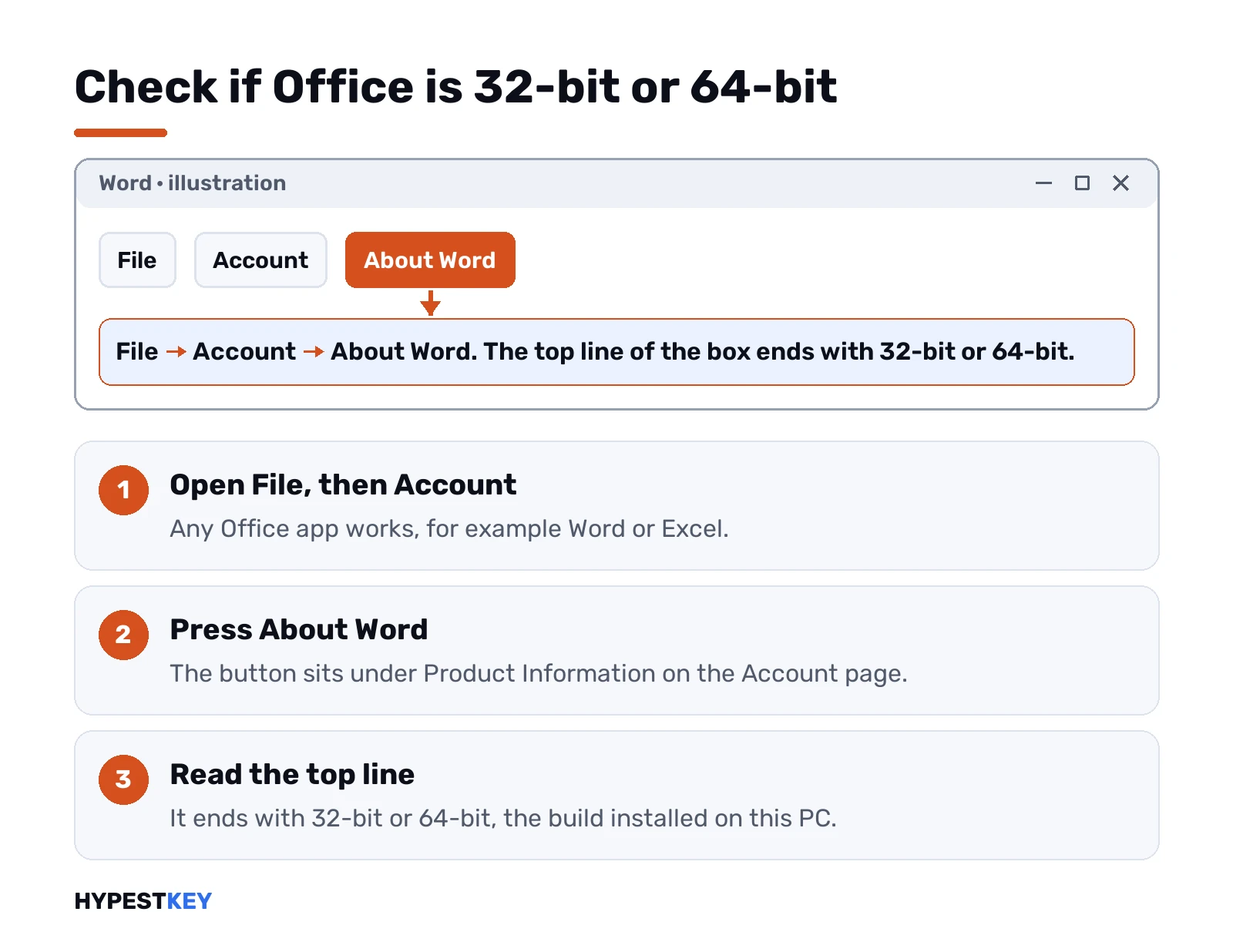
- File, then Account.
- Under Product Information, press About Word, or About Excel.
- The top line of the box ends with 32-bit or 64-bit.
No Account entry? Older suites hide it under File, then Help. Admins can read it from the registry instead:
HKEY_LOCAL_MACHINE\SOFTWARE\Microsoft\Office\ClickToRun\Inventory\Office\OfficePackageArchitectureSee x86 there? That’s 32-bit. Office installed by Click-to-Run only, as our Click-to-Run guide explains.
Check your Windows first
64-bit Office won’t install on 32-bit Windows. Period.
Start, Settings, System, About. Look at System type under Device specifications. Windows 11 has no 32-bit edition at all. Any Windows 11 PC is ready. On Windows 10 the line can say either. If the move to Windows 11 comes first, our Windows 11 requirements page lists what the PC needs.
Switching from 32-bit to 64-bit Office
No in-place switch for home users. Both builds can’t share one PC, so the old one goes first.
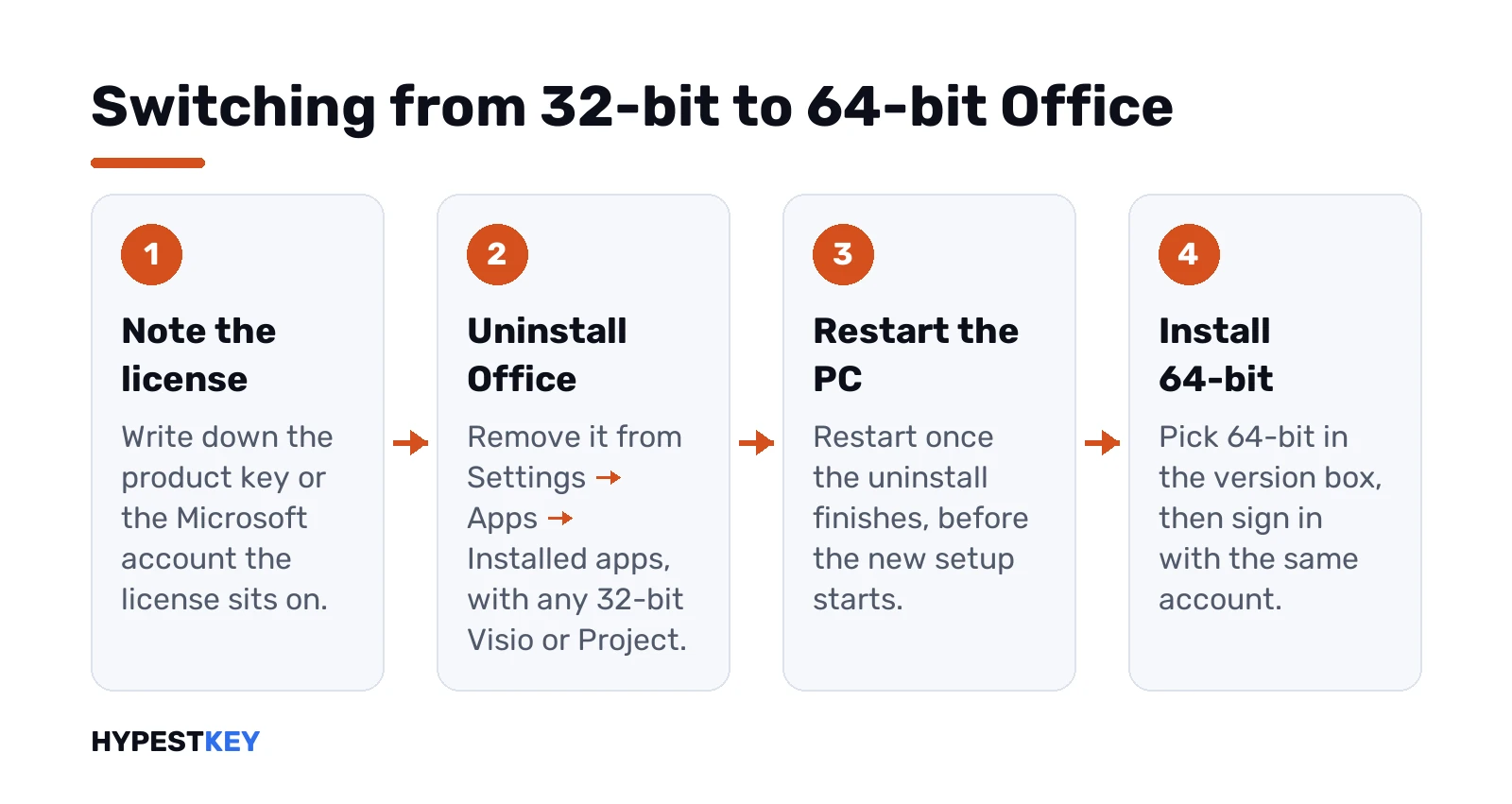
- Note your product key or the Microsoft account the license sits on.
- Uninstall Office from Settings, Apps, Installed apps.
- Remove any 32-bit Visio or Project too. They block the new setup.
- Restart.
- Install again and pick 64-bit in the version box.
Uninstall won’t finish? The Microsoft Office uninstall tool guide covers the stubborn cases. Files in Documents and OneDrive stay put, since only the program comes off.
After the reinstall, sign in with the same account. The license comes back from it. The Office 2024 activation guide helps if it asks for a key.
For admins: MigrateArch in the Office Deployment Tool
Many PCs to move? The Office Deployment Tool can swap the architecture for you. One attribute does it:
<Configuration>
  <Add OfficeClientEdition="64" MigrateArch="TRUE">
  </Add>
</Configuration>
Then setup runs in configure mode with that file. The 32-bit build comes off and the 64-bit one goes on. Languages, products and the update path carry over.
What it needs, per Microsoft’s MigrateArch page:
- Microsoft 365 Apps version 1902 or later on the PC.
- Office Deployment Tool 16.0.11615.33602 or newer.
- A source with files for the new architecture, or the Office CDN.
Limits too. MSI installs can’t migrate. Neither can Click-to-Run products whose version starts with 15.0, like Visio 2013. The same attribute in reverse takes a PC back to 32-bit.
Volume suites such as Office LTSC 2024 set the architecture with OfficeClientEdition at install time. Uninstall first, then deploy the other build.
Windows on Arm PCs and Macs
On an Arm laptop with Windows 11 we’d run the 64-bit edition of Microsoft 365 Apps there. Moving to it needs no new license. On Windows 10 for Arm, the 32-bit build is the one that installs.
Worried about x64 add-ins on Arm? Microsoft built 64-bit Office for Arm on Arm64EC, so existing x64 plugins can load.
Macs skip the whole question. Office for Mac became 64-bit only with version 15.25 of Office 2016 for Mac, and every Mac version since is 64-bit. Running Windows Office inside a virtual machine on a Mac? Then the Windows rules apply.
Common mistakes when picking bitness
- Choosing 32-bit out of habit. That advice dates from Office 2010.
- Installing 64-bit next to an old 32-bit Visio. Setup stops.
- Thinking 64-bit makes files incompatible. It doesn’t.
- Switching before checking add-ins. Ask the vendor about a 64-bit build first.
- Adding PtrSafe and leaving the Long types. The macro runs and returns wrong values.
Still unsure? Our Office 2024 install walkthrough and the Office 2021 setup guide show both version boxes. The full list of reasons is in Microsoft’s 64-bit or 32-bit article.
Need a license that installs either way? Our Office LTSC Professional Plus 2024 key covers one PC. The Office Home and Business 2024 key works on a PC or a Mac. Both are instant to email.
Related guides
FAQ
so which one do I actually install?
64-bit, in most cases. Go for 32-bit only when Windows is 32-bit or an add-in has no 64-bit build.
is 64-bit Office faster?
Not for everyday documents. It shines with very large workbooks, Power Pivot models and heavy add-ins that need more memory.
will my old files open in 64-bit Office?
Yes. Both builds use the same file formats, so documents, workbooks and slides open in either one.
can I have both on one PC?
No. Setup refuses to mix the two, so uninstall one build before installing the other.
do my macros break in 64-bit?
Usually not. Only VBA with Declare statements needs PtrSafe and LongPtr before it runs correctly.
do I need a new key to switch?
No. The same license covers both builds, so you sign in or enter the same key after reinstalling.
what about a Mac?
Nothing to choose there. Office for Mac has been 64-bit only since version 15.25, so every current build is 64-bit.