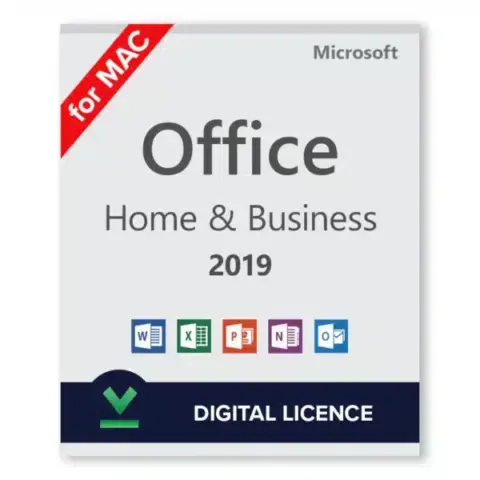
Microsoft Office Home and Business 2021 for Mac is the one-time purchase version of Office for freelancers, consultants and small offices that work on a Mac: Word, Excel, PowerPoint and Outlook, licensed for one Mac, with no subscription. This Office 2021 Mac key is a global key that you redeem at setup.office.com, where it attaches to your Microsoft account. From there you download the apps straight from Microsoft. Pay once, install, sign in, work. Before you order, read the support section below: Microsoft ended support for Office 2021 on October 13, 2026, and that matters for some buyers.
Key takeaways
- Four apps: Word, Excel, PowerPoint and Outlook for Mac, version 2021.
- One-time purchase for one Mac, no monthly fee.
- Runs natively on Apple Silicon (M-series) and Intel Macs.
- Activated through setup.office.com and your Microsoft account.
- Emailed instantly after payment. Something went wrong? We’ll help you fix it.
What Is Included in Office Home and Business 2021 for Mac?
Office Home and Business 2021 for Mac includes Word, Excel, PowerPoint and Outlook in their 2021 versions, licensed for one Mac. Outlook is the difference from Office Home and Student, which has only the first three apps. The license is perpetual: you pay once, and the installed apps keep opening without a subscription or renewal.
- Word 2021 for letters, reports, proposals and contracts, with Editor for grammar and style suggestions.
- Excel 2021 with XLOOKUP, the LET function and dynamic arrays, so long nested formulas become short and readable.
- PowerPoint 2021 for client decks, with presenter view and recording options.
- Outlook 2021 for email, calendar and contacts in one window, including Exchange and IMAP accounts.
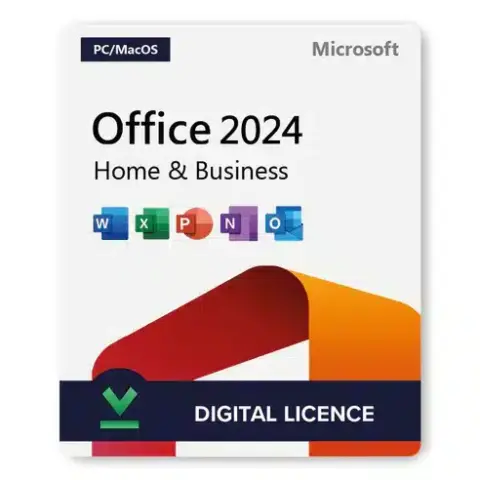
Dark mode works across the apps, and files save to your Mac or to OneDrive. Need Office on Windows as well? Then look at Office Home and Business 2024 (PC/Mac) instead.
What Are the System Requirements for Office 2021 for Mac?
Office 2021 for Mac needs a Mac with an Intel processor or Apple Silicon, 4 GB of RAM, 10 GB of free disk space on an APFS or HFS+ drive, a 1280 x 800 display and an internet connection for activation. Microsoft supports Office for Mac on the three most recent major versions of macOS.
| Component | Requirement |
|---|---|
| Processor | Intel or Apple Silicon (native on both) |
| Operating system | One of the three most recent major macOS versions (macOS Sequoia 15 or later as of autumn 2026) |
| Memory | 4 GB RAM |
| Disk space | 10 GB free, APFS or HFS+ formatted |
| Display | 1280 x 800 or higher |
| Internet | Needed for redeeming the key, activation and updates |
Older Macs are a special case. Since July 13, 2026, Office for Mac builds older than 16.83 open files in a reduced functionality mode: you can view and print, but not edit or save. Version 16.83 needs macOS 12 Monterey or later, as Microsoft explains in its guide to updating Office on macOS.
How Do I Activate an Office 2021 Mac Key?
To activate, go to setup.office.com, sign in with a Microsoft account, enter the 25-character key and confirm your country. The key then belongs to that account. Download Office from your Microsoft account page, install it, open Word and sign in with the same account. Activation finishes automatically within a minute or two.
- Open setup.office.com in Safari or any browser.
- Sign in with your Microsoft account, or create a free one.
- Enter the 25-character product key from your email and choose your country and language.
- Go to account.microsoft.com > Services & subscriptions, find Office Home and Business 2021 and click Install.
- Open the downloaded .pkg file and follow the installer.
- Launch Word, click Sign in and use the same Microsoft account. Office activates.
Want to check the build afterwards? Open Word, choose Word > About Word, and confirm the version is 16.83 or newer. If it is older, run Help > Check for Updates to start Microsoft AutoUpdate.
Tip: Write down which Microsoft account you used at setup.office.com. Reinstalling on a new Mac later only needs that account, not the key.
Is Office 2021 for Mac Still Supported in 2026?
No. Microsoft ended support for Office 2021, including Office 2021 for Mac, on October 13, 2026, with no extension and no extended security updates. The apps keep working, but Microsoft no longer ships security fixes, bug fixes or feature updates for them, and phone and chat support for this version has ended.
What does that mean in practice? For drafting proposals, invoices and spreadsheets on a home office Mac, the suite still does the job, and an up-to-date build keeps editing normally. For a business that handles sensitive client data, or must meet a security policy, an unsupported Office is harder to justify. In that case Office 2024 Home and Business is the perpetual edition that Microsoft supports until October 9, 2029.
Office 2021 vs Office 2024 for Mac: Which One Fits?
Office 2021 and Office 2024 for Mac both include Word, Excel, PowerPoint and Outlook in the Home and Business edition and both are one-time purchases. The difference is support: Office 2021 support ended on October 13, 2026, while Office 2024 keeps receiving security updates until October 9, 2029.
| Detail | Office Home and Business 2021 (Mac) | Office Home and Business 2024 |
|---|---|---|
| Apps | Word, Excel, PowerPoint, Outlook | Word, Excel, PowerPoint, Outlook |
| License | One-time purchase, one Mac | One-time purchase |
| Microsoft support ends | October 13, 2026 (ended) | October 9, 2029 |
| Security updates in 2026 and later | No | Yes |
Our full Office 2021 vs 2024 comparison covers the feature differences app by app. All Mac editions we sell are listed in the Office for Mac category.
How Is the Key Delivered, and What If Something Goes Wrong?
HypestKey emails your Office 2021 Mac key instantly after payment and also shows it on screen after checkout. You do not need an account with us. Payment runs through Stripe by card, Apple Pay or Google Pay. If the email is missing, check spam first, then contact us.
We have sold Microsoft licenses since 2020 and delivered more than 30,000 of them. Something went wrong? We’ll help you fix it. Write to support@hypestkey.com or open the live chat with your order number and a screenshot of the message on your screen. If the key will not activate, we fix it with you or send a replacement.
Delivery and activation
Visa, Mastercard and other cards, Apple Pay, Google Pay, processed by Stripe. Guest checkout, prices in USD.
Instant delivery to your email: the key is sent automatically as soon as your payment is confirmed. In rare cases (high demand or a fraud check) it can take up to 24 hours.
Check your spam folder first. Still no email? Write to support@hypestkey.com with your order number and we will resend it.
FAQ
Does Office 2021 for Mac work on Apple Silicon Macs?
Yes. Office 2021 for Mac runs natively on M-series Macs and on Intel Macs. Your Mac needs a macOS version Microsoft still supports for Office, which means one of the three most recent major macOS releases.
How do I activate my Office 2021 Mac key?
Go to setup.office.com, sign in with a Microsoft account and enter the key. Then install Office from account.microsoft.com under Services & subscriptions, open Word and sign in with the same account.
Can I move Office 2021 to a new Mac?
Yes. Sign out of Office on the old Mac and remove the apps, then install from your Microsoft account on the new Mac and sign in. The license covers one Mac at a time.
Why does Word open my files in view-only mode?
Since July 13, 2026, Office for Mac builds older than 16.83 can only view and print. Update macOS to version 12 or later, then run Help > Check for Updates in Word. Quit and reopen the app, and sign in again if editing is still blocked.
Is Office 2021 for Mac still supported?
Microsoft ended support on October 13, 2026. The apps keep working, but there are no more security updates. If you need a supported perpetual version, choose Office 2024.
How fast will I receive the key?
The key is emailed instantly after payment and shown on screen after checkout. Nothing after 10 minutes? Check spam, then write to support@hypestkey.com or use the live chat and we'll resend it.