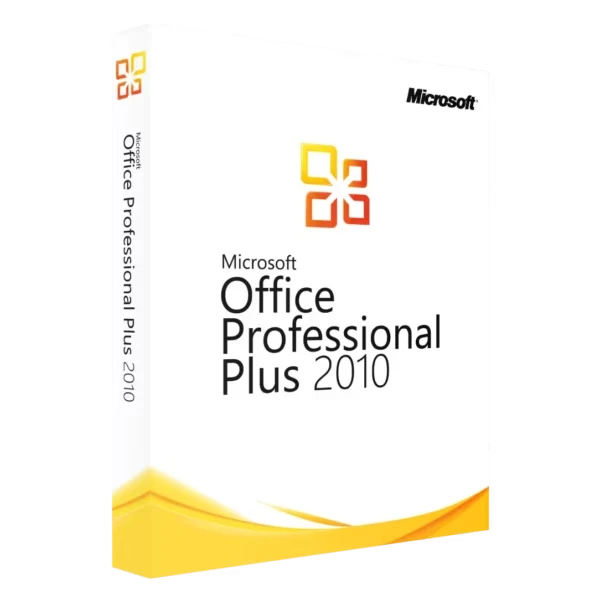






MS Office Professional Plus 2010 remains one of our most requested products. You pay once and never again. This Office 2010 Professional edition has Word, Excel, PowerPoint, Outlook, Access, Publisher and OneNote. We send your product key by email after you order.
What’s Inside This Microsoft Office Pro Plus 2010 Package
Professional Plus was Microsoft’s top tier Office 2010 edition, originally reserved for enterprise volume licensing. Individual buyers couldn’t get it back then. These days you can purchase the same complete package those corporations deployed.
- Word 2010 for documents and reports
- Excel 2010 has Sparklines, Slicers, and PowerPivot
- PowerPoint 2010 can trim video clips without extra software
- Outlook 2010 with conversation view that groups related emails together
- Access 2010 is your database tool when Excel spreadsheets get too messy
- Publisher 2010 makes flyers and brochures
- OneNote 2010 keeps your notes organized
- InfoPath 2010 for creating electronic forms
- SharePoint Workspace 2010 for offline document sync
All applications install on your local machine. Internet connection not required after activation. Files stay on your hard drive.
Why Office 2010 Still Sells in 2026
Subscription fatigue drives most of our Office 2010 sales. A lot of customers remember buying software outright and using it for a decade. They want that again. This version delivers exactly that experience.
Compatibility keeps this version relevant too. Businesses running internal tools built on Office 2010 macros and templates face problems when upgrading. Their spreadsheets break or behave differently in newer versions. So people stick with 2010.
Works on older machines too. 256 MB RAM, 500 MHz processor. That’s it.
Activating Your MS Office Professional Plus 2010 Key
We email you the 25-character product key after your order. Download the installer from your Microsoft account or use the ISO link we include. Put in the key when setup asks for it.
Microsoft may route your activation through their phone system. An automated line walks you through it. Read out the installation ID from your screen, then enter the confirmation numbers the system gives back. Takes about three minutes total.
Online activation works too depending on your setup. Both methods give you a permanent license. Same key works if you reinstall Windows later.
How to Install Office 2010 Professional Plus
Step 1. Find your product key in the email we sent. Save those 25 characters.
Step 2. Download the installer. Use our ISO link or get it from your Microsoft account.
Step 3. Open the installer. Accept the license terms.
Step 4. Type in your 25-character key when it asks.
Step 5. Pick “Install Now” or “Customize” if you only want certain apps.
Step 6. Let it install. About 10 minutes on most computers.
Step 7. Open Word or Excel. Go to File > Account > Activate. Do the online or phone activation.
System Requirements
System specs:
- Windows XP SP3 through Windows 11
- 500 MHz processor or higher
- 256 MB RAM minimum, 1 GB recommended for Outlook
- 3 GB available hard drive space
- 1024 x 576 screen resolution minimum
32-bit installs by default and runs on 64-bit Windows. Pick 64-bit only for Excel files over 2 GB.
Office 2010 Edition Breakdown
Microsoft had a few different Office 2010 packages back then:
Home and Student shipped with Word, Excel, PowerPoint, OneNote. No Outlook included. License prohibited commercial use.
Home and Business added Outlook and allowed business use. Still lacked Access and Publisher.
Standard was for volume licensing. Had most apps except Access.
Professional included Access alongside the Standard apps. Missing enterprise tools like InfoPath.
Professional Plus packs everything Microsoft built for Office 2010. Database users and anyone wanting complete functionality should pick this edition.
Common Use Cases
Students. Write papers, make presentations, do spreadsheets. Cheaper than a Microsoft 365 subscription over four years.
Small businesses. Invoices, proposals, email. No reason to pay monthly for that.
Legacy system support. IT teams maintaining old internal applications often need specific Office versions. Deploying 2010 keeps those dependencies satisfied.
Older PCs. Still works on computers from 2010.
Known Limitations
No more patches since October 2020. Office 2010 still runs but won’t get security fixes. Run antivirus.
No OneDrive sync built in. No live co-editing either.
Files from newer Office versions may lose some formatting when opened here.
2010 Release Highlights
Backstage View consolidated file management into a dedicated screen. Print settings, sharing options, version history all moved there from scattered menus.
Protected View stops macros from running in downloaded files.
Paste Preview lets you see how text will look before pasting.
Screenshot tool grabs any window and drops it into your doc.
Sparklines are mini charts that fit in one Excel cell.
Video trimming works inside PowerPoint. Cut clips, add fades.
Frequently Asked Questions
What apps come with MS Office Professional Plus 2010?
Word for documents. Excel for spreadsheets and pivot tables. PowerPoint for presentations. Outlook for email. Access for databases. Publisher for printed stuff like flyers. OneNote for notes. InfoPath and SharePoint Workspace too.
Does Office 2010 run on Windows 10 or Windows 11?
Yes. Get Service Pack 2 after you install. SP2 came out to fix bugs on newer Windows. Icons might look small on 4K screens but everything works fine.
Subscription or one time payment?
One time. Buy the key, use it forever. No monthly charges. Your license survives Windows reinstalls and hard drive swaps.
How many PCs per license?
One product key activates one computer. If you have three computers, you need three separate keys. We sell single keys and bulk packs. Volume licensing works differently but retail keys are one-to-one.
Still getting security updates?
No. Last update was October 2020. Office 2010 opens files and runs normally. Just won’t patch new vulnerabilities. Keep antivirus running and don’t open sketchy attachments.
Can I move the license to another computer?
Yes. Remove Office from the old PC, install on the new one with your same key. Activation trouble? Microsoft support can reset it for you.
Order Your Key
Order your MS Office Professional Plus 2010 key and we’ll send everything to your email in a few seconds.
Delivery and activation
Visa, Mastercard and other cards, Apple Pay, Google Pay, processed by Stripe. Guest checkout, prices in USD.
Instant delivery to your email: the key is sent automatically as soon as your payment is confirmed. In rare cases (high demand or a fraud check) it can take up to 24 hours.
Check your spam folder first. Still no email? Write to support@hypestkey.com with your order number and we will resend it.