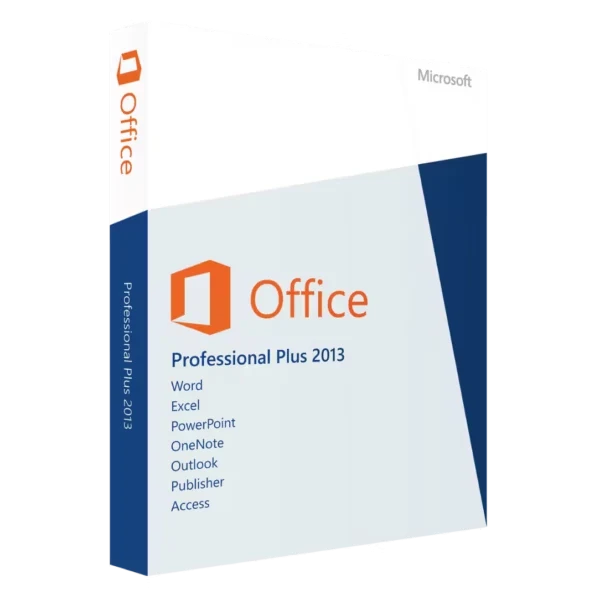





An Office Professional Plus 2013 key activates the full 2013 desktop suite on one Windows PC, a one-time license that comes instant to email. Old hardware, old files, same version on every desk: that’s where 2013 still fits. Nine apps, Access and Publisher among them. Paid once, no subscription. We’d call it a keep-things-running purchase, and there’s nothing wrong with that. We also write Office 2013 Pro Plus for Office Professional Plus 2013; same edition, same key. Buy an Office Professional Plus 2013 key here; we email it right after payment.
| Detail | This key |
|---|---|
| Product | Microsoft Office Professional Plus 2013 |
| Also written | Office 2013 Pro Plus |
| Apps | Word, Excel, PowerPoint, Outlook, OneNote, Access, Publisher, InfoPath, Lync |
| Platform | Windows |
| Devices | 1 PC |
| License | One-time purchase, no subscription |
| Download | Link included |
| Region | Key works worldwide |
| Delivery | Instant to email, no account needed |
What’s included in Microsoft Office Professional Plus 2013
Largest 2013 suite for Windows. And the only 2013 edition with InfoPath and Lync together.
| App | What it does |
|---|---|
| Word 2013 | Letters, reports, contracts. Opens and edits PDF files directly |
| Excel 2013 | Spreadsheets, PivotTables, Flash Fill and Quick Analysis |
| PowerPoint 2013 | Slides with Presenter View |
| Outlook 2013 | Email, calendar, contacts and tasks |
| OneNote 2013 | Searchable notebooks |
| Access 2013 | Desktop databases for customer lists, stock and orders |
| Publisher 2013 | Flyers, newsletters and brochures with exact layout control |
| InfoPath 2013 | Forms, mostly used with SharePoint |
| Lync 2013 | Business chat and meetings; a 2015 update renamed it Skype for Business |
What people do with it
Ordinary office work, mostly. Quotes and contracts in Word. PivotTables in Excel for the monthly numbers. Flash Fill gets a mention too, because it splits names and addresses without a formula.
Word 2013 opens a PDF and lets you work on the text. Handy for a price list or a form that only exists as a PDF. Complicated layouts may not convert line for line, so we’d check the result before sending it on.
Lync is the odd one out. Useful only if your company still runs the server behind it. Otherwise it just sits there.
Why pick Office Professional Plus 2013 in 2026
Three cases. We’ll take them one at a time.
Light hardware. Microsoft’s minimum for the 2013 suite is 1 GHz, 1 GB of RAM in 32-bit and 3 GB of disk. And 2021? A 1.6 GHz dual-core. 4 GB of RAM, 4 GB of disk. On a low-spec PC that gap matters.
Existing Access databases. The .accdb format is the same one Access uses today, so forms and queries usually carry over. Check one list first, though. Microsoft removed several things in Access 2013:
- Access Data Projects, the ADP files. They don’t open at all.
- Access 97 files. Convert them in Access 2010 or 2007 first.
- PivotTable and PivotChart views. Gone with Office Web Components.
- Replication, dBASE links and the Upsizing Wizard. Also removed.
Database depends on one of those? Then 2013 is the wrong fix. The Office Professional Plus 2010 key still has them. Microsoft’s full list: discontinued features in Access 2013.
Matching versions. An office where every desk runs the same Office has no formatting surprises when files travel between people. Boring, and worth a lot. Weighing it against the next release? We compare the two in Office 2013 vs 2016.
Decided on the newer one? Here’s the 2016 Professional Plus key.
File formats aren’t a worry. It saves DOCX, XLSX and PPTX. Same formats the current Office uses.
Microsoft Office Professional Plus 2013 system requirements
Not much. 1 GHz of processor. 1 GB of RAM for 32-bit, 2 GB for 64-bit. 3 GB of disk. The table has the rest.
| Component | Requirement |
|---|---|
| Processor | 1 GHz or faster, x86 or x64, SSE2 |
| Memory | 1 GB (32-bit) or 2 GB (64-bit) |
| Disk | 3 GB free |
| Display | 1024 x 576 or higher |
| Graphics | DirectX 10 card for hardware acceleration |
| Operating system | Windows 7, 8, 8.1, 10; Windows Server 2008 R2, 2012 |
What about the newest Windows? It installs and runs on Windows 11. It just isn’t on the official list for that system, so we’d try your add-ins before trusting it with real work.
Which build? 32-bit, unless you work with very large Excel files. Older add-ins expect it. The trade-offs are in our Office 32-bit vs 64-bit guide.
Before you order
- Windows version. 7, 8, 8.1 or 10 are the listed ones.
- Free disk space. 3 GB.
- Add-ins and macros. Built for 2013? Then you’re in the right place.
- 32-bit or 64-bit. 32-bit, unless your Excel files are huge.
How to activate Microsoft Office Professional Plus 2013
Install first, key second. The check with Microsoft happens online and takes seconds.
- Remove any trial or older Office. On Windows 11 that’s Settings > Apps > Installed apps. On Windows 10, Apps & features. Stubborn leftovers? Our Office uninstall tool guide.
- Download the suite from the link in our email. Run setup.
- Open Word 2013. Type the key when it asks. The format is XXXXX-XXXXX-XXXXX-XXXXX-XXXXX.
- Choose to activate over the internet.
- File > Account. Under Product Information it should say Product Activated.
Missed the prompt? No problem. File, Account, Change Product Key. Same result.
Admins can do it from an elevated Command Prompt instead:
cd "C:\Program Files\Microsoft Office\Office15"
cscript ospp.vbs /inpkey:XXXXX-XXXXX-XXXXX-XXXXX-XXXXX
cscript ospp.vbs /act
cscript ospp.vbs /dstatus
32-bit Office on 64-bit Windows keeps its folder somewhere else:
cd "C:\Program Files (x86)\Microsoft Office\Office15"Most “invalid key” messages are typos. Zero and the letter O look alike. So do 1 and a lowercase L. Paste the key, don’t type it. Got an error code instead, 0xC004C060 for example. Send it to us. The general checklist is in Microsoft Office product activation failed.
Office Professional Plus 2013 key not accepted, and other snags
- A trial Office left on the PC. The wrong license answers. Remove it first.
- A typo in the key. Paste it.
- The 64-bit build with old 32-bit add-ins. They won’t load. Reinstall as 32-bit.
- No internet at the moment of activation. Connect, then try again. Or pick telephone activation in the activation wizard.
- A Standard or Home and Business 2013 installer with this key. Different product. A Professional Plus key needs the Professional Plus installer.
Office Professional Plus 2013 or Home and Business 2013
Four apps make the difference. Access, Publisher, InfoPath and Lync. Never build databases, lay out print material or design forms? Then Home and Business is enough. Need any one of the four? This is the only 2013 suite with all of them.
| App | Home and Business 2013 | Professional Plus 2013 |
|---|---|---|
| Word, Excel, PowerPoint, OneNote | Yes | Yes |
| Outlook | Yes | Yes |
| Access | No | Yes |
| Publisher | No | Yes |
| InfoPath | No | Yes |
| Lync (Skype for Business) | No | Yes |
Access usually decides it. Small businesses run whole order systems in it. Forms and queries come out of a visual designer, no coding needed.
Publisher comes second. A menu card or a trade-fair flyer lines up properly there, because text and pictures sit in frames you place exactly. Word flows text around pictures instead. Not sure you need Publisher at all? See our Publisher alternatives.
The volume Standard edition sits in between. No Access there. Publisher, yes. Our Office Standard vs Professional guide lays out each release.
The license, in short
One key, one PC. Three computers, three keys. The license is perpetual, no subscription, it doesn’t expire. On a new Windows 11 PC we’d take the 2021 Professional Plus key instead. Or the LTSC 2024 one. And it’s Windows only. For a Mac we’d look at the Office for Mac products in our store.
What arrives by email: the 25-character key and a download link. That’s all it takes. Keep the email. You’ll want the key again after a Windows reinstall on the same PC.
Delivery and help
The key is emailed instantly after payment, with the download link. It also shows on screen after checkout. No account with us. Help with installing or activating? support@hypestkey.com, or the live chat. Something went wrong? We’ll help you fix it.
No box, no disc. Just the key and the link.
Not in the inbox? Spam or junk first. Still nothing after ten minutes? Write to us and we resend it. We’ve sold Microsoft licenses since 2018 and delivered more than 30,000. More 2013 products are in our Office 2013 category.
Delivery and help
Visa, Mastercard and other cards, Apple Pay, Google Pay, processed by Stripe. Guest checkout, prices in USD.
Instant to email: the key is sent automatically as soon as your payment is confirmed.
Check your spam folder first. Still no email? Write to support@hypestkey.com with your order number and we will resend it.
Microsoft Office Professional Plus 2013 key: FAQ
One key for several computers?
No. One key activates the suite on one PC. Three computers need three keys.
Does it run on Windows 11?
Yes, it installs and runs. It isn't on the official list for Windows 11, though. The listed systems are Windows 7, 8, 8.1 and 10.
Will files from a newer Office open?
Yes. Same DOCX, XLSX and PPTX formats, so files open both ways. A few newer features won't calculate here, some new Excel functions for example.
Where does the key go after installing?
Into Word. Open it and type the key when asked. Or use File > Account > Change Product Key. Admins have a command line route, shown in the steps above.
Is there a Mac version?
Nope. Windows only. For a Mac, look at the Office for Mac products in our store.
Will my old Access database open?
Usually, yes. Files in .accdb open as they are. Two exceptions from Microsoft: Access 97 files need converting in Access 2010 or 2007 first, and Access Data Projects (ADP) don't open in 2013 at all.
That PC has no internet. Can it still activate?
Yes. The activation wizard has a telephone option next to the internet one. Pick it and follow the prompts.
My key won't activate. What now?
Paste it instead of typing, then retry. Still failing? Send the error message and your order number to support@hypestkey.com. We'll help you fix it or send a replacement.
Is Office 2013 Pro Plus the same as Office Professional Plus 2013?
Yes. Pro Plus is the short name people use for Professional Plus. Same suite, same apps, same key. Microsoft writes Office Professional Plus 2013 on the box and in the installer.