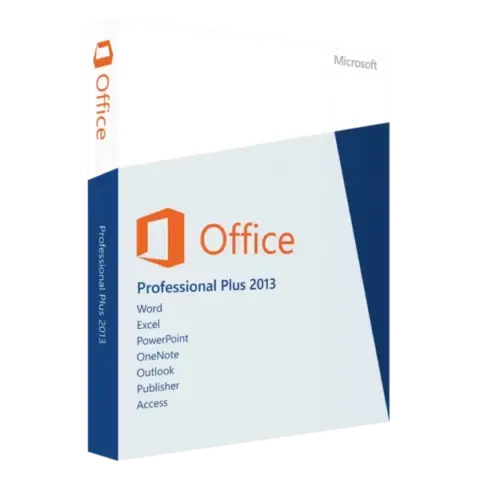
Original price was: $45.99.$22.99Current price is: $22.99.Buy Now Microsoft Office Professional Plus 2013
Office 2013 product keys
We sell Office 2013 Professional Plus, the full suite with Word, Excel, PowerPoint, Outlook, OneNote, Access, Publisher and Lync, for a one-time payment. It suits older PCs with 1 to 2 GB of RAM and runs on Windows 7, 8, 8.1 and 10. Microsoft stopped updating it on April 11, 2023 and never supported it on Windows 11. Your key comes with instant delivery to your email.
Products
No keys match.
Buying Office 2013 keys
HypestKey sells Microsoft Office 2013 product keys for the Professional Plus edition. You pay, the key arrives with instant delivery to your email, and you install. That is the whole process.
Yes, Office 2013 is old software. People still ask for it for a practical reason: older laptops and desktops often struggle with Office 2021 or 2024, while Office 2013 runs smoothly on the same hardware. It also costs much less than a current version.
Why people still buy Office 2013
When Microsoft launched Office 2013, Professional Plus was an expensive business product. Today a genuine Office 2013 Professional Plus key costs a fraction of that, and it still activates through Microsoft.
The buyers tend to fall into a few groups. Repair shops install it on refurbished PCs because it actually runs well there. Schools and training rooms with computers from the mid-2010s use it to keep labs working. And many people simply want the Excel they have known for years, without a new layout where the buttons have moved.
Microsoft wants everyone on Microsoft 365 with a monthly or yearly fee. Some people do not like that. With Office 2013 you pay once and you are done, and the software keeps opening and working for as long as your PC runs it.
Office 2013 editions
Professional Plus (sold here)
Word, Excel, PowerPoint, Outlook, OneNote, Access, Publisher and Lync, plus InfoPath. Everything in the suite. Access is the database app, useful for tracking stock or client details. Publisher makes brochures, flyers and similar layouts. Businesses usually choose this edition.
Standard
Microsoft also made an Office 2013 Standard edition: the same core apps and Publisher, but without Access and Lync. If you open Word a few times a week, Excel when you have to and PowerPoint once a month, Standard would cover you, but we do not stock it. Professional Plus includes everything Standard has, so it covers those needs too.
Not sure what you need? Email support@hypestkey.com, tell us which apps you actually use, and we will point you to the right version.
System requirements
Have an old PC sitting in a closet? It may be fine. Office 2013 needs a 1 GHz processor, 1 GB of RAM for 32-bit (2 GB for 64-bit) and 3 GB of available disk space. Many machines from around 2009 meet these numbers.
Windows 7, 8, 8.1 and 10 are all supported. Windows 11 is a different story: Microsoft never listed Office 2013 as supported on it. Some people install it on Windows 11 without trouble, others see random crashes, so it is a gamble. For a sure thing on Windows 11, go with Office 2019, Office 2021 or Office 2024.
Windows XP and Vista are not supported at all. Microsoft cut them off for this release.
Microsoft support status
April 11, 2023 is the date Microsoft stopped patching Office 2013. No more updates and no more fixes. The apps still open and still work: Word saves documents, Excel runs formulas, nothing changed there.
Is that a problem? It depends on your work. Writing recipes for a food blog? You are fine. Handling payment data or confidential client files? Consider a current version. Files you create in Office 2013 open in newer Office versions, so moving up later is painless.
Office 2013 vs newer versions
People often ask why they should not just buy 2021 or 2024. Here is the honest comparison.
Hardware requirements
Office 2013 asks for 1 GB of RAM. Office 2021 and 2024 want 4 GB for 64-bit and a dual-core 1.6 GHz processor. That gap sounds small until you install a new Office on an early-2010s laptop with 2 GB of memory and watch Word take a long time to open. Office 2013 on the same machine starts quickly.
Price difference
Office 2013 Professional Plus costs noticeably less than Office 2021 or 2024 Professional Plus. On a single license the gap is modest, but when you equip a whole office or call center with many PCs, it adds up fast.
Features you actually use
Newer versions add real-time co-authoring, dark mode, newer Excel functions such as XLOOKUP, and better cloud integration. Useful if you need them. But think about what you do every day: open Word, type, save; open Excel, enter numbers. That has not changed much since 2013. Unless your team edits the same file at the same time through the cloud, you may not miss much.
How activation works
After payment, your Office 2013 key, 25 letters and numbers, comes with instant delivery to your email along with the official download link. You can also use an existing Office 2013 Professional Plus installer or disc. The setup wizard asks for the key and you type it in.
Office then contacts Microsoft’s servers, checks the key and confirms activation. It usually takes a few seconds. No internet connection? The activation wizard offers telephone activation: you call the number shown, read out a code and enter the confirmation code you receive. Slow, but it works.
Activation is tied to the PC. If you reinstall Windows on the same computer, the same key activates again. Moving to a different computer is not always possible, so write to us first if you need to transfer a key.
Who buys Office 2013 today
The same kinds of buyers come back again and again.
Students on a tight budget. They need Word for an essay due on Friday and do not want a yearly Microsoft 365 bill. A one-time Office 2013 license solves it.
Business owners with older machines. Think of a small shop with a few computers from 2012 that still work and still run its accounting software. Why replace hardware just to run Office 2021?
People who dislike change. They used Office 2013 at work for years and know where every button is. Newer versions move menus around, and they would rather not relearn.
If that sounds like you, Office 2013 does the job. If you need Windows 11 support or security updates, choose Office 2019, 2021 or 2024 instead.
Common questions about Office 2013 keys
Are these keys genuine?
Yes. They are genuine Microsoft product keys, and activation goes through Microsoft’s own servers, not a crack or a hack. If a key will not activate, we send another one.
Does Office 2013 work on Windows 10?
Yes. Windows 7, 8, 8.1 and 10 are all supported. Windows 11 is not officially supported: many installations run fine, others crash. Stay on Windows 10 or choose a newer Office for Windows 11.
Professional Plus or Standard?
Need Access for databases or Lync? You need Professional Plus. Professional Plus is the edition we sell, and it covers everything Standard does.
One payment or a subscription?
One payment. The Office 2013 license key is yours after that, with nothing recurring. Microsoft prefers subscriptions now, but perpetual licenses are entirely legal.
How do I activate my key?
The installer or the first app you open asks for the key. Type in the 25 characters, Office checks them with Microsoft, and you are done. Offline? Use telephone activation from the activation wizard.