MS Office 2010 product key
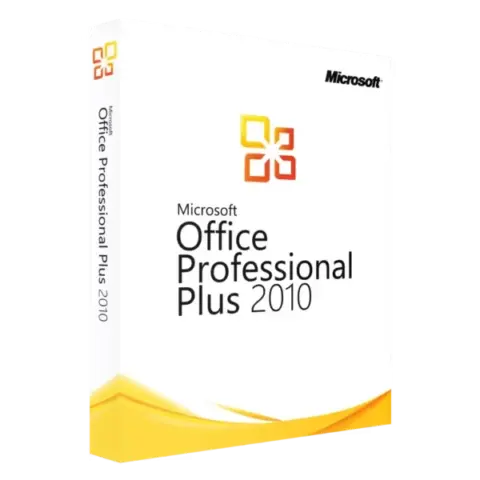
The Office 2010 edition sold here is Professional Plus, with Word, Excel, PowerPoint, Outlook, OneNote, Access and Publisher on one PC for a one-time payment. It runs on very old hardware, from 256 MB of RAM, and on Windows XP SP3 through Windows 10. Microsoft ended updates on October 13, 2020, and Windows 11 is not officially supported. The key comes with instant delivery to your email.
Products
No keys match.
Buying Office 2010 keys
Looking for an MS Office 2010 product key? You are in the right place. Your Microsoft Office 2010 license key comes with instant delivery to your email after payment. Activation code, serial key, product key: different names, same thing.
Why 2010? Because you pay once and that is it. No yearly fees.
Office 2010 Professional Plus apps
You get Office 2010 Professional Plus. That means Word, Excel, PowerPoint and Outlook, plus Access, Publisher and OneNote.
One key activates one PC.
Word is the document editor, with the ribbon interface, spell check and mail merge.
Excel handles spreadsheets: over a million rows per sheet (1,048,576), pivot tables and macros all work.
PowerPoint is for slides.
Outlook is for email, calendar and contacts.
Access builds databases, Publisher creates layouts, and OneNote keeps notes.
How Microsoft sold Office 2010 keys
Microsoft distributed Office through three channels:
Retail keys came boxed in stores at full price and could move between computers. The box included printed materials nobody read.
Preinstalled keys came with new Dell, HP or Lenovo computers and stayed tied to that hardware.
Volume keys went to businesses under volume agreements.
Whether a key can move to another PC depends on its license type, which is stated on the product page. To move one, uninstall Office from the old PC first, then activate it on the new one.
Office 2010 system requirements
ComponentMinimum
WindowsXP SP3 (32-bit), Vista SP1, 7, 8, 8.1, 10
Processor500 MHz
RAM256 MB (512 MB recommended)
Disk space3 GB
Got an ancient laptop? Office 2010 runs on it. Office 2019 wants 4 GB of RAM on 64-bit systems. Office 2010 does not.
How to install Office 2010 and enter the product key
Download the installer using the link in your order email.
Run it. Choose an install folder or keep the default.
Open Word when setup finishes. Enter your 25-character license code when asked and click Activate.
Online activation usually works right away. If it does not, use telephone activation from the activation wizard.
Office 2010 activation troubleshooting
Typos. They kill activation. O vs 0, I vs 1. Check twice.
Firewall blocking the connection? Try telephone activation.
Key already used on another PC? Remove Office from that PC first.
Error 0x80070005? That is an access denied error. Right-click the installer and choose Run as administrator.
Office 2010 vs Office 2019 vs Office 2021
Buy 2010 if you want a one-time payment, have weak hardware, or need low-cost keys for several PCs.
Office 2019 and Office 2021 add co-authoring and cloud sync, a dark theme, and modern sign-in for corporate Outlook accounts.
All of them read the same files. A .docx from 2010 opens in Microsoft 365 with no conversion needed.
Office 2010 uses the ribbon, which first appeared in 2007, with tabs across the top. Version 2010 added the File menu (Backstage view). If you have used any Office since 2007, you know the layout.
Old laptops run 2010 well. 2 GB of RAM, no problem. The same laptop struggles with 2019.
What 2010 lacks: real-time editing with teammates and modern authentication for company mail servers. Most home users never notice.
Office 2010 file formats
Word saves .docx files, Excel saves .xlsx and PowerPoint saves .pptx. Any Office since 2007 reads these, and so does LibreOffice.
Someone still on Office 2003? Use Save As and pick the older .doc, .xls or .ppt format.
PDF export is built in.
Office 2010 support and updates
Microsoft released the last patch in October 2020; support ended on October 13, 2020. Everything still works, but there are no more updates.
For personal use, this is rarely a concern. A business with compliance rules should consider a newer Office. Microsoft’s lifecycle page lists the official end dates.
About HypestKey
HypestKey has been selling Microsoft licenses since 2020 and has delivered more than 30,000 of them. Every Office 2010 product key we sell is genuine and activates through Microsoft’s servers. If activation fails, we replace the key.
The key arrives by email, with no physical shipping. You get the key, the download link and instructions.
Stuck? Email support@hypestkey.com or use live chat. We answer every day.
Office 2010 product key FAQ
Does it work on Windows 11?
Microsoft never certified Office 2010 for Windows 11, so there is no guarantee. It usually installs, and if an app crashes, right-click its shortcut, open Properties, then Compatibility, and run it in Windows 7 mode. For full support on Windows 11, pick Office 2019 or newer.
What apps are included?
Professional Plus comes with Word, Excel, PowerPoint, Outlook, Access, Publisher and OneNote. Seven apps in total.
Can I move it to another computer?
It depends on the license type shown on the product page. A Transferable license moves: uninstall Office from the first PC, then install it on the new one and the same key works again. A Single PC license stays with the computer it first activates, just like keys that came preinstalled on a Dell or HP.
How does activation work?
Open Word or Excel, go to File, then Help, then Change Product Key. Enter all 25 characters and click Activate. It takes a few seconds. Telephone activation works too if your firewall blocks the connection.
Is it still getting updates?
No. The last one came out in October 2020. Everything works as before, just with no new patches. Home users rarely mind. Businesses with compliance rules might.
What if the key does not work?
Email us and we sort it out: we send a replacement key that works.
32-bit or 64-bit?
One key covers both. Check your Windows: on 64-bit Windows with 4 GB of RAM or more, install 64-bit Office. Otherwise use 32-bit.
Can I run 2010 and Microsoft 365 on the same PC?
You can try, but Microsoft advises against it because shared components conflict. Want both? Use a virtual machine or a second computer.
Does Gmail work with Outlook 2010?
Yes, over IMAP. Google publishes the settings. If your account uses 2-Step Verification, create an app password first.
How fast is delivery?
Instant delivery to your email after payment, and the key is also shown on screen. Nothing in your inbox? Check the spam folder. Still nothing? Contact us and we resend it.