Office for Mac
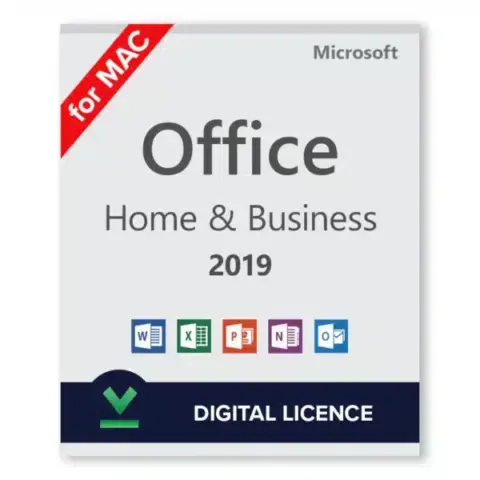
Microsoft Office Home and Business 2019 (Mac)
Original price was: $95.99.$69.99Current price is: $69.99.Buy Now Microsoft Office Home and Business 2019 (Mac)
This category has one edition: Office Home and Business 2019 for Mac, with Word, Excel, PowerPoint and Outlook for one Mac. It is a one-time purchase, but Microsoft ended support on October 10, 2023, so newer Macs are better served by Office 2024. The key comes with instant delivery to your email.
No keys match.
Looking for Office 2019 for your Mac? We sell genuine keys and send them with instant delivery to your email. This is a one-time purchase, not a subscription. Pay once and you get Word, Excel, PowerPoint and Outlook on that Mac for good.
The edition we stock
Office Home and Business 2019 for Mac gives you Word, Excel and PowerPoint plus Outlook for email and calendar. Freelancers like it because client mail and documents live in one place. It is licensed for one Mac.
The price shown on the product page is what you pay. One-time purchase means no recurring charge creeping up on you later.
Why buy from us
Buying here means real Microsoft software. Not grey market, not recycled keys. The download comes from Microsoft and activation runs on Microsoft’s servers.
Why people order from HypestKey:
Keys that activate and stay activated
Instant delivery to your email, not days of waiting
SSL-protected checkout, so your data stays safe
Support every day by email and live chat
If a key does not work, we fix it or send a replacement, with no time limit to ask
System requirements
A quick check before you buy:
macOS: Office 2019 launched with macOS 10.12 Sierra as the minimum, and later updates raised that to newer releases. Microsoft tested it on the macOS versions that were current while it was supported, so a Mac on Mojave, Catalina, Big Sur or Monterey is the most comfortable match.
Chip: Intel Macs work. Later updates of Office 2019 added native support for Apple Silicon (M1 and newer).
Disk space: clear about 10 GB for the full install.
Memory: 4 GB of RAM gets it going. Go for 8 GB if you work with heavy spreadsheets, things move much faster.
Screen: 1280 x 800 minimum resolution.
After activation you do not need an internet connection. The apps run fully offline.
Support status
Microsoft ended support for Office 2019 for Mac on October 10, 2023. There are no more security updates or fixes. The apps keep working, and your workflow will not change on you, but for a new Mac or for work with sensitive data Office 2024 for Mac is the better pick.
Delivery
Here is how it works. You pay, we email your key. The email holds the product key, a link to the official Microsoft download and a walkthrough of what to do next. The key also appears on screen after checkout.
Our system runs around the clock. Buy at 2 a.m. and the key is in your inbox at 2 a.m. In rare cases (a fraud check or very high demand) it can take up to 24 hours. If you see nothing, check spam or junk, then write to support@hypestkey.com.
Buying for a business
Need several licenses? Each key covers one Mac, so order one per computer. For bigger orders, email us first and we will confirm stock and help you pick the right product.
Plenty of companies choose a perpetual Office license over a subscription. The upfront cost pays for itself after a couple of years compared with monthly fees. The apps also work offline, so nothing stops when the Wi-Fi drops.
Features Office 2019 added
Office 2019 brought real improvements over Office 2016:
Word: Focus mode hides everything except your text. Learning Tools help people who struggle with reading, and translation is built in.
Excel: new chart types, including funnel and map charts, and new functions such as TEXTJOIN, CONCAT and IFS that save headaches with text and nested formulas.
PowerPoint: the Morph transition makes slides flow into each other smoothly.
Outlook: Focused Inbox moves the important mail to the top.
Installation help
Installing Office 2019 is simple. Download the installer, open it, sign in with your Microsoft account and enter your key when asked. That is the whole process.
Something went wrong? We help with:
Keys that will not activate
Download problems
Moving the license to a new Mac
Questions about compatibility with your macOS version
We answer by email and live chat every day.
Secure checkout
Pay with Visa, Mastercard and other major cards, Apple Pay or Google Pay. Every purchase is protected with SSL encryption.
Card details never touch our servers. Stripe, the payment processor, handles them. Right after purchase the key lands in your inbox.
Common questions
What apps do I get?
Home and Business 2019 for Mac includes Word, Excel, PowerPoint and Outlook.
One payment or a subscription?
One payment. You own the license, with no monthly charges and no renewal fees on your card.
Will it run on my Mac?
On a Mac with a macOS version from Office 2019’s support period, yes. Keep in mind that Microsoft’s security updates stopped on October 10, 2023.
What happens when I get a new Mac?
Office 2019 for Mac is linked to the Microsoft account you redeem the key on. Sign out on the old Mac, sign in on the new one, and the same license works there.
How does it compare with a subscription?
Office 2019 has a fixed feature set that does not change from month to month. Subscriptions add cloud storage and new features, but the cost keeps adding up, and after two or three years you have paid more than for this perpetual license. If you want stable Office tools without ongoing payments, this version makes sense.
Ready? Pick Office Home and Business 2019 for Mac, or see every version on the Office for Mac page.