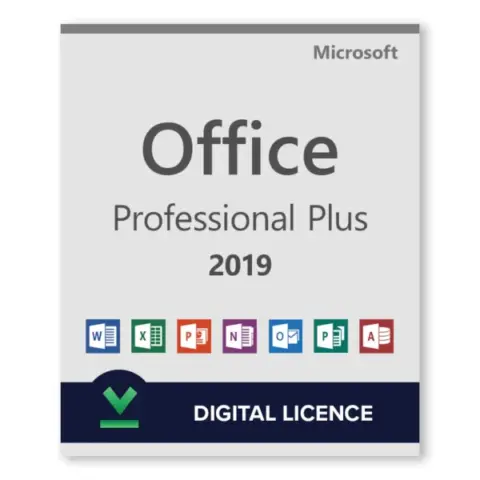
Original price was: $64.99.$37.99Current price is: $37.99.Buy Now Microsoft Office Professional Plus 2019
Office 2019 Product Key: Professional Plus for Windows
An Office 2019 product key here activates Professional Plus on one Windows PC for a one-time payment. Mac users have a separate edition. For a brand-new setup, we'd also look at Office 2024. We email the key instantly after payment, and no account is needed.
Products
No keys match.
Buying Office 2019 keys
An Office 2019 product key from HypestKey activates Professional Plus on one Windows PC. You pay once, with no subscription. Office 2019 Professional Plus is also written Office 2019 Pro Plus.
Microsoft ended security updates for Office 2019 on October 14, 2025. A genuine key still activates it permanently, with no renewal and no expiry. The apps keep opening and saving files after that date. Only new fixes stopped.
| Point | Detail |
|---|---|
| Windows edition | Office Professional Plus 2019, one PC per key |
| Apps | Word, Excel, PowerPoint, Outlook, Access and Publisher, plus the OneNote desktop app |
| Mac | Office Home and Business 2019 for Mac, in a separate category |
| Newer suite | Office 2024 |
| Delivery | The key is emailed instantly after payment with the official download link. No account is needed |
Which Office 2019 product key to buy
For a Windows PC, we’d buy Professional Plus. It’s the largest suite of this release and the only Windows edition in this category.
It adds Access and Publisher to the everyday apps.
On a Mac, the Home and Business edition is the one to pick. In most cases, a new setup is better served by Office 2024.
| Edition | Platform | Apps |
|---|---|---|
| Office Professional Plus 2019 | Windows | Word, Excel, PowerPoint, Outlook, Access, Publisher |
| Office Home and Business 2019 for Mac | macOS | Word, Excel, PowerPoint, Outlook, OneNote |
| Office LTSC Professional Plus 2024 (for comparison) | Windows | Word, Excel, PowerPoint, Outlook, Access, OneNote |
The Office Professional Plus 2019 key is what most small offices in this category order.
- One key per PC
- The same suite on every desk
- Nothing to renew each year
Microsoft also made a Professional edition with the main business apps. Professional Plus goes a step further with the extras larger organizations ask for.
Mac users have their own edition, Office Home and Business 2019 for Mac. It lives in the Office 2019 for Mac category.
What Professional Plus includes
| App | Used for |
|---|---|
| Word | Documents |
| Excel | Spreadsheets |
| PowerPoint | Presentations |
| Outlook | Mail and calendars |
| Access | Databases |
| Publisher | Flyers and newsletters |
| OneNote | Notes; there’s no separate 2019 version, but a OneNote desktop app installs with the suite |
Everything installs as desktop apps on one Windows PC. You pay once and keep the version you bought.
There’s no monthly fee and no cloud subscription.
This was the first perpetual release to bring several features from the subscription side.
| App | Added in 2019 |
|---|---|
| Excel | CONCAT, TEXTJOIN, IFS and SWITCH, plus funnel and map charts |
| Word | The Learning Tools reading mode |
| PowerPoint | Morph and Zoom |
Newer functions such as XLOOKUP and dynamic arrays came later, in the two releases that followed. A workbook built with them won’t calculate here.
How Office 2019 installs: Click-to-Run and version 16.0
This was the release that dropped the old MSI installer. Microsoft explains it in the Overview of Office 2019 on Microsoft Learn.
| Point | What it means on your PC |
|---|---|
| Click-to-Run | Setup streams the apps from Microsoft’s servers instead of an MSI package |
| Install location | Always the system drive, usually C:, and it can’t be changed |
| Apps installed | All of them by default; admins can leave some out with the Office Deployment Tool |
| Version 16.0 | Same major version as Office 2016, so add-ins for 2016 are likely to work |
| 32-bit or 64-bit | Both exist; Microsoft recommends 64-bit on PCs with 4 GB of memory or more |
| Updates | Installed through Click-to-Run as a whole; there are no separate patch downloads per fix |
Two old tools never got a 2019 version: SharePoint Designer and InfoPath. Need either? They stay at 2013.
System requirements
| Component | Office Professional Plus 2019 (Windows) |
|---|---|
| Operating system | Windows 11 or Windows 10 |
| Processor | 1.1 GHz or faster, 2 cores |
| Memory | 4 GB RAM (64-bit), 2 GB RAM (32-bit) |
| Disk space | 4 GB available |
| Display | 1280 x 768 |
The suite runs on Windows 11 and Windows 10. It doesn’t run on Windows 7 or 8.1.
Most office PCs from the last eight years typically meet these figures without trouble.
If another version of the suite is already on the machine, we’d remove it first. Two Click-to-Run versions side by side often cause activation prompts.
Keep the bitness consistent too. A 32-bit copy and a 64-bit copy don’t mix on one PC.
Delivery and activation of an Office 2019 product key
We email your key instantly after payment, together with the official Microsoft download link and short setup steps. No account is needed to order. Not in the inbox? Check spam, or email support@hypestkey.com.
- Uninstall any trial or older version of the suite from Settings, Apps.
- Download Professional Plus with the link in your email and run setup.
- Open any app and enter the 25-character key when asked.
- You can also go to File, Account, Change Product Key.
- Check File, Account. It should read “Product Activated”.
The suite installs from Microsoft’s servers. It activates online within seconds on that PC.
Each key activates one PC. For a whole office, order as many keys as you have computers.
Email support@hypestkey.com if you want help with a larger order.
Keep the order email in a safe place. We’d also note which key went on which PC.
A reinstall on the same computer then goes faster, because you know its key.
This release or the 2024 one
| Choose | When |
|---|---|
| Office 2019 | An add-in or a training setup needs exactly that version |
| Office 2024 | The PC is new, or you want newer Excel functions |
All these versions share the same .docx, .xlsx and .pptx formats, so files move between them.
Only newer features, such as XLOOKUP in Excel, stop working when a file comes back to this release.
Where to enter an Office 2019 product key
Open Word or Excel and go to File, Account. Choose Change Product Key and type the 25 characters.
Home and Business 2019 for Mac goes another way. That key is redeemed once at setup.office.com and stays linked to your Microsoft account.
For a reinstall we sign in at account.microsoft.com and open Services and subscriptions. No key is typed again.
When an Office 2019 product key is rejected
| What you see | What it usually means | What to do |
|---|---|---|
| The product key is not valid | A typing slip, or a key for another Office release | Copy the key from the order email. Watch B and 8, O and 0. A 2016 or 2021 key will not open 2019 |
| The key is for a different product | The installed edition differs from the key | Remove that copy, install the edition named in the order email, then enter the key |
| The key has already been redeemed | It is linked to a Microsoft account already | Sign in with that account and install from Services and subscriptions |
| Office could not activate | No route to the activation servers | Check the internet connection, the date and the time on the PC. Switch a VPN off and try once more |
Still stuck? Email support@hypestkey.com with a screenshot and the order number. We fix it or send a replacement key.
Free and generic Office 2019 keys
The codes posted on key sites are Microsoft’s generic volume keys. They stay active only against a company’s KMS host.
Our page on free Office keys explains what those codes really do.
Why are Office 2019 keys cheaper here?
We work closely with our suppliers and buy in large volumes, which gets us lower prices.
We’re also an online store with electronic delivery. There’s no box, no shipping and no shop floor, so our overheads stay minimal.
Is it legal to buy an Office 2019 product key?
Yes. Microsoft sells Office in its own store and through other sellers.
What counts is the key: genuine, unused and made for the edition you install.
Why buy from HypestKey
We’re a trusted online store with genuine keys. We’ve sold Microsoft licenses since 2018, with 30,000+ licenses delivered.
| Point | Detail |
|---|---|
| Payment | Through Stripe by card, Apple Pay or Google Pay |
| If a key does not activate | We help you fix it or send a replacement |
| Help | By email or live chat |
Common mistakes with an Office 2019 product key
- Ordering the Windows edition for a Mac.
- Planning an install on Windows 7 or 8.1.
- Leaving another Click-to-Run version of the suite on the PC.
- Mixing a 32-bit copy with a 64-bit one.
- Using one key for two computers.
- Building a workbook with XLOOKUP and opening it here.
- Trying to install to a drive other than C:.
Terms used on this page
| Term | Meaning |
|---|---|
| Professional Plus | The largest Windows edition of this release |
| Perpetual license | You pay once and keep the version you bought |
| Click-to-Run | Microsoft’s installer technology that streams the suite from its servers |
| Bitness | Whether the copy is 32-bit or 64-bit |
| LTSC | The name Microsoft gives the volume edition of the 2024 suite |
| Dynamic arrays | Excel formulas that spill results into several cells |
FAQ
Can I install Office 2019 on Windows 11?
Yes. Professional Plus installs and activates on Windows 11 and Windows 10. It doesn't run on Windows 7 or Windows 8.1.
Is Office 2019 a one-time purchase?
Yes. The license is perpetual. You pay once and keep the version you bought, with no monthly or yearly fee. If you upgrade to a newer version later, we'd budget for a new key.
Can I use one Office 2019 key on two computers?
No. One Professional Plus key activates one PC. For a second computer, buy a second key.
Will files from Office 2019 open in newer versions?
Yes. All current versions share the same .docx, .xlsx and .pptx formats. Only newer features, such as XLOOKUP in Excel, don't work when the file goes back to this release.
Should I buy Office 2019 or Office 2024?
For a new PC, we'd usually take Office 2024 for its newer Excel functions. Office 2019 makes sense when an add-in or a training setup needs exactly that version.
Is OneNote in Office 2019 Professional Plus?
Yes. There's no separate OneNote 2019, but the OneNote desktop app installs with the suite.
Can I install Office 2019 on drive D?
No. Office 2019 always installs on the system drive, usually C:. Microsoft doesn't let you change the location.
Is there a free Office 2019 product key?
No key that activates a home PC. Free codes found online are generic volume keys that need a company's KMS host.