Short answer: Delete McAfee on Windows 11 the official way. Settings, Apps, Installed apps. Three dots next to each McAfee entry, Uninstall, restart. Something left? Download a fresh copy of MCPR, McAfee's own removal tool, run it and restart again. Last, open Windows Security. Defender should say it's turned on.
To delete McAfee on Windows 11, uninstall it from Settings, restart, and run McAfee’s own removal tool only if something stays behind. That’s the whole job for most PCs. No third-party uninstaller needed, no registry editing. Then check that Microsoft Defender took over, and sort out the McAfee subscription separately.
- Settings, Apps, Installed apps. Find every McAfee entry.
- Three-dot menu, Uninstall. Follow McAfee’s prompts.
- Restart the PC.
- Still there? Download a fresh copy of McAfee’s removal tool and run it.
- Restart again. Open Windows Security and confirm Defender is on.
Short on time? Steps one to three fix it for most people. The rest of this page is for the stubborn cases, the leftovers and the billing side.
Delete McAfee from Windows 11 Settings
Start here. Always. Even McAfee says the regular Windows uninstall comes first.
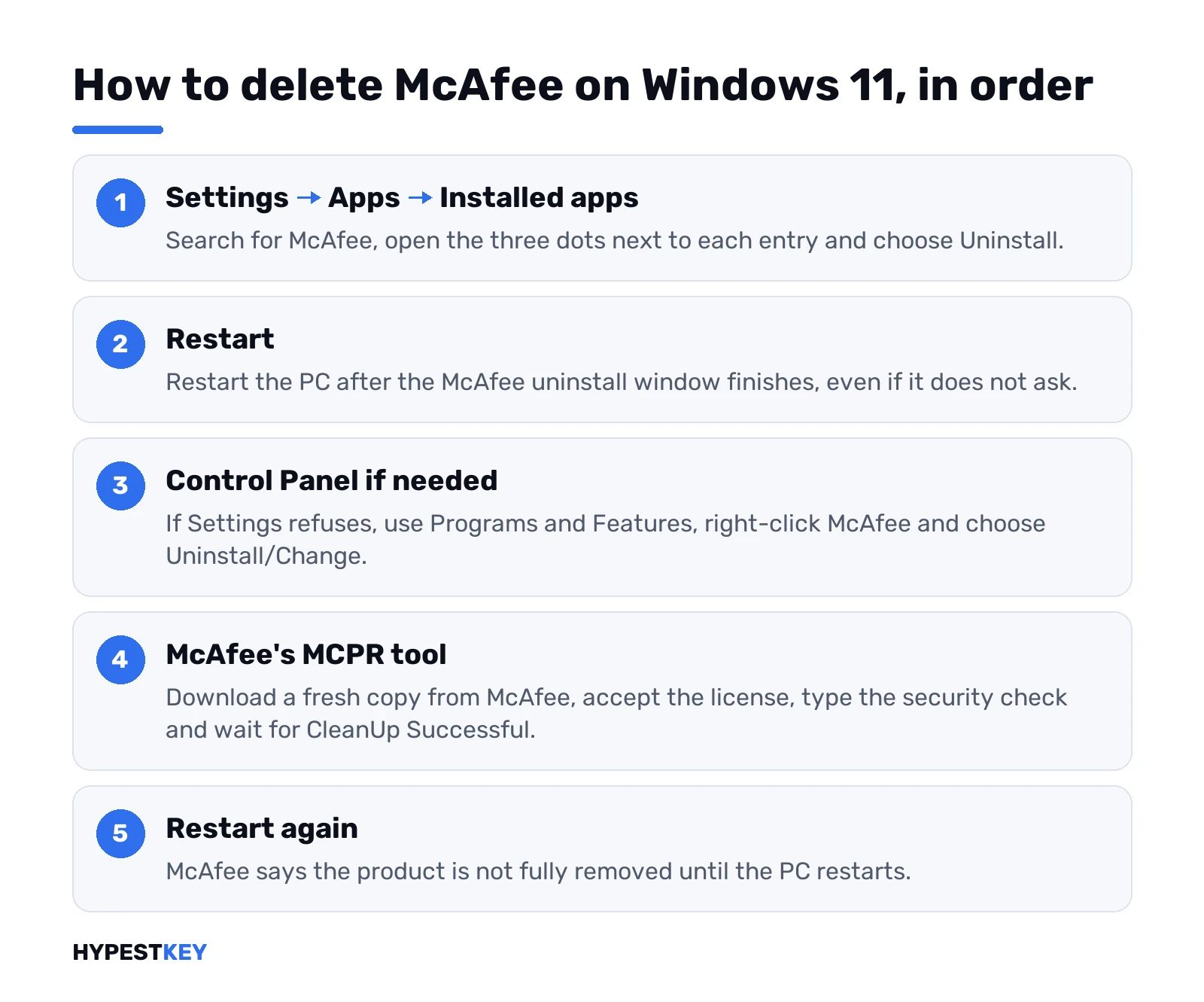
- Start, then Settings.
- Apps, then Installed apps.
- Type “McAfee” in the search box above the list.
- Next to the entry, the three dots. Uninstall. Confirm.
McAfee then opens its own uninstall window. Offered a choice of parts? We’d pick all of them, not just the one module. Close your browsers first. The browser extension sits in there too.
See several McAfee lines in the list? Remove them one by one. A laptop that came with a trial often has two or three. Restart when it asks. Didn’t ask? Restart anyway.
Standard Microsoft route, by the way, the same for any app: uninstall or remove apps and programs in Windows. Office leftovers? We cover those in the guide to the Microsoft Office uninstall tool and its alternatives.
Control Panel, if Settings won’t do it
Some programs refuse to uninstall from Settings. Microsoft’s answer is the old Control Panel.
- Search the taskbar for Control Panel. Open it.
- Programs, then Programs and Features.
- Right-click the McAfee entry. Uninstall/Change.
- Follow the McAfee window to the end, then restart.
Got an error instead? Microsoft has a fix for that too, the Program Install and Uninstall troubleshooter. It repairs broken uninstall entries. After it runs, try Control Panel once more.
McAfee’s removal tool for leftovers
The tool is called MCPR, short for McAfee Consumer Product Removal. It comes from McAfee. That’s the only version we’d run.
When do you need it? Uninstall stopped halfway. An error popped up. The icon keeps coming back. McAfee’s own help article on uninstall error 104.0 or 104.3 points to MCPR for exactly this.
- Uninstall through Windows first, as above. Only then MCPR.
- Download a new copy from McAfee. Not one saved on a USB stick last year; McAfee updates the tool as new products come out.
- Run it and click Next.
- Accept the license agreement.
- Type the characters of the security check.
- Wait for “CleanUp Successful”. Restart.
The restart isn’t optional. McAfee says the product is not fully removed until the PC restarts.
“Cleanup Unsuccessful” instead? There’s a View Logs button on that message. Save the log and send it to McAfee support. Family Protection installed? Then MCPR may ask for that product’s admin name and password first.
WebAdvisor, PC Optimizer and other McAfee extras
McAfee isn’t always one program. Look again at Installed apps after the restart.
- McAfee WebAdvisor. Separate entry, separate uninstall. Check your browser’s extensions page too.
- McAfee PC Optimizer. MCPR does not remove it, per McAfee. Uninstall it from Settings like any app.
- Anything else named McAfee. Same drill.
Folders left in Program Files? We’d leave them alone until MCPR has run and the PC has restarted. Deleting services or registry keys by hand is the part that breaks things, and we’d skip it.
Turn Microsoft Defender back on after McAfee
Good news here. Windows 11 handles this itself in most cases.
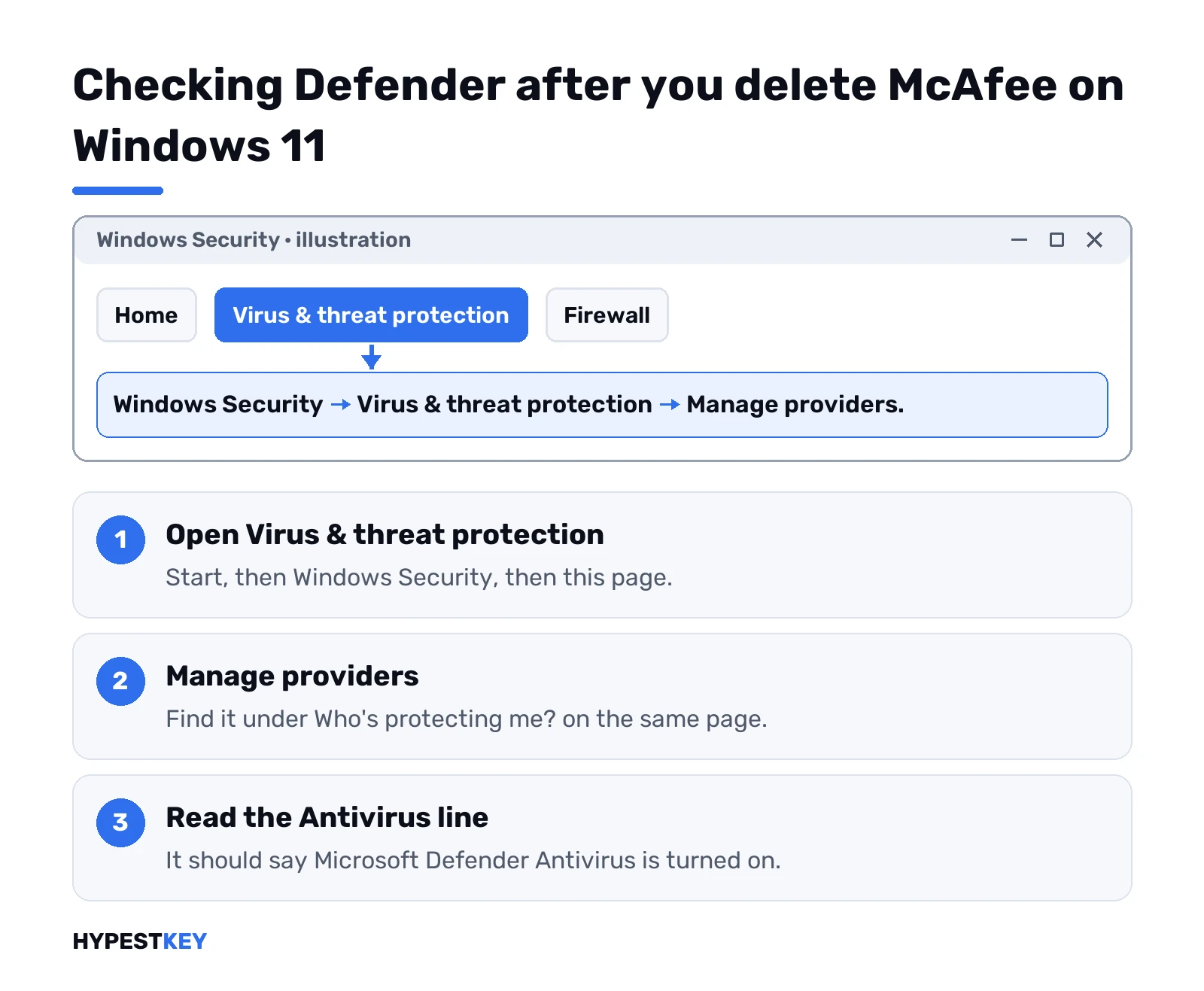
While a non-Microsoft antivirus runs, Defender Antivirus switches to disabled mode automatically. Once that product is uninstalled or expires, Defender can re-enable itself, according to Microsoft’s article on Defender compatibility with other security products. Trust, then check:
- Open Windows Security from Start.
- Virus & threat protection.
- Under “Who’s protecting me?”, Manage providers.
- Look for “Microsoft Defender Antivirus is turned on”.
Still showing McAfee as the provider? Restart once more. Then run the MCPR steps again. A half-removed McAfee is the usual reason Defender stays off.
Online now without protection for a minute? Fine. Just don’t start downloading random installers in that gap. A free Windows VPN won’t replace antivirus either, in case that idea crossed your mind.
Your McAfee subscription is a separate thing
Uninstalling removes the program. It doesn’t touch the account online.
Paying for McAfee? Sign in to your McAfee account on their site and look at auto-renewal. Switch it off there if you don’t want the next charge. Moving the licence to another computer instead? The same account lets you deactivate it for this PC first.
Trial that came with the laptop? Then there’s usually nothing to cancel. Worth a look anyway.
Before you delete McAfee on Windows 11: a short checklist
- Save open work. You’ll restart two or three times.
- Know where your BitLocker recovery key is, in case a restart asks. Our BitLocker on Windows 11 guide shows where it lives.
- Make a restore point. Takes a minute, see how to create a restore point in Windows 11.
- Have the internet on. You’d need it for the MCPR download, and Defender wants fresh definitions after.
McAfee won’t uninstall on Windows 11 at all
Rare, but it happens. A crashed update, a damaged install, a startup loop.
Try the Settings uninstall from safe mode. Windows loads fewer drivers there, and security software is often less stubborn. Our Windows 11 safe mode walkthrough has every route in. Then MCPR in normal mode, with a restart.
Nothing works and the PC is a mess anyway? A reset is the big hammer. Factory reset Windows 11 with “Remove everything” wipes McAfee with the rest. Or reinstall from scratch with a clean Windows 11 installation. After that, checking Windows activation status takes ten seconds.
Fresh install on a PC that never had a proper licence? We sell a Windows 11 Pro key or a Windows 11 Home key, retail, one PC, instant to email.
Related guides
FAQ
How do I completely delete McAfee from Windows 11?
Uninstall every McAfee entry from Settings, Apps, Installed apps, and restart. Then run a freshly downloaded McAfee Consumer Product Removal tool and restart once more.
Is the McAfee removal tool safe to use?
Yes, when it comes from McAfee itself. MCPR is McAfee's own tool, and McAfee asks you to download a new copy each time because it gets updated.
Do I need antivirus after removing McAfee?
You need protection, yes. Microsoft Defender Antivirus is built into Windows 11 and usually switches back on by itself once McAfee is gone.
Why does McAfee keep coming back after uninstall?
Usually a second McAfee entry, such as WebAdvisor, is still installed. Check Installed apps again after the restart, then run MCPR for the leftovers.
Will deleting McAfee cancel my subscription?
No. The program and the account are separate. Sign in to your McAfee account online and switch off auto-renewal there.
Can I delete McAfee folders by hand?
We'd wait. Run the Windows uninstall and MCPR first, then restart; deleting services or registry keys by hand is how Windows gets damaged.
Does MCPR remove McAfee PC Optimizer?
No, McAfee says it doesn't. Uninstall PC Optimizer from Settings, Apps, Installed apps like any other program.