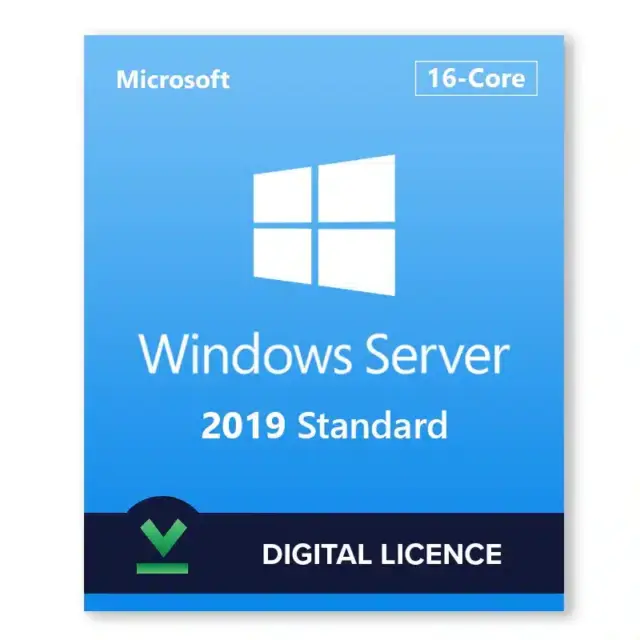






Windows Server 2019 Standard is Microsoft’s server operating system for small and mid-size businesses that run Active Directory, file and print services, IIS web sites, line-of-business apps and a small Hyper-V host. A Windows Server 2019 Standard key from HypestKey activates that edition with a perpetual license and a Microsoft download link. Standard edition rights cover the physical server plus two virtual machines. Microsoft ships security updates for Windows Server 2019 until January 9, 2029.
Key takeaways
- Standard edition rights: the physical host plus two virtual machines (OSEs) per fully licensed server.
- Licensed per physical core (minimum 8 per processor, 16 per server); users and devices also need CALs.
- Storage Replica is included in Standard with limits; Storage Spaces Direct and Shielded VMs need Datacenter.
- Mainstream support ended January 9, 2024; extended support with security updates runs to January 9, 2029.
- Key emailed instantly after payment, no account needed.
What does Windows Server 2019 Standard include?
Windows Server 2019 Standard includes every core server role: Active Directory Domain Services, DNS, DHCP, File and Storage Services with deduplication, IIS, Hyper-V, Failover Clustering, Remote Desktop Services, WSUS and Windows Server Backup. Version 2019 added System Insights, Storage Migration Service, Windows Admin Center support, Kubernetes-ready Windows containers and Windows Subsystem for Linux.
Two install options come on the same media. Server with Desktop Experience gives you the full graphical Server Manager and is the easier start for a first server. Server Core has no desktop, takes fewer updates and less RAM, and is managed with PowerShell, Windows Admin Center or RSAT from another PC. You choose during setup; switching later means a reinstall.
- Security: Windows Defender ATP Exploit Guard, Windows Defender Antivirus on by default and Credential Guard against pass-the-hash attacks.
- Hybrid: Azure Backup, Azure File Sync and Azure Site Recovery connect through Windows Admin Center.
- Storage: Storage Migration Service moves file servers from older Windows Server versions to 2019.
Windows Server 2019 Standard vs Datacenter: what is the difference?
Windows Server 2019 Standard and Datacenter share the same roles and are both licensed per core. The main difference is virtualization: Standard covers the host plus two virtual machines per licensed server, while Datacenter covers unlimited virtual machines on that host. Storage Spaces Direct, Shielded VMs (Host Guardian Hyper-V Support) and the SDN Network Controller exist only in Datacenter.
| Feature | Standard 2019 | Datacenter 2019 |
|---|---|---|
| Core roles (AD DS, DNS, DHCP, IIS, file services, RDS) | Yes | Yes |
| Hyper-V and Failover Clustering | Yes | Yes |
| Virtual machines (OSEs) per licensed server | 2 | Unlimited |
| Storage Replica | Yes, 1 partnership, 1 volume up to 2 TB | Yes, no limit |
| Storage Spaces Direct | No | Yes |
| Shielded VMs (Host Guardian Hyper-V Support) | No | Yes |
| Network Controller (software-defined networking) | No | Yes |
| Automatic Virtual Machine Activation host | No (guest only) | Yes |
Planning three or more virtual machines on one host, or a hyper-converged cluster? The Windows Server 2019 Datacenter key fits better. Feature data: Microsoft Learn, Windows Server editions comparison.
How is Windows Server 2019 Standard licensed?
Windows Server 2019 Standard is licensed per physical core. Microsoft requires at least 8 core licenses for each processor and at least 16 for each server. Every user or device that connects also needs a Windows Server CAL, and Remote Desktop sessions need RDS CALs on top. Licensing all cores a second time adds two more virtual machine rights.
Count physical cores only; threads and virtual CPUs do not count. Two RDP sessions for administration work without RDS CALs. For a Remote Desktop server with several staff, add RDS CALs such as the Windows Server 2019 5 RDS user CALs. Not sure what your hardware needs? Write to us before you order with the CPU model and socket count.
Windows Server 2019 system requirements
Windows Server 2019 needs a 1.4 GHz 64-bit processor with NX, DEP and second level address translation (EPT or NPT), 1 GB of RAM for Server Core or 2 GB for Desktop Experience, 32 GB of disk space and a gigabit Ethernet adapter. Microsoft calls these absolute minimums; real roles need more. Physical hosts should use ECC memory.
| Component | Minimum (Microsoft) |
|---|---|
| Processor | 1.4 GHz 64-bit, x64 instruction set, NX and DEP, CMPXCHG16b, LAHF/SAHF, PrefetchW, SLAT (EPT or NPT) |
| Memory | 1 GB (Server Core), 2 GB (Desktop Experience), ECC for physical hosts |
| Disk | 32 GB, PCI Express storage controller (no PATA/IDE) |
| Network | Ethernet adapter with at least 1 Gbit/s throughput |
| Optional | UEFI 2.3.1c with Secure Boot and TPM 2.0 for BitLocker and Shielded VM scenarios |
Installing in a virtual machine? Give it at least 800 MB of RAM during setup, because installs with 512 MB fail. Source: Microsoft’s Windows Server hardware requirements.
How do I activate a Windows Server 2019 Standard key?
On an installed Windows Server 2019 Standard, open Settings > Update & Security > Activation > Change product key, or run slmgr /ipk with your key and then slmgr /ato in an elevated command prompt. Running the Evaluation edition? Convert it first with DISM, then activate. Server Core uses the same commands or sconfig.
- Sign in as an administrator and open Command Prompt with Run as administrator.
- Run
slmgr /ipk XXXXX-XXXXX-XXXXX-XXXXX-XXXXXwith the key from your HypestKey email. - Run
slmgr /atoto activate online. - Check the status with
slmgr /dlv; it should show “License Status: Licensed”. - No internet on the server? Run
slui 4for phone activation.
For an Evaluation install, check the edition with DISM /online /Get-CurrentEdition and convert with DISM /online /Set-Edition:ServerStandard /ProductKey:XXXXX-XXXXX-XXXXX-XXXXX-XXXXX /AcceptEula. The server restarts once. Our guide on activating Windows Server with DISM walks through the full conversion.
Note: DISM cannot convert a domain controller. Demote it, convert, then promote it again, or convert before you install AD DS.
How long is Windows Server 2019 supported?
Windows Server 2019 follows Microsoft’s Fixed Lifecycle Policy. It launched on November 13, 2018, mainstream support ended on January 9, 2024, and extended support with monthly security updates runs until January 9, 2029. Feature work has stopped, but security patches continue for the remaining years.
That leaves time to run 2019 for existing apps and plan the move. New deployments with a long life ahead often start on a newer release such as the Windows Server 2022 Standard key. Microsoft supports in-place upgrades from 2019 to 2022 and 2025, each with its own license key.
Delivery and support
HypestKey emails your Windows Server 2019 Standard key instantly after payment, with the Microsoft download link, and no account is needed. You pay by card, Apple Pay or Google Pay through Stripe. It is a one-time purchase with no subscription. If the key does not activate, we help you fix it or send a replacement.
Questions about activation, editions or CALs go to support@hypestkey.com or the live chat. Every 2019 edition and bundle sits in the Windows Server 2019 category. Something went wrong? We’ll help you fix it.
Delivery and activation
Visa, Mastercard and other cards, Apple Pay, Google Pay, processed by Stripe. Guest checkout, prices in USD.
Instant delivery to your email: the key is sent automatically as soon as your payment is confirmed. In rare cases (high demand or a fraud check) it can take up to 24 hours.
Check your spam folder first. Still no email? Write to support@hypestkey.com with your order number and we will resend it.
FAQ
How many virtual machines can I run with Windows Server 2019 Standard?
A fully licensed Standard server covers the physical host plus two virtual machines (OSEs). License all cores a second time for two more VMs, or choose Datacenter for unlimited VMs on that host.
How do I activate Windows Server 2019 Standard?
Open Settings > Update & Security > Activation > Change product key, or run slmgr /ipk with your key and then slmgr /ato in an elevated prompt. Convert an Evaluation install first with DISM /online /Set-Edition:ServerStandard /ProductKey:... /AcceptEula.
Do I need CALs with Windows Server 2019 Standard?
Yes. Every user or device that connects to the server needs a Windows Server CAL, and Remote Desktop Services sessions need RDS CALs too. Two administrative Remote Desktop connections work without RDS CALs.
Does Windows Server 2019 Standard include Storage Replica?
Yes, with limits: Standard supports one Storage Replica partnership with a single volume of up to 2 TB. Storage Spaces Direct and Shielded VMs remain Datacenter-only.
When does support for Windows Server 2019 end?
Mainstream support ended January 9, 2024. Extended support, with monthly security updates, ends January 9, 2029.
Can I upgrade Windows Server 2019 to a newer version later?
Yes. Microsoft supports in-place upgrades from Windows Server 2019 to 2022 and 2025, but each newer version needs its own license key. Back up the server and check application support first.
Can I install Windows Server 2019 Standard in a virtual machine?
Yes. It runs as a guest on Hyper-V, VMware and other hypervisors. Give the VM at least 800 MB of RAM during setup, because installs with only 512 MB fail.