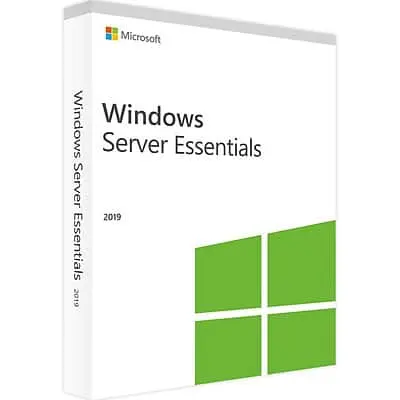






Windows Server 2019 Essentials is the small business edition of Windows Server 2019, licensed for up to 25 users and 50 devices with no client access licenses to buy. A Windows Server 2019 Essentials key from HypestKey fits a small office that needs one server for sign-in, shared files and a business application, and that already runs software certified for Server 2019. It has its own installation media and shares the Windows Server 2019 Standard code base.
Key takeaways
- Up to 25 users and 50 devices; no Windows Server CALs required.
- Same core roles as Windows Server 2019 Standard, including Active Directory, file services and Hyper-V.
- No Essentials Experience dashboard, client PC backup or Remote Web Access.
- As a domain controller it must be the only one in the domain and hold all FSMO roles.
- Extended support with security updates until January 9, 2029.
What is Windows Server 2019 Essentials?
Windows Server 2019 Essentials is a Windows Server 2019 edition for small businesses with up to 25 users and 50 devices. Microsoft describes it as having the same licensing and technical characteristics as Windows Server 2016 Essentials, with the new hardware support and features of Windows Server 2019 Standard. Users and devices connect without separate CALs.
In practice it is a full Windows Server 2019 with a licence ceiling. You get Server Manager, PowerShell, Active Directory Domain Services, DNS, DHCP, file and storage services, Windows Server Backup and IIS. What you do not get is the wizard-driven Essentials Experience that earlier versions shipped with. Setup and daily management are the same as on Standard: by hand, or through Windows Admin Center.
Typical buyers? A law office with eight lawyers and a shared document store. A shop that runs its point-of-sale database on a small tower server. A clinic that needs one domain for its reception and treatment room PCs.
What are the limits of Windows Server 2019 Essentials?
The Windows Server 2019 Essentials license covers one server, up to 25 user accounts and up to 50 devices, with no Windows Server CALs needed. If the server is a domain controller, it must be the only domain controller, hold all FSMO roles, and cannot have two-way trusts with other Active Directory domains. Larger offices need Standard.
| Item | Windows Server 2019 Essentials | Windows Server 2019 Standard |
|---|---|---|
| Users and devices | 25 users, 50 devices | Based on CALs |
| Client access licenses | Not required | Required per user or device |
| Licensing model | Per server (up to 2 processors) | Per core, 16 core minimum per server |
| Domain controller | Only DC in the domain, all FSMO roles, no two-way trusts | No such restriction |
| Virtual machines | Runs on a physical server or as one VM | 2 VMs per full license, plus the Hyper-V host |
Growing past 25 people? Then the Windows Server 2019 Standard key plus user CALs removes the ceiling. Source for the domain controller rules: Microsoft’s Windows Server blog announcement of Server 2019 Essentials.
Note: Remote Desktop session hosting is licensed separately. An Essentials server used as an RD Session Host still needs RDS CALs.
What changed from earlier Essentials versions?
The biggest change is that the Windows Server Essentials Experience role is gone. Microsoft removed it from all Windows Server 2019 editions, so the Administrative Dashboard, automatic client PC backup and Remote Web Access are no longer available. In return, 2019 Essentials gained support for Azure AD Connect and the Windows Server 2019 platform improvements.
- Removed: Essentials Dashboard, automatic client PC backup, Remote Web Access portal.
- Added: Azure AD Connect support for syncing local accounts to Microsoft Entra ID (formerly Azure AD).
- Inherited from 2019 Standard: Windows Admin Center support, System Insights, Storage Migration Service and Storage Replica (with Standard edition limits).
So what replaces the old features? For server backup, Windows Server Backup is built in; our guide to Windows Server Backup shows the setup. For remote access, staff can use a VPN on the server’s Remote Access role. For management, Microsoft points to Windows Admin Center.
What hardware does Windows Server 2019 Essentials need?
Windows Server 2019 Essentials uses the Windows Server 2019 minimums: a 1.4 GHz 64-bit processor with NX, DEP and SLAT support, 1 GB of RAM for Server Core or 2 GB with Desktop Experience, 32 GB of disk space and a Gigabit Ethernet adapter. For 25 users, plan for 16 GB of RAM or more and SSD storage.
| Component | Microsoft minimum |
|---|---|
| Processor | 1.4 GHz 64-bit, x64 instruction set, NX and DEP, CMPXCHG16b, LAHF/SAHF, PrefetchW, SLAT |
| Memory | 1 GB (Server Core), 2 GB (Desktop Experience); ECC for physical hosts |
| Storage | 32 GB on a PCI Express compliant storage adapter |
| Network | Ethernet adapter with at least 1 Gbps throughput |
| Optional | UEFI 2.3.1c with Secure Boot, TPM 2.0 for BitLocker |
Source: Microsoft Learn, Windows Server 2019 hardware requirements. The 16 GB sizing is our rule of thumb for a file server plus a small database, not a Microsoft figure.
How do I activate a Windows Server 2019 Essentials key?
Install Windows Server 2019 Essentials from Microsoft’s Essentials media, then enter the key under Settings > Update & Security > Activation > Change product key. From the command line, run slmgr /ipk with your key and then slmgr /ato in an elevated prompt. Offline servers can activate by phone with slui 4.
- Boot the server from Windows Server 2019 Essentials installation media and complete setup.
- Sign in as administrator and open an elevated Command Prompt.
- Run
slmgr /ipk XXXXX-XXXXX-XXXXX-XXXXX-XXXXXwith the key from your HypestKey email. - Run
slmgr /atoto activate online. - Confirm with
slmgr /dlv: the edition reads Windows Server 2019 Essentials and the status reads Licensed. - Only then promote the server to a domain controller with Server Manager > Add Roles and Features > Active Directory Domain Services.
Activation errors such as 0xC004F050 often appear when the key does not match the installed edition, for example an Essentials key typed into a Standard install. Our DISM activation guide explains how to check and change editions.
Tip: Write the key down before you start and keep it with the server documentation. You will need it again after a motherboard replacement or a clean reinstall.
Essentials 2019 or Essentials 2022: which one should I choose?
Choose Windows Server 2022 Essentials for a new single-processor server, because its security updates run until October 14, 2031, nearly three years longer. Choose Windows Server 2019 Essentials if your hardware has two processors, if a vendor only certifies Server 2019, or if you want an edition that installs and reports itself as Essentials.
| Item | Essentials 2019 | Essentials 2022 |
|---|---|---|
| Users and devices | 25 / 50 | 25 / 50 |
| Processor limit | Up to 2 CPUs | 1 CPU, up to 10 cores |
| Installation media | Own Essentials media | Standard media with Essentials key |
| Mainstream support ended | January 9, 2024 | October 13, 2026 |
| Extended support ends | January 9, 2029 | October 14, 2031 |
Compare details on the Windows Server 2022 Essentials key page before you decide.
How long is Windows Server 2019 Essentials supported?
Windows Server 2019 Essentials follows Microsoft’s Fixed Lifecycle Policy together with Standard and Datacenter. Mainstream support ended on January 9, 2024, and extended support with monthly security updates continues until January 9, 2029. A server installed now still gets a little over two years of patches, so plan the next migration early.
Delivery and support
HypestKey emails your Windows Server 2019 Essentials key instantly after payment, and no account is needed. You pay by card, Apple Pay or Google Pay through Stripe. HypestKey has sold Microsoft licenses since 2020, and if a key does not activate, we help you fix it or send a replacement.
Questions about the 25 user limit, domain controller rules or activation errors go to support@hypestkey.com or the live chat. More editions are listed in the Windows Server 2019 category. Something went wrong? We’ll help you fix it.
Delivery and activation
Visa, Mastercard and other cards, Apple Pay, Google Pay, processed by Stripe. Guest checkout, prices in USD.
Instant delivery to your email: the key is sent automatically as soon as your payment is confirmed. In rare cases (high demand or a fraud check) it can take up to 24 hours.
Check your spam folder first. Still no email? Write to support@hypestkey.com with your order number and we will resend it.
FAQ
How do I activate Windows Server 2019 Essentials?
Open an elevated Command Prompt and run slmgr /ipk with your key, then slmgr /ato. You can also use Settings > Update & Security > Activation > Change product key. Without internet, run slui 4 for phone activation.
Do I need CALs for Windows Server 2019 Essentials?
No. Up to 25 users and 50 devices connect without Windows Server CALs. Remote Desktop sessions are the exception: an RD Session Host still needs RDS CALs.
Does Windows Server 2019 Essentials have the Essentials dashboard and client backup?
No. Microsoft removed the Windows Server Essentials Experience role from all Server 2019 editions, including Essentials, so the dashboard, client PC backup and Remote Web Access are gone. Windows Admin Center is the suggested replacement.
Can Windows Server 2019 Essentials join an existing domain?
If it runs as a domain controller, it must be the only domain controller in the domain and hold all FSMO roles, and it cannot have two-way trusts with other domains.
Can I upgrade from Server 2019 Essentials to Standard later?
Yes, by moving to Windows Server 2019 Standard with a Standard key and buying CALs for your users or devices. Plan the change before you pass 25 users.
Is Windows Server 2019 Essentials still supported?
Yes. Mainstream support ended on January 9, 2024, and extended support with security updates continues until January 9, 2029.