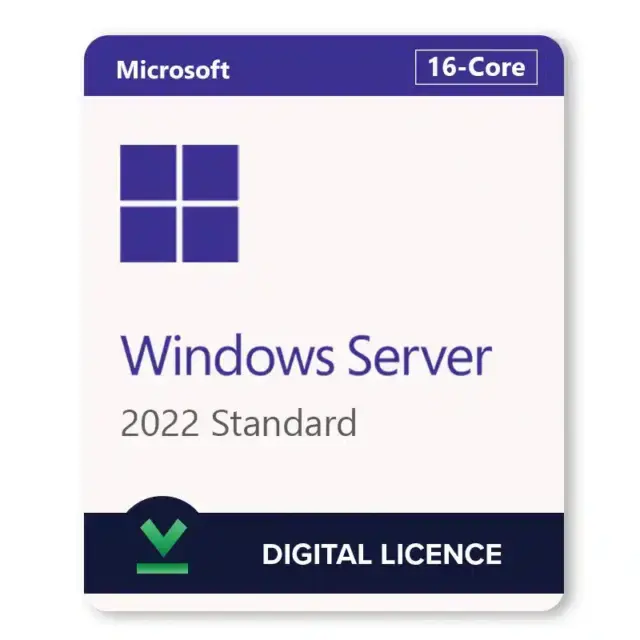






Windows Server 2022 Standard is Microsoft’s Long-Term Servicing Channel server operating system for physical servers and light virtualization, released on August 18, 2021. A Windows Server 2022 Standard key from HypestKey is a genuine retail license that covers one server with up to 16 physical cores and the right to run two Windows Server virtual machines on it. It fits small and mid-sized businesses running file shares, Active Directory, DNS, DHCP, print or line-of-business apps. Microsoft keeps shipping security updates for it until October 14, 2031.
Key takeaways
- One license covers a server with up to 16 physical cores, plus 2 Windows Server VMs.
- Retail license: it can move to new hardware when you replace the server.
- Mainstream support ended October 13, 2026; security updates continue until October 14, 2031.
- Users or devices that connect to the server need CALs, sold separately.
- Need more than two VMs per host? Datacenter gives unlimited VMs.
What Do You Get with Windows Server 2022 Standard?
Windows Server 2022 Standard gives you the full server operating system with every core role: Active Directory Domain Services, DNS, DHCP, file and storage services, IIS, Hyper-V and Remote Desktop Services. The license covers one physical server with up to 16 cores and two virtual machines (OSEs) running Windows Server on that host, plus the Hyper-V host itself.
- Coverage for up to 16 physical cores on one server
- Rights to run 2 Windows Server virtual machines on the licensed host
- Server Core or Server with Desktop Experience installation
- Secured-core server features on certified hardware
- TLS 1.3 on by default and DNS-over-HTTPS in the DNS client
- Monthly security updates from Microsoft until October 14, 2031
What’s in the email: the 25-character product key and a link to the official Microsoft ISO. That’s all you need for a clean install or for activating a server that already runs the evaluation version. Other editions and versions are in the Windows Server 2022 category.
Which Security Features Came with Windows Server 2022?
Windows Server 2022 added Secured-core server, TLS 1.3 enabled by default and DNS-over-HTTPS. Secured-core uses TPM 2.0, Secure Boot and virtualization-based security to protect the boot chain and firmware from attacks that start before Windows loads. TLS 1.3 encrypts more of each handshake, and DoH keeps DNS lookups out of plain text.
Healthcare, finance, anyone storing customer data: these features matter beyond compliance checklists. Secured-core needs certified server hardware with TPM 2.0, Secure Boot and DMA protection turned on; on older hardware, TLS 1.3 and DoH still work. Hotpatching and SMB over QUIC, by contrast, are limited to Datacenter: Azure Edition in the 2022 release.
Windows Server 2022 Standard System Requirements
Windows Server 2022 Standard needs a 64-bit 1.4 GHz processor with NX, DEP and SLAT support, 1 GB of RAM for Server Core or 2 GB for Desktop Experience, at least 32 GB of disk space and a gigabit Ethernet adapter. There is no 32-bit version. TPM 2.0 and UEFI Secure Boot are needed only for certain features.
| Component | Microsoft minimum |
|---|---|
| Processor | 1.4 GHz 64-bit, x64 with NX, DEP, CMPXCHG16b, LAHF/SAHF, PrefetchW and SLAT (EPT or NPT) |
| Memory | 1 GB for Server Core, 2 GB for Server with Desktop Experience; ECC for physical hosts |
| Storage | 32 GB on a PCI Express compliant adapter (no PATA/IDE boot drives) |
| Network | Ethernet adapter with at least 1 Gbps throughput |
| Feature-specific | UEFI 2.3.1c with Secure Boot and TPM 2.0 (for BitLocker, Secured-core) |
Source: Microsoft Learn, Hardware requirements for Windows Server. Those are installation minimums. In production, plan memory by role: a domain controller for a small office runs comfortably on far less than a Hyper-V host with two busy VMs, which typically wants 16 GB or more and SSD storage.
How Do I Activate My Windows Server 2022 Standard Key?
To activate Windows Server 2022 Standard, open Settings > Update & Security > Activation, select Change product key and enter the 25-character key from your email. On Server Core, run slmgr /ipk with the key, then slmgr /ato. Activation finishes online in about a minute.
- Download the Windows Server 2022 ISO from the Microsoft link in your email and install Windows Server 2022 Standard (Server Core or Desktop Experience).
- On Desktop Experience, open Settings > Update & Security > Activation and click Change product key.
- Enter the key and click Next, then Activate.
- On Server Core, open an elevated prompt and run
slmgr /ipk XXXXX-XXXXX-XXXXX-XXXXX-XXXXX, thenslmgr /ato. - Check the result with
slmgr /dlv: the license status should read “Licensed”.
Running the 180-day evaluation? Convert it in place with DISM instead of reinstalling: DISM /online /Set-Edition:ServerStandard /ProductKey:XXXXX-XXXXX-XXXXX-XXXXX-XXXXX /AcceptEula, then restart. Our Windows Server 2022 activation guide covers phone activation and common error codes.
Tip: No internet on the server? Run
slui 4to start phone activation and follow the prompts for your region.
Windows Server 2022 Standard vs Datacenter: Which One Do You Need?
Choose Windows Server 2022 Standard when a host runs the server itself plus up to two Windows Server VMs. Choose Datacenter when you need three or more VMs per host, Storage Spaces Direct, Shielded VMs or software-defined networking. Both cover the same 16 cores per license and share the same core roles, Hyper-V and Active Directory.
| Capability | Standard | Datacenter |
|---|---|---|
| Windows Server VMs per license | 2 | Unlimited |
| Storage Spaces Direct | No | Yes |
| Shielded VMs (Host Guardian Hyper-V support) | No | Yes |
| Network Controller (SDN) | No | Yes |
| Storage Replica | 1 partnership, single volume up to 2 TB | Unlimited |
| Automatic VM Activation host | No (guest only) | Yes |
| Core roles, Hyper-V, Active Directory | Yes | Yes |
Running maybe three or four VMs on one box? Stacking Standard licenses works, yet past a handful of VMs Windows Server 2022 Datacenter is usually the simpler licensing answer. Our article on VM limits in Windows Server 2022 Standard walks through the math.
How Does Core Licensing Work?
Windows Server 2022 is licensed per physical core. Every physical core in the server must be licensed, with a minimum of 8 cores per processor and 16 cores per server. One HypestKey license covers a server with up to 16 cores; a server with 32 physical cores needs two licenses to be fully covered.
VM rights follow the cores. License all cores once and you may run two Windows Server VMs. License all cores twice and you may run four. Hyperthreads don’t count, only physical cores.
Do I Need Client Access Licenses?
Yes. Every user or device that connects to Windows Server 2022 Standard for services such as file sharing, authentication or printing needs a Windows Server CAL. The server license itself does not include CALs. User CALs follow a person across any device; Device CALs cover one machine for anyone who uses it.
Most offices choose User CALs when staff use laptops plus phones, and Device CALs for shared shift workstations. Remote Desktop sessions need separate RDS CALs on top of regular CALs. You can buy both in our Windows Server CALs category.
Can I Upgrade to Windows Server 2022 from 2016 or 2019?
Yes. Microsoft supports an in-place upgrade to Windows Server 2022 from Windows Server 2016 and Windows Server 2019, keeping roles, settings and data. Windows Server 2012 R2 cannot upgrade directly to 2022: go through 2016 or 2019 first, or migrate roles to a clean install. Each upgrade needs a valid 2022 license.
Before you start, take a full backup and check that each installed role supports in-place upgrade. Domain controllers deserve extra care. Typically the upgrade itself takes under an hour on SSD storage, plus one or two restarts.
Delivery and Support
Your Windows Server 2022 Standard key is emailed instantly after payment, together with the Microsoft ISO link. No account is needed on our side. Most orders arrive within minutes; in rare cases a fraud check takes longer. Write to support@hypestkey.com or use the live chat for activation help. Something went wrong? We’ll help you fix it.
If a key ever refuses to activate, HypestKey helps you fix it or sends a replacement. Building out the rest of the environment? SQL Server 2022 Standard runs on Windows Server 2022 for business databases.
Delivery and activation
Visa, Mastercard and other cards, Apple Pay, Google Pay, processed by Stripe. Guest checkout, prices in USD.
Instant delivery to your email: the key is sent automatically as soon as your payment is confirmed. In rare cases (high demand or a fraud check) it can take up to 24 hours.
Check your spam folder first. Still no email? Write to support@hypestkey.com with your order number and we will resend it.
FAQ
Standard or Datacenter: what's the real difference?
Standard covers the host plus 2 Windows Server virtual machines per license. Datacenter gives unlimited VMs and adds Storage Spaces Direct, Shielded VMs and software-defined networking. If you run two VMs or fewer per host, Standard is enough.
How many cores does one license cover?
One license covers a server with up to 16 physical cores. Microsoft requires every physical core to be licensed, with a minimum of 8 per processor and 16 per server, so a 32-core server needs two licenses.
Can I upgrade from Windows Server 2019 or 2016?
Yes. Microsoft supports an in-place upgrade from Windows Server 2016 and 2019 to 2022. From 2012 R2 you go through 2016 or 2019 first, or migrate to a clean install. Back up before you start.
Is this a retail or OEM license, and can I move it?
It is a retail license. You can move it to new hardware when you replace the server: deactivate or wipe the old server, then activate the key on the new one.
How do I activate it on Server Core?
Open an elevated command prompt and run slmgr /ipk followed by your key, then slmgr /ato. Check the status with slmgr /dlv.
How long is Windows Server 2022 supported?
Mainstream support ended on October 13, 2026. Extended support with monthly security updates continues until October 14, 2031.
How fast do I get my key?
Instantly after payment, by email, together with the Microsoft ISO link. No account is needed. If nothing arrives, check spam and write to support@hypestkey.com with your order number.