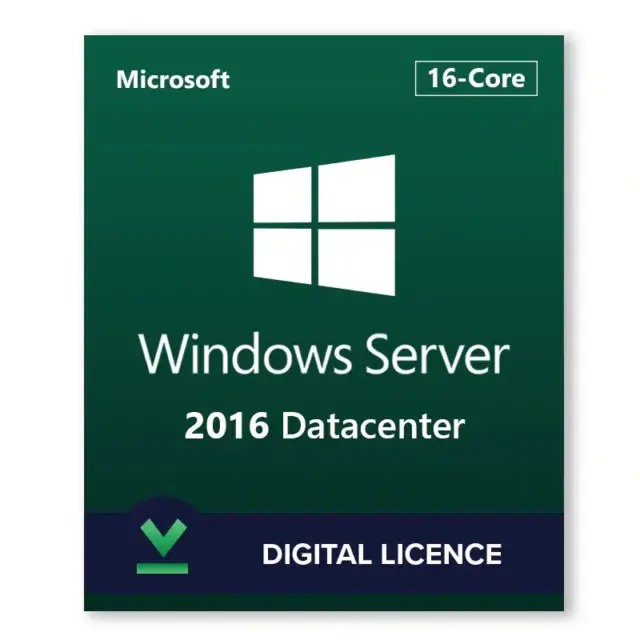






Windows Server 2016 Datacenter is Microsoft’s top server edition for heavily virtualized hosts, private clouds and software-defined storage clusters. A windows server 2016 datacenter key from HypestKey activates the Datacenter edition, which licenses unlimited virtual machines on a fully licensed host and adds Storage Spaces Direct, Storage Replica, Shielded VMs and the Network Controller. It fits existing 2016 Hyper-V estates; Microsoft’s extended support ends January 12, 2027.
Key takeaways
- Unlimited virtual machines and Hyper-V containers on a fully licensed Datacenter host.
- Datacenter-only in 2016: Storage Spaces Direct, Storage Replica, Shielded VMs, Network Controller.
- Licensed per physical core (minimum 8 per processor, 16 per server); CALs are separate.
- Security updates until January 12, 2027.
- Key emailed instantly after payment, no account needed.
What does Windows Server 2016 Datacenter include?
Windows Server 2016 Datacenter includes every Standard role (Active Directory, DNS, DHCP, IIS, file services, Hyper-V, Failover Clustering, Remote Desktop Services) plus the software-defined datacenter stack: Storage Spaces Direct, Storage Replica, Host Guardian Hyper-V Support for Shielded VMs, and the Network Controller for software-defined networking. Its main difference is unlimited VM rights.
- Shielded virtual machines: VMs encrypted with BitLocker and a virtual TPM that run only on hosts approved by a Host Guardian Service, so a compromised fabric admin cannot read them.
- Storage Spaces Direct (S2D): pools local drives across 2 to 16 clustered servers into one hyper-converged storage layer, without a SAN.
- Storage Replica: block-level synchronous or asynchronous replication between servers or clusters for disaster recovery.
- Network Controller: central control of virtual networks, the software load balancer and the datacenter firewall.
- Nested virtualization: run Hyper-V inside a VM for labs and container tests (Intel VT-x CPUs in 2016).
Server Core and Server with Desktop Experience both ship on the media. Server Core usually suits Hyper-V and S2D hosts best: fewer patches, less memory, managed remotely with PowerShell, Windows Admin Center or RSAT. Nano Server, introduced with 2016 as a minimal host option, is now offered by Microsoft only as a container base image.
Windows Server 2016 Datacenter vs Standard: which edition do you need?
Choose Windows Server 2016 Datacenter when one host runs more than a few VMs or when you need Storage Spaces Direct, Storage Replica or Shielded VMs. Standard covers the host plus two VMs per licensed server and lacks those storage and security features. Both editions use the same per-core licensing and the same CALs.
| Feature | Standard 2016 | Datacenter 2016 |
|---|---|---|
| Virtual machines (OSEs) per licensed server | 2 | Unlimited |
| Hyper-V containers | 2 | Unlimited |
| Windows Server containers | Unlimited | Unlimited |
| Storage Spaces Direct | No | Yes |
| Storage Replica | No | Yes |
| Shielded VMs (Host Guardian Hyper-V Support) | No | Yes |
| Network Controller | No | Yes |
| Automatic Virtual Machine Activation host | No | Yes |
| Core roles, Hyper-V, Failover Clustering | Yes | Yes |
Feature data: Microsoft Learn, comparison of Windows Server editions. Running a small server with one or two VMs? The Windows Server 2016 Standard key costs less and covers that case.
How is Windows Server 2016 Datacenter licensed?
Windows Server 2016 Datacenter is licensed per physical core, like Standard. Every processor needs at least 8 core licenses and every server at least 16, with 2-core packs above that. Once all physical cores are licensed, the host may run any number of Windows Server VMs. Users and devices that connect need Windows Server CALs, and Remote Desktop needs RDS CALs.
The VM rights are the reason to buy Datacenter. Licensing the host once means you can add guests without counting them, and Automatic Virtual Machine Activation (AVMA) activates Windows Server guests on that host without separate keys inside each VM. For client access, see Windows Server 2016 Datacenter 5 user CALs. Not sure how many core licenses your hardware needs? Send us the CPU model and socket count before you order.
Windows Server 2016 Datacenter system requirements
Windows Server 2016 Datacenter has the same minimums as Standard: a 1.4 GHz 64-bit processor with NX, DEP and SLAT support, 1 GB of RAM for Server Core or 2 GB for Desktop Experience, 32 GB of disk and a gigabit Ethernet adapter. A virtualization host typically needs much more: RAM for every guest, fast storage and several cores.
| Component | Minimum (Microsoft) |
|---|---|
| Processor | 1.4 GHz 64-bit; x64, NX, DEP, CMPXCHG16b, LAHF/SAHF, PrefetchW, SLAT (EPT or NPT) |
| Memory | 1 GB Server Core; 2 GB Desktop Experience; ECC for physical hosts |
| Storage | 32 GB on a PCI Express compliant adapter |
| Network | Ethernet adapter with at least 1 Gbps |
| Shielded VMs | UEFI 2.3.1c with Secure Boot, TPM 2.0 for TPM-trusted attestation |
Source: Microsoft Learn, hardware requirements for Windows Server. Storage Spaces Direct also needs certified hardware, at least two servers and 10 GbE or faster networking with RDMA recommended.
How do I activate a windows server 2016 datacenter key?
Activate Windows Server 2016 Datacenter with slmgr /ipk and your key, then slmgr /ato, or through Settings > Update & Security > Activation > Change product key. Pick the Datacenter edition during setup; a Standard install cannot take a Datacenter key without an edition change. Evaluation installs convert with DISM.
- Boot the Microsoft installation media and choose Windows Server 2016 Datacenter (Server Core) or Windows Server 2016 Datacenter (Desktop Experience).
- Finish setup, set the Administrator password and sign in.
- Open an elevated Command Prompt and run
slmgr /ipk XXXXX-XXXXX-XXXXX-XXXXX-XXXXX. - Run
slmgr /atoto activate online. - Confirm with
slmgr /dlv: the edition should read Datacenter and the status Licensed. - No internet on the host? Run
slui 4and use phone activation.
For an Evaluation install, run DISM /online /Set-Edition:ServerDatacenter /ProductKey:XXXXX-XXXXX-XXXXX-XXXXX-XXXXX /AcceptEula and restart. A Standard install can move up to Datacenter the same way. Step-by-step help is in our guide on activating Windows Server via DISM.
Tip: activate the host before you create guests. AVMA keys in the VMs work only when the Hyper-V host itself runs an activated Datacenter edition.
How long is Windows Server 2016 Datacenter supported?
Windows Server 2016 Datacenter shares the 2016 lifecycle: released October 15, 2016, mainstream support ended January 11, 2022, and extended support with security updates ends January 12, 2027. After that, only organizations with Microsoft Extended Security Updates receive patches, so plan host migrations in advance.
Microsoft supports in-place upgrades to 2016 from Windows Server 2012 and 2012 R2, and from 2016 to 2019 or 2022; back up first and check guest and driver support. For Hyper-V clusters, cluster OS rolling upgrade lets you replace nodes one at a time without downtime for the workloads. Our Windows Server 2016 end of life guide covers the dates and migration paths.
Who is Windows Server 2016 Datacenter for?
Windows Server 2016 Datacenter fits organizations that consolidate many Windows Server VMs on a few hosts, run hyper-converged clusters with Storage Spaces Direct, need Shielded VMs for regulated workloads, or must match an existing 2016 Hyper-V fabric. For one or two VMs, Standard is generally the cheaper choice.
Common setups include a two- or three-node S2D cluster for a branch office, a Hyper-V host running a dozen application VMs, and a disaster recovery pair kept in sync with Storage Replica. Compare every 2016 edition in the Windows Server 2016 category.
Delivery and support
HypestKey emails your Windows Server 2016 Datacenter key instantly after payment, with the Microsoft download link, and no account is needed. You pay by card, Apple Pay or Google Pay through Stripe. If the key does not activate, we help you fix it or send a replacement.
Questions about activation, edition changes or CALs: write to support@hypestkey.com or use the live chat. Something went wrong? We’ll help you fix it.
Delivery and activation
Visa, Mastercard and other cards, Apple Pay, Google Pay, processed by Stripe. Guest checkout, prices in USD.
Instant delivery to your email: the key is sent automatically as soon as your payment is confirmed. In rare cases (high demand or a fraud check) it can take up to 24 hours.
Check your spam folder first. Still no email? Write to support@hypestkey.com with your order number and we will resend it.
FAQ
What is the difference between Windows Server 2016 Standard and Datacenter?
Datacenter licenses unlimited virtual machines on a fully licensed host, while Standard covers two. Only Datacenter includes Storage Spaces Direct, Storage Replica, Shielded VMs and the Network Controller in the 2016 release.
How many cores does Windows Server 2016 Datacenter need licensed?
Microsoft licenses it per physical core: at least 8 cores per processor and 16 per server, with 2-core packs above that. Tell our support team your CPU and socket count if you are not sure what your server needs.
How do I activate Windows Server 2016 Datacenter?
Install the Datacenter edition, then run slmgr /ipk with your key and slmgr /ato in an elevated prompt. Evaluation or Standard installs switch with DISM /online /Set-Edition:ServerDatacenter /ProductKey:... /AcceptEula.
Can I upgrade from Windows Server 2012 R2 to 2016 Datacenter?
Yes. Microsoft supports in-place upgrades from Windows Server 2012 and 2012 R2 to 2016, keeping roles, settings and data. Back up first; for clusters, cluster OS rolling upgrade replaces nodes one at a time.
Does Windows Server 2016 Datacenter support nested virtualization?
Yes. You can run Hyper-V inside a VM for labs and container tests. In 2016 this needs an Intel processor with VT-x and EPT, and the VM needs dynamic memory turned off.
Do I need CALs with Datacenter?
Yes. Every user or device that connects needs a Windows Server CAL, and Remote Desktop sessions also need RDS CALs. Datacenter does not include client access licenses.
When does Windows Server 2016 support end?
Mainstream support ended January 11, 2022. Extended support with security updates ends January 12, 2027; after that only Extended Security Updates customers receive patches from Microsoft.