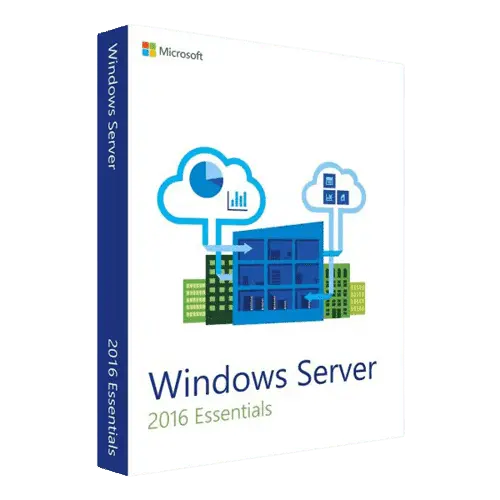






Windows Server 2016 Essentials is the small-business edition of Windows Server 2016: one server for up to 25 users and 50 devices, with file sharing, automatic backups of the server and client PCs, and remote access, all managed from one Dashboard. A Windows Server 2016 Essentials key from HypestKey activates that edition with a perpetual license and a Microsoft download link, and no Client Access Licenses are needed for those 25 users. It fits small offices without a full-time IT person. Microsoft ships security updates until January 12, 2027.
Key takeaways
- Built for up to 25 users and 50 devices; Windows Server CALs are not required.
- One server with up to two physical processors.
- Dashboard, Anywhere Access, client computer backup and Microsoft 365 integration through the Essentials Experience.
- Mainstream support ended January 11, 2022; extended support runs to January 12, 2027.
- Key emailed instantly after payment, no account needed.
What is Windows Server 2016 Essentials?
Windows Server 2016 Essentials is a Windows Server edition designed as the first server for small businesses with up to 25 users and 50 devices. It is licensed per server rather than per core, it does not need Windows Server CALs, and a setup wizard plus the Dashboard handle users, shared folders, backups and remote access without deep server knowledge.
Think of it as the successor to Small Business Server, minus Exchange. Email and calendars come from Microsoft 365 or another hosted service, while the server keeps files, user accounts and backups in the office. Setup asks a few questions, such as the company and server name and an administrator account, and builds the domain for you. After that, staff connect their PCs and you manage everything from one window.
What does Windows Server 2016 Essentials include?
Windows Server 2016 Essentials includes the Dashboard for daily administration, Active Directory with a ready-made domain, shared folders with permissions, server backup, nightly backup of connected client PCs, Anywhere Access for remote work, health alerts and integration with Microsoft 365. It also has the core Windows Server 2016 roles such as DNS, DHCP and file services.
- Dashboard: add users, create shared folders, manage devices and backups and see health alerts in one place.
- Client computer backup: connected Windows PCs are backed up automatically every night, and a dead laptop can be restored from the latest backup.
- Server backup: scheduled backups of the server to an external drive.
- Anywhere Access: Remote Web Access and VPN let staff reach files and their office PCs from home or on the road.
- Microsoft 365 (formerly Office 365) integration: link server accounts with Microsoft 365 accounts and manage both from the Dashboard.
- Health monitoring: alerts flag full disks, failed backups and missing updates before they become outages.
Essentials vs Standard: which Windows Server 2016 edition fits?
Choose Windows Server 2016 Essentials when the office has up to 25 users and 50 devices and needs one server. Choose Standard when you expect to grow past that, need virtual machines, or want more processors. Essentials is licensed per server with no CALs; Standard is licensed per core and every user or device needs a CAL.
| Area | Windows Server 2016 Essentials | Windows Server 2016 Standard |
|---|---|---|
| Designed for | Up to 25 users and 50 devices | Users based on CALs |
| Licensing model | Per server, up to 2 processors | Per core (16 cores minimum per server) |
| Windows Server CALs | Not required | Required for every user or device |
| Virtual machine rights | One instance, physical or virtual | Host plus 2 virtual machines |
| Dashboard and client backup | Built in | Optional Essentials Experience role |
| Best for | Small office, first server | Growing business, several roles or VMs |
Already past 25 people, or planning a Hyper-V host? The Windows Server 2016 Standard key fits better. Want the same idea on a newer release? See the Windows Server 2019 Essentials key, supported until January 9, 2029.
Windows Server 2016 Essentials hardware requirements
Windows Server 2016 Essentials runs on modest hardware: a 1.4 GHz 64-bit processor with NX, DEP and second level address translation, 2 GB of RAM for a server with the desktop, 32 GB of disk space and a gigabit Ethernet adapter. These are Microsoft’s minimums for Windows Server 2016; client backups need much more disk.
| Component | Minimum (Microsoft) |
|---|---|
| Processor | 1.4 GHz 64-bit, NX and DEP, CMPXCHG16b, LAHF/SAHF, PrefetchW, SLAT |
| Memory | 2 GB (Server with Desktop Experience), ECC for physical hosts |
| Disk | 32 GB for the system, PCI Express storage controller |
| Network | Ethernet adapter with at least 1 Gbit/s throughput |
| Client PCs | Windows 7, Windows 8, Windows 10, and macOS X Lion or later |
Plan storage around the backups. Nightly backups of 20 laptops fill disks fast, so a second drive or an external backup disk is usually part of the setup. The router should support UPnP or forward ports 80 and 443 for Anywhere Access. Source: Microsoft’s Windows Server hardware requirements.
How do I install and activate a Windows Server 2016 Essentials key?
Download Windows Server 2016 Essentials from the Microsoft link in your email, install it and complete the Configure Windows Server Essentials wizard. Then open Settings > Update & Security > Activation > Change product key, or run slmgr /ipk with your key and slmgr /ato in an elevated command prompt.
- Boot the server from the Windows Server 2016 Essentials media and install it on a freshly formatted disk.
- Finish the setup wizard: company name, server name and administrator account. The server creates the domain.
- Open Command Prompt with Run as administrator and run
slmgr /ipk XXXXX-XXXXX-XXXXX-XXXXX-XXXXX. - Run
slmgr /ato, thenslmgr /dlvto confirm “License Status: Licensed”. No internet? Useslui 4for phone activation. - On each office PC, open
http://servername/connectin a browser and run the Connector to join it to the server.
Running the Essentials evaluation? Microsoft documents converting it to the full version by entering your key with slmgr.vbs /ipk. For a step-by-step walkthrough of server backups, see our guide to Windows Server Backup.
Tip: Format and repartition the disks before installing Essentials on a reused PC. Microsoft recommends it to remove hidden partitions that can break setup.
How long is Windows Server 2016 supported?
Windows Server 2016 follows Microsoft’s Fixed Lifecycle Policy. Mainstream support ended on January 11, 2022, and extended support with monthly security updates ends on January 12, 2027. After that date the server keeps working, but it receives no more patches unless the organization buys Extended Security Updates from Microsoft.
That typically makes 2016 Essentials a fit for a short horizon, for example matching an existing 2016 setup or running a line-of-business app certified for it. Our article on Windows Server 2016 end of life covers the options for planning the move.
Delivery and support
HypestKey emails your Windows Server 2016 Essentials key instantly after payment, together with the Microsoft download link, and no account is needed. You pay by card, Apple Pay or Google Pay through Stripe. It is a one-time purchase with no subscription. If the key does not activate, we help you fix it or send a replacement.
Questions about installation or activation go to support@hypestkey.com or the live chat. Every 2016 edition is in the Windows Server 2016 category. Something went wrong? We’ll help you fix it.
Delivery and activation
Visa, Mastercard and other cards, Apple Pay, Google Pay, processed by Stripe. Guest checkout, prices in USD.
Instant delivery to your email: the key is sent automatically as soon as your payment is confirmed. In rare cases (high demand or a fraud check) it can take up to 24 hours.
Check your spam folder first. Still no email? Write to support@hypestkey.com with your order number and we will resend it.
FAQ
How many users does Windows Server 2016 Essentials support?
It is designed for up to 25 users and 50 devices. Within those limits you do not need Windows Server Client Access Licenses.
Do I need CALs with Essentials?
No. Windows Server CALs are not required for Essentials. That is the main licensing difference from Standard and Datacenter, where every user or device needs a CAL.
What if we grow past 25 users?
Move to Windows Server Standard, which is licensed per core with CALs and has no fixed user cap. Plan the migration ahead: Standard needs its own license and CALs for every user or device.
Is remote access included?
Yes. Anywhere Access includes Remote Web Access and VPN, so staff reach shared files and their office PCs from any location. The router needs UPnP or ports 80 and 443 forwarded to the server.
How do I activate Windows Server 2016 Essentials?
Open Settings > Update & Security > Activation > Change product key, or run slmgr /ipk with your key and then slmgr /ato in an elevated prompt. Without internet, slui 4 starts phone activation.
When does support for Windows Server 2016 end?
Mainstream support ended January 11, 2022. Extended support, with monthly security updates, ends January 12, 2027.
Which client computers can connect?
Windows 7, Windows 8 and Windows 10 PCs and Macs with OS X Lion or later. Open http://servername/connect on each computer to install the Connector.