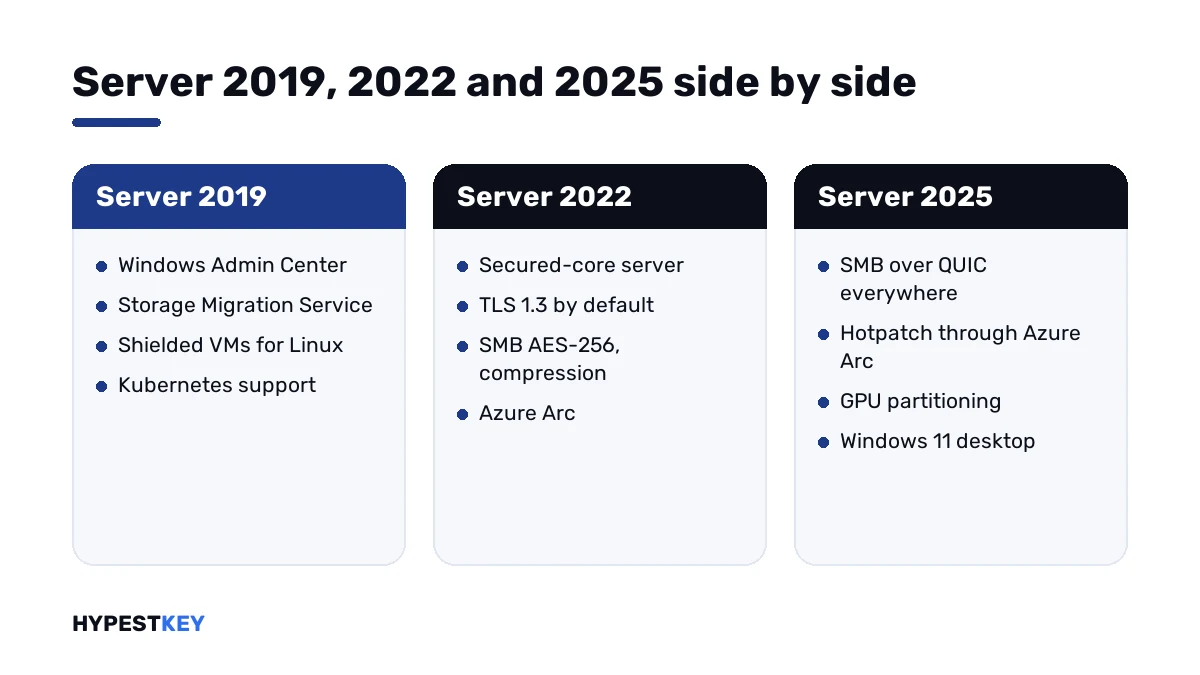
Short answer: Windows Server 2025 vs 2022 vs 2019 in short: the same roles, with stricter defaults in each release. 2022 brought Secured-core server and TLS 1.3. With 2025 we get SMB over QUIC in every edition, hotpatching through Azure Arc and a Windows 11 desktop. I'd take the newest release the applications support.
Windows Server 2025 vs 2022 vs 2019 is three steps of one product line. Each release kept the earlier roles. Security defaults got tighter every time. We’d choose by what your applications support, then by the features below.
| Point | Server 2019 | Server 2022 | Server 2025 |
|---|---|---|---|
| Desktop | Windows 10 style | Windows 10 style | Windows 11 style |
| Maximum memory | 24 TB | 4 PB with 5-level paging, 256 TB with 4-level | 4 PB with 5-level paging, 256 TB with 4-level |
| TLS 1.3 on by default | No | Yes | Yes |
| Secured-core server | No | Yes | Yes |
| SMB over QUIC | No | Datacenter: Azure Edition only | Standard and Datacenter |
| Hotpatch | No | Datacenter: Azure Edition only | Through Azure Arc |
| Credential Guard on by default | No | No | Yes, where the requirements are met |
| OpenSSH server | Manual installation | Manual installation | Installed by default |
| Browser | Internet Explorer | Microsoft Edge | Microsoft Edge |
| In-place upgrade from | 2012 R2, 2016 | 2016, 2019 | 2012 R2 and later |
The rows come from Microsoft’s “What’s new” pages for each release and from Locks and limits in Windows Server.
What stayed the same
The roles are the same in all three. Active Directory, DNS, DHCP, file services, IIS, Hyper-V, failover clustering and Remote Desktop Services are in each release.
| Point | All three releases |
|---|---|
| Editions | Standard and Datacenter |
| Licensing | Per physical core; minimum 16 core licenses per server, 8 per processor |
| Virtual machines | Standard covers 2 per licensed host, Datacenter unlimited |
| Client access | CALs for users or devices; RDS CALs for remote sessions |
| Installation options | Server Core or Server with Desktop Experience |
| Sockets and cores | 64 sockets, unlimited cores |
So the edition question doesn’t change with the year. We answer it in Windows Server 2022 Standard vs Datacenter.
What 2019 brought
Server 2019 is the oldest of the three. Its additions became the base that the later releases build on.
| Area | Addition |
|---|---|
| Management | Windows Admin Center, the browser-based management app |
| Prediction | System Insights, with local analytics for capacity forecasting |
| Storage | Storage Migration Service, for moving file servers to newer ones |
| Storage | Storage Replica in the Standard edition too |
| Security | Windows Defender Advanced Threat Protection built in |
| Virtualization | Shielded virtual machines for Linux guests |
| Containers | Linux containers on Windows and built-in Kubernetes support |
| Developers | Windows Subsystem for Linux |
| Web | HTTP/2 |
| Server Core | App Compatibility Feature on Demand |
The source is Microsoft’s What’s new in Windows Server 2019.
What 2022 added
Microsoft built this release around three themes: security, Azure hybrid management and the application platform.
| Area | Addition |
|---|---|
| Security | Secured-core server on certified hardware: TPM 2.0, firmware protection, virtualization-based security |
| Connections | HTTPS and TLS 1.3 enabled by default |
| DNS | DNS-over-HTTPS in the DNS client |
| SMB | AES-256 encryption, encryption for SMB Direct, SMB compression |
| Hybrid | Azure Arc-enabled servers; Azure Arc Setup from the taskbar |
| Virtualization | Nested virtualization on AMD processors |
| Storage | Storage bus cache on standalone servers, ReFS file-level snapshots, faster repair and resync |
| Containers | Smaller Server Core image: 2.76 GB against 3.47 GB for the 2019 layer |
| Browser | Microsoft Edge replaces Internet Explorer |
| Scale | Up to 48 TB of memory and 2,048 logical cores on 64 sockets with Intel Ice Lake processors |
Two headline features of 2022 never reached the regular editions. Hotpatch and SMB over QUIC stayed in Datacenter: Azure Edition, which runs in Azure or on Azure Local only.
The source is Microsoft’s What’s new in Windows Server 2022.
What 2025 added
This release is the widest step of the three. We’ve grouped Microsoft’s list by area.
| Area | Addition |
|---|---|
| Upgrade | In-place upgrade across up to four versions, straight from 2012 R2 and later |
| Desktop | Windows 11 shell, modern Task Manager, Windows Terminal, WinGet installed by default |
| Devices | Bluetooth; the Wireless LAN Service installed by default |
| Updates | Hotpatch for machines connected to Azure Arc: security updates without a restart |
| Credentials | Credential Guard enabled by default on devices that meet the requirements |
| Active Directory | Optional 32k database page size; delegated Managed Service Accounts |
| Remote access | OpenSSH server installed by default, with a switch in Server Manager |
| SMB | SMB over QUIC in Standard and Datacenter; signing required by default for outbound connections; NTLM blocking |
| VPN | New RRAS installations don’t accept PPTP and L2TP by default |
| Hyper-V | 4 PB of memory and 2,048 logical processors per host; 240 TB and 2,048 virtual processors per generation 2 VM |
| Hyper-V | GPU partitioning with live migration; Generation 2 as the default for new VMs; workgroup clusters |
| Storage | NVMe performance work, ReFS native deduplication and compression, thin provisioned volumes, Storage Replica compression |
| Networking | Network ATC for cluster network configuration |
| Licensing | Pay-as-you-go through Azure Arc as an alternative to perpetual licenses |
The source is Microsoft’s What’s new in Windows Server 2025. Launch details and removed features are on our page about the Windows Server 2025 release date.
Security defaults, release by release
| Default | 2019 | 2022 | 2025 |
|---|---|---|---|
| TLS 1.3 | Off | On | On |
| SMB signing required for outbound connections | No | No | Yes |
| SMB AES-256 encryption available | No | Yes | Yes |
| Credential Guard | Opt-in | Opt-in | On by default |
| PPTP and L2TP on new RRAS installations | Accepted | Accepted | Not accepted |
| Remote Mailslot protocol | Enabled | Enabled | Disabled by default |
The newer the release, the more is locked from the first boot. That helps a new server and can surprise an old application, so we’d test before upgrading.
Storage, release by release
| Release | Storage additions |
|---|---|
| 2019 | Storage Migration Service; Storage Replica in Standard; improvements to Storage Spaces Direct and data deduplication |
| 2022 | Storage bus cache on standalone servers; adjustable repair speed; repair and resync about twice as fast; ReFS file-level snapshots; SMB compression |
| 2025 | NVMe optimisation with more IOPS and less CPU use; ReFS native deduplication and compression; thin provisioned volumes on Storage Spaces Direct; Storage Replica compression and Enhanced Log |
A plain file server gains least here. Clusters on Storage Spaces Direct gain most, and those need Datacenter in any of the three.
Networking and SMB
| Release | Network additions |
|---|---|
| 2019 | Dynamic vRSS and VMMQ; HTTP/2; encrypted networks in SDN; firewall auditing |
| 2022 | UDP Segmentation Offload and Receive Side Coalescing; TCP HyStart++ and RACK; improved vSwitch coalescing; SMB AES-256 |
| 2025 | SMB over QUIC in every edition; SMB alternative ports; authentication rate limiter; hardened firewall rules for new shares; Network ATC; Accelerated Networking in preview |
The 2025 defaults can catch old equipment out. A device that can’t sign SMB traffic stops connecting until the setting is changed, and I’d test scanners and old NAS boxes first.
Containers and developer tools
| Release | Additions |
|---|---|
| 2019 | Linux containers on Windows; built-in Kubernetes support; Windows Subsystem for Linux |
| 2022 | Smaller container images; gMSA without joining the host to a domain; HostProcess containers; IPv6 dual stack; virtualized time zone |
| 2025 | Container portability across host versions; DTrace as a native tool; Windows Terminal and WinGet; Dev Drive with block cloning |
Azure and hybrid management
| Release | Additions |
|---|---|
| 2019 | Windows Admin Center with hybrid features; Remote Desktop Services integration with Azure AD |
| 2022 | Azure Arc-enabled servers; Azure Arc Setup from the taskbar; Secured-core status in Windows Admin Center |
| 2025 | Azure Arc Setup installed by default; Hotpatch through Azure Arc; pay-as-you-go licensing; Windows Server Management enabled by Azure Arc |
None of the three needs Azure to run. The cloud parts are optional, and a server in a cupboard works without them.
Identity and Active Directory
| Release | Additions |
|---|---|
| 2019 | Active Directory Federation Services updates: protected sign-ins, single sign-on improvements, SAML updates |
| 2022 | No Active Directory section on Microsoft’s page for this release |
| 2025 | Optional 32k database page size; delegated Managed Service Accounts for moving off classic service accounts; Windows LAPS for local administrator passwords |
For a domain controller, 2025 is the first of the three with real changes to the directory itself. The 32k page size is optional, and we’d read Microsoft’s conditions before switching it on.
Virtualization and scale
For most hosts the limits were never the issue. The table shows where they moved anyway.
| Point | 2019 | 2022 | 2025 |
|---|---|---|---|
| Maximum memory in Microsoft’s limits table | 24 TB | 4 PB or 256 TB, by paging level | 4 PB or 256 TB, by paging level |
| Nested virtualization on AMD | No | Yes | Yes |
| GPU partitioning with live migration | No | No | Yes |
| Default generation for new VMs | Generation 1 | Generation 1 | Generation 2 |
| Storage Replica on Standard | Yes, limited | One partnership, one resource group, a single 2 TB volume | One partnership, one resource group, a single 2 TB volume |
VM rights follow the edition, not the year. The math for Standard is in our page on the Windows Server 2022 Standard VM limit.
CALs don’t carry forward
A client access license serves its own server version and older ones. It doesn’t serve a newer server.
| Session host | RDS CALs it accepts |
|---|---|
| Windows Server 2019 | RDS 2019, 2022, 2025 |
| Windows Server 2022 | RDS 2022, 2025 |
| Windows Server 2025 | RDS 2025 |
So moving a session host to 2025 means new RDS CALs. Buying the newest CALs early is the cheaper order, because they also serve the older hosts.
We compare the two kinds in RDS CAL Per User vs Per Device. Base CALs are explained in managing CAL licenses in Windows Server 2022, and the packs are under Windows Server CALs.
Upgrade paths
| Target | In-place upgrade from |
|---|---|
| Windows Server 2019 | 2012 R2, 2016 |
| Windows Server 2022 | 2016, 2019 |
| Windows Server 2025 | 2012 R2, 2016, 2019, 2022 |
Before 2025 an upgrade could cross two versions at most. The newest release crosses four, which saves the stop in between for old servers.
An in-place upgrade keeps the edition. Changing edition takes a separate step, and an evaluation copy is converted first: see converting Windows Server 2022 evaluation to Standard.
Still on something older? Our pages on Windows Server 2016 and Windows Server 2012 R2 cover those two.
How to choose: Windows Server 2025 vs 2022 vs 2019
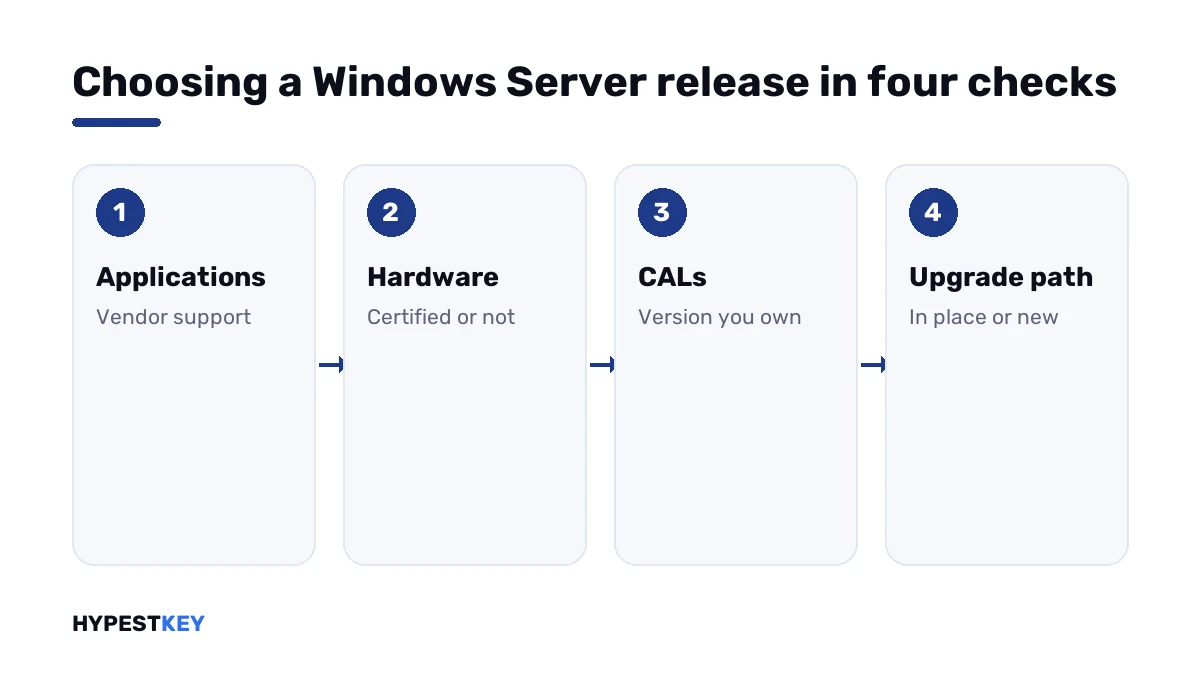
Applications decide first. Features come second.
- List the applications the server will run and note which releases each vendor supports.
- Check that the hardware is certified for the release you have in mind.
- Mark what only 2025 offers you: SMB over QUIC on Standard, hotpatching through Azure Arc, GPU partitioning, the stricter defaults.
- Count the CALs you own and note their version.
- Check the in-place upgrade path from the server you have now.
- With no constraint from steps 1, 2 and 4, take the newest release.
| Situation | Release |
|---|---|
| A new server, modern applications | 2025 |
| File access for remote staff without a VPN | 2025, for SMB over QUIC |
| Virtual machines that share a GPU | 2025 |
| An application certified up to 2022 | 2022 |
| One more host for an estate that runs 2022 with 2022 CALs | 2022 |
| An application certified for 2019 only | 2019 |
| A 2012 R2 server that has to be upgraded in place | 2025, in one step |
Keys for each release
All six are genuine keys and arrive instant to email. A key activates its own release and edition only.
Activation works the same way in each: see our Windows Server 2022 activation guide. Volume setups use the keys listed in Windows Server KMS keys. The whole range is under Windows Server keys.
Mistakes we see most
- Installing 2025 and keeping 2019 or 2022 RDS CALs.
- Expecting Hotpatch on a regular 2022 server.
- Upgrading in place without checking the application vendor’s list.
- Assuming a 2022 key activates 2025.
- Relying on PPTP after a fresh RRAS installation on 2025.
- Choosing the oldest release “to be safe” for a server with no legacy software.
Terms used on this page
| Term | Meaning |
|---|---|
| Hotpatch | Installing security updates without restarting the server |
| SMB over QUIC | File sharing over an encrypted UDP transport, usable across the internet without a VPN |
| Secured-core server | Certified hardware with firmware protection and virtualization-based security |
| Azure Arc | Microsoft’s service for managing servers outside Azure from Azure |
| GPU partitioning | Sharing one physical graphics card among several virtual machines |
| In-place upgrade | Installing a newer release over the old one, keeping roles and data |
| CAL | Client access license for a user or a device |
FAQ
Windows Server 2025 vs 2022 vs 2019: what is the difference?
The roles are the same. Each release adds security defaults and features on top. We'd single out TLS 1.3 and Secured-core in 2022, then SMB over QUIC and hotpatching in 2025.
Which Windows Server version should I install on a new server?
The newest one your applications support. With no legacy software, that's 2025. I'd check the vendor lists and the CALs you own first.
Can I upgrade from Windows Server 2019 to 2025 directly?
Yes. Microsoft says 2025 can be reached in place from 2012 R2 and later, across up to four versions. We'd take a backup and test the applications before that.
Do Windows Server 2022 CALs work with Windows Server 2025?
No. A CAL serves its own version and older ones. For RDS, Microsoft's table shows a 2025 session host accepting RDS 2025 CALs only, so I'd budget for new ones.
Does Windows Server 2022 have Hotpatch?
Only Datacenter: Azure Edition, which runs in Azure or on Azure Local. On 2025, Hotpatch is available for machines connected to Azure Arc. We wouldn't expect it on a regular 2022 server.
Is SMB over QUIC available in Windows Server 2025 Standard?
Yes. Microsoft's page says the server feature is now in Standard and Datacenter. In 2022 it existed in Datacenter: Azure Edition only, and I'd call it the clearest gain for file servers.
Is the licensing different between the three versions?
The model is the same: per core, with a minimum of 16 per server. 2025 adds a pay-as-you-go option through Azure Arc. We sell perpetual keys for all three.
Does a Windows Server 2022 key activate Windows Server 2025?
No. A key activates its own release and edition. I'd buy the key for the version that's actually installed.