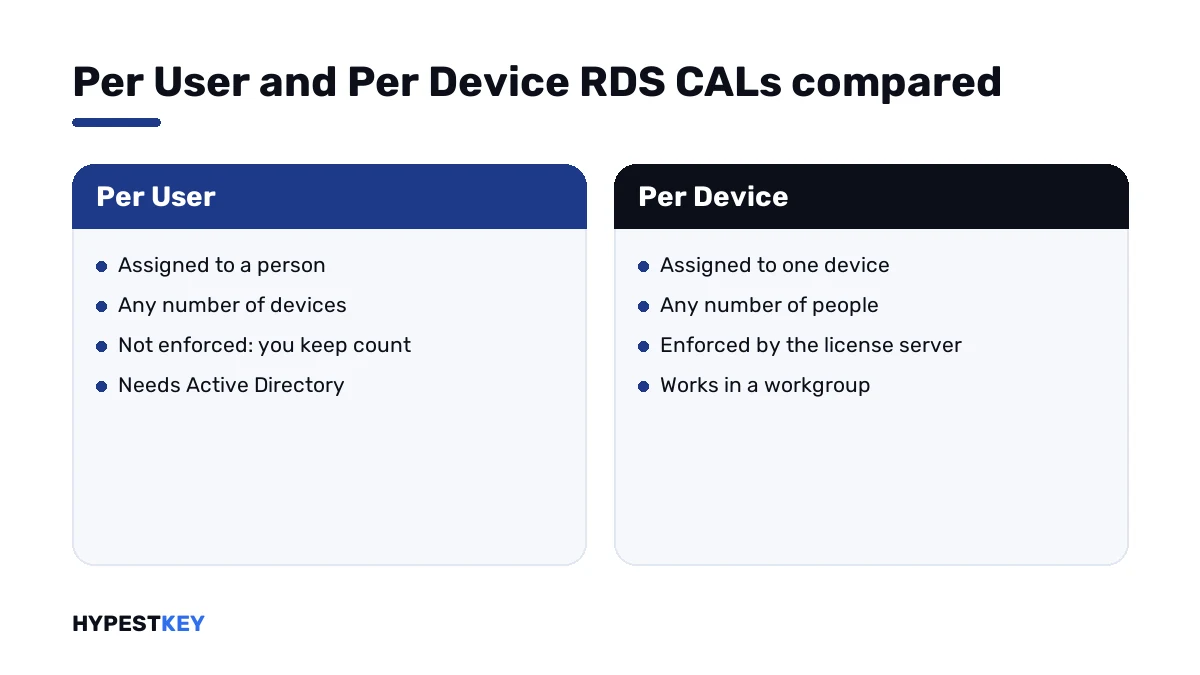
Short answer: RDS CAL Per User vs Per Device in one line: one follows a person, the other stays with a machine. Per User needs Active Directory and isn't enforced. Per Device is enforced and works in a workgroup. I'd count people and devices and license the smaller group.
Choosing an RDS CAL, Per User vs Per Device, comes down to counting. Per User follows a person across any number of devices. Per Device stays with one machine for any number of people. We’d count both groups and license the smaller one.
| Point | Per User | Per Device |
|---|---|---|
| One CAL covers | One person, any number of devices | One device, any number of people |
| Assigned to | A user account in Active Directory | A physical device |
| In a workgroup | Can’t be tracked | Tracked without Active Directory |
| Temporary CALs | Not available | Valid for 90 days |
| Over-allocation | Possible, in breach of the licensing agreement | Not possible |
| Revoking | Not possible | Up to 20% of the CALs |
The table follows Microsoft’s page License Remote Desktop Services with client access licenses.
What an RDS CAL covers
A session on a Remote Desktop Session Host needs a license. We install the CALs on a Remote Desktop license server, and it hands them out.
Two things sit outside that rule. Administration gets two sessions without any RDS CAL. And a new session host runs for a grace period of 120 days with no license server.
After the grace period, connections fail without a license server. That case has its own page: no Remote Desktop license servers available.
The Per User model
A Per User CAL belongs to a person. The license server assigns it to that person’s account in Active Directory. Office PC, laptop, tablet, phone: one CAL covers them all.
The model isn’t enforced. The license server keeps issuing even when the installed pool is used up, and Microsoft’s page says plainly who answers for that. You do.
So the count is your job. RD Licensing Manager can produce a report on Per User CAL usage, and I’d run it before every audit.
| Detail | Per User |
|---|---|
| Validity | 60 days before renewal |
| Reassignment | 90 days before the CAL can go to someone else |
| Temporary CALs | None |
| Revoking | None |
The Per Device model
A Per Device CAL belongs to a machine. Anyone who sits down at it may open a session.
The first connection from a device gets a temporary CAL. On the second connection the license server issues a permanent one, provided it’s activated and has CALs left.
This model is enforced. When the pool is empty, the next new device doesn’t get a permanent CAL.
| Detail | Per Device |
|---|---|
| Temporary CAL | Valid for 90 days |
| Permanent CAL | Valid for a random period of 52 to 89 days before renewal |
| Revoking | Up to 20% of the CALs |
| Over-allocation | Not possible |
Revoking helps when a PC is scrapped. Its CAL goes back to the pool instead of waiting out its validity.
How to choose: RDS CAL Per User vs Per Device
Two counts, one check, one decision.
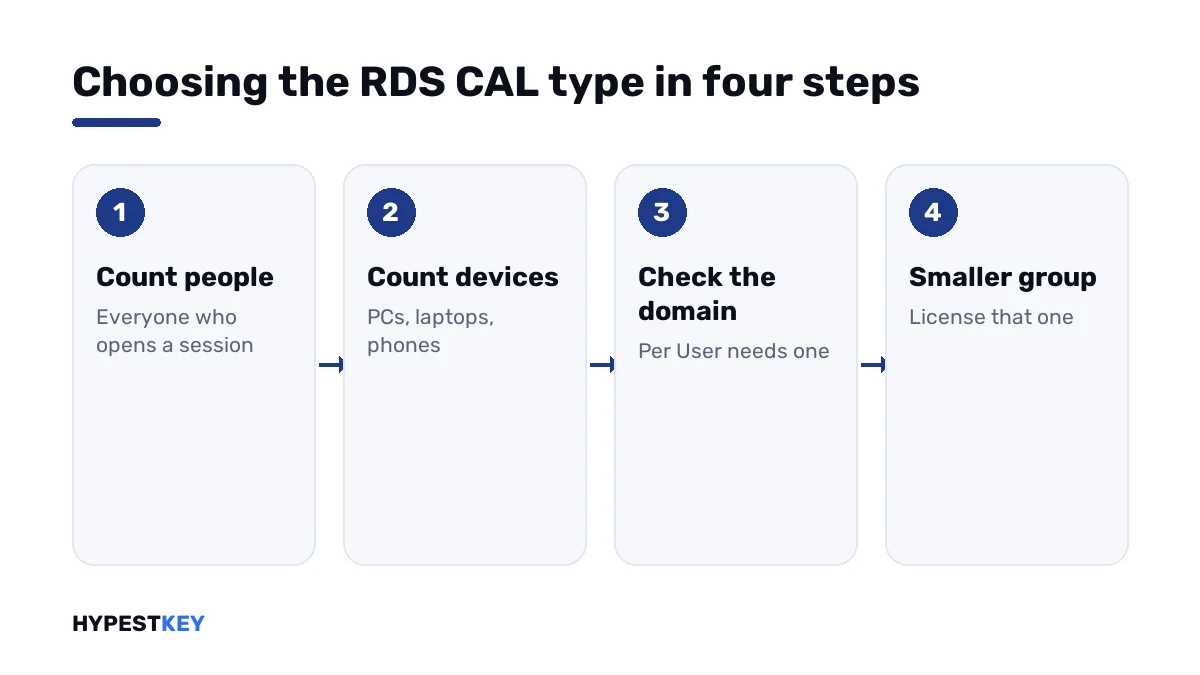
- List every person who will open a remote session, part-time and external staff included.
- List every device those sessions will start from: office PCs, thin clients, laptops, home computers, phones.
- Check whether the session host is in an Active Directory domain; without one, only Per Device can be tracked.
- Compare the two totals and take the smaller one.
- Set the matching licensing mode on the session host and install that kind of CAL on the license server.
| Situation | Better fit |
|---|---|
| Staff with a PC, a laptop and a phone each | Per User |
| Remote and hybrid teams | Per User |
| Shift work on shared terminals | Per Device |
| A warehouse or reception desk used by many people | Per Device |
| A server in a workgroup | Per Device |
| More people than devices | Per Device |
| More devices than people | Per User |
Workgroups and domains
Per User CALs are tracked through Active Directory accounts. A workgroup has no such accounts, and Microsoft’s table says the CALs cannot be tracked there.
Per Device CALs are tracked regardless of Active Directory membership. For a standalone server that settles the choice.
Planning a domain anyway? Our guide to joining Windows Server to a domain covers that step.
The licensing mode on the session host
Buying the right CALs is half of it. The session host also has a licensing mode, and it has to name the same kind.
| Where | Setting |
|---|---|
| Deployment with a Connection Broker | Server Manager, Remote Desktop Services, Overview, Edit Deployment Properties, RD Licensing |
| Standalone session host | Local Group Policy: Set the Remote Desktop licensing mode |
| Same policy folder | Use the specified Remote Desktop license servers |
A license server can hold both kinds at once. One session host works in one mode.
A host set to one kind with only the other kind installed ends in licensing errors. We see that pairing after hurried purchases.
CAL versions count for both kinds
The version rule doesn’t depend on the kind. A CAL serves session hosts of its own version and older ones.
| Session host | CALs it accepts |
|---|---|
| Windows Server 2016 | RDS 2016, 2019, 2022, 2025 |
| Windows Server 2019 | RDS 2019, 2022, 2025 |
| Windows Server 2022 | RDS 2022, 2025 |
| Windows Server 2025 | RDS 2025 |
| License server | CALs it can hold |
|---|---|
| Windows Server 2016 | RDS 2016 |
| Windows Server 2019 | RDS 2016, 2019 |
| Windows Server 2022 | RDS 2016, 2019, 2022 |
| Windows Server 2025 | RDS 2016, 2019, 2022, 2025 |
So the newest CAL is the safe pick for a mixed estate, as long as the license server is new enough to hold it.
What else a remote user needs
An RDS CAL sits on top of two other licenses.
| Layer | What it licenses |
|---|---|
| Server license | The session host itself, Standard or Datacenter |
| Windows Server CAL | Basic access to the server for the user or device |
| RDS CAL | The remote session |
The server editions are compared in Windows Server 2022 Standard vs Datacenter. Base CALs are explained in managing CAL licenses in Windows Server 2022.
For a small session host, our Windows Server 2022 Standard key is the usual base.
Counting examples
Four made-up offices, to show the arithmetic.
| Office | People | Devices | We’d license |
|---|---|---|---|
| Accounting firm; everyone has a laptop and a home PC | 18 | 40 | 18 Per User |
| Call centre; three shifts on the same desks | 90 | 30 | 30 Per Device |
| Design studio; staff also connect from tablets | 12 | 31 | 12 Per User |
| Workshop PCs outside the domain | 6 | 2 | 2 Per Device |
Our packs hold 50 CALs each. One pack covers any of these four offices.
Picked a side? For Per User we keep RDS 2022, 50 User CALs and RDS 2025, 50 User CALs. For Per Device we have RDS 2022, 50 Device CALs and RDS 2025, 50 Device CALs. An older estate? There’s RDS 2019, 50 Device CALs. All genuine, instant to email, and the whole range is under Windows Server CALs.
Around the session host
- Turning Remote Desktop on: enabling RDP on Windows Server.
- A different port: changing the RDP port.
- Connecting from outside: accessing and connecting to Windows servers.
- Connecting from a Mac: accessing Windows Server from Mac.
Mistakes we see most
- Choosing Per User for a workgroup server.
- Setting Per Device on the host and installing Per User CALs.
- Counting the devices in the office and forgetting home PCs and phones.
- Treating the missing enforcement of Per User as free licenses.
- Buying CALs older than the session host.
- Skipping the Windows Server CALs underneath.
Terms used on this page
| Term | Meaning |
|---|---|
| RDS | Remote Desktop Services, the Windows Server role for remote sessions |
| RDS CAL | A client access license for one user or one device |
| Session host | The server users connect to |
| License server | The server that holds and issues RDS CALs |
| Licensing mode | Per User or Per Device, set on the session host |
| Temporary CAL | The 90-day license a device gets on its first connection |
| Over-allocation | Issuing more Per User CALs than are installed |
FAQ
What is the difference between RDS CAL Per User and Per Device?
Per User licenses one person on any number of devices. Per Device does the reverse: one device, any number of people. I'd pick by which count is smaller.
Which is cheaper, Per User or Per Device?
Neither by itself. The cost follows the number of CALs you need. We count people and devices, then license whichever group is smaller.
Can I use Per User RDS CALs in a workgroup?
No. Microsoft's table says Per User CALs cannot be tracked within a workgroup. I'd use Per Device CALs on a server outside a domain.
Can one license server hold both kinds of RDS CAL?
Yes, both kinds can be installed on one license server. Each session host works in one licensing mode, though. We set that mode to match the CALs meant for it.
Are Per User RDS CALs enforced?
No. The license server issues them even past the installed number. Microsoft's page calls that a breach of the licensing agreement, so we track usage with the report in RD Licensing Manager.
How long is a temporary RDS CAL valid?
A temporary Per Device CAL is valid for 90 days. It's issued on a device's first connection. Per User has no temporary CALs, as I read Microsoft's table.
Do RDS CALs replace Windows Server CALs?
No. A remote user needs both: the Windows Server CAL for access to the server, the RDS CAL for the session. I'd budget for the two together.