Short answer: Office taking too long to install usually means a slow or blocked download, because setup fetches Office while it runs. Cancel it, restart and check whether Office is already there. Next, we'd try a cable, the offline installer, antivirus off for the install, Online Repair, and finally a clean reinstall. We'd end wusa.exe if it hangs at 90%.
Office taking too long to install almost always points to the download, since normal setup pulls Office from the internet while it runs. A slow or blocked connection, a busy Windows Installer at 90%, or antivirus can stall it. Cancel the install, then work through the fixes below in order.
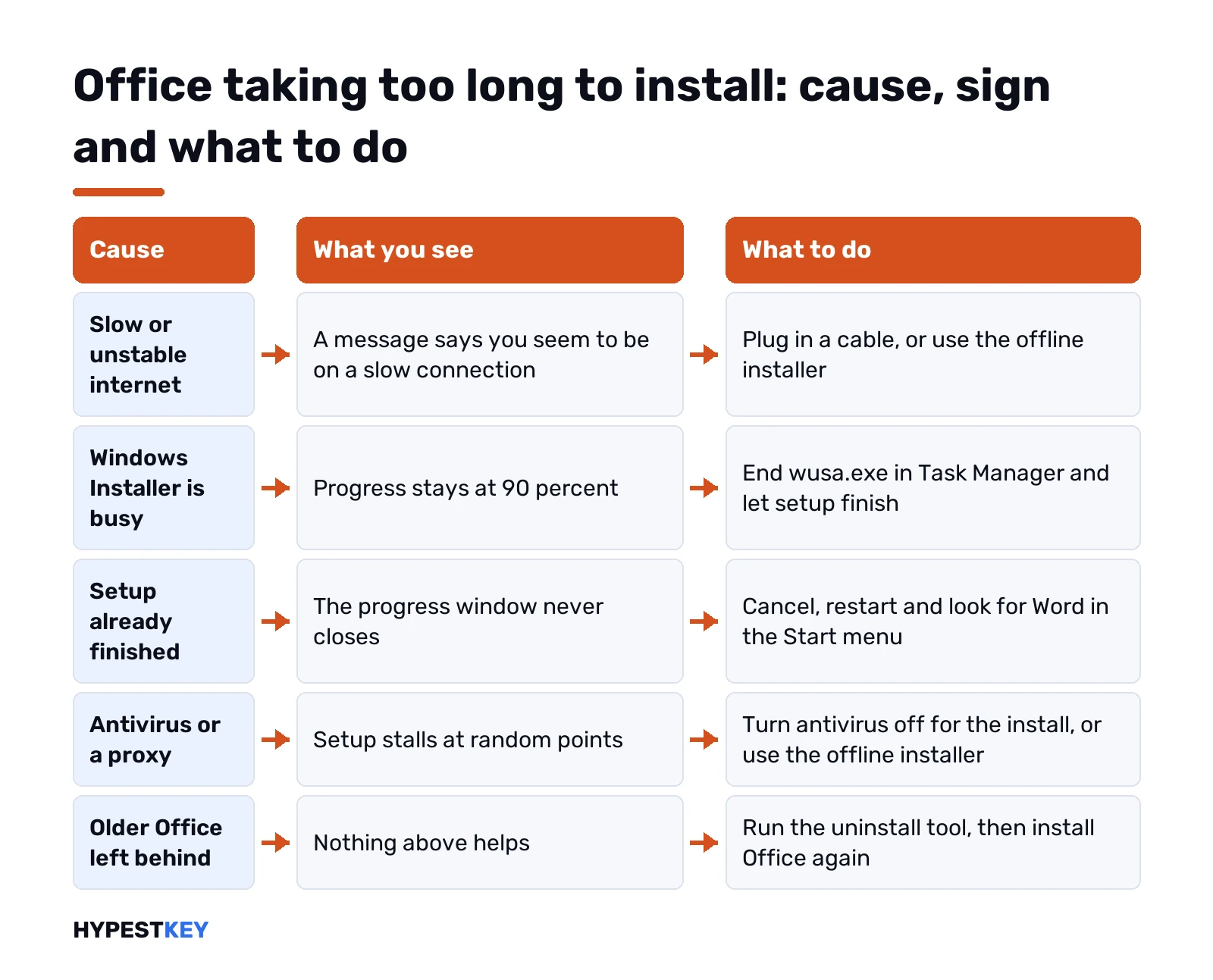
| What you see | Likely cause | What to do |
|---|---|---|
| “Sorry, it looks like you’re on a slow connection” | Weak or unstable internet | Wired connection or the offline installer |
| Progress sits at 90% | Windows Installer busy with an update | End wusa.exe in Task Manager |
| Progress bar never moves | Setup may have finished already | Restart and look for the Office apps |
| Stalls at random points | Proxy, firewall or antivirus | Offline installer, antivirus off for the install |
| Office half there, apps won’t open | Broken earlier attempt | Online Repair |
| Nothing helps | Leftovers of older Office | Uninstall tool, then a fresh install |
Why Office is taking too long to install
The setup file you run is small. Most of Office arrives during the install itself, through the Click-to-Run engine our Click-to-Run guide describes.
So the progress bar is really a download bar. Every slowdown on the line shows up there. Wi-Fi far from the router. A shared connection busy with a video call. A proxy at work that inspects every file. Microsoft doesn’t publish a fixed install time for that reason, and we wouldn’t trust anyone who quotes one.
The other causes sit on the PC itself. Windows Installer tied up by Windows Update. Security software scanning each file. Leftovers of an older Office. Whatever it is, we’d cancel a hung install before trying anything else, which is Microsoft’s advice too.
Check whether Office already finished
Odd, but common. The install completes and the window just never says so.
- Cancel the setup window.
- Restart the PC.
- Start menu. Type Word or Excel.
Apps there and opening? Then you’re done, and only activation is left. Our guides to activating Office 2024 and activating Office 2021 pick up from that point.
Office stuck at 90 percent: Windows Installer is busy
This one has a known reason. Near the end, Office needs Windows Installer. If Windows Update is using it right then, Office waits. And if the update process hangs, Office never gets past 90%.
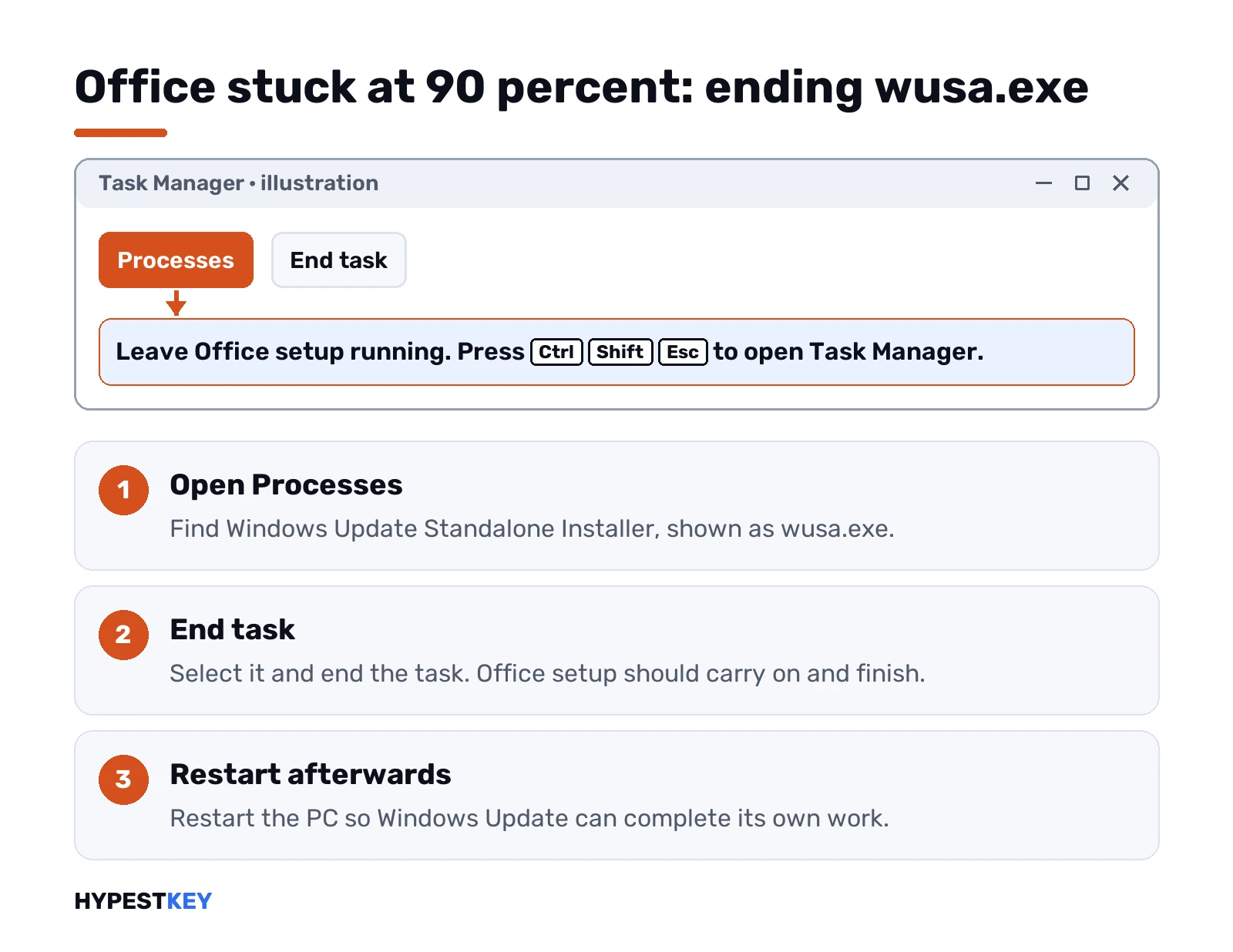
The fix, with the Office setup left running:
- Ctrl, Shift, Esc for Task Manager.
- Processes tab.
- Find Windows Update Standalone Installer, wusa.exe.
- End task.
Office setup should carry on and finish. Restart afterwards so Windows Update can complete its own job. We wouldn’t switch Windows Update off for good to avoid this, since that can block a real Windows update. Updates themselves stuck? Our Windows Update troubleshooter guide covers that side, and Windows 11 update times explains why they drag.
A wired connection instead of Wi-Fi
Cheap test, often enough.
A cable to the router is usually faster and steadier than wireless. Plug in, cancel the stalled setup, restart the install. Can’t run a cable? Move closer to the router and pause other big downloads, cloud backups included.
Office taking too long to install on slow internet
Here the offline installer is the real answer. It downloads the complete Office package first. Setup then runs from that file, no internet at all. We like that it also sidesteps proxies, firewalls and antivirus that interfere with the online stream.
- Microsoft 365 Personal or Family. Choose Offline installer in the version list on the install page, then run setup from the .img file.
- Business plans. The Office Deployment Tool downloads the package to a folder first.
- One-time editions. Microsoft hosts full images, listed on our Office ISO download page.
The download still takes as long as your line allows. The difference: it can resume, and the install afterwards is quick and doesn’t care about the connection.
Antivirus, proxy and firewall
Security software can scan every file Office writes, and some products block the install outright.
Not sure which antivirus you have? Control Panel, Security and Maintenance, then expand Security. The name sits under Virus protection.
Turn it off for the install only. Vendor’s own steps, or a temporary uninstall. Then straight back on once Office is in.
Company PC? We’d ask IT first. A proxy or firewall there is the usual bottleneck, and IT may push Office through its own tools anyway.
Online Repair for a half-finished install
Office partly there, apps crash or won’t start? Repair before reinstalling.
- Control Panel, Programs and Features.
- Select your Microsoft 365 or Office product.
- Change.
- Online Repair, then Repair.
It works over the internet and takes a while. Worth it here, since a stalled install can leave broken pieces behind.
Remove and reinstall Office cleanly
Last step, and the one that fixes most stubborn cases.
- Run Microsoft’s uninstall support tool on the same PC. Follow the prompts, restart when asked.
- Tool didn’t remove everything? Use the manual removal steps instead.
- Install again from your account page.
Two limits to know. Windows 10 or later only. And no Office 2024. Our guide to the Microsoft Office uninstall tool covers every method, including the manual one.
Got an HP OfficeJet 4500 or 8500 printer? Stop the Print Spooler service before you start the new install. Then the regular guides take over: install Microsoft 365, install Office 2024 or install Office 2021.
Office taking too long to install on a Mac
Different route. Microsoft’s advice for a Mac is to uninstall Office for Mac fully, then restart the installation from scratch.
Before that we’d check the basics: a steady connection, free space on the disk and a macOS version the Office release supports. Our page on Office 2024 for Mac lists its requirements.
Other install errors that look like a slow setup
Sometimes the long wait ends in a code. Each has its own page:
- 30015-11. Setup stops near the end. See Office error 30015-11.
- 30068-4. The Click-to-Run service won’t start. See Office error 30068-4.
- 147-0. Office apps hang on updating. See Office error code 147-0.
Old hardware slows setup too. The Office 2024 system requirements show what the PC needs.
What not to do while setup runs
- Restarting in the middle without cancelling. Cancel first, then restart.
- Starting a second setup on top of the first. Cancel the first one.
- Leaving antivirus off afterwards. Switch it back on the moment Office is in.
- Downloading Office from mirror sites to save time. Only Microsoft’s own pages, nothing else.
- Disabling Windows Update for good. End wusa.exe once instead.
Still shopping for the license itself? Our Office Home and Business 2024 key works on one PC or Mac and comes instant to email.
Microsoft’s version of these steps is on its page Office is taking long to install, with the 90% case in Installation of Office hangs at 90%.
Related guides
FAQ
Why is Office taking so long to install?
Mostly the connection. Setup downloads Office while it installs, so slow Wi-Fi, a proxy or antivirus stretches the whole process.
Office is stuck at 90%, what now?
Windows Installer is probably busy with an update. End wusa.exe in Task Manager and the Office setup should finish.
Is it safe to cancel the install?
Yes. Microsoft suggests cancelling a hung install first, then restarting the PC and trying the fixes in order.
Will the offline installer be faster?
The download takes as long as your line allows. The install afterwards runs from the file and doesn't depend on the connection.
Should I turn off my antivirus?
Only for the install, and only briefly. Turn it back on as soon as Office is installed and working.
Can the uninstall tool remove Office 2024?
No. The support tool can't remove Office 2024, so that version needs the manual removal steps.
What about a slow install on a Mac?
Uninstall Office for Mac completely, then restart the installation. A steady connection and free disk space help too.