Short answer: How to activate Office 2021 depends on the edition. Home editions are redeemed once in a Microsoft account and activate when you sign in. With Professional Plus, I'd enter the key in the app, under File, Account. Trials and older versions come off first.
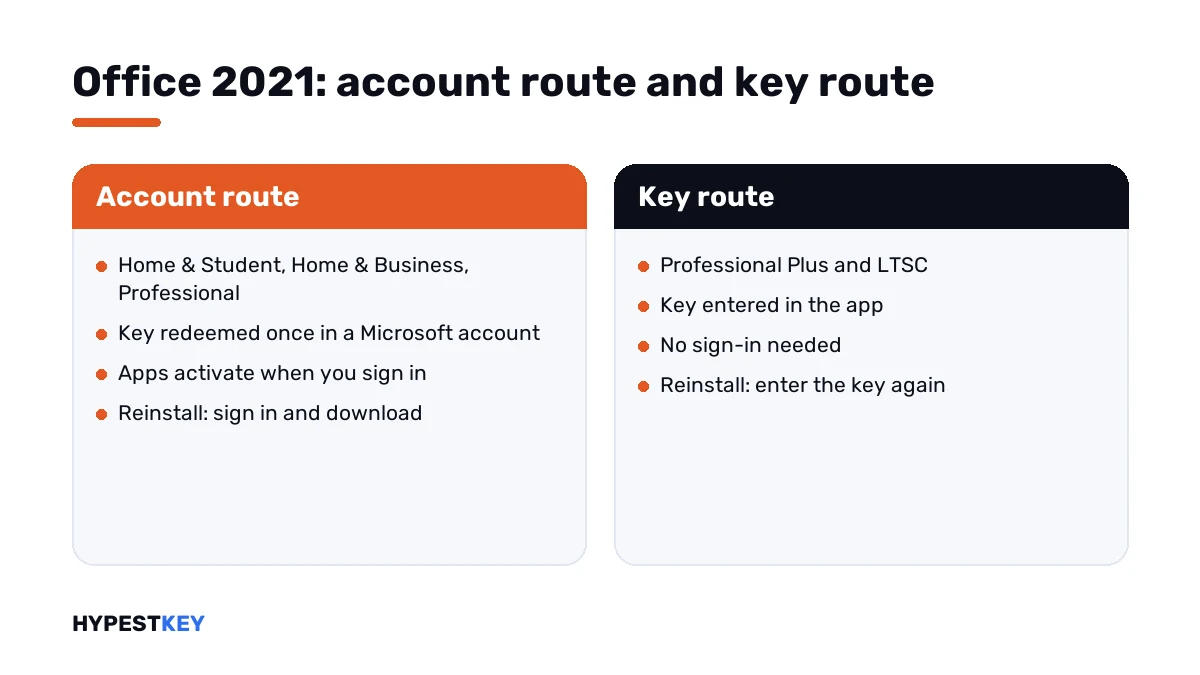
How you activate Office 2021 comes down to the edition on your receipt. Home editions are tied to a Microsoft account. Professional Plus takes its key directly in the app.
| Edition | How it activates |
|---|---|
| Office Home & Student 2021 | Redeem the key once in your Microsoft account, then sign in |
| Office Home & Business 2021 | The same, on Windows or Mac |
| Office Professional 2021 | The same, Windows only |
| Office Professional Plus 2021 and Office LTSC 2021 | Enter the key in the app under File, Account, or with the licensing script |
The two routes don’t mix. A Professional Plus key isn’t accepted on the redeem page, and a Home key can’t be typed into a Professional Plus install.
Which edition do you have
Look at the order first. If that’s gone, the installed product tells you.
- Open Word and go to File, Account.
- Read the product name under Product Information.
- “Professional Plus” or “LTSC”: the key goes into the app.
- “Home” or plain “Professional”: the license lives in a Microsoft account.
How to activate Office 2021 Home editions
Microsoft describes this route on its page Activate Office for Windows.
- Open a browser and go to Microsoft’s setup page for product keys.
- Sign in with your Microsoft account, or create one.
- Enter the 25-character key and follow the prompts; the product is added to your account, once.
- Open the Services and subscriptions page of the account and press Install.
- Run the installer and let it finish.
- Open Word and sign in with the same account when asked.
- Check File, Account for “Product Activated”.
microsoft365.com/setupAfter that there’s no key to keep typing. A reinstall takes a sign-in and a download from the same account.
Use one account and remember which. Most “it worked before” cases we see are a second Microsoft account that doesn’t hold the license.
Activating Office Professional Plus 2021
Professional Plus doesn’t use the redeem page and never asks you to sign in. The key goes into the app.
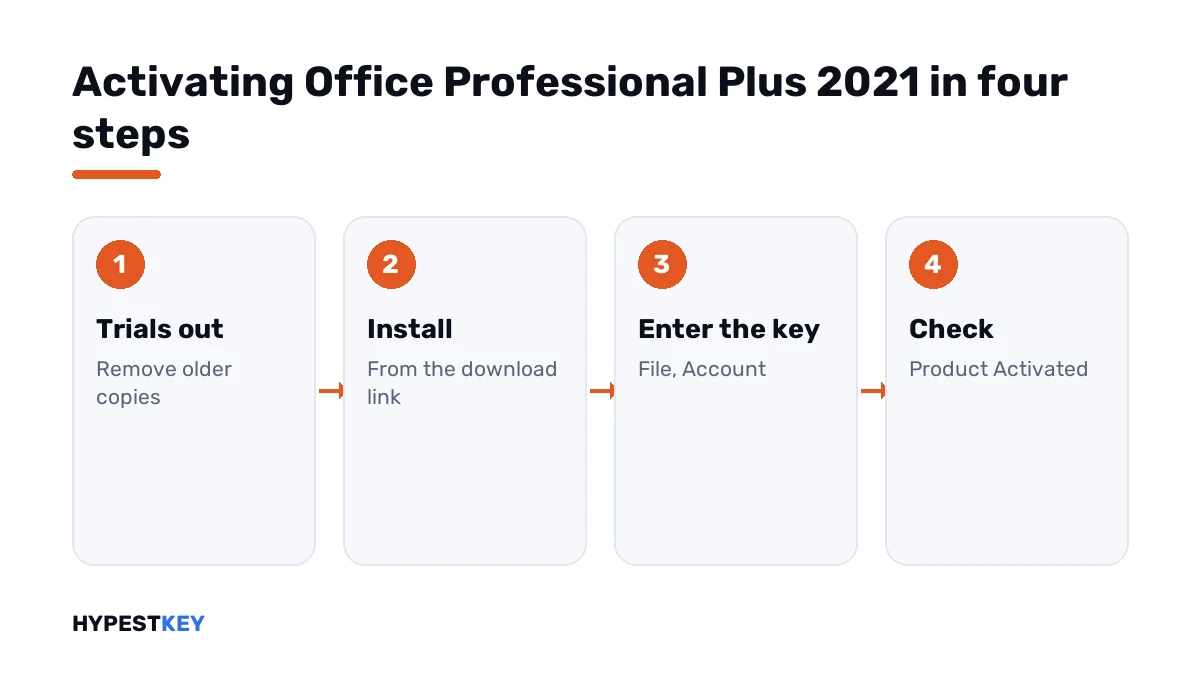
- Uninstall any trial or Microsoft 365 copy first; the two conflict.
- Run the installer from the download link in your order.
- Open Word, go to File, Account and press Change Product Key.
- Type or paste the key and confirm.
- Look at File, Account again; it should say “Product Activated”.
From an administrator Command Prompt it looks like this:
cd "C:\Program Files\Microsoft Office\Office16"
cscript ospp.vbs /inpkey:XXXXX-XXXXX-XXXXX-XXXXX-XXXXX
cscript ospp.vbs /act
cscript ospp.vbs /dstatus| Line | What it does |
|---|---|
cd with the folder |
Goes to the folder that holds the licensing script; some installs keep it one level deeper, under “root” |
/inpkey |
Installs the key typed after the colon |
/act |
Asks for activation |
/dstatus |
Shows the license status and the last five characters of the key |
For a custom install, with only some apps or another language, the Office Deployment Tool does the job. Our Office Deployment Tool guide goes through its configuration file.
The installation itself, with screens, is in installing Office 2021.
Checking the result
| Where | What you should see |
|---|---|
| File, Account in any app | “Product Activated” and the edition name |
| The status line of the licensing script | LICENSE STATUS: LICENSED |
| The title bar | No “Unlicensed Product” and no red bar |
If the suite can’t activate, Microsoft says it eventually becomes unlicensed and all editing features are disabled. Opening and printing still work.
When it doesn’t activate
| Message or code | What it usually comes down to | Our guide |
|---|---|---|
| “Unlicensed Product” | No license found for this install | Unlicensed Product fix |
| “Product Activation Failed” | A license was found and couldn’t be confirmed | Product Activation Failed fix |
| 0x4004F00C | The suite runs in its grace period | 0x4004F00C fix |
| 0xC004F074 | A volume install is looking for a company server | 0xC004F074 fix |
| 0xC004C060 | The key is no longer accepted | 0xC004C060 fix |
| The key isn’t accepted on the redeem page | A Professional Plus key on the Home route | Enter it in the app, as above |
Leftovers of an earlier version cause more of these than bad keys do. Remove every old copy, restart, then install the 2021 edition. Our guide to the Office uninstall tool shows how.
Errors during setup itself belong elsewhere: Office error 30068-4 and Office error 30015-11.
What sets the 2021 version apart
People choose it today for two apps, mostly.
| Professional Plus 2021 | Professional Plus 2024 | |
|---|---|---|
| Publisher | Included | Not included |
| Access | Included | Included |
| Payment | Once | Once |
| Activation | Key in the app | Key in the app |
The two versions are compared in detail in Office 2021 vs 2024. The steps for the newer one are in how to activate Office 2024, and for the older one in our Office 2019 activation guide.
Need a license? Our Office 2021 Professional Plus key is genuine and arrives instant to email, with the download link. On a Mac, I’d look at Office Home and Business 2021 for Mac.
Moving to another PC
A one-time purchase covers one computer at a time. Before you activate on a new one, remove it from the old.
- Home editions: sign out of the apps on the old PC and uninstall, then install from your account on the new one.
- Professional Plus: uninstall on the old PC, install on the new one and enter the key again.
The longer version, with the cases where a move isn’t allowed, is in moving Office to a new computer.
Where these steps apply
| Product | Notes |
|---|---|
| Office Home & Student 2021, Home & Business 2021, Professional 2021 | The account route |
| Office Professional Plus 2021, Office LTSC 2021 | The key-in-app route |
| Project 2021 and Visio 2021 | The same split by edition |
| Work devices | Activation is set up by IT |
Mistakes we see most
- Typing a Professional Plus key into the redeem page.
- Leaving a preinstalled trial on the PC.
- Signing in with the wrong Microsoft account.
- Running the licensing script without administrator rights.
- Installing a Home edition and entering a Professional Plus key in it.
- Using an activator script in place of a key.
Terms used on this page
| Term | Meaning |
|---|---|
| Home editions | Home & Student and Home & Business |
| Professional Plus | The edition with Access and Publisher that takes its key in the app |
| LTSC | Long-Term Servicing Channel, the volume-licensed line of the suite |
| Redeem | Adding a key to a Microsoft account, once |
| Licensing script | The script in the Office folder that installs keys and shows the status |
| Unlicensed Product | The state in which editing is switched off |
FAQ
How do I activate Office 2021 with a product key?
For a Home edition, redeem the key on Microsoft's setup page and sign in to the apps. For Professional Plus, I'd open Word and enter the key under File, Account, Change Product Key.
Why is my Office 2021 key not accepted on the setup page?
It's probably a Professional Plus key. Those aren't redeemed in a Microsoft account. Install Professional Plus and type the key in the app. We see this mix-up more than any real key fault.
Do I need a Microsoft account for Office 2021?
For the Home editions, yes, because the license is stored there. Professional Plus doesn't need one. Its key goes into the app, and the install never asks you to sign in.
How can I tell that Office 2021 is activated?
Open any app and look at File, Account. It should say Product Activated under the edition name. With Professional Plus, I'd also run the status line of the licensing script.
Does Office 2021 Professional Plus include Publisher?
Yes. Publisher is part of this version, and so is the database app. The newer Professional Plus dropped Publisher. That's why we still see buyers pick this one.
Can I move Office 2021 to a new computer?
A one-time purchase covers one computer at a time. Uninstall it on the old PC, install on the new one and activate again. We'd keep the key or the account details at hand.
What happens if Office 2021 stays unactivated?
Microsoft says it eventually becomes unlicensed and all editing features are disabled. Files still open and print. The title bar shows Unlicensed Product until I activate.