Short answer: Office error 30015-11 appears when the installer fails close to the end, often because access to a file was denied. I'd restart, pause security software and run the installer as administrator. If it stops again, the earlier installs have to go. Then I'd use the offline installer.
Office error 30015-11 turns up when the installer has done most of its work and can’t finish. The bar stops in the nineties. A box closes the setup. It shows this number and a second one in brackets.
| Step | Why |
|---|---|
| Restart, pause security software, install again | Clears locked files, the cheapest try |
| Remove every trace of earlier installs | Leftovers are the cause people report most |
| Install from the offline installer | Takes the download out of the picture |
One thing up front. Microsoft has no support article for this exact code. The steps below come from answers its support staff give in the Microsoft forums, and I’ll say where something is only community advice.
What 30015-11 stands for
Codes that start with 30015 belong to the Click-to-Run installer, the technology behind all current versions of the suite. We see them when a file or a setting can’t be put where it belongs.
The number in brackets tells you more than the code itself. It’s a Windows status value written as a decimal.
| In brackets | As Windows writes it | Meaning |
|---|---|---|
| 3221225506 | 0xC0000022 | Access denied |
| 5 | Error 5 | Access is denied |
| Another long number | Convert it to hexadecimal in the Calculator’s Programmer mode | Look the value up before trying fixes |
The first row is the one reported most. Something on the PC refuses the installer access to a file or a registry entry.
Causes people report
| Cause | Detail |
|---|---|
| Leftovers of an earlier version | Old files or registry entries that the new setup can’t replace |
| Security software | A suite that locks files while the installer writes them |
| A damaged user profile | The install works from a fresh Windows account |
| Interrupted download | The online installer fetches files while it installs |
| Not enough rights | The setup wasn’t started as administrator |
| Little free space on the system drive | The last stage needs room to unpack |
How to fix Office error 30015-11
Start with what costs a minute. Then clean up properly.
- Restart the PC and check that the system drive has several gigabytes free.
- Pause third-party security software for the length of the setup.
- Right-click the installer and choose Run as administrator.
- If it stops again, uninstall every version of the suite with Microsoft’s uninstall troubleshooter and restart.
- Install again; prefer the offline installer or the Office Deployment Tool.
- Still failing: create a new local administrator account, sign in there and install.
- Repair system files with the two built-in tools and try once more.
sfc /scannow
DISM /Online /Cleanup-Image /RestoreHealth| Line | What it does |
|---|---|
sfc /scannow |
Checks protected system files and replaces damaged ones |
DISM /Online /Cleanup-Image /RestoreHealth |
Repairs the component store behind them |
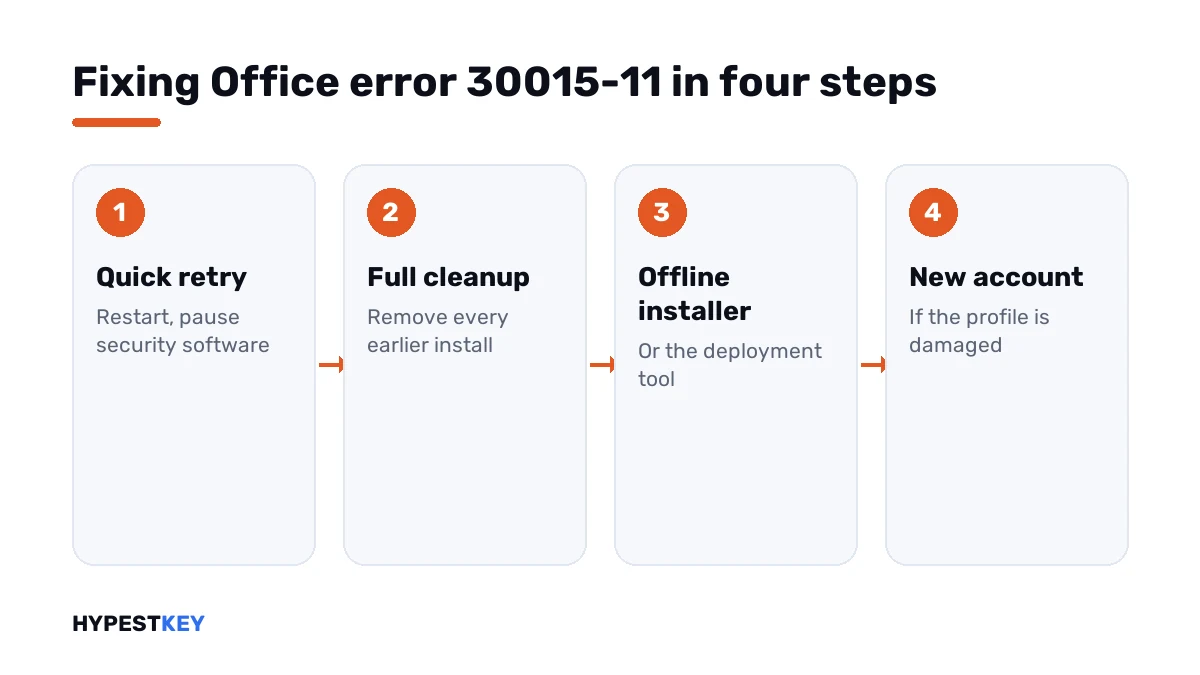
Steps 4 to 6 are what Microsoft’s support staff suggest most in the forum threads on this code. The other steps are general advice, and I chose them to fit the “access denied” reading.
Cleaning out earlier installs
A normal uninstall leaves pieces behind. Microsoft’s uninstall troubleshooter is made to remove them.
| Version on the PC | How to remove it |
|---|---|
| Microsoft 365, Office 2021, 2019, 2016 | The uninstall troubleshooter |
| Office 2024 | Settings, Apps, Installed apps; the troubleshooter can’t remove it for now |
| A preinstalled trial from the PC maker | Remove it too, even if you never used it |
| Standalone Visio or Project | Remove them as well, then install everything again in one go |
Our guide to the Office uninstall tool shows the screens. Restart after it finishes, before any new setup.
Online or offline installer
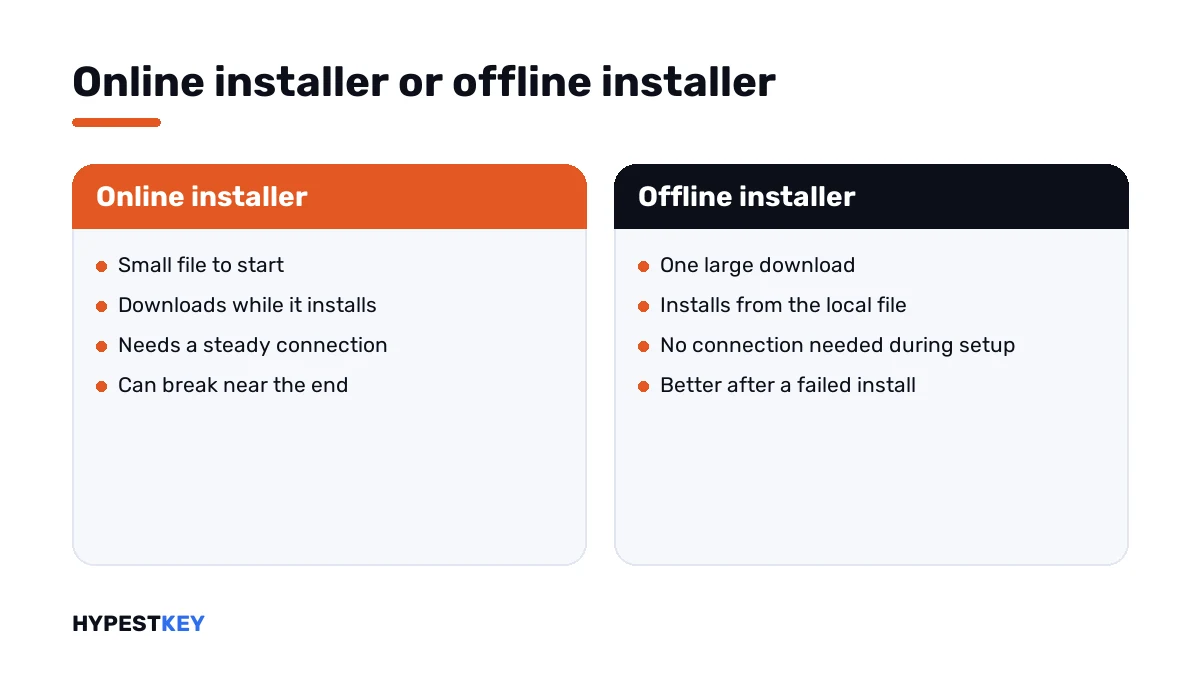
The small installer most people download fetches the suite while it installs. A hiccup near the end can break it.
The offline installer brings everything in one file. The Office Deployment Tool does the same in two steps: download, then install.
How to use the tool is in Office Deployment Tool step by step. The normal routes are in installing Office 2024 and installing Microsoft 365.
What the installer technology does in the background is explained in Click-to-Run explained.
When nothing helps
A few forum threads end with a reset of Windows. That’s a long way to go for one program, and I’d try two things before it.
- Contact Microsoft support with the full code, brackets included.
- For a work account, have your administrator open a ticket in the Microsoft 365 admin center.
Registry edits from blog posts aren’t on that list. Nobody at Microsoft recommends them for this code.
Other install and activation codes
| Code or message | What it points at |
|---|---|
| 30015-11 | The installer can’t finish, often over denied access |
| 30068-4 | The Click-to-Run service can’t start |
| 147-0 | The installer believes an update is still running |
| Unlicensed Product | Installed, and no license found |
| 0x4004F00C | Installed and running in its grace period |
Reinstalling anyway and need a license? Our Office LTSC Professional Plus 2024 key is genuine and arrives instant to email.
Where these steps apply
| Product | Notes |
|---|---|
| Microsoft 365 | All steps |
| Office 2024, 2021, 2019, 2016 | All steps; mind the uninstall note for 2024 |
| Work devices | Security software and rights are IT’s to change |
Mistakes we see most
- Ignoring the number in brackets.
- Installing over an old version without removing it.
- Leaving a PC maker’s trial copy in place.
- Retrying the online installer ten times on a weak connection.
- Resetting Windows before trying a new user account.
Terms used on this page
| Term | Meaning |
|---|---|
| Click-to-Run | The technology that installs and updates current versions of the suite |
| Uninstall troubleshooter | Microsoft’s tool that removes the suite completely |
| Offline installer | A full download that installs without fetching files during setup |
| User profile | The folder and settings of one Windows account |
| Status value | The number Windows uses to name the reason for a failure |
FAQ
What does Office error 30015-11 mean?
The Click-to-Run installer couldn't finish the setup. Microsoft has no article for this exact code. The number in brackets usually says more, and I'd look at it first.
How do I fix error 30015-11 when installing Office?
Restart, pause third-party security software and run the installer as administrator. If it fails again, remove all earlier versions with Microsoft's uninstall troubleshooter, restart and install from the offline installer.
What is the number in brackets, like 3221225506?
A Windows status value in decimal. That one equals 0xC0000022, which stands for access denied. We read it as something blocking the installer from a file or a registry entry.
Why does the installer stop at 94 or 97 percent?
The late stage is where files are put in place and settings are written. Leftovers from old installs and security software get in the way there. I'd clean up and try the offline installer.
Does a new Windows user account help?
It can. Microsoft's support staff suggest it in their forum answers. A damaged profile breaks the setup, and a fresh administrator account doesn't have that damage.
Is my product key the reason for error 30015-11?
No. The setup fails before a license is checked. After a successful install, activation is its own step. We'd look at File, Account in Word for that.
Should I reset Windows to fix it?
Not before the other steps. Resetting Windows for one program is too big a cure. I'd try the full uninstall, the offline installer and a new account first, then ask Microsoft support.