Short answer: The 0xC004F039 activation error says the Key Management Service is not enabled. The KMS host didn't respond to the client's request. I'd test TCP port 1688 to the host, check the firewalls and confirm KMS runs on the host. On a home PC, replace the volume key.
The 0xC004F039 activation error says the Key Management Service isn’t enabled. A PC asked a company KMS server for activation, and the server gave no proper answer.
| Where | Fix |
|---|---|
| Company network | Check the path to the KMS host and TCP port 1688, then the service on the host |
| Company PC at home | Connect the VPN and activate again |
| Home PC | Replace the volume key with a retail or OEM key |
That wording is misleading. On the client there’s nothing to enable. The trouble sits on the way to the host, or on the host.
What 0xC004F039 stands for
In full, the message reads: “The Software Protection Service reported that the computer could not be activated. The Key Management Service is not enabled.”
Microsoft’s activation error codes reference explains it in one line. The issue occurs when KMS doesn’t respond to a KMS request.
Its solution names the two usual suspects. Troubleshoot the network connection between the KMS host and the client, and make sure no firewall blocks or filters TCP port 1688.
Causes
| Cause | Detail |
|---|---|
| Port 1688 blocked | A firewall on the host, on the client or between two network segments |
| The name points to the wrong machine | DNS or a manual setting sends the client to a server that isn’t a KMS host |
| Host key not installed | The server was planned as a KMS host, and the KMS host key never went in |
| Software Protection service stopped on the host | The host can’t answer requests |
| Old host retired | Clients still hold its name |
| Volume key on a home PC | The PC asks a server that isn’t yours, or one that doesn’t exist |
How to fix the 0xC004F039 activation error
Start on the client, where the checks are quick. Then move to the host.
- On the client, open Command Prompt as administrator and run the detailed license line; note the KMS machine name it shows.
- Test the connection to that name on port 1688 from PowerShell.
- If the test fails, check the firewalls on the client, the host and the network between them.
- If the name is wrong, clear the manual host setting or correct the DNS record.
- On the host, run the detailed license line and look for the line that says the Key Management Service is enabled.
- If it’s missing, install the KMS host key and activate the host.
- Back on the client, run the activation line.
slmgr /dlv
Test-NetConnection kms01.contoso.com -Port 1688
slmgr /ckms
slmgr /ato| Line | Where | What it does |
|---|---|---|
slmgr /dlv |
Client and host | Shows license details, the KMS machine name and, on a host, the KMS status and count |
Test-NetConnection with the port |
Client, in PowerShell | Shows whether TCP port 1688 on the host can be reached |
slmgr /ckms |
Client | Clears a host name set by hand, back to DNS discovery |
slmgr /ato |
Client | Asks for activation |
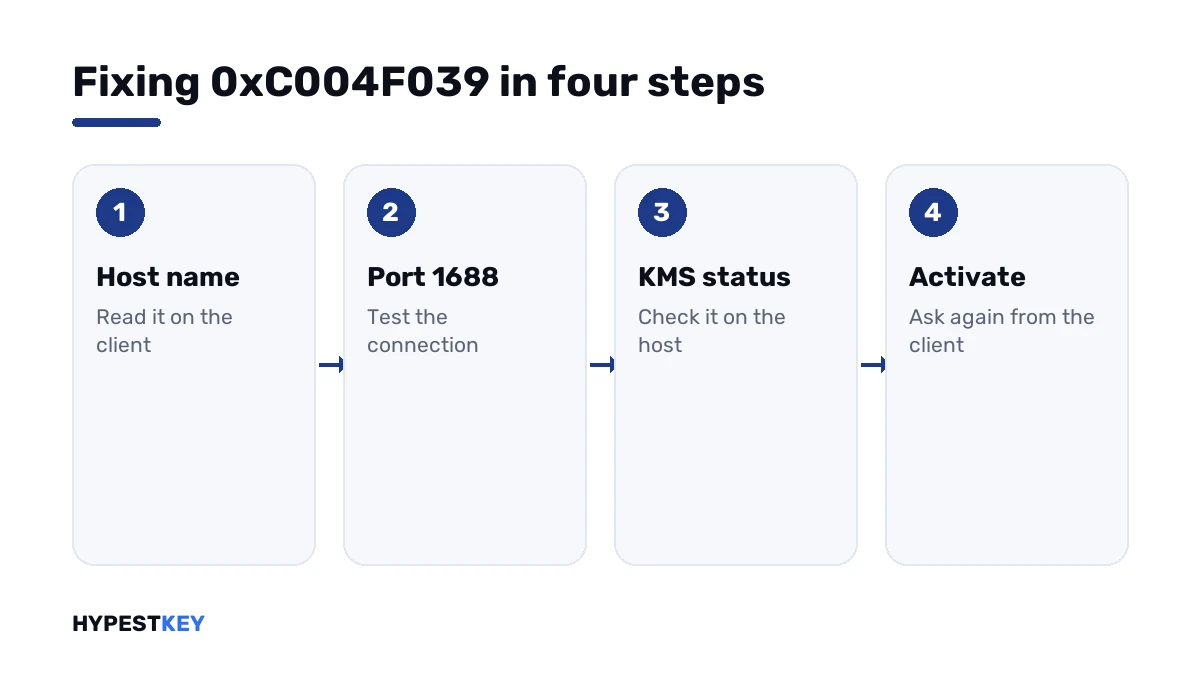
Replace kms01.contoso.com with your own host. A test that ends with “TcpTestSucceeded: True” clears the network.
Network or host
| Finding | Meaning | Next |
|---|---|---|
| Port test fails from every client | The host’s firewall or the service | Open port 1688 on the host; check the Software Protection service |
| Port test fails from one site only | A firewall between the sites | Allow TCP 1688 to the host |
| Port test succeeds, activation fails | The machine answers, KMS doesn’t | Check that the host key is installed and activated |
| The name resolves to an old server | A stale DNS record | Correct or remove the record |
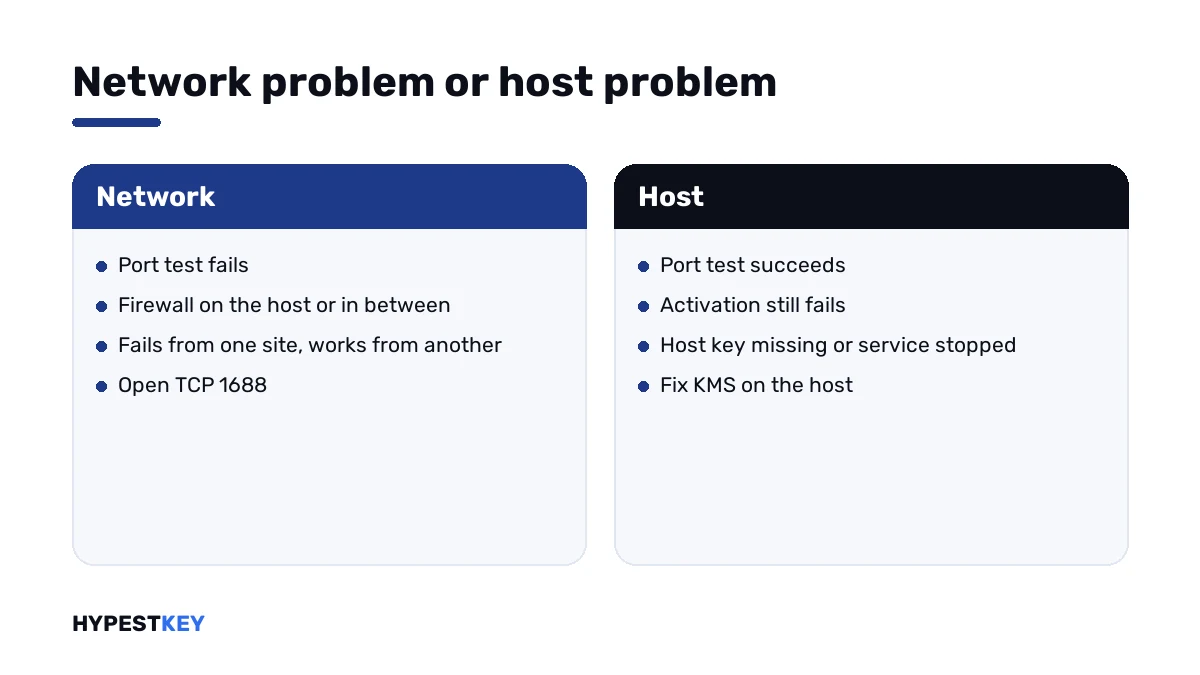
A host that was never activated has its own number, 0xC004F041. A host that answers but can’t serve this product shows 0xC004F042.
On a home PC
A private PC shouldn’t be talking to a KMS host. If yours shows this code, Windows holds a KMS client key.
Sometimes a tool also wrote a server name into the settings. That’s where the unanswered requests go.
slmgr /ckms
slmgr /ipk XXXXX-XXXXX-XXXXX-XXXXX-XXXXX
slmgr /ato
Clear the name, install a retail or OEM key for the same edition and activate. Windows then deals with Microsoft directly.
Need the key? Ours are genuine and arrive instant to email: Windows 11 Pro and Windows 10 Pro. The Settings route is in how to activate Windows 11.
The KMS codes in order
They follow the path of a request, which makes them useful as a map.
| Stage | Code |
|---|---|
| No host found in DNS | 0x8007232B, 0x8007251D |
| No host could be contacted | 0xC004F074 |
| The host didn’t respond as KMS | 0xC004F039 |
| The host isn’t activated | 0xC004F041 |
| The host can’t activate this product | 0xC004F042 |
| The host’s count is too low | 0xC004F038 |
| The clocks differ too much | 0xC004F06C |
Codes outside KMS are in our list of Windows 11 activation errors.
Where these steps apply
| System | Notes |
|---|---|
| Windows 11 and Windows 10 as KMS clients | All client steps |
| Windows Server as client or host | Client steps and the host checks; key types are in our Windows Server 2022 activation guide |
| Office volume editions | Same port and the same idea, with Office’s own licensing script |
How volume licenses differ from retail ones is laid out in Retail vs OEM vs Volume license.
Mistakes we see most
- Looking for something to enable on the client.
- Testing with ping. The host can answer pings and still block port 1688.
- Opening the port on the client side only.
- Leaving a retired host’s name in DNS.
- Pointing a home PC at a public KMS server.
Terms used on this page
| Term | Meaning |
|---|---|
| KMS | Key Management Service, activation inside a company network |
| KMS host | The server that answers activation requests |
| KMS host key | The organisation’s key that turns a server into a KMS host |
| Port 1688 | The TCP port KMS listens on by default |
| Software Protection service | The Windows service behind licensing and KMS |
| KMS client key | A public volume key that only works with a KMS host |
FAQ
What does error 0xC004F039 mean?
The message says the Key Management Service is not enabled. Microsoft's explanation: KMS doesn't respond to a KMS request. I'd read it as a host that can't be reached properly.
How do I fix 0xC004F039?
Test the connection from the client to the KMS host on TCP port 1688. If it fails, look at the firewalls. If it works, we'd check on the host that KMS is installed and activated.
Which port does KMS need?
TCP port 1688 by default. Microsoft's solution for this code names it directly. The port has to be open on the host's firewall and on any firewall between client and host.
Do I have to enable something on the client?
No. A KMS client needs no service switched on. Despite the wording, the fix is on the network path or on the host. I'd leave the client's services alone.
Why do I see 0xC004F039 on my home PC?
Windows holds a KMS client key and tries to reach a KMS server. At home there isn't one. I'd clear any manual server name and install a retail or OEM key for the same edition.
How is it different from 0xC004F074?
Both come from a host that couldn't serve the request. With 0xC004F074 no host could be contacted at all. Here a request went out and KMS didn't respond to it. We'd check port 1688 in both cases.
Does ping prove the KMS host is reachable?
No. Ping uses another protocol. A host can answer pings while a firewall blocks port 1688. I'd test the port itself from PowerShell.