Short answer: The 0x8007251D activation error reads "No records found for DNS query". A KMS client asked DNS for its activation server and got nothing. On a home PC, I'd replace the volume key with a retail or OEM key. On a company network, IT publishes the SRV record or sets the host directly.
The 0x8007251D activation error reads “No records found for DNS query”. Windows is set up to activate through a company KMS server, asked DNS where that server is, and got an empty answer.
| Where | Fix |
|---|---|
| Home PC | Replace the volume key with your own retail or OEM key and activate online |
| Company PC off the network | Connect to the office network or VPN and activate again |
| Company network | Publish the KMS record in DNS, or point the client to the host |
DNS itself answered. It just had no entry of the kind Windows asked for.
What 0x8007251D stands for
Microsoft lists the code in its activation error codes reference as a KMS client error. The cause takes one line.
The KMS client can’t find the KMS SRV records in DNS.
A KMS client doesn’t know its server by name. It asks DNS for a service record called _vlmcs._tcp in its own domain, and that record names the host and port 1688.
For the fix, Microsoft points to its KMS and DNS troubleshooting procedures. They come down to three questions. Does a host exist? Is its record published? Does the client look in the right zone?
Causes
| Cause | Detail |
|---|---|
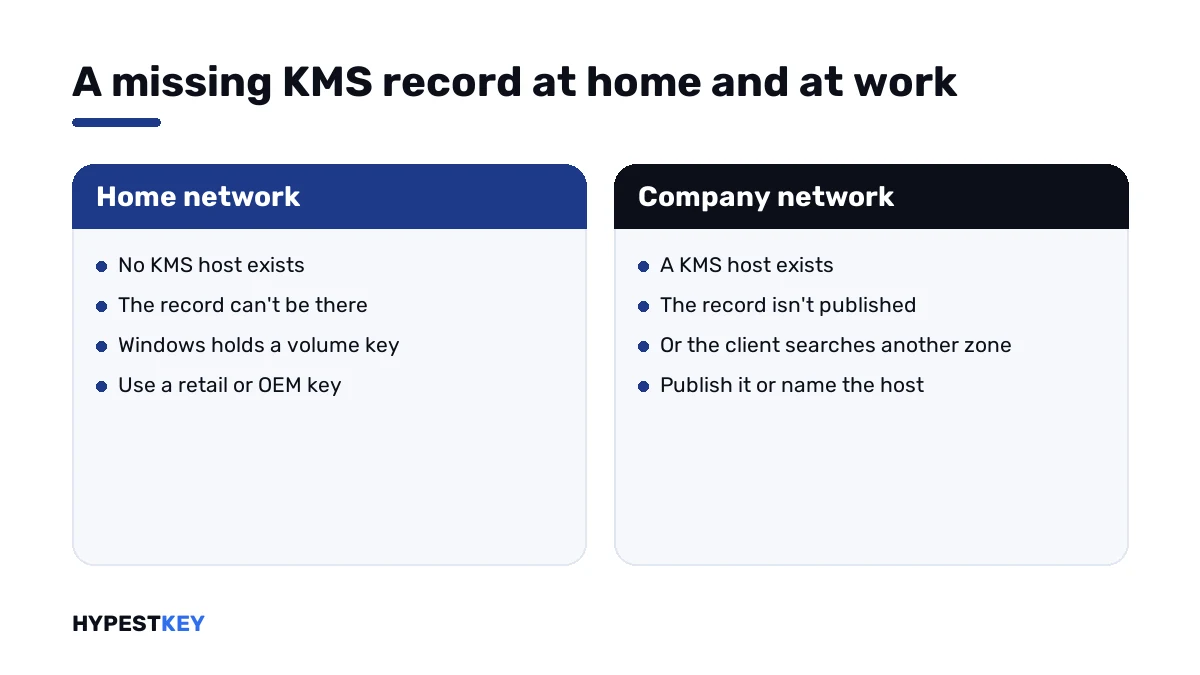
| Volume key on a home PC | Windows carries a KMS client key, and your home network has no KMS record to find |
| Company laptop at home | Public DNS knows nothing of the company’s internal record |
| Record never published | The host exists, and automatic DNS publishing is off or failed |
| Client in another DNS zone | The record lives in one zone, the client searches another |
| No KMS host at all | KMS client keys were installed, and nobody set up a host |
| Record removed | An old host was retired and its entry cleaned up with it |
How to fix the 0x8007251D activation error
Find out what kind of key Windows holds. After that the fix is short.
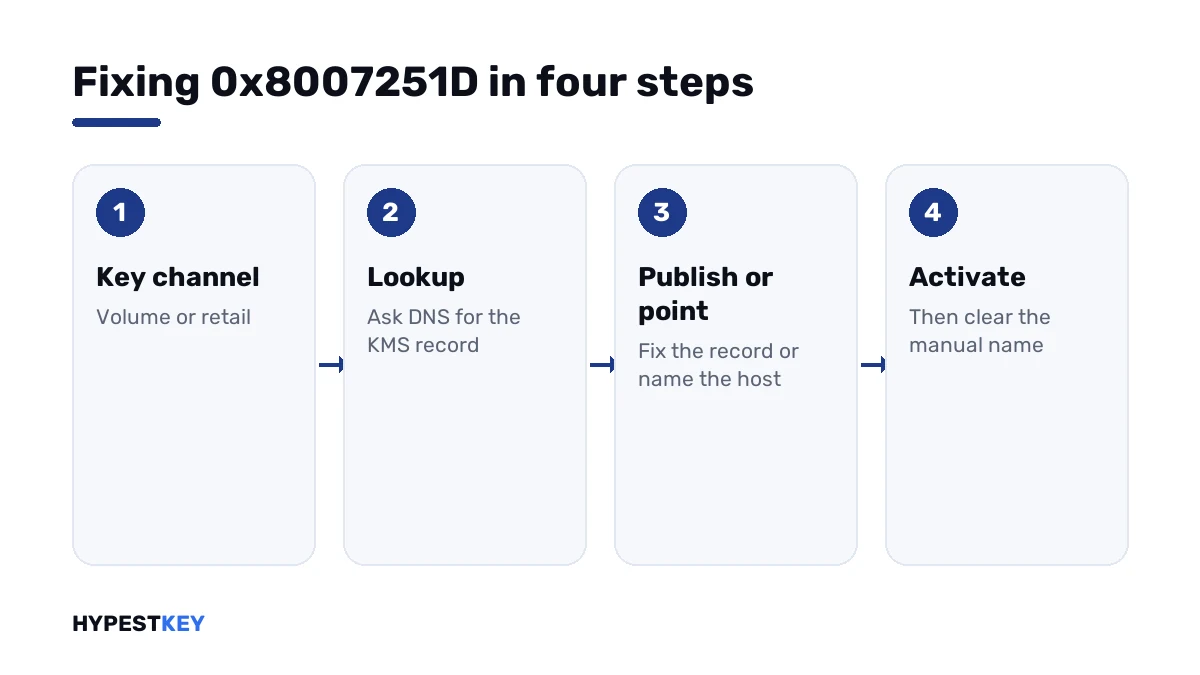
- Open Command Prompt as administrator and run the license information line; note the channel.
- On a home PC with a volume channel, install a retail or OEM key for the same edition and activate.
- On a company PC, connect to the office network or VPN and activate again.
- Still failing on the company network: run the lookup line and see whether a record comes back.
- No record: publish it on the KMS host, or create the SRV record by hand in DNS.
- As a quick test, name the host directly on the client and activate.
- When DNS is fixed, clear the manual host name so the client finds the host by itself again.
slmgr /dli
slmgr /ipk XXXXX-XXXXX-XXXXX-XXXXX-XXXXX
slmgr /ato
nslookup -type=all _vlmcs._tcp
slmgr /skms kms01.contoso.com:1688
slmgr /ckms| Line | What it does |
|---|---|
slmgr /dli |
Shows the channel; VOLUME_KMSCLIENT is a KMS client key |
slmgr /ipk |
Installs the key typed after it |
slmgr /ato |
Asks for activation |
nslookup -type=all _vlmcs._tcp |
Asks DNS for the KMS service record |
slmgr /skms |
Names the KMS host and port by hand |
slmgr /ckms |
Clears the manual name again |
What the lookup tells you
| Answer | Reading |
|---|---|
| A service location with port 1688 and a host name | The record exists; look at the firewall and the host next |
| “No records” or an empty answer | The record isn’t in the zone the client searches; that’s this code |
| “Non-existent domain” | The client’s DNS suffix points somewhere else entirely |
| A host name that no longer exists | A stale record from a retired server |
The client searches the zone of its primary DNS suffix. The full network configuration shows which one that is.
ipconfig /allWith the direct host line Microsoft adds a handy test. If activation works with the host’s full name, the record is the problem. If only the IP address works, name resolution is broken.
On a home PC
There’s nothing to repair in DNS. Your router was never going to have a KMS record.
Windows is asking because it holds a KMS client key. Those keys are public and only work inside an organisation with a KMS host. We list them on our generic keys page, with the same warning.
A retail or OEM key for the same edition ends it. The channel line then reads RETAIL, and activation goes to Microsoft directly.
Need one? Ours are genuine and arrive instant to email: Windows 11 Pro and Windows 10 Pro. The Settings route is shown in how to activate Windows 11.
Three numbers, one DNS problem
| Code | Message |
|---|---|
| 0x8007251D | No records found for DNS query |
| 0x8007232B | DNS name does not exist |
| 0x8007007B | DNS name does not exist |
| 0x80092328 | DNS name does not exist |
Microsoft gives the same cause for all four: the client can’t find the KMS SRV records. With the record found, I’d expect one of two next stops. A host that doesn’t answer shows 0xC004F074. A host with too low a count shows 0xC004F038.
A PC with no DNS server at all shows something else, 0x8007267C. Everything else is in our list of Windows 11 activation errors.
Where these steps apply
| System | Notes |
|---|---|
| Windows 11 and Windows 10 in Pro, Enterprise and Education | All client steps |
| Windows Server as KMS client or host | Client steps, plus DNS publishing on the host; key types are in our Windows Server 2022 activation guide |
| Work devices | Don’t install a personal key without IT |
How volume keys differ from retail ones is explained in Retail vs OEM vs Volume license.
Mistakes we see most
- Hunting for a DNS fault on a home network.
- Pointing the PC at a public KMS server.
- Leaving a manual host name in place after DNS is fixed.
- Creating the record in a zone the clients don’t search.
- Putting a personal key on a managed work PC.
Terms used on this page
| Term | Meaning |
|---|---|
| KMS | Key Management Service, activation inside a company network |
| KMS client key | A public volume key that only works with a KMS host |
| SRV record | A DNS entry that says where a service lives |
| DNS zone | The part of DNS that holds one domain’s records |
| Primary DNS suffix | The domain a client searches first |
| Channel | How a license was sold, shown as RETAIL, OEM or VOLUME |
FAQ
What does error 0x8007251D mean?
The message is "No records found for DNS query". Microsoft lists it as a KMS client error: the client can't find the KMS SRV records in DNS. I'd check which key the PC holds before anything else.
How do I fix 0x8007251D on a home PC?
Replace the key. A home network has no KMS server, so a KMS client key can't activate there. I'd install a retail or OEM key for the same edition and activate online.
How do I fix it on a company network?
Run the SRV lookup for the KMS service on the client. If nothing comes back, publish the record from the KMS host or create it by hand. For a quick test, we'd name the host directly on the client.
Why does my work laptop show this at home?
The KMS record only exists in the company's internal DNS. From home it can't be found. Connect the VPN and activate again. I wouldn't install a personal key on a managed PC.
Is 0x8007251D the same as 0x8007232B?
Close to it. The messages differ slightly, and Microsoft gives one cause for both: the KMS client found no SRV record. We'd run the same checks.
Can I point my PC at a public KMS server instead?
I wouldn't. A public KMS server isn't licensed activation for your PC. It can vanish any day, and the tools around it often carry malware. A genuine key for your edition is the fix.
What port does KMS use?
TCP port 1688 by default. The SRV record carries the host name and that port. If the record is found and activation still fails, we'd check that the port is open between client and host.