Short answer: The 0x80092328 activation error reads "DNS name does not exist". A KMS client searched DNS for its activation server and the name wasn't found. On a home PC, I'd replace the volume key with a retail or OEM key. At work, I'd check the client's DNS suffix and the KMS record.
The 0x80092328 activation error carries the text “DNS name does not exist”. A PC that’s set up for company KMS activation looked for its activation server in DNS, and the name it asked for isn’t there.
| Where | Fix |
|---|---|
| Home PC | Swap the volume key for your own retail or OEM key |
| Company PC off the network | Connect to the office network or VPN, then activate |
| Company network | Check which DNS zone the client searches and where the KMS record lives |
Three other numbers carry the same text or nearly the same. This one is the least common of the four, and the fix is shared.
What 0x80092328 stands for
Microsoft lists it as a KMS client error in its activation error codes reference. Its cause is short. The client can’t find the KMS SRV records in DNS.
For the cure, it sends you to the KMS and DNS troubleshooting procedures.
A KMS client builds the name it looks up from two parts. The fixed service part is _vlmcs._tcp. The second part is the PC’s own DNS domain.
If that domain is wrong or empty, the client asks for a name nobody ever created. DNS answers truthfully that it doesn’t exist.
Causes
| Cause | Detail |
|---|---|
| Volume key on a home PC | The PC asks your provider’s DNS for a company record |
| Wrong or missing DNS suffix | The client searches a zone where the KMS record was never published |
| Workgroup PC | Not joined to the domain, so it takes its DNS domain from the network settings, if any |
| Record published in one zone only | The host registered in its own zone; clients in other zones can’t see it |
| Company laptop on public Wi-Fi | The internal zone isn’t visible from outside |
| No KMS host exists | Client keys went out before anybody set up a host |
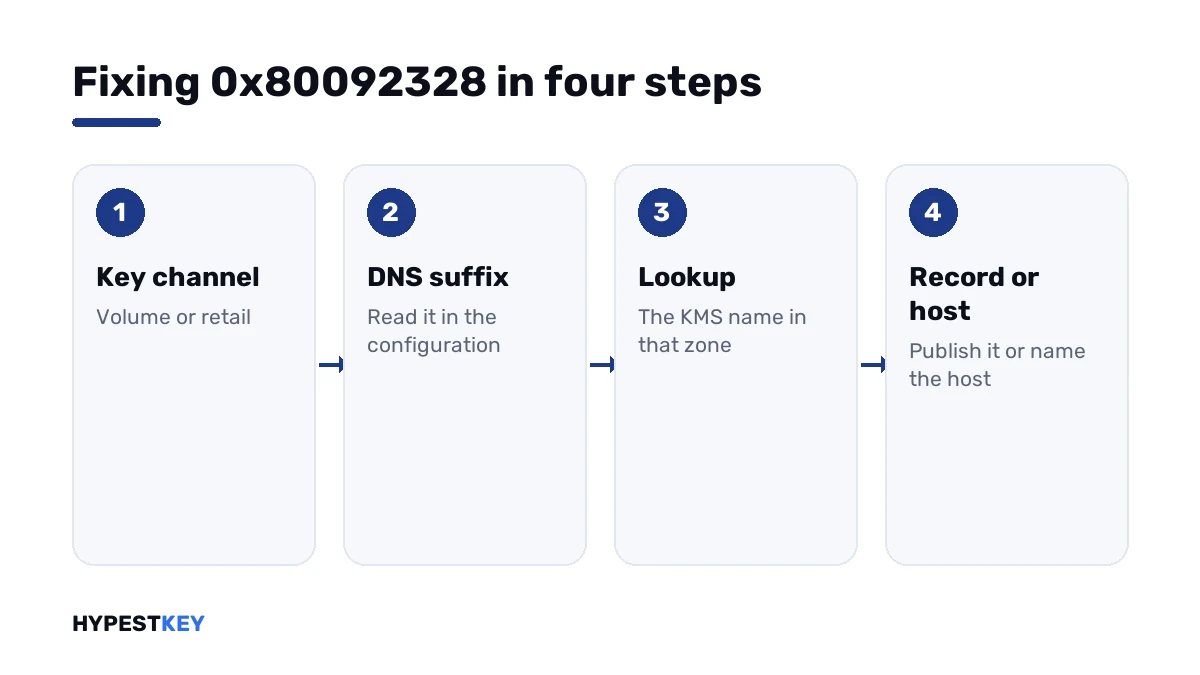
How to fix the 0x80092328 activation error
Key type first, then the name the client is asking for.
- Open Command Prompt as administrator and run the license information line; read the channel.
- On a home PC with a volume channel, install a retail or OEM key for the same edition and activate.
- On a company PC, connect to the office network or VPN and try again.
- Run the full configuration line and note the primary DNS suffix and the suffix search list.
- Run the lookup line with that domain added, and see whether DNS knows the name.
- If the record sits in another zone, have the KMS host publish there too. Or set the host by hand on the client.
- Activate, then confirm the result.
slmgr /dli
ipconfig /all
nslookup -type=srv _vlmcs._tcp.contoso.com
slmgr /skms kms01.contoso.com:1688
slmgr /ato
slmgr /dlv| Line | What it does |
|---|---|
slmgr /dli |
Shows the channel of the installed key |
ipconfig /all |
Shows the primary DNS suffix and the search list |
nslookup -type=srv with the full name |
Asks DNS for the KMS record in one specific zone |
slmgr /skms |
Names the KMS host and port directly |
slmgr /ato |
Asks for activation |
slmgr /dlv |
Shows the detailed result, including the KMS host that answered |
Replace contoso.com in the lines with your organisation’s domain.
The DNS suffix is the usual suspect
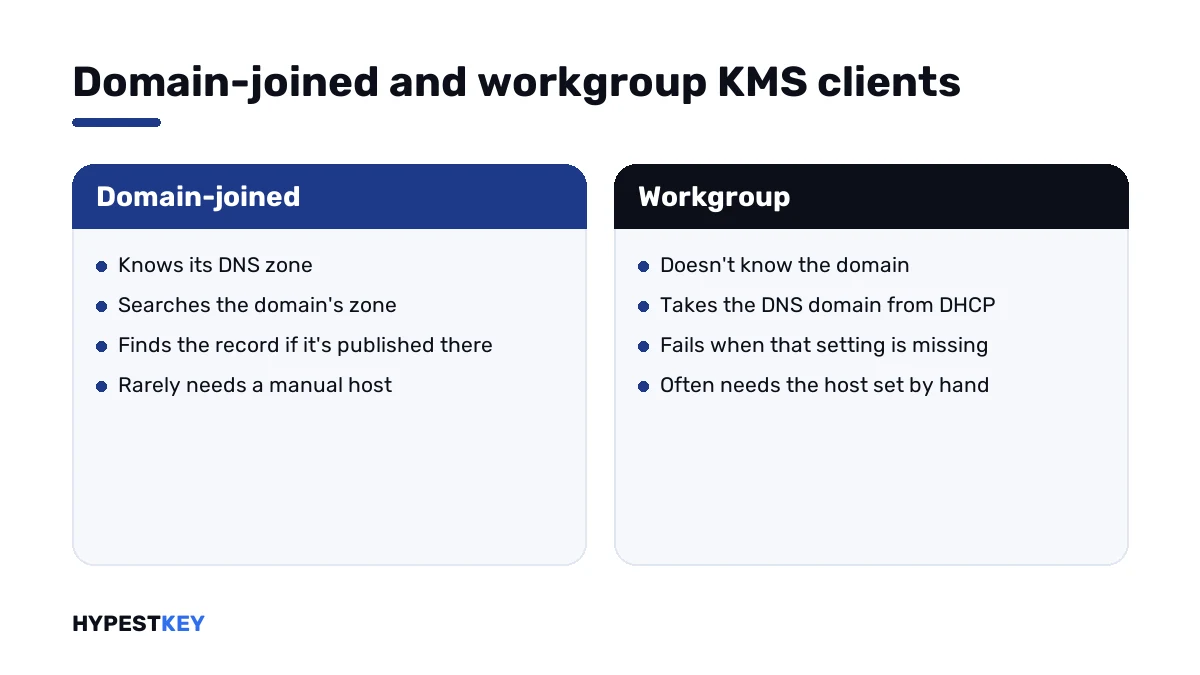
Domain-joined PCs get their suffix from the domain. They rarely go wrong.
Workgroup machines are different. Microsoft’s procedures note that such a client takes its DNS domain from the network settings handed out by DHCP.
| Client | Where its DNS domain comes from | What to check |
|---|---|---|
| Domain-joined | The Active Directory domain | That the KMS record is in that zone |
| Workgroup, DHCP | The domain name option of the DHCP server | That DHCP hands out the right domain |
| Workgroup, fixed address | The suffix typed into the adapter’s advanced settings | That somebody typed it |
| Several sites, several zones | Each site’s own zone | That the host publishes in all of them |
On the KMS host, a registry value named DnsDomainPublishList holds the extra zones to publish in. After a change, the Software Protection service has to restart.
On a home PC
None of the above is your job. There’s no zone to fix and no host to publish.
The PC holds a KMS client key, and those only activate inside an organisation. Volume media, a company image or a low-priced key put it there.
Install a retail or OEM key for the same edition, and the lookups stop. Windows then activates with Microsoft directly.
Need a key? Ours are genuine and arrive instant to email: Windows 11 Pro and Windows 10 Pro. The steps in Settings are in how to activate Windows 11.
The public KMS client keys and what they’re for are on our generic keys page.
The four DNS codes of KMS
| Code | Message |
|---|---|
| 0x80092328 | DNS name does not exist |
| 0x8007232B | DNS name does not exist |
| 0x8007007B | DNS name does not exist |
| 0x8007251D | No records found for DNS query |
Microsoft gives one cause for all of them. Which number you get depends on how the lookup failed, not on what you need to do.
After DNS is sorted, the next numbers are about the host itself: 0xC004F074 when it doesn’t answer and 0xC004F038 when its count is too low. The rest are in our list of Windows 11 activation errors.
Where these steps apply
| System | Notes |
|---|---|
| Windows 11 and Windows 10 in Pro, Enterprise and Education | All client steps |
| Windows Server | Client steps, plus the publishing settings on the KMS host |
| Work devices | No personal keys without IT’s agreement |
The difference between volume and retail keys is explained in Retail vs OEM vs Volume license.
Mistakes we see most
- Looking up the short service name and trusting the answer for every zone.
- Forgetting that workgroup PCs don’t know the domain.
- Publishing the record in the server’s zone only.
- Using a public KMS server to make the message go away.
- Repairing DNS on a home PC that simply has the wrong key.
Terms used on this page
| Term | Meaning |
|---|---|
| KMS | Key Management Service, activation inside a company network |
| SRV record | A DNS entry that says where a service lives |
| DNS suffix | The domain a PC adds to short names when it looks them up |
| DNS zone | The part of DNS that holds one domain’s records |
| Workgroup | A PC that isn’t joined to a domain |
| DHCP | The service that hands out network settings |
FAQ
What does error 0x80092328 mean?
The message is "DNS name does not exist". Microsoft lists it as a KMS client error, with one cause: the client can't find the KMS SRV records in DNS. I'd check the key type first.
How do I fix 0x80092328 at home?
Replace the key. The PC holds a KMS client key, and a home network has no KMS server. I'd install a retail or OEM key for the same edition and activate online.
How do I fix it on a company network?
Read the client's primary DNS suffix, then look up the KMS record in that zone. If the record lives elsewhere, we'd have the host publish in the client's zone or set the host directly.
Why do workgroup PCs get this error more often?
They aren't joined to the domain, so they don't know its DNS zone by themselves. That leaves DHCP or a hand-typed suffix. I'd check that setting.
Is 0x80092328 different from 0x8007232B?
Not in practice. Both read "DNS name does not exist", and Microsoft gives both the same cause. We'd run the same checks and expect the same fix.
Can I set the KMS host by hand?
Yes. The set-host line of slmgr takes the host's full name and port 1688. Microsoft suggests it as a test too. Once DNS is fixed, I'd clear the manual name again.
Does this code say my key is invalid?
No. The request never reached an activation server. What the code does show is the key's type: only volume keys look for a KMS host.