Short answer: The 0xC004F038 activation error says the KMS server's count is too low. KMS needs 25 Windows clients or 5 servers before it activates anyone. On a home PC, I'd swap the volume key for a retail or OEM key. On a company network, IT raises the count or moves to MAK.
The 0xC004F038 activation error comes from KMS, the activation system companies run on their own network. The server did answer. It just hasn’t seen enough computers yet to activate anyone.
| Where | Fix |
|---|---|
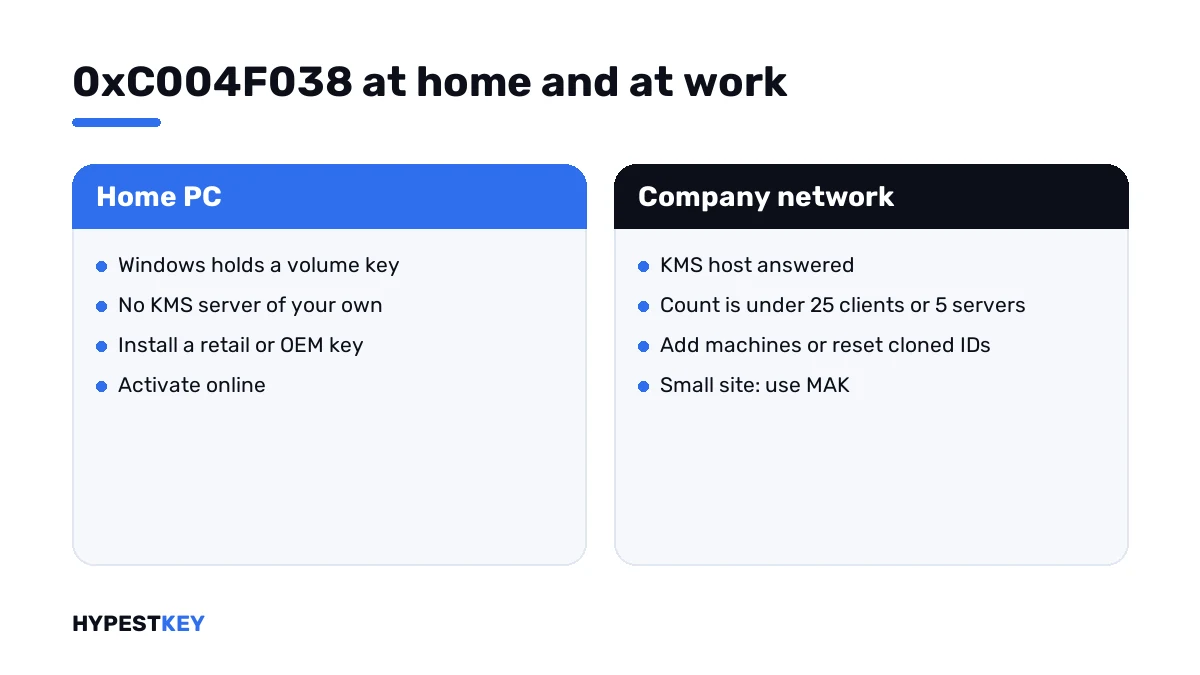
| Home PC | Replace the volume key with your own retail or OEM key, then activate online |
| Company network | Bring the KMS count up to 25 Windows clients or 5 servers, or switch small sites to MAK |
The full message reads: “The count reported by your Key Management Service is insufficient. Please contact your system administrator.”
At home there’s no administrator to call. That’s the first clue: a home PC shouldn’t be asking a KMS server at all.
What 0xC004F038 stands for
A KMS host only starts activating once enough machines have asked. Microsoft built it for larger networks and set a floor.
| What is being activated | Minimum count on the host |
|---|---|
| Windows client editions | 25 |
| Windows Server | 5 |
| Office volume editions | 5 |
Clients and servers add up in one counter. Virtual machines count like physical ones.
Until the floor is reached, every request gets the same polite refusal. The client then shows this code. Microsoft lists it in the activation error codes reference with one solution: add computers to the KMS pool.
Its consumer page adds two everyday reasons. An Enterprise key went onto Home or Pro, or a work device is away from the work network.
Causes
| Cause | Detail |
|---|---|
| Volume key on a home PC | Windows holds a KMS client key from volume media, a reused company image or a low-priced seller |
| New or small KMS site | Fewer than 25 clients have contacted the host so far |
| Cloned machines | PCs deployed from one image without generalizing share one client ID, so the host counts them as one |
| Clients preset to another host | Some machines report to a different KMS host, and each host keeps its own count |
| Stale count | The host forgets clients that haven’t renewed for 30 days |
| Lab or test network | A handful of virtual machines never reaches the floor |
How to fix the 0xC004F038 activation error
Start by finding out which kind of key Windows holds. The fix splits right there.
- Open Command Prompt as administrator and run the license information line; look for the channel in the description.
- On a home PC with a volume channel, install your own retail or OEM key for the same edition and activate.
- Clear any KMS host name that an old tool left on the PC.
- On a company PC, connect to the office network or VPN and activate again.
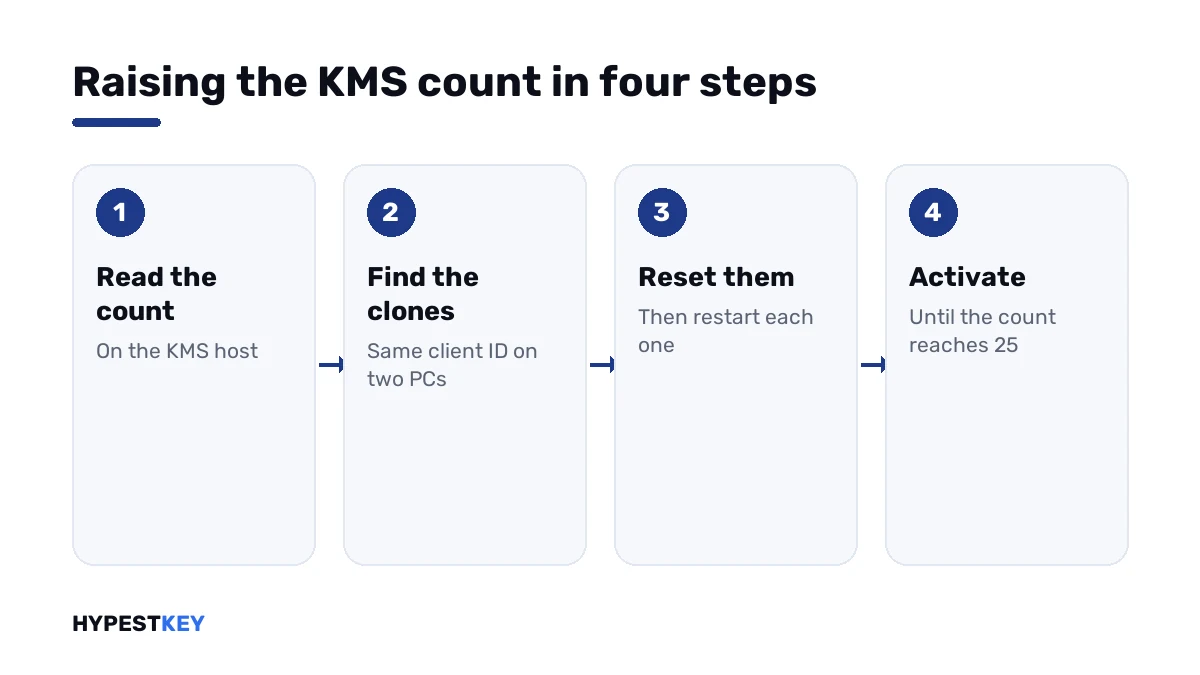
- On the KMS host, run the license information line and read the current count.
- If the count is stuck, reset the client ID on cloned machines, restart them and let them request activation.
- Run the activation line on enough clients until the count reaches the floor, then activate the first one again.
slmgr /dli
slmgr /ipk XXXXX-XXXXX-XXXXX-XXXXX-XXXXX
slmgr /ato
slmgr /ckms
slmgr /dlv
slmgr /rearm| Line | What it does |
|---|---|
slmgr /dli |
On a client: shows the channel. On the host: shows the current count |
slmgr /ipk |
Installs the key you type after it |
slmgr /ato |
Asks for activation now |
slmgr /ckms |
Clears a KMS host name set by hand |
slmgr /dlv |
Shows the client machine ID, among other details |
slmgr /rearm |
Resets the licensing state, which gives a cloned machine a fresh client ID after a restart |
On a home PC the Settings route works as well: Settings, System, Activation, Change product key.
On a home PC
You see the word VOLUME_KMSCLIENT in the first line’s answer? Then Windows carries a key that was never meant to activate outside a company.
Somebody’s KMS server replied, counted you in, and still had too few machines. I wouldn’t wait for that count to grow. It isn’t your server.
- Have a key of your own already? Enter it and activate.
- Bought a “cheap activation” that turned out like this? That was a volume key. Take it up with the seller.
- No key at all? Then the PC needs one.
Ours are genuine and arrive instant to email: Windows 11 Pro and Windows 10 Pro. After activation the channel line reads RETAIL.
How the three channels differ is laid out in Retail vs OEM vs Volume license. For the Settings path, I’d open how to activate Windows 11.
On a company network
Here the code is often just a matter of patience. A new host activates nobody until client number 25 knocks.
Read the count on the host first. A number that climbs with each new PC is healthy; I’d simply keep deploying.
A number that sits at 1 or 2 while dozens of PCs are out there points to clones.
| Check | What to look for |
|---|---|
| Client machine ID on two PCs | The same ID on both shows they came from one image that wasn’t generalized |
| KMS host name on the client | A name set by hand may point to another host with its own count |
| Key Management Service log on the host | Each request is logged with the client’s name and the count at that moment |
| Port 1688 | Requests that never arrive can’t be counted |
For clones, the lasting fix sits in the image. Run Sysprep with the generalize option before capturing it, so every copy gets its own ID.
Machines already deployed take the reset line and a restart. Then they count one by one.
When the site is too small for KMS
Twelve PCs will never make 25. No setting changes that floor.
| Option | How it activates | Good for |
|---|---|---|
| MAK | Each PC activates once with Microsoft, online or by phone | Small sites, laptops that rarely see the office |
| Active Directory-based activation | Domain-joined machines activate through the directory | Domains of any size, since it has no minimum count |
| KMS | Clients ask a host on the network and renew on their own | 25 or more Windows clients, or 5 or more servers |
For servers, our Windows Server 2022 activation guide covers the key types by edition. Evaluation copies go another way, and we wrote that up in activating Windows Server via DISM.
Codes that travel with it
| Code | What happened |
|---|---|
| 0xC004F038 | The KMS host answered, the count is too low |
| 0xC004F074 | No KMS host answered at all |
| 0x8007232B | No KMS host found in DNS |
| 0x8007007B | The same DNS failure under another number |
| 0xC004F069 | The key doesn’t fit the installed edition |
| 0xC004C008 | The key was used on more devices than allowed |
On a home PC all of the KMS codes share one cure, the right kind of key. The rest are in our list of Windows 11 activation errors.
A wrong clock produces its own number. That one is 0x80072F8F.
Where these steps apply
| System | What applies |
|---|---|
| Windows 11 and Windows 10 in Pro, Enterprise and Education | All client steps; KMS client keys exist for these editions |
| Windows 11 and Windows 10 Home | Home has no KMS client key; with this code I’d check which edition is really installed |
| Windows Server 2016 to 2025 | Client steps, plus the count check when the server is the KMS host |
| Office volume editions | The same idea with a floor of 5, read with Office’s own licensing script |
The public KMS client keys are listed on our generic keys page. They install an edition and don’t activate it outside a KMS network.
Mistakes we see most
- Waiting for the count to grow on a home PC.
- Pointing the PC at a public KMS server.
- Capturing an image without generalizing it.
- Running the reset line again and again; it has a limit.
- Reading the count on a client and not on the host.
- Planning KMS for a site with ten machines.
Terms used on this page
| Term | Meaning |
|---|---|
| KMS | Key Management Service, activation inside a company network |
| KMS host | The company server that answers activation requests |
| KMS count | How many different machines contacted the host recently |
| KMS client key | A public volume key that only works with a KMS host |
| Client machine ID | The ID a host uses to tell one client from another |
| Sysprep | Microsoft’s tool that prepares an installation for imaging |
| MAK | Multiple Activation Key, a volume key that activates with Microsoft |
| Channel | How a license was sold, shown as RETAIL, OEM or VOLUME |
FAQ
What does 0xC004F038 mean?
Windows asked a KMS server for activation, and the server's count was too low. That's all the message says. Nothing is wrong with the PC. I'd read it as a server that hasn't seen enough machines yet.
How many computers does KMS need?
Microsoft sets the floor at 25 for Windows client editions and 5 for Windows Server. Clients and servers add up in one counter. Below that, we see every request refused with this code.
Why do I get 0xC004F038 on my own PC at home?
Windows holds a KMS client key, from volume media, a company image or a low-priced key. A home PC has no KMS server of its own. I'd install a retail or OEM key for the same edition and activate online.
How do I check the KMS count?
Run the license information line of slmgr on the KMS host, not on the client. The answer includes the current count. We'd compare it with the number of machines that should have reported by now.
The count doesn't go up when I add PCs. Why?
Usually the PCs were cloned from one image without Sysprep's generalize step. They share one client machine ID, so the host counts them as one. I'd reset the ID on each clone and restart it.
Can I lower the KMS minimum?
No. The floor is fixed by Microsoft. For fewer machines, I'd use MAK keys, which activate each PC directly with Microsoft. Active Directory-based activation is the other route and has no minimum count.
Is a public KMS server a fix for 0xC004F038?
No. A public KMS server isn't licensed activation for your PC. It can vanish any day, and the tools around it often carry malware. I'd use a genuine key that fits your edition.