Short answer: The 0x80072F8F activation error appears when Windows can't make a trusted connection to the activation service. Usually the date, time or time zone is wrong. I'd correct the clock, press Sync now and activate again. If the clock is right, check VPN, proxy and the network.
The 0x80072F8F activation error shows up when Windows can’t open a trusted connection to Microsoft’s activation service. Nine times out of ten the PC clock is wrong.
| What you see | First thing to try |
|---|---|
| Wrong date, time or time zone in the corner of the screen | Set them right, sync the clock, activate again |
| Clock is right, the code stays | Check the connection, switch off VPN and proxy, restart |
| Clock resets after every shutdown | Replace the small battery on the motherboard |
Your key isn’t the suspect here. The PC never got far enough to show it to Microsoft.
So don’t buy anything yet. We’d fix the clock first, then the connection, and only then look at the key.
What 0x80072F8F stands for
Windows talks to the activation servers over an encrypted connection. Each side shows a certificate, and every certificate carries a start date and an end date.
A PC that believes it’s 2015 looks at a certificate issued last year and calls it not valid yet. The connection drops before your key is even sent.
Microsoft’s activation errors page gives two reasons for the code.
- The date and time on the device are incorrect.
- Windows has trouble reaching the online activation service and can’t verify the product key.
Both reasons end the same way. The secure connection fails its checks, and Settings shows the code under System, Activation.
Causes
| Cause | How it looks |
|---|---|
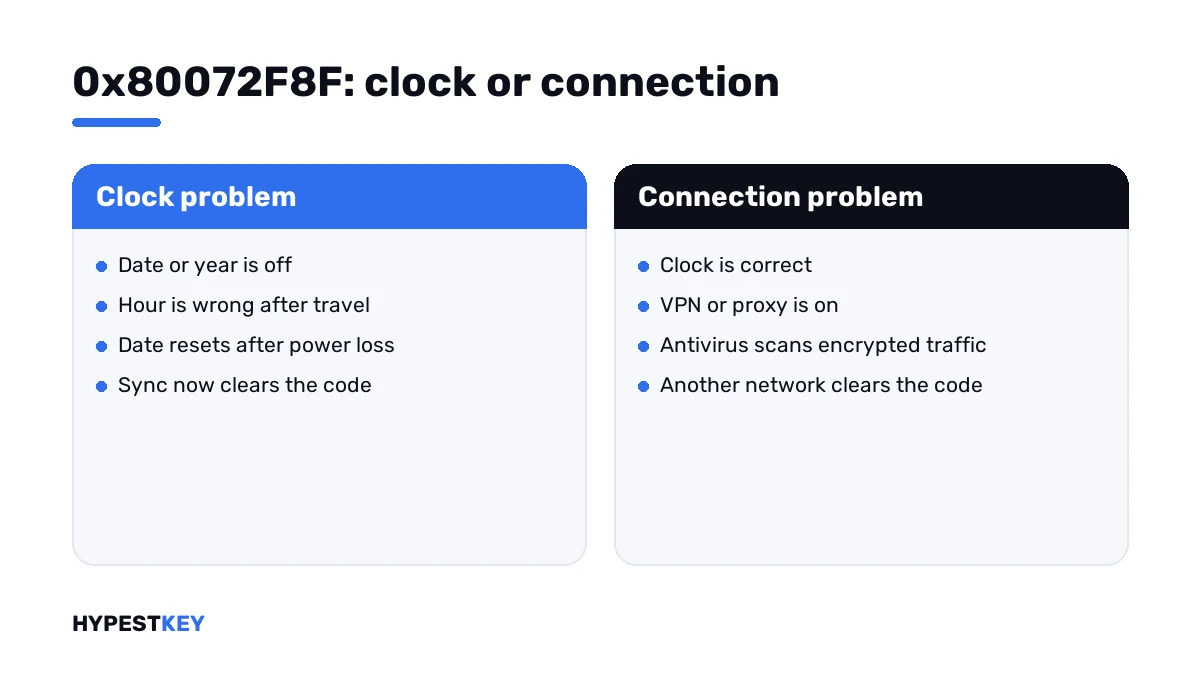
| Wrong date or year | The clock in the taskbar is months or years off, often after a long time in storage |
| Wrong time zone | The minutes are right, the hour isn’t |
| Flat motherboard battery | Date and time fall back to a factory value after each power cut |
| Two systems on one PC | The hour jumps after every visit to Linux |
| Time sync switched off | “Set time automatically” is off, or the Windows Time service is stopped |
| VPN, proxy or filtering | Web pages load, yet secure connections to Microsoft get intercepted or blocked |
| Antivirus scanning encrypted traffic | The security suite swaps Microsoft’s certificate for its own |
| No working connection | Other sites fail too, or the network asks for a sign-in page first |
How to fix the 0x80072F8F activation error
Work from the top. Stop at the first step that activates.
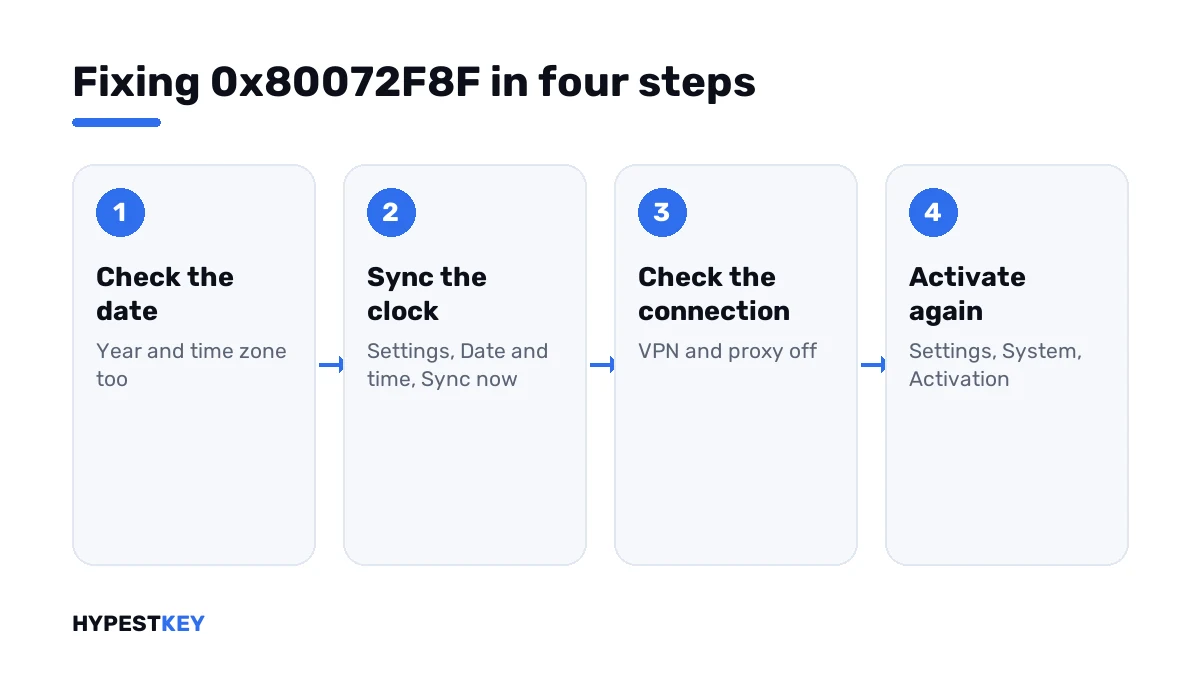
- Open Settings, Time and language, Date and time, and check the date, the year and the time zone.
- Turn on “Set time automatically” and “Set time zone automatically”, then press Sync now.
- Go to Settings, System, Activation and press Activate, or run the activation line from an administrator Command Prompt.
- If it still fails, disconnect any VPN, switch off the proxy and try another network, a phone hotspot for instance.
- Restart the PC and run the Activation troubleshooter on the same Settings page.
- If the connection can’t be fixed today, start phone activation and follow the voice menu.
net start w32time
w32tm /resync
slmgr /ato
slui 4| Line | What it does |
|---|---|
net start w32time |
Starts the Windows Time service if it was stopped |
w32tm /resync |
Asks the time server for the correct time right now |
slmgr /ato |
Tries online activation again |
slui 4 |
Opens phone activation |
On Windows 10 the clock settings sit under Settings, Time & Language, Date & time. The activation page sits under Update & Security.
Did the code go away after step 3? Then the clock was the whole story, and you’re done.
When the clock keeps drifting
You fix the time, activate, shut down, and next week the date is wrong again. That’s hardware or a second system, not Windows.
| Sign | Likely reason | What we’d do |
|---|---|---|
| Date falls back to the same old year after unplugging | The coin battery on the motherboard is flat | Swap it; on most desktops it’s a CR2032 |
| Hour shifts after booting Linux | Linux keeps the hardware clock in UTC, Windows in local time | Set Linux to local time, or let Windows sync at each start |
| Hour wrong after travel | Time zone set by hand | Turn on the automatic time zone |
| Sync now reports a failure | The time server isn’t reachable | Try another network, then sync again |
An activated PC stays activated when the battery dies later. The trouble only starts when Windows has to contact the servers again.
When the time is right and it still fails
Then the second reason from Microsoft’s list is in play. Something sits between your PC and the activation service.
- Disconnect the VPN. Some free ones route traffic through filters; our free VPN roundup names the ones that don’t.
- Open Settings, Network and internet, Proxy, and switch off a manual proxy you don’t recognise.
- Pause HTTPS scanning in your antivirus for a minute, activate, and turn it back on.
- On hotel or campus Wi-Fi, open a browser first and get past the sign-in page.
- Install pending updates. They bring fresh root certificates along.
Wi-Fi drops every few minutes? I’d sort that out first with our guide to Wi-Fi problems in Windows 11. A broken name lookup has its own fix in the DNS settings guide.
Sometimes the servers are simply busy. Wait an hour and press Activate again before you change anything else.
The same code outside activation
The number isn’t reserved for licensing. Any Windows component that fails a secure connection can print it.
| Where | Usual reason |
|---|---|
| Windows Update | Clock, proxy or an outdated certificate store |
| Microsoft Store | Clock or region settings |
| Media Creation Tool on an old system, shown as 0x80072F8F – 0x20000 | The old system can’t speak the newer TLS version the download servers ask for |
For that last row, I’d make the USB stick on a newer PC. Our Media Creation Tool guide walks through it.
Does it say anything about your key
No. A blocked or mistyped key gets a different answer from Microsoft, and you’d see another code.
| Code | What it points at |
|---|---|
| 0x80072F8F | Clock or secure connection on your side |
| 0xC004C003 | The key itself was refused |
| 0x803F7001 | No valid license found on the device |
| 0xC004F074 | A company KMS server didn’t answer |
| 0x8007232B | A company KMS server couldn’t be found in DNS |
Got a different code after the clock fix? Our list of Windows 11 activation errors has each one with its own steps.
Still no license on this PC? Our Windows 11 Pro and Windows 10 Pro keys are genuine and arrive instant to email. Where the key goes is shown in how to activate Windows 11.
Where these steps apply
| System | Notes |
|---|---|
| Windows 11, Home and Pro | Every step as written |
| Windows 10, Home and Pro | Same steps; the Settings pages have older names, covered in the Windows 10 activation guide |
| Windows Server | Clock sync usually comes from the domain; check the domain controller’s time first |
| Work laptops | Proxy and VPN are set by IT; ask before switching them off |
The “Activate Windows” text in the corner goes away once activation succeeds. What it limits until then is in our watermark guide.
Mistakes we see most
- Buying a second key for a PC with a wrong clock.
- Fixing the time but leaving the year wrong.
- Setting the hour by hand in the wrong time zone.
- Reinstalling Windows over a flat coin battery.
- Running registry “fixes” from forums for a clock problem.
- Leaving the antivirus scan off after the test.
Terms used on this page
| Term | Meaning |
|---|---|
| Activation service | Microsoft’s servers that check a key or a digital license |
| Certificate | A signed file that proves who a server is, valid between two dates |
| TLS | The encryption used for secure connections |
| Windows Time | The service that syncs the clock with a time server |
| UTC | The world’s reference time, with no time zone applied |
| CR2032 | The coin battery that keeps the motherboard clock running |
| Phone activation | Activation by a call and number codes, with no internet on the PC |
FAQ
What does error 0x80072F8F mean during Windows activation?
Windows couldn't open a trusted connection to Microsoft's activation service. Microsoft names two reasons: a wrong date and time, or trouble reaching the service. Your key wasn't checked at all, so I'd fix the clock before anything else.
How do I fix 0x80072F8F quickly?
Open Settings, Time and language, Date and time. Correct the date and time zone, press Sync now, then press Activate under System, Activation. In our experience that clears most cases in a minute.
Why does the wrong date block activation?
Secure connections rely on certificates with a start and an end date. With a wrong clock, Windows sees a valid certificate as expired or not yet valid. It drops the connection, and activation never starts.
The time is correct and I still get 0x80072F8F. What now?
Then something filters the connection. I'd disconnect the VPN, switch off a manual proxy and try a phone hotspot. Pausing HTTPS scanning in the antivirus for the test helps too. Restart and activate again.
Is my product key invalid if I see 0x80072F8F?
No. The code shows a connection that failed before the key reached Microsoft. A refused key produces other codes. We'd only look at the key after the clock and the network are sorted.
Can I activate without fixing the connection?
Yes, by phone. You read out an installation ID. The automated line gives back a confirmation ID. Two editions can't go this way. Microsoft notes that Pro Education and Pro for Workstations activate over the internet only.
Why does the date reset every time I turn the PC off?
The coin battery on the motherboard is flat, so the clock loses power with the PC. I'd replace it, usually a CR2032, set the date once and sync. After that the code shouldn't come back.