Short answer: The 0x80072EE2 activation error stands for a timeout. Windows got no answer from the activation servers in time. I'd check the connection, look at the system proxy setting, try another network and activate again. On closed networks, phone activation is the way through.
The 0x80072EE2 activation error stands for a timeout. Windows sent its request to Microsoft’s activation servers, waited, and gave up before an answer arrived.
| What you notice | First move |
|---|---|
| The whole connection is slow or drops | Fix the connection or switch networks, then activate again |
| Browsing is fine, activation times out | Look at proxy settings, VPN and firewall |
| Office or server network | Activation needs a route out; ask the network admin, or use the phone |
The servers never said no. No reply came at all, and that’s a different problem from a refused key.
What 0x80072EE2 stands for
Behind the number sits a plain message that Windows uses for web requests: “The operation timed out”.
It isn’t specific to licensing. Windows Update and the Store show it too when a server doesn’t answer in time.
Microsoft mentions the code in its activation error codes reference. If it appears when you activate a volume key, the advice there is to activate by phone.
Causes
| Cause | Detail |
|---|---|
| Unstable connection | Weak Wi-Fi, a mobile link at its limit, a router that needs a restart |
| Proxy the system doesn’t know about | The browser has proxy settings, Windows services don’t |
| Firewall that drops packets silently | Nothing is refused, the request just vanishes |
| VPN | The tunnel is slow, or its exit is blocked |
| Guest network before sign-in | Traffic is held until you accept the terms in a browser |
| Busy servers | Rare; gone on the next try |
How to fix the 0x80072EE2 activation error
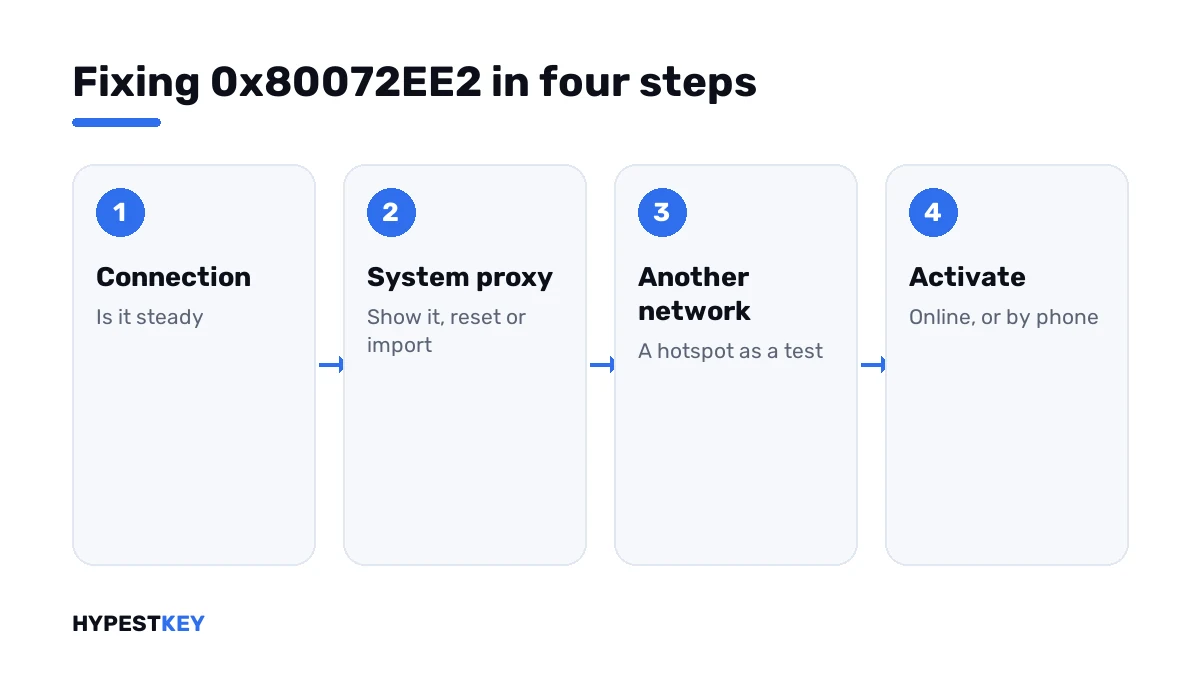
Rule out the simple things, then look at the proxy.
- Open a few websites to confirm the connection is steady.
- Press Activate again; a single timeout can be chance.
- Disconnect any VPN and restart the router if pages load slowly.
- Open Command Prompt as administrator and show the system proxy setting.
- If a proxy is listed that you don’t use, reset it; if your network needs one, import the browser’s setting.
- Try a second network, a phone hotspot for example, and run the activation line.
- If no network gets through, activate by phone with the three phone lines.
netsh winhttp show proxy
netsh winhttp reset proxy
netsh winhttp import proxy source=ie
slmgr /ato
slmgr /dti
slmgr /atp CONFIRMATION-ID| Line | What it does |
|---|---|
netsh winhttp show proxy |
Shows the proxy that Windows services use |
netsh winhttp reset proxy |
Sets services back to a direct connection |
netsh winhttp import proxy source=ie |
Copies the proxy from the Internet Options settings |
slmgr /ato |
Asks for online activation |
slmgr /dti |
Shows the installation ID for phone activation |
slmgr /atp |
Activates with the confirmation ID you got from Microsoft |
On most editions the phone window also opens with one short line.
slui 4The proxy that only the browser knows
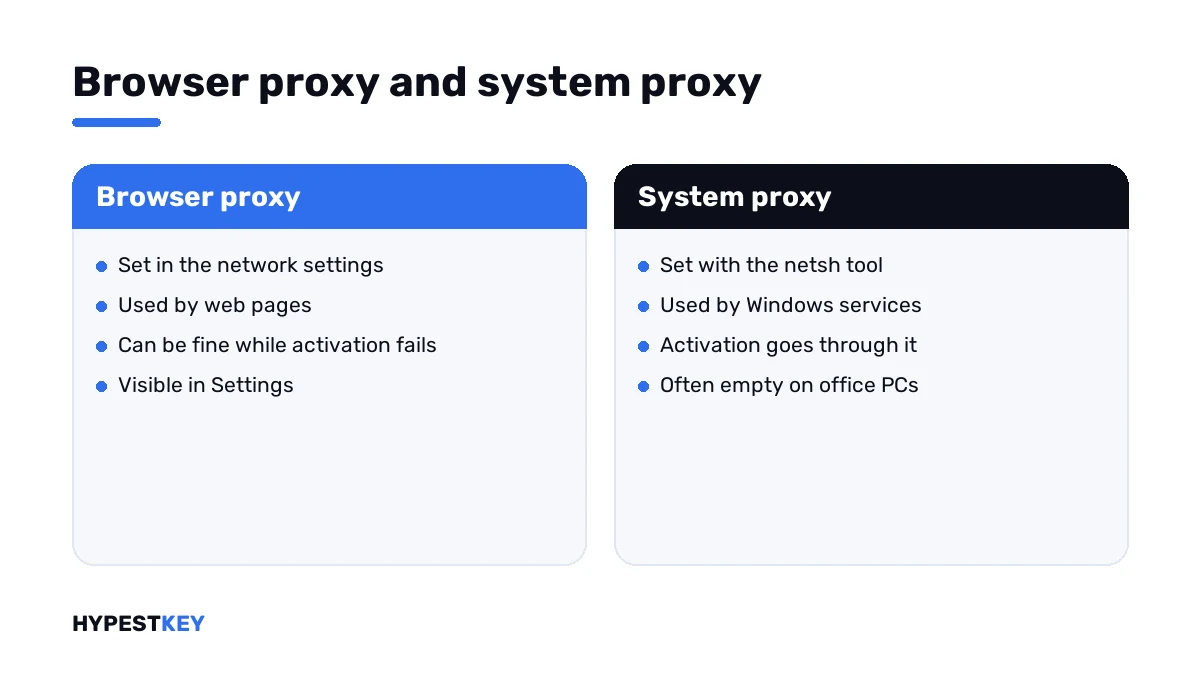
This one catches offices and schools. The browser reaches the web through a proxy, so everything looks fine to you.
Activation runs as a Windows service. Services have their own proxy setting, and it’s often empty. The request goes out directly, meets the firewall and is never heard of again.
| The show line says | Reading |
|---|---|
| Direct access (no proxy server) | Services connect directly; fine at home, a dead end on networks that require a proxy |
| A proxy server and port | Services use it; check that it’s still valid |
| A proxy you’ve never heard of | Left over from old software or another network; reset it |
On a managed PC, leave these settings to IT. They may be set by policy.
Timeout, not refusal
The neighbours of this code describe other ways a request can fail before it reaches Microsoft.
| Code | What happened |
|---|---|
| 0x80072EE2 | The request went out and no answer came in time |
| 0x80072EE7 | The server’s name couldn’t be resolved |
| 0x80072F8F | The secure connection failed, often over a wrong clock |
| 0xC004FC03 | No internet, or a firewall in the way |
| 0x8007267C | No DNS server configured on the PC |
| 0xC004C012 | The activation server was temporarily unavailable |
None of them is about the key. Key trouble and the rest are in our list of Windows 11 activation errors.
When the network can’t be changed
Some PCs sit on networks with no way out by design: labs, production lines, isolated servers.
Phone activation is the supported answer there. The PC shows an installation ID. Microsoft returns a confirmation ID for it, through its Product Activation Portal, and one line enters it.
Two editions can’t go that way. Microsoft requires Pro Education and Pro for Workstations to activate over the internet.
No key yet? Ours are genuine and arrive instant to email: Windows 11 Pro and Windows 10 Pro. Where it goes is shown in how to activate Windows 11.
Where these steps apply
| System | Notes |
|---|---|
| Windows 11 and Windows 10 | All steps as written |
| Windows Server | Same commands; servers behind a proxy are the classic case |
| Work devices | Proxy and firewall belong to IT |
Wi-Fi that keeps dropping has its own guide, Wi-Fi problems in Windows 11.
Mistakes we see most
- Judging the connection by the browser alone.
- Trying twenty times on the same slow link.
- Activating through a free VPN.
- Resetting the proxy on a network that needs one.
- Replacing the key after a timeout.
Terms used on this page
| Term | Meaning |
|---|---|
| Timeout | A request that got no answer within the waiting time |
| Proxy | A server that relays web traffic for a network |
| System proxy | The proxy setting Windows services use, separate from the browser’s |
| Installation ID | The number your PC shows for phone activation |
| Confirmation ID | The number Microsoft gives back |
FAQ
What does error 0x80072EE2 mean?
The operation timed out. Windows sent the activation request and no answer arrived in time. The key wasn't refused. I'd look at the connection between the PC and Microsoft.
How do I fix 0x80072EE2 during activation?
Confirm the connection is steady, disconnect any VPN and press Activate again. If it keeps timing out, check the system proxy with netsh and try a second network.
Why does my browser work when activation times out?
The browser may use a proxy that Windows services don't know. Activation runs as a service with its own proxy setting. We see that a lot on office networks.
What does Microsoft recommend for this code?
In its activation error codes reference, Microsoft says to activate by phone if this code appears. You read out the installation ID. Then I'd type in the confirmation ID that comes back.
Is my product key the problem?
Not with a timeout. A refused key comes back with an answer and its own code. I'd only look at the key after a request gets through.
Should I reset the WinHTTP proxy?
On a home PC, yes, if the show line lists a proxy you don't use. Networks that require a proxy need it in the service setting too. On a work PC, I'd ask IT first.
Is 0x80072EE2 the same in Windows Update?
The number and its meaning are the same: a timeout. Only the server that didn't answer differs. The connection and proxy checks help in both places.