Short answer: The 0xC004C012 activation error appears when Microsoft's activation server is temporarily unavailable. Windows activates automatically once the service is back. I'd wait, leave the PC online and check the status later. If it stays for hours, test your connection, another network or phone activation.
The 0xC004C012 activation error comes from Microsoft’s side of the line. The activation server was temporarily unavailable when your PC asked, so no answer came back.
| Question | Short answer |
|---|---|
| Is the key bad? | This code doesn’t say so; the key wasn’t judged |
| Do I have to do anything? | Usually not; Windows activates by itself once the service is back |
| How long? | Microsoft gives no figure; look again after fifteen minutes |
| And if it stays? | Check your own connection, then try another network or the phone |
It’s the one activation code where doing nothing is a real option.
What 0xC004C012 stands for
Microsoft lists it with two neighbours, 0xC004C013 and 0xC004C014, on its activation errors page. One sentence covers all three.
If the activation server is temporarily unavailable, your copy of Windows will automatically be activated when the service comes back online.
That’s a promise worth reading twice. Windows keeps the request in mind and tries again in the background, with no click from you.
Causes
| Cause | Detail |
|---|---|
| Service outage or maintenance | The activation service is down or slow for a while |
| Rush hour | Many PCs activate at once, after a big Windows release for instance |
| Connection dropped mid-request | Wi-Fi blinked while the request was on its way |
| Filtering on your network | A proxy or firewall lets the request out and loses the reply |
The first two are out of your hands. The last two are worth a minute of checking.
How to fix the 0xC004C012 activation error
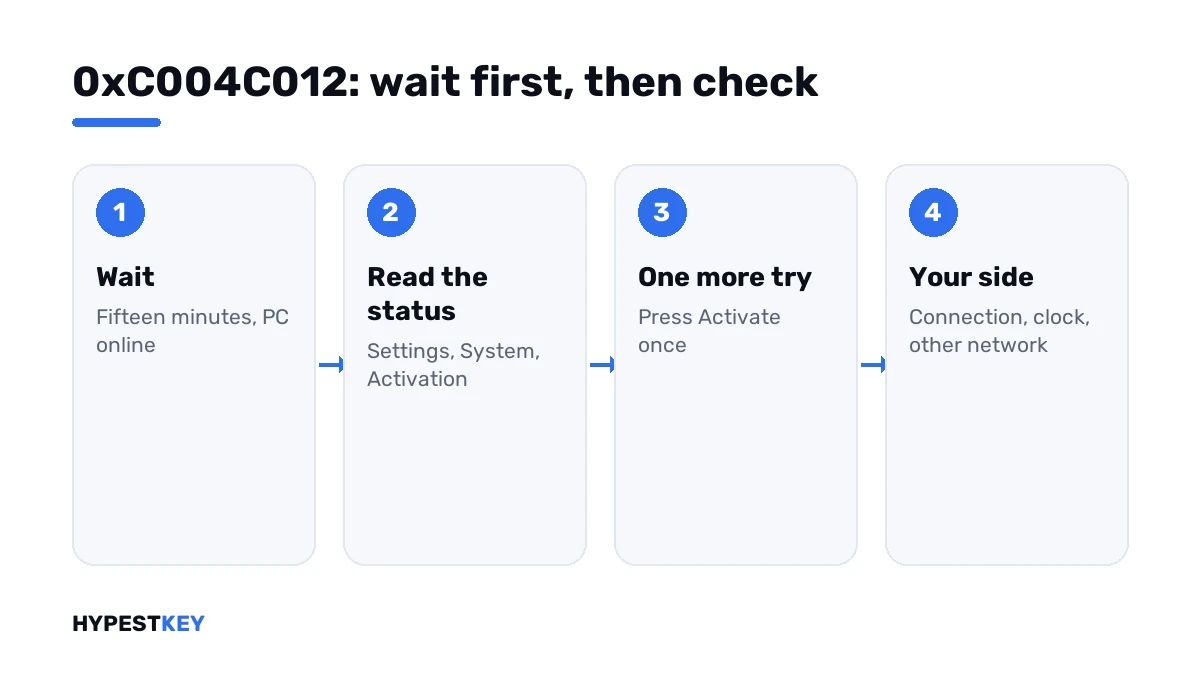
Give the servers time first. Then rule out your own side.
- Wait fifteen minutes and leave the PC online.
- Open Settings, System, Activation and read the status; it may already say Windows is activated.
- If not, press Activate once, or run the activation line.
- Still the same code: open two or three websites to confirm the connection, and check the date and time.
- Disconnect any VPN and try a second network, a phone hotspot for example.
- After several hours without change, press Troubleshoot on the Activation page.
- If you need the PC activated today, use phone activation.
slmgr /ato
slmgr /xpr
slui 4| Line | What it does |
|---|---|
slmgr /ato |
Sends a new activation request |
slmgr /xpr |
Shows whether the machine is activated right now |
slui 4 |
Opens phone activation |
Your side or Microsoft’s side
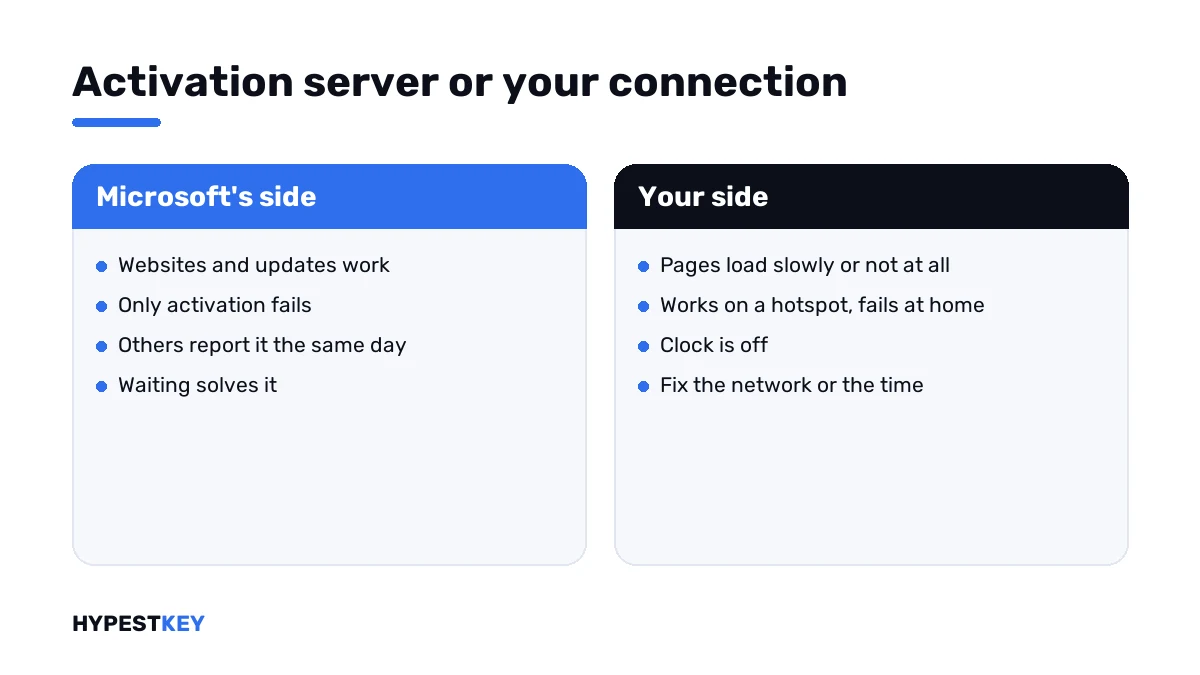
A quick way to tell them apart: does anything else on the PC struggle to get online?
| Sign | Points to |
|---|---|
| Websites, Store and updates all work | Microsoft’s activation service; wait |
| Other people report activation trouble the same day | Microsoft’s side |
| Pages load slowly or not at all | Your connection |
| It works on a hotspot and fails at home | Your router, DNS or a filter |
| The clock is hours or days off | Your PC; fix the time first |
Connection trouble has codes of its own. A firewall in the way shows 0xC004FC03, a missing DNS server 0x8007267C, and a wrong clock 0x80072F8F.
What not to do meanwhile
The waiting is the hard part, and it’s where the expensive mistakes happen.
- Don’t buy a second key. The first one hasn’t been refused.
- Don’t hammer the Activate button. A request that’s still running gives you 0xC004E028 on top.
- Don’t reinstall Windows. The same server answers the new install.
- Don’t run “activation fix” tools from download sites.
Use the PC as usual in the meantime. An unactivated Windows shows a watermark and locks personalisation, and that’s about all, as our watermark guide explains.
When a day has passed
By then a server hiccup is unlikely, and I’d treat it as a problem on the PC or the network.
Run the troubleshooter, restart, and try once from another network. Then go to phone activation, which doesn’t touch the online service at all.
A different code after all that tells you more than this one did. Blocked key: 0xC004C003. Key in use elsewhere: 0xC004C770. The rest are in our list of Windows 11 activation errors.
Still without a key? Ours are genuine and arrive instant to email: Windows 11 Pro and Windows 10 Pro. Where to type it is shown in how to activate Windows 11.
Where these steps apply
| System | Notes |
|---|---|
| Windows 11 and Windows 10 | All steps as written; on Windows 10 Activation sits under Update & Security |
| Pro Education and Pro for Workstations | No phone activation; waiting or another network are the options |
| Company PCs with a volume key | These talk to the organisation’s own server; ask IT |
Mistakes we see most
- Reading a server outage as a refused key.
- Pressing Activate every thirty seconds.
- Switching the PC off right away, so the background retry never runs.
- Reinstalling Windows.
- Paying for a second key the same evening.
Terms used on this page
| Term | Meaning |
|---|---|
| Activation server | Microsoft’s service that answers activation requests |
| Activation request | The message your PC sends with its key or digital license |
| Background retry | Windows asking again by itself, without a click |
| Phone activation | Activation by a call and number codes |
| Troubleshooter | The Troubleshoot link on the Activation page |
FAQ
What does error 0xC004C012 mean?
The activation server was temporarily unavailable when Windows asked. Microsoft lists it with 0xC004C013 and 0xC004C014 and says Windows will activate automatically when the service comes back online.
How do I fix 0xC004C012?
Mostly by waiting. Leave the PC online and check Settings, System, Activation after fifteen minutes. If nothing changed, I'd press Activate once and make sure the connection and the clock are right.
How long does it take until Windows activates by itself?
Microsoft gives no figure. I'd look after fifteen minutes and again after an hour. After a full day, I'd stop waiting and check the PC and the network.
Is my key invalid if I see 0xC004C012?
No. The server didn't answer, so it didn't judge the key. A refused key comes back with a different code. We'd only doubt the key once the servers are reachable.
Should I enter the key again?
There's no need. The key is already stored, and Windows retries with it. Typing it again and again adds nothing. One press of Activate later on is enough.
Can I activate by phone while the server is down?
Yes, on most editions. Phone activation doesn't use the online service. Microsoft excludes two editions. Pro Education and Pro for Workstations activate over the internet only.
Are 0xC004C013 and 0xC004C014 the same problem?
Yes. Microsoft explains all three with one sentence about a temporarily unavailable activation server. I'd handle them the same way: wait, check, then one new try.