Short answer: The 0xC004C770 activation error says the product key has already been used on another device. I'd remove the key from the old PC and enter it again on the new one. After a hardware change, run the troubleshooter or activate by phone. A key someone else used first needs replacing.
The 0xC004C770 activation error says Microsoft’s servers already have this product key on record for another device. The key is real. It’s just counted as taken.
| Where the key is | What to do |
|---|---|
| Still active on your old PC | Remove it there, then activate here |
| On this same PC before a reinstall or a new motherboard | Run the troubleshooter, then phone activation |
| On somebody else’s PC | The key was sold twice; this PC needs a different one |
Typing the key again won’t change the answer. The server gives the same reply until the record changes on its side.
What 0xC004C770 stands for
Microsoft groups the code with two others on its activation errors page. They share one explanation.
- The product key has already been used on another device.
- Or it’s used on more devices than the Microsoft Software License Terms allow.
The fix Microsoft gives is blunt: a product key for each of your devices. One exception follows right after it, and it matters.
After a substantial hardware change, with a valid key in hand, Microsoft sends you to phone activation. A new board looks like “another device” to it.
Causes
| Cause | Detail |
|---|---|
| Key moved without removing it first | The old PC still runs with the key, and the new one asks for it too |
| New motherboard | The server sees a different machine asking with a key it knows |
| Reinstall on a wiped disk | Usually fine, but after hardware swaps the PC may no longer be recognised |
| One key for two family PCs | A retail license covers one PC at a time |
| Key resold by a marketplace seller | Somebody else activated it before you |
| OEM key from another computer | It belongs to the machine it shipped with |
How to fix the 0xC004C770 activation error
Work out where the key lives now. The steps follow from that.
- On the PC that used the key before, open Command Prompt as administrator and run the two removal lines.
- Restart that PC; its Activation page should now say Windows isn’t activated.
- On the new PC, open Settings, System, Activation, Change product key, and enter the key.
- If it’s still refused, press Troubleshoot on the same page and follow what it offers.
- If the troubleshooter doesn’t help and the key is yours, start phone activation.
- Read the installation ID to the automated line and type the confirmation ID it gives back.
slmgr /upk
slmgr /cpky
slmgr /ipk XXXXX-XXXXX-XXXXX-XXXXX-XXXXX
slmgr /ato
slui 4| Line | Where | What it does |
|---|---|---|
slmgr /upk |
Old PC | Uninstalls the product key |
slmgr /cpky |
Old PC | Clears the key from the registry |
slmgr /ipk |
New PC | Installs the key typed after it |
slmgr /ato |
New PC | Asks for online activation |
slui 4 |
New PC | Opens phone activation |
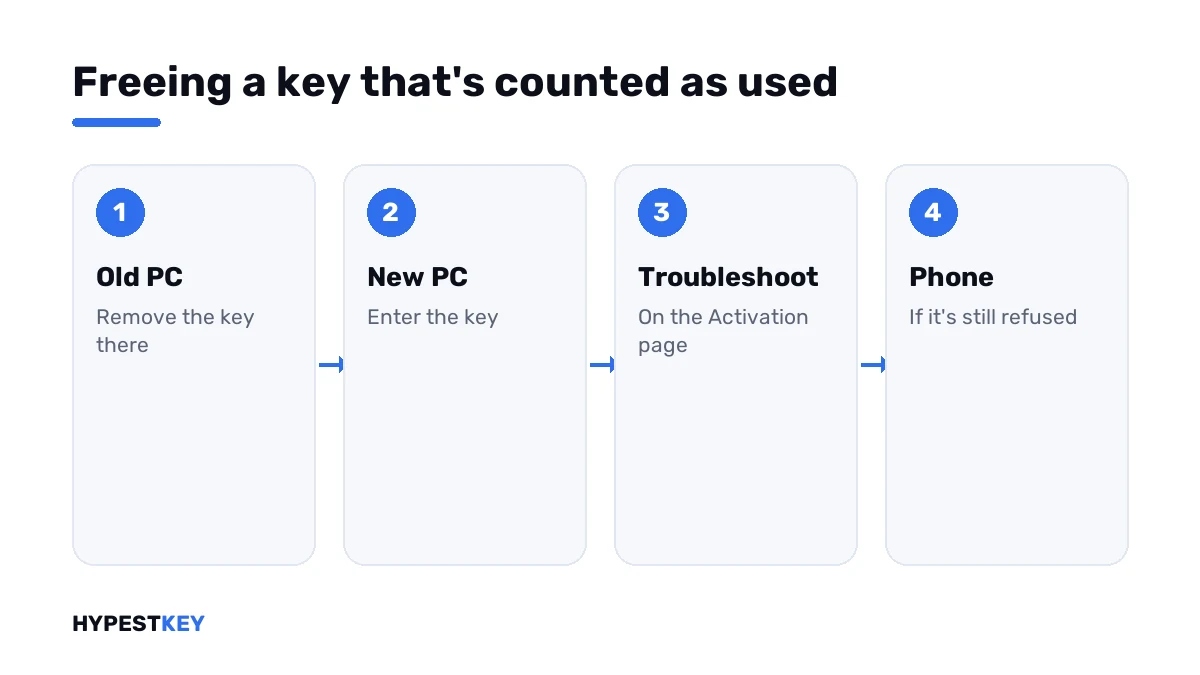
Removing the key on the old PC doesn’t always clear the server record at once. That’s what the phone route is for.
The old PC is gone
Sold, dead or recycled. You can’t run anything on it, and you don’t have to.
Go straight to step 3 on the new PC. If the key is refused, phone activation is the next stop, with the same key.
The automated line asks how many computers the key is installed on. The honest answer is one, this one.
We wrote up the whole move and the rules per license type in our guide to transferring a Windows license to a new PC.
Same PC, different hardware
You never moved the key. You replaced the motherboard, or the board and the processor, and reinstalled.
| Your license | Route |
|---|---|
| Retail key | Change product key first, phone activation if refused |
| Digital license linked to your Microsoft account | Troubleshoot, then “I changed hardware on this device recently” |
| OEM, preinstalled | Tied to the old board; a new key is usually needed |
That case often shows up under another number. We cover it in detail under 0xC004F211.
The key was never on a PC of yours
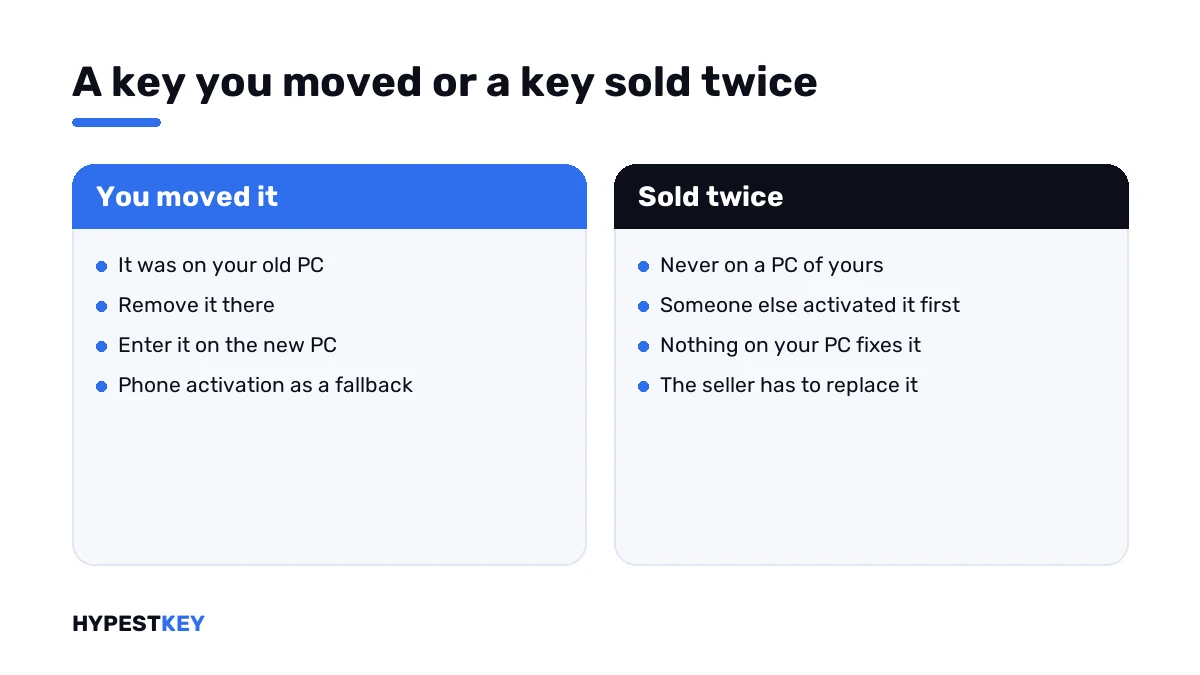
Fresh purchase, first try, and the server says it’s taken. Then someone else got there first.
That happens with keys from auction sites and anonymous marketplaces, where one code is sold to several buyers. Nothing on your PC fixes it.
- Write to the seller with the code and a screenshot of the Activation page.
- Ask for a replacement key, not for instructions.
- Don’t accept “activators” or remote sessions as a fix.
Need one that hasn’t been anywhere? Our keys are genuine, sold once and arrive instant to email: Windows 11 Pro and Windows 10 Pro.
Why some low-priced keys end like this is explained in Retail vs OEM vs Volume license.
Its two sister codes
| Code | What it says |
|---|---|
| 0xC004C770 | The key is already used on another device |
| 0xC004C008 | The key could not be used; its activations are spent |
| 0x803FA071 | The key is on more devices than the license allows |
| 0xC004C003 | A different matter: the key is blocked, not just in use |
Microsoft explains the first three with the same sentence, so the steps on this page apply to all of them. Other numbers are in our list of Windows 11 activation errors.
Where these steps apply
| System | Notes |
|---|---|
| Windows 11 and Windows 10, Home and Pro | All steps as written; on Windows 10 the Activation page sits under Update & Security |
| Pro Education and Pro for Workstations | Online activation only; Microsoft rules out the phone route |
| Work devices | The key belongs to the organisation; ask IT |
The key field and the status lines are shown in how to activate Windows 11. Lost the key itself? Our ShowKeyPlus guide reads it from a running PC.
Mistakes we see most
- Entering the same key ten times in a row.
- Leaving the key active on the old PC “just in case”.
- Using one retail key for two computers at home.
- Skipping the phone route because it sounds old-fashioned.
- Paying a stranger for a remote “fix” of a key that was sold twice.
Terms used on this page
| Term | Meaning |
|---|---|
| Activation server | Microsoft’s service that records which device uses a key |
| Retail key | A key bought separately, good for one PC at a time |
| OEM key | A key that belongs to the PC it shipped with |
| Installation ID | The number your PC shows for phone activation |
| Confirmation ID | The number the phone line gives back |
| Digital license | Activation stored on Microsoft’s side, with no key to type |
FAQ
What does error 0xC004C770 mean?
Microsoft's servers already have the key on record for another device. Microsoft gives the same explanation for two related codes. I'd first work out which device that is: your old PC, this PC before a hardware change, or someone else's.
How do I fix 0xC004C770 after moving to a new PC?
Uninstall the key on the old PC with the two removal lines of slmgr and restart it. Then enter the key on the new PC. If it's refused, we'd use phone activation with the same key.
I reinstalled Windows on the same PC. Why is the key "used"?
After a new motherboard, the server sees a different machine asking with a known key. Microsoft's answer there: phone activation, if the key is valid. A linked digital license goes through the troubleshooter.
Can I use one key on two computers?
Not at the same time. A retail license covers one PC. Microsoft's fix for this code: a product key for each device. I'd keep the key on one PC and license the other separately.
My brand-new key gives 0xC004C770. Is it fake?
The key is probably genuine and already in use by someone else. We see that with keys sold several times over. Only the seller can replace it, so I'd send them the code and a screenshot.
Does phone activation still work?
Yes, for most editions. The phone activation window shows an installation ID, and the automated line returns a confirmation ID. Microsoft excludes two editions. Pro Education and Pro for Workstations activate over the internet only.
Will removing the key from the old PC delete anything there?
No files or apps. The old PC just stops being activated, shows the watermark and locks personalisation. I'd do it before wiping or selling that machine anyway.