Short answer: The 0xC004C020 activation error says a Multiple Activation Key has exceeded its limit. At work, IT asks Microsoft for more. On a home PC the key was never meant for you, and I'd replace it with a retail key for the installed edition.
The 0xC004C020 activation error says a Multiple Activation Key has exceeded its limit. Such a key belongs to an organisation. It came with a fixed number of activations, and they’re used up.
| Where | What to do |
|---|---|
| Company PC | IT asks Microsoft for more activations, or assigns another key |
| Home PC with a key you bought | That key was a company’s MAK; the PC needs a retail key of its own |
No setting on the PC changes the count. It’s kept on Microsoft’s side, per key.
What 0xC004C020 stands for
The full message reads: “The activation server reported that the Multiple Activation Key has exceeded its limit.”
Microsoft’s activation error codes reference gives the cause in two sentences. The MAK exceeded its activation limit. By design, a MAK can be activated a limited number of times.
Its solution: request more activations through the Microsoft Licensing Activation Centers.
The consumer page puts it in plainer words. A Volume License was used on more devices than the license terms allow, and you might need a different product key.
How a MAK counts
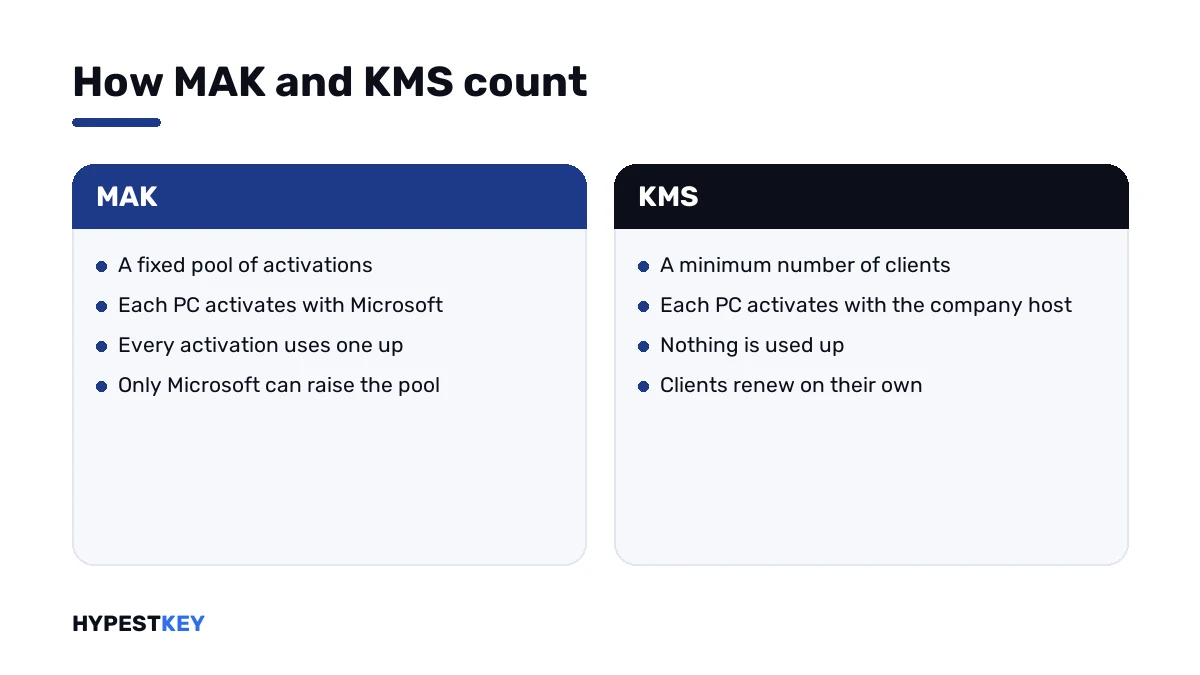
MAK stands for Multiple Activation Key. An organisation gets it under a volume agreement, with a set number of activations.
| Fact | Detail |
|---|---|
| Who owns it | The organisation named in the volume agreement |
| How it activates | Each PC contacts Microsoft once, online or by phone |
| What uses up the count | Every activation of a PC with that key |
| Where the count is kept | On Microsoft’s activation servers |
| Who can raise it | Microsoft, on request of the license holder |
KMS works the other way round. There the organisation runs its own activation server, and nothing is counted down. We compare the two in Retail vs OEM vs Volume license.
How to fix the 0xC004C020 activation error
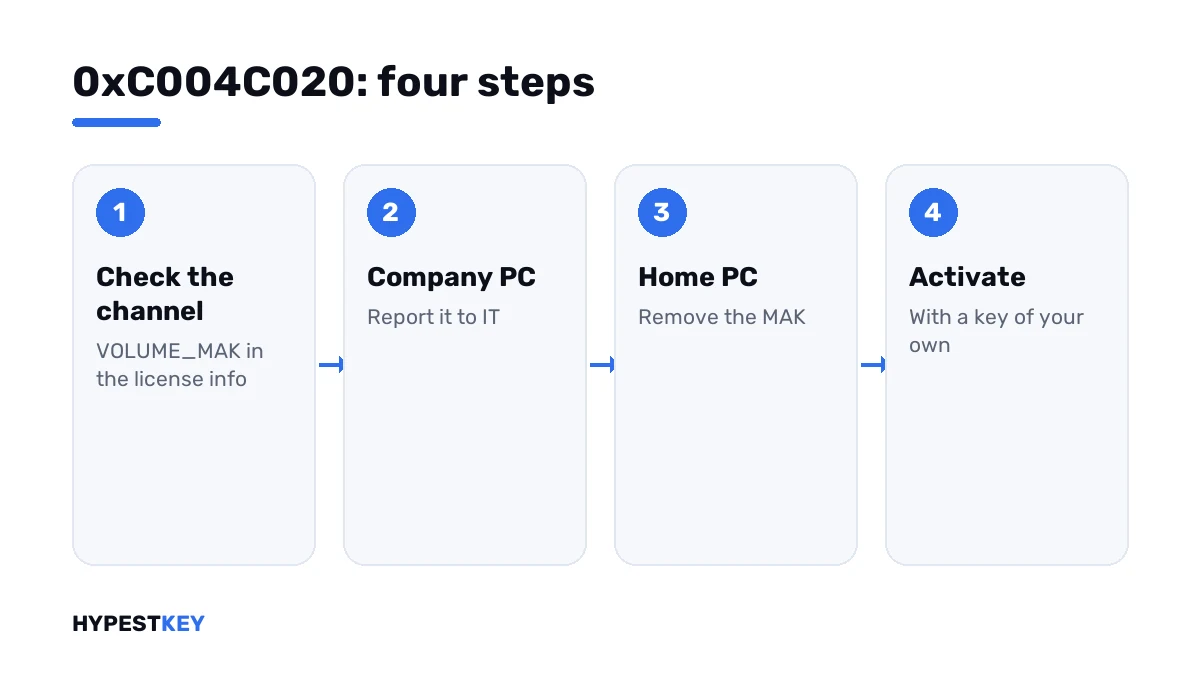
First confirm the key really has the MAK channel. Then the route depends on whose key it is.
- Open Command Prompt as administrator and run the license information line.
- Read the description: a MAK shows the channel as VOLUME_MAK.
- On a company PC, report the code and the last five characters of the key to IT.
- IT checks the remaining count in the organisation’s volume licensing portal or in the Volume Activation Management Tool.
- IT requests more activations from the Microsoft Licensing Activation Centers, or installs a different key.
- On a home PC, remove the MAK and enter a retail key for the installed edition.
- Activate and check the result.
slmgr /dli
slmgr /upk
slmgr /ipk XXXXX-XXXXX-XXXXX-XXXXX-XXXXX
slmgr /ato
slmgr /xpr| Line | What it does |
|---|---|
slmgr /dli |
Shows the edition, the channel and the last five characters of the key |
slmgr /upk |
Uninstalls the current key |
slmgr /ipk |
Installs the key typed after it |
slmgr /ato |
Asks for activation |
slmgr /xpr |
Shows whether the machine is activated |
On a company network
For the administrator this comes down to bookkeeping. The pool ran dry, usually sooner than planned.
| What drains a MAK | What helps |
|---|---|
| Reimaging PCs again and again | Plan for the count, or move those PCs to KMS or Active Directory-based activation |
| Test machines and virtual machines | Use KMS for labs, where nothing is counted down |
| One MAK for too many sites | Ask for a higher count before the rollout |
| A key that leaked outside | Report it; Microsoft can issue a new one |
A second code sits right next to this one. 0xC004C021 says the extension limit of the MAK has been exceeded, and Microsoft’s answer is the same request.
Too few machines for KMS? That has its own number, 0xC004F038. Server keys by edition are in our Windows Server 2022 activation guide.
On a home PC
A private PC has no business with a MAK. If yours shows this code, the key came from somewhere it shouldn’t have.
- A low-priced key from a marketplace, sold many times over.
- A key copied from a workplace or a school.
- A second-hand PC that still carries its former owner’s company key.
It may have worked for the first buyers. Then the pool ran out, and everyone after them gets this message.
Phone activation doesn’t get around it. The same count applies there.
The clean way out: a key that’s yours. Ours are genuine and arrive instant to email: Windows 11 Pro and Windows 10 Pro. Where it goes is shown in how to activate Windows 11.
Codes that sit close to it
| Code | What it says |
|---|---|
| 0xC004C020 | The MAK has exceeded its limit |
| 0xC004C008 | The key could not be used; its activations are spent |
| 0x803FA071 | The key is on more devices than allowed |
| 0xC004C770 | The key is already used on another device |
| 0xC004C003 | The key is blocked |
The full set is in our list of Windows 11 activation errors.
Where these steps apply
| System | Notes |
|---|---|
| Windows 11 and Windows 10 in Pro, Enterprise and Education | All steps; these editions have volume keys |
| Windows Server | Same commands; server MAKs have their own counts |
| Office volume editions | The same message exists for Office MAKs, handled with Office’s own licensing script |
Mistakes we see most
- Trying the same MAK again the next day.
- Expecting phone activation to bypass the limit.
- Reimaging a classroom every term with a MAK.
- Buying another key from the same marketplace seller.
- Leaving a former owner’s company key on a second-hand PC.
Terms used on this page
| Term | Meaning |
|---|---|
| MAK | Multiple Activation Key, a volume key with a fixed number of activations |
| Volume agreement | The contract under which an organisation licenses Microsoft software |
| Activation count | How many activations a MAK has left |
| KMS | Key Management Service, activation through the organisation’s own server |
| Channel | How a license was sold, shown as RETAIL, OEM or VOLUME |
| Licensing Activation Centers | Microsoft’s contact points for volume activation requests |
FAQ
What does error 0xC004C020 mean?
The activation server reported that the Multiple Activation Key has exceeded its limit. Every MAK has a fixed number of activations. This one has none left. I'd check first whose key it is.
How do I fix 0xC004C020 at work?
Tell IT the code and the last five characters of the key. Microsoft's fix: request more activations through its Licensing Activation Centers. Or IT installs a different key.
Why does my home PC show a MAK error?
The key on it belongs to an organisation. We see that with low-priced marketplace keys and with second-hand PCs. Once the pool is empty, the key activates nobody else.
Can phone activation fix 0xC004C020?
No. Phone activation counts against the same pool. With no activations left, the call ends the same way. I'd use a key with its own license behind it.
How can I see how many activations a MAK has left?
Not from the PC itself. The organisation's licensing administrator sees the count in the volume licensing portal. Microsoft's Volume Activation Management Tool shows it too. We'd ask that person.
Is 0xC004C020 the same as 0xC004C008?
They're neighbours. Both report a key whose activations are used up. Microsoft lists this one for MAKs and the other for KMS host keys, so the keys differ and the request to Microsoft is the same.
Will the error go away if I wait?
No. The count doesn't refill by itself. Only the license holder can have it raised, or the PC gets another key. Waiting changes nothing, so I wouldn't.