Short answer: The 0x8007267C activation error appears when the PC has no DNS server configured, so Windows can't find Microsoft's activation service. I'd check the DNS Servers line in the network configuration, set DNS to automatic, test a lookup and press Activate again. Offline PCs can use phone activation.
The 0x8007267C activation error appears when Windows wants to activate and finds no DNS server to ask for Microsoft’s address. Without that lookup the request has nowhere to go.
| What you see | First move |
|---|---|
| No websites open by name | Set DNS back to automatic on the network adapter |
| Websites open, activation fails once | Wait a little and press Activate again; the server may have been down |
| Work PC away from the office | Connect to the company network or VPN, or ask IT |
Windows uses the same number outside activation, with the text “No DNS servers configured for local system”. That sentence is the whole diagnosis.
What 0x8007267C stands for
Microsoft has a short support article for exactly this case, Windows Activation fails with error 0x8007267C. Its cause fits in one line.
The machine that tries to activate has no DNS server registered in its network properties.
Its fix has two parts. Register a DNS server and test name resolution. If that isn’t possible, activate by phone.
Microsoft’s consumer activation errors page words it more loosely. You’re not connected to the internet, or the activation server is temporarily unavailable.
Causes
| Cause | Detail |
|---|---|
| Manual network settings without DNS | An address and a gateway were typed in by hand, the DNS fields stayed empty |
| DNS left over from a VPN or a filter app | The adapter still points at a server that’s gone |
| Router didn’t hand out DNS | The PC got an address after a router restart, and the DNS field came back empty |
| No network at all | Cable out, Wi-Fi not joined, driver missing after a clean install |
| Company PC off the network | It’s set to the office DNS servers, which can’t be reached from home |
| Activation server down for a moment | Your settings are fine and the second try works |
How to fix the 0x8007267C activation error
Look at what the adapter has first. The answer is usually on that one screen.
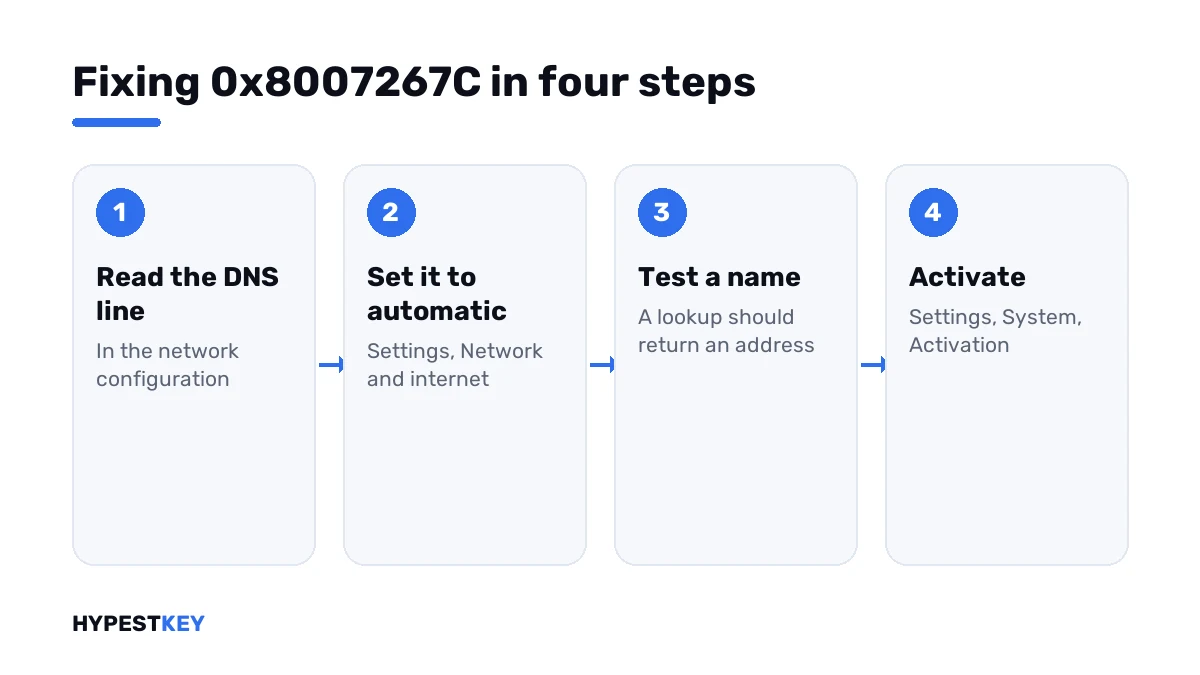
- Open Command Prompt and run the configuration line; find “DNS Servers” under your active adapter.
- If the line is empty or shows an unknown address, open Settings, Network and internet and pick your connection.
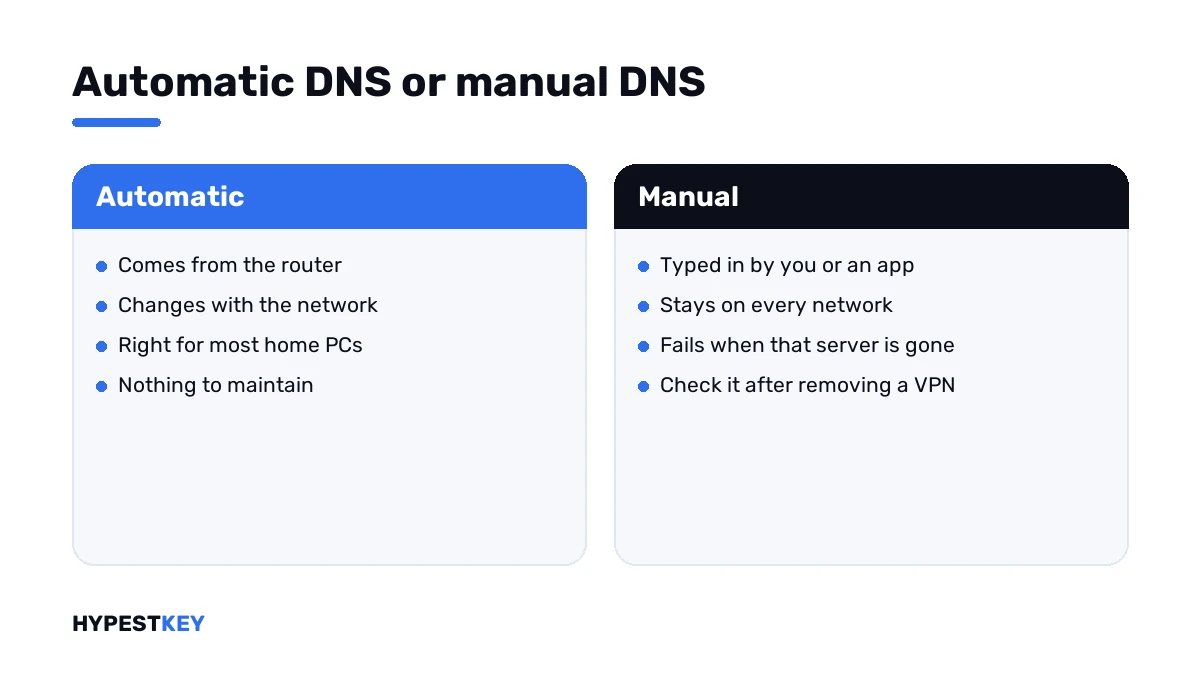
- Next to DNS server assignment, press Edit and choose Automatic.
- Disconnect and reconnect, or run the renew line, then check the configuration again.
- Test a lookup with the name line; an address in the answer shows DNS is working.
- Open Settings, System, Activation and press Activate, or run the activation line.
- No DNS available on this network: start phone activation.
ipconfig /all
ipconfig /renew
ipconfig /flushdns
nslookup www.microsoft.com
slmgr /ato
slui 4| Line | What it does |
|---|---|
ipconfig /all |
Lists every adapter with its address, gateway and DNS servers |
ipconfig /renew |
Asks the router for fresh settings |
ipconfig /flushdns |
Empties the local name cache |
nslookup www.microsoft.com |
Tests whether a name turns into an address |
slmgr /ato |
Asks for online activation |
slui 4 |
Opens phone activation |
On Windows 10 the same setting sits in the adapter’s properties: Internet Protocol Version 4, then “Obtain DNS server address automatically”.
Reading the configuration output
The block for your active adapter tells you which case you’re in.
| What the block shows | What it tells you |
|---|---|
| “Media disconnected” | No network; fix the cable, Wi-Fi or driver first |
| An address starting with 169.254 | The router didn’t answer; restart it and reconnect |
| Address and gateway, no DNS Servers line | The classic case for this code; set DNS to automatic |
| DNS Servers with an address you never set | Left over from a VPN, a filter or an old network |
| DNS Servers equal to the gateway | Normal at home; the router relays lookups |
Want to choose the servers yourself? Our DNS settings guide for Windows 11 covers that screen. For Windows 10 there’s a matching guide.
When there’s no network yet
Fresh install, no Wi-Fi list, no Ethernet light. Then DNS isn’t the problem, it’s the symptom.
Install the network driver from the PC maker’s site with a USB stick, join the network and try again. Our guide to Wi-Fi problems in Windows 11 goes through it.
A PC that will never be online can still be activated. Microsoft’s own article names phone activation for that.
On a company PC
Work laptops are often set to the office’s DNS servers by policy. At home those servers don’t answer.
Connect the VPN and activate again. I wouldn’t type public DNS servers into a managed PC. The company’s settings come back anyway, and IT will ask why they changed.
Company PCs that activate through the organisation’s own server show related numbers when DNS fails: 0x8007232B and 0x8007007B.
Codes from the same corner
| Code | What it points at |
|---|---|
| 0x8007267C | No DNS server on the PC, or no connection |
| 0xC004FC03 | No internet, or a firewall in the way |
| 0x80072F8F | Wrong date and time, or a secure connection that fails |
| 0xC004F074 | A company KMS server didn’t answer |
None of these says anything about the key. For key trouble and everything else, see our list of Windows 11 activation errors.
Network fine and still no license on this PC? Our keys are genuine and arrive instant to email: Windows 11 Pro and Windows 10 Pro. The steps are in how to activate Windows 11.
Where these steps apply
| System | Notes |
|---|---|
| Windows 11 | All steps as written |
| Windows 10 | DNS sits in the adapter’s IPv4 properties; Activation under Update & Security |
| Windows Server | Servers usually have fixed DNS; check that the listed servers answer |
| Pro Education and Pro for Workstations | No phone activation; these need a working connection |
Mistakes we see most
- Checking the key when the browser doesn’t open a single page.
- Leaving manual DNS from an old network on a laptop.
- Typing an address and a gateway by hand and skipping the DNS fields.
- Changing DNS on a work PC.
- Reinstalling Windows over a network setting.
Terms used on this page
| Term | Meaning |
|---|---|
| DNS | The service that turns names like microsoft.com into addresses |
| DNS server | The machine your PC asks for those addresses |
| DHCP | The way a router hands out network settings automatically |
| Gateway | Your router’s address, the way out of the local network |
| Name resolution | One lookup of a name |
| Phone activation | Activation by a call and number codes, with no internet on the PC |
FAQ
What does error 0x8007267C mean?
Windows found no DNS server on the PC when it tried to activate. Microsoft's support article names that as the cause. The same number carries the text "No DNS servers configured for local system", and I'd take it literally.
How do I fix 0x8007267C?
Open Settings, Network and internet, your connection, and set DNS server assignment to Automatic. Reconnect, test that a website opens, then press Activate under System, Activation.
How do I check which DNS server my PC uses?
Run the full configuration line of ipconfig in Command Prompt. Under the active adapter, the DNS Servers line lists them. An empty or missing line is what we see behind this code.
Should I switch to a public DNS server?
As a test, it's fine on a private PC. If lookups work with a public server and not with automatic, the router is the weak spot. I'd restart it and go back to automatic afterwards.
Is my product key wrong if I get 0x8007267C?
No. The request never reached Microsoft, so the key wasn't checked. We'd only look at the key once the PC resolves names and the code changes.
Can I activate without fixing DNS?
Yes, by phone. Microsoft's article for this code names phone activation as the alternative. Two editions are excluded. Pro Education and Pro for Workstations activate over the internet only.
Why does my work laptop show this at home?
It's set to the company's DNS servers, and they can't be reached from your home network. Connect the VPN first. I wouldn't change the DNS settings on a managed PC.