Short answer: The 0xC004F06C activation error appears when a KMS host rejects a request because its time is off. Client and host clocks differ by more than four hours. I'd start the Windows Time service, resync the clock and activate again. On a home PC, also check for a volume key.
The 0xC004F06C activation error comes from a company KMS server that looked at the time on your request and didn’t believe it. The PC clock and the server clock are too far apart.
| Where | Fix |
|---|---|
| Company PC | Sync the clock with the domain or a time server, then activate again |
| Virtual machine | Check the host’s clock and the time sync between host and guest |
| Home PC | Fix the clock, and check why Windows is asking a KMS server at all |
The full message: “The Key Management Service determined that the request timestamp is invalid.”
What 0xC004F06C stands for
Microsoft has a dedicated article, Error 0xC004F06C when you activate Windows. Its cause comes with a number.
The error may occur if the system time on the client and on the KMS host differ by more than 4 hours.
Both sides compare in UTC, the world’s reference time. So a wrong time zone alone doesn’t trigger it. A wrong date does, and so does a clock that’s a day behind.
The fix Microsoft recommends is plain time sync. Use a Network Time Protocol source or Active Directory to keep clients and host on the same time.
Causes
| Cause | Detail |
|---|---|
| Windows Time service stopped | The clock drifts with nothing to correct it |
| Flat motherboard battery | The date falls back to a factory value after power loss |
| Fresh image with an old clock | A PC deployed from an image starts with the firmware’s time |
| Virtual machine restored from a snapshot | The guest wakes up in the past |
| Time server not reachable | A firewall blocks time sync, usually UDP port 123 |
| The KMS host is the one that’s wrong | Every client fails at once |
How to fix the 0xC004F06C activation error
Bring the client’s clock into line first. It’s the side that’s wrong nine times out of ten.
- Compare the date and time on the PC with a phone or a wall clock, including the year.
- Open Command Prompt as administrator and start the Windows Time service.
- Run the resync line and wait for the confirmation.
- Read the status line to see which time source the PC uses.
- Run the activation line.
- If many PCs fail together, check the clock on the KMS host with the same lines.
- Confirm the result with the expiry line.
net start w32time
w32tm /resync
w32tm /query /status
slmgr /ato
slmgr /xpr| Line | What it does |
|---|---|
net start w32time |
Starts the Windows Time service |
w32tm /resync |
Syncs the clock with its time source now |
w32tm /query /status |
Shows the source and the time of the last sync |
slmgr /ato |
Asks the KMS host for activation again |
slmgr /xpr |
Shows the activation state and, for KMS, the date it runs to |
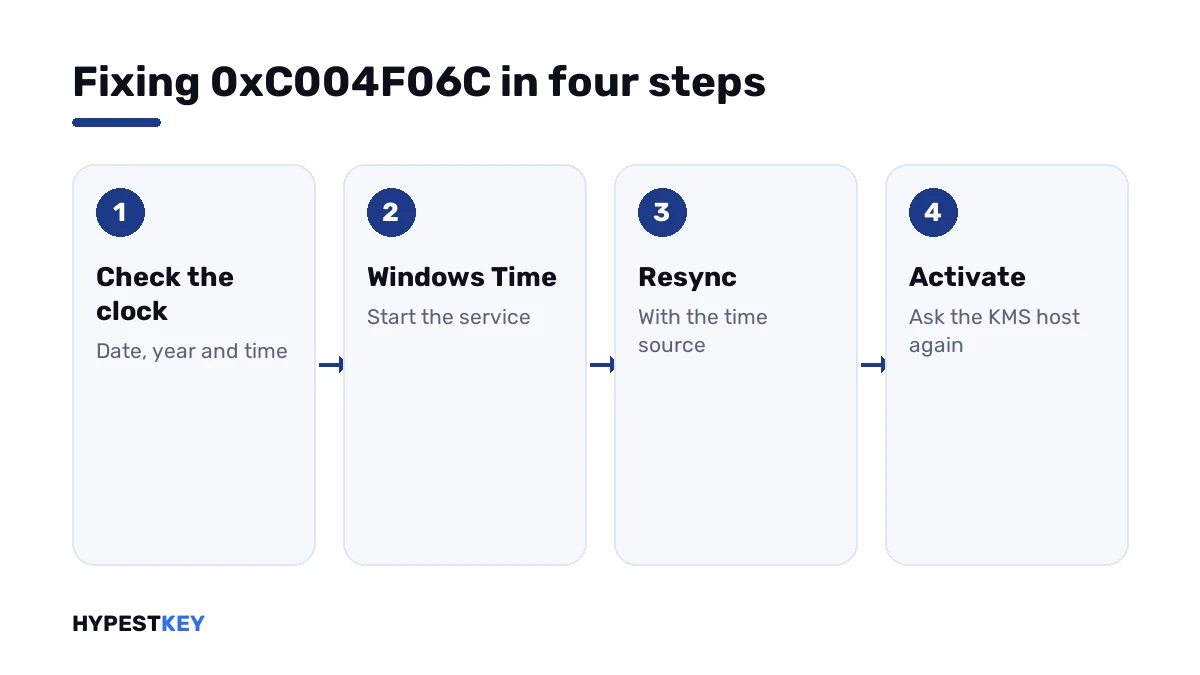
On a domain PC the time source should be a domain controller. If the status shows “Local CMOS Clock”, the PC isn’t syncing with anything.
Client clock or host clock
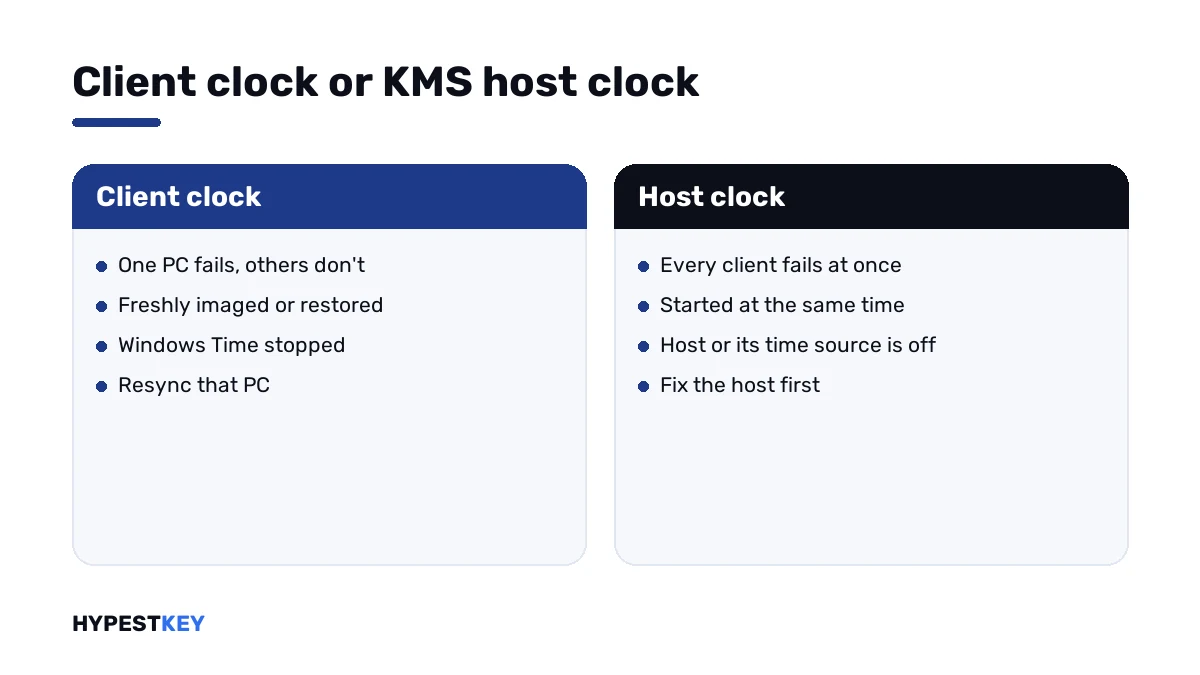
One machine failing points at that machine. A whole floor failing points at the server.
| Sign | Look at |
|---|---|
| One PC, others activate fine | That PC’s clock and its Windows Time service |
| Only freshly imaged PCs | The image, or the first sync after joining the domain |
| Only virtual machines on one host | The host’s clock and the time sync setting of the guests |
| Every client since this morning | The KMS host’s clock, or the domain controller it syncs with |
A KMS client that renews on schedule won’t complain for a while even with a wrong clock. The code shows at the next request, which makes it look sudden.
On a home PC
Fix the clock anyway. A wrong date breaks more than activation.
Then ask the bigger question. A home PC has no KMS server, so Windows shouldn’t be sending requests to one.
If the first line of the license information shows a volume channel, the PC carries a KMS client key. We usually trace it to volume media, a reused company image or a low-priced key.
slmgr /dliWith the clock fixed you’d only move on to the next KMS code. What lasts: a key of the right kind.
For a private PC: our Windows 11 Pro and Windows 10 Pro keys are genuine and arrive instant to email. They activate with Microsoft directly, with no server in between.
Other clock and KMS codes
| Code | What it says |
|---|---|
| 0xC004F06C | KMS: client and host clocks differ too much |
| 0x80072F8F | Online activation: wrong date and time, or a failed secure connection |
| 0xC004F074 | No KMS host answered |
| 0xC004F038 | The KMS host’s count is too low |
| 0x8007232B | No KMS host found in DNS |
A wrong clock at home usually shows as the second row, not as this code. All the others are in our list of Windows 11 activation errors.
How volume, retail and preinstalled licenses differ is laid out in Retail vs OEM vs Volume license. The key field is shown in how to activate Windows 11.
Where these steps apply
| System | Notes |
|---|---|
| Windows 11 and Windows 10 as KMS clients | All steps as written |
| Windows Server as client or KMS host | Same commands; see our Windows Server 2022 activation guide for the key types |
| Virtual machines | Sync the host first, then the guest |
| Work devices | Time policy is set by IT; report the code |
Mistakes we see most
- Correcting the time zone and leaving the date wrong.
- Setting the clock by hand on a domain PC that should sync.
- Restoring a snapshot and activating before the clock catches up.
- Blaming the key for a time problem.
- Fixing fifty clients when the host is the one that’s off.
Terms used on this page
| Term | Meaning |
|---|---|
| KMS | Key Management Service, activation through a company’s own server |
| KMS host | The server that answers activation requests |
| Timestamp | The time a request carries when it leaves the PC |
| UTC | The world’s reference time, with no time zone applied |
| NTP | Network Time Protocol, the standard way to sync clocks |
| Windows Time | The Windows service that keeps the clock in sync |
FAQ
What does error 0xC004F06C mean?
The KMS host determined that the request timestamp is invalid. Per Microsoft, the client's system time and the host's differ by more than four hours. I'd look at the date on the PC first.
How do I fix 0xC004F06C?
Sync the clock. Start the Windows Time service and run the resync line of w32tm as administrator. Then ask for activation again. On a domain, I'd expect the PC to take its time from a domain controller.
Does the time zone matter for KMS activation?
No. Client and host compare their time in UTC, so the zone setting plays no part. A wrong date or a clock that's hours off is what we'd look for.
Why do all PCs in the office show 0xC004F06C at once?
Then the KMS host's own clock is probably wrong, or the server it syncs with. I'd check the host with the same time commands before touching any client.
Why does my virtual machine get this error?
A guest restored from a snapshot or paused for long can wake up with an old time. Sync the host first. Then I'd make sure time sync to the guest is on and resync inside it.
I get 0xC004F06C on my own PC at home. Why?
Windows is sending requests to a KMS server, so it carries a volume key. Fix the clock first. Then I'd replace the key with a retail or OEM key for the same edition.
Is this the same as 0x80072F8F?
Both come from a wrong clock, in different systems. This code belongs to KMS inside a company. The other appears with online activation against Microsoft. We'd fix the time in both cases.