Short answer: The 0xC004F042 activation error appears when a client reaches a KMS host that can't activate its product. It's common where Windows and Office use different hosts. I'd check which host answered and what it's licensed for, then add the product to the host or point the client to the right one.
The 0xC004F042 activation error appears when a PC or an Office install reaches a KMS server that can’t activate that product. The server works. It’s the wrong one for the job.
| Situation | Fix |
|---|---|
| Office asks a host that only serves Windows | Add Office to that host, or point Office to the right one |
| A new Windows version asks an older host | Give the host a key that covers the new version |
| Home PC | Replace the volume key with a retail or OEM key |
Clients can’t choose which products a host supports. That’s set on the host, by the key it was activated with.
What 0xC004F042 stands for
The message: “The Software Protection Service determined that the specified Key Management Service cannot be used.”
Microsoft’s activation error codes reference describes the cause like this. The KMS client tried to contact a KMS host that couldn’t activate the client software.
It adds where that tends to happen: mixed environments with application-specific and operating system-specific KMS hosts. The solution is to make sure clients connect to the correct hosts.
What a host can activate
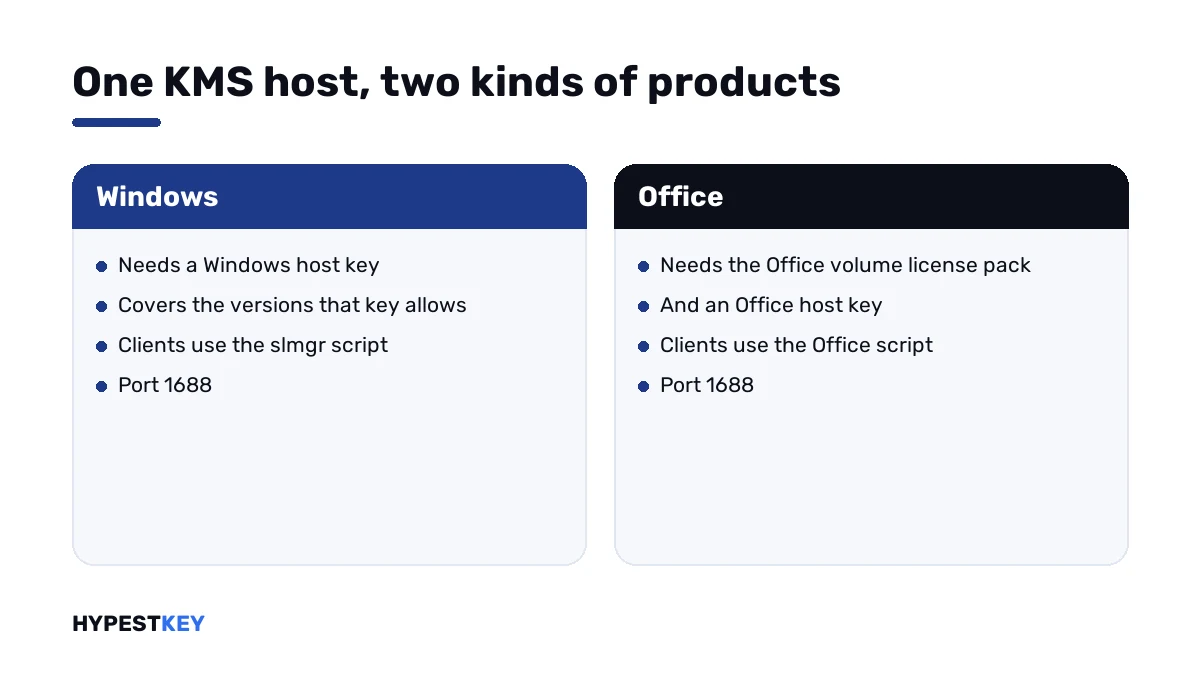
A KMS host activates the products its host key covers, and nothing beyond.
| Host has | It can activate |
|---|---|
| A Windows Server host key | That server version and the Windows versions the key covers, mostly the same generation and older |
| A Windows client host key | Windows client editions only |
| An Office host key with the Office volume license pack | That Office version |
| Several of these | All of them, side by side on one server |
Windows and Office are licensed separately on the same host. A server that activates every PC in the building can still turn Office away.
How to fix the 0xC004F042 activation error
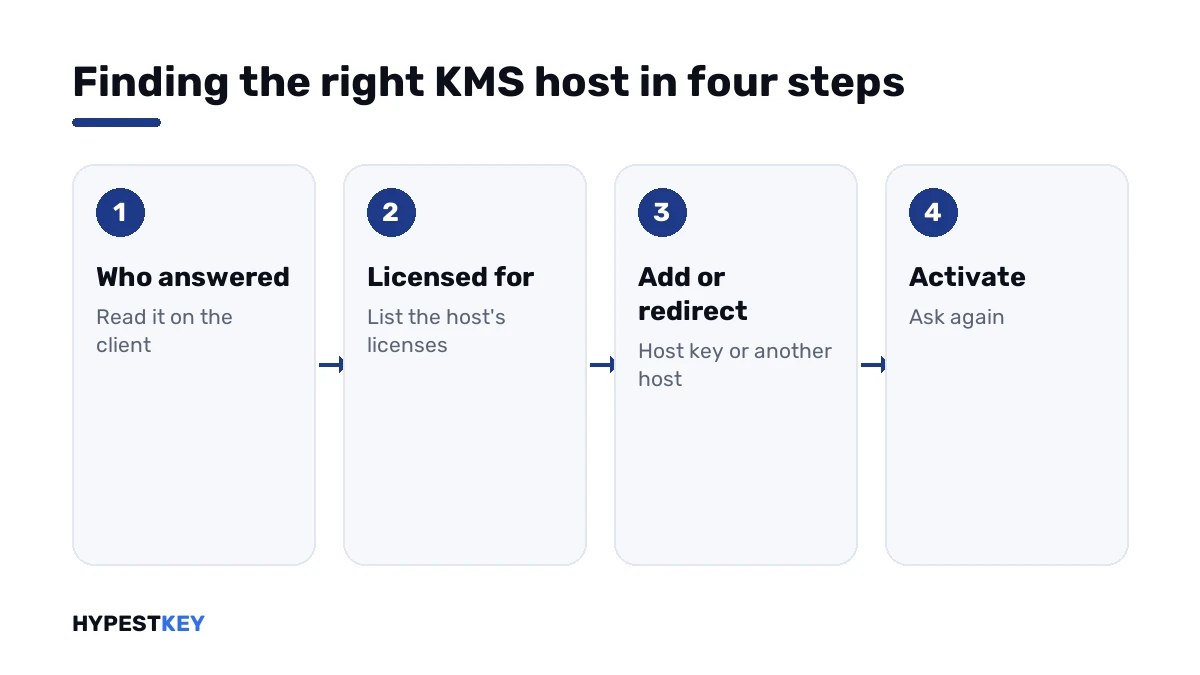
Find out who answered, then what that host is licensed for.
- On the client, open Command Prompt as administrator and read which KMS machine it used. For Office, use the history line of the Office licensing script.
- On that host, list every installed license and look for the product that failed.
- If the product is missing, install the matching host key on the host. For Office, the volume license pack goes on first.
- Activate the new host key with Microsoft.
- If another host is meant to serve this product, point the client to it.
- Run the activation line on the client.
- Remove manual host names afterwards if DNS is meant to do the work.
slmgr /dlv
slmgr /dlv all
slmgr /skms kms02.contoso.com:1688
slmgr /ato
cscript ospp.vbs /dhistorykms
cscript ospp.vbs /sethst:kms02.contoso.com
cscript ospp.vbs /act| Line | Where | What it does |
|---|---|---|
slmgr /dlv |
Windows client | Shows the KMS machine the client used |
slmgr /dlv all |
Host | Lists all installed licenses, Office host licenses included |
slmgr /skms |
Windows client | Points Windows to a named host |
slmgr /ato |
Windows client | Asks for activation |
cscript ospp.vbs /dhistorykms |
Office client | Shows Office’s KMS activation history |
cscript ospp.vbs /sethst |
Office client | Points Office to a named host |
cscript ospp.vbs /act |
Office client | Asks for Office activation |
The Office script lives in the Office16 folder of the Office installation and needs an administrator prompt. In Microsoft’s own documentation, I found this very code as the example for the script’s error description switch.
Two typical cases
Office on a Windows-only host. The DNS record leads every KMS client to one server. Windows activates, Office gets this code. The cure is on the host: the Office volume license pack, the Office host key and its activation.
A newer system on an older host. The host was set up years ago with the key of that time. Newer systems arrive and are turned away. The host needs a current host key.
In both cases the clients are fine. We’d leave them alone and work on the host.
On a home PC
The message can show at home too, when Windows or Office holds a volume key and a tool pointed it at some KMS server.
That server isn’t licensed for your product, and it isn’t yours. A key of the right kind ends the detour.
For Windows: our Windows 11 Pro and Windows 10 Pro keys are genuine and arrive instant to email. For Office: Office LTSC Professional Plus 2024.
What Microsoft’s public Office keys can and can’t do is on our Office keys page.
Neighbouring codes
| Code | What it says |
|---|---|
| 0xC004F042 | The host that answered can’t activate this product |
| 0xC004F041 | The host isn’t activated |
| 0xC004F039 | KMS didn’t respond to the request |
| 0xC004F074 | No KMS host could be contacted |
| 0xC004F038 | The host’s count is too low |
| 0x4004F00C | Office is running in its grace period |
All Windows codes are in our list of Windows 11 activation errors.
Where these steps apply
| System | Notes |
|---|---|
| Windows 11, Windows 10 and Windows Server as KMS clients | The slmgr lines |
| Office LTSC 2024, LTSC 2021, 2019 and 2016 volume editions | The Office script lines |
| Microsoft 365 Apps | Not affected; it doesn’t activate through KMS |
How volume licenses differ from retail ones is explained in Retail vs OEM vs Volume license. Server key types are in our Windows Server 2022 activation guide.
Mistakes we see most
- Reinstalling Office on the client.
- Assuming a host that activates Windows also activates Office.
- Keeping an old host key when new Windows versions arrive.
- Pointing clients to a second host and forgetting the DNS record.
- Using a public KMS server on a private PC.
Terms used on this page
| Term | Meaning |
|---|---|
| KMS host | The server that activates an organisation’s volume products |
| Host key | The key that decides which products a host can activate |
| Office volume license pack | The download that teaches a KMS host about an Office version |
| Mixed environment | A network with separate hosts for different products |
| Office licensing script | The script that manages Office volume activation on a PC |
| KMS client key | A public volume key that only works with a KMS host |
FAQ
What does error 0xC004F042 mean?
The specified Key Management Service cannot be used. Per Microsoft, the client contacted a KMS host that couldn't activate the client software. I'd find out which host answered.
How do I fix 0xC004F042?
On the host, check which products it's licensed to activate. Add the missing host key and activate it. If another host serves that product, we'd point the client there.
Why does Windows activate and Office fail on the same network?
Windows and Office are licensed separately on a KMS host. A host with only a Windows host key turns Office away. It needs the Office volume license pack and an Office host key.
Can an old KMS host activate a newer Windows version?
Only if its host key covers that version. A host set up with an older key refuses newer systems. I'd install and activate a current host key on it.
Do I have to change anything on the clients?
Usually not. The fix belongs on the host. Only when a second host is meant to serve the product do the clients need its name, by hand or through DNS.
Does this error affect Microsoft 365 Apps?
No. Microsoft 365 Apps activates through sign-in, not through KMS. The code concerns volume editions of Windows and Office. We'd look elsewhere if a subscription install won't activate.
Why would a home PC show 0xC004F042?
It holds a volume key and was pointed at some KMS server that doesn't cover the product. That server isn't yours. I'd install a retail key of the right kind.