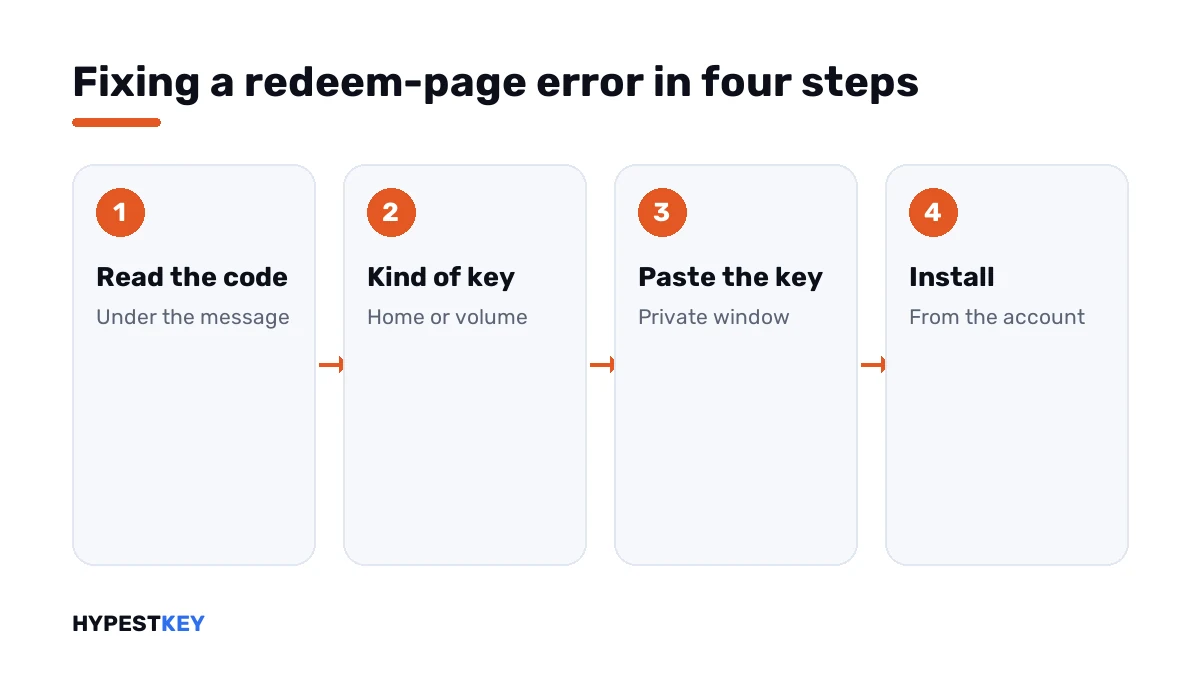
Short answer: Office.com/setup errors fall into key, account and region problems. Each message carries a code, and Microsoft gives a fix for each one. Volume keys such as LTSC don't belong on that page at all. I'd read the code, check the kind of key and paste it in a private window.
Office.com/setup errors come in three groups: something is wrong with the key, with the Microsoft account, or with the region. Each message has a code. Microsoft publishes a fix for each one. We’d read the code first and only then touch the key.
| Message | Code | Short meaning |
|---|---|---|
| This product key has already been used | None | The key was redeemed before; install from the Microsoft account |
| This product key isn’t valid | INVALID_PRODUCT_KEY, ERR_INVALID_TOKEN | A typo, or a key for another product |
| This product key isn’t valid | KEY_NOT_ACTIVATED | The shop didn’t activate the key at the till |
| Sorry, we can’t find this product key in our database | ERR_INVALID_TOKEN | The key belongs to a version this page doesn’t handle |
| Sorry, we can’t set up your account at the moment | ERR_MISSING_PARTNUMBER, ERR_PKPN_DETAILS_NOTFOUND | The same: wrong page for this kind of key |
| Sorry, we can’t set up your account right now | NoMatchingOrEligibleProductsFound | The key was bought for another country or region |
| Sorry, you’ve reached the limit | ERR_SUBSCRIPTION_MAX_SPAN_REACHED | A Microsoft 365 subscription can’t be extended past 5 years |
| Hang on to your product key, and try again later | ConversionBlockedSubscriptionViolations | A billing issue on the Microsoft account |
| Maximum number of Office products for this account | None | 25 one-time purchases are already on the account |
The table follows Microsoft’s support article Get help with product key errors on Office.com/setup.
What the redeem page is for
The page does one job. It takes a new, unused key and adds the Office product to a Microsoft account.
After that the key isn’t needed again. Office installs from the Services and subscriptions page of the account, and the apps activate when you sign in.
Not every key belongs there. Volume editions, Office LTSC among them, take their key inside the app, and the redeem page turns such keys away.
| Kind of Office | Where the key goes |
|---|---|
| Office Home, Home and Business, Home and Student | The redeem page, once |
| Microsoft 365 for home | The redeem page |
| Microsoft 365 Business Standard | Its own setup page, not this one |
| Volume editions such as Office LTSC | Inside the app, or with the licensing script |
| A key from a school or an employer | Ask the administrator; it’s a volume key |
Our guides show both routes for the current versions: how to activate Office 2024 and how to activate Office 2021.
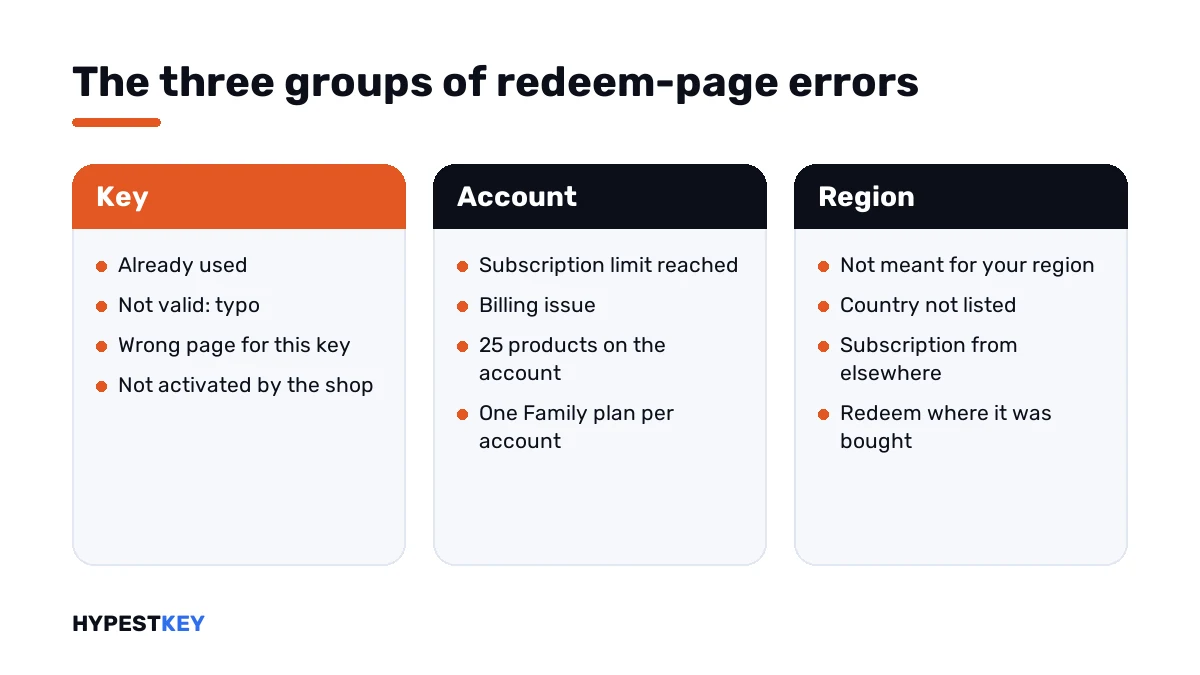
Key problems
| Message or code | Cause | What Microsoft says to do |
|---|---|---|
| Already used | The key was redeemed once before | Sign in to the Microsoft account and install from Services and subscriptions |
| INVALID_PRODUCT_KEY | A typo or a key for a different product | Check the characters; copy and paste the key from the email |
| ERR_INVALID_TOKEN, ERR_MISSING_PARTNUMBER | A key for a version that isn’t offered on this page | Enter it where that version expects it |
| KEY_NOT_ACTIVATED | The retailer didn’t activate the key at the point of sale | Go back to the shop and have it activated |
Two of these have pages of their own here. See this product key has already been used and this product key isn’t valid.
The third, with its three codes, is sorry, we can’t set up your account.
Microsoft lists the characters people mix up most. They account for a good share of the typos we get asked about.
| Looks like | Could be |
|---|---|
| B | 8 |
| G | 6 |
| O | 0 |
| Q | 0 |
| W | VV |
Account problems
| Message or code | Cause | What Microsoft says to do |
|---|---|---|
| ERR_SUBSCRIPTION_MAX_SPAN_REACHED | Adding the key would extend Microsoft 365 past 5 years | Redeem it later, or on another account |
| ConversionBlockedSubscriptionViolations | A billing issue on the account | Open Payment and billing and fix the payment method |
| Maximum number of Office products | 25 one-time purchases are on the account already | Create another Microsoft account for further products |
One account holds one Microsoft 365 Family subscription. Further keys add time to it and nothing else: no extra devices, no extra storage.
The limit of 25 concerns one-time purchases. It rarely matters at home and matters a lot in a small office that puts every PC on one account.
Sharing and old versions
Two more cases produce errors without anything being broken.
| Case | What happens | What to do |
|---|---|---|
| A Microsoft 365 Family key sent to relatives | They see “already used” | Share the subscription from the owner’s Microsoft account by email or link |
| A key for Office 2010 or Office 2011 for Mac | The page doesn’t find it | Those versions can’t be downloaded from this page any more; original media is needed |
| The Windows key from a sticker on the PC | Not valid | Check the product name on the sticker; most are for Windows |
Region problems
| Message | Cause |
|---|---|
| My country or region isn’t listed | The key was bought for other countries than the one you’re in |
| This product key isn’t meant for your region | The same |
| NoMatchingOrEligibleProductsFound | The same, or a subscription started with a key from another region |
| Your current subscription was set up in another country/region | The new key and the running subscription come from different regions |
Microsoft’s rule is short: Office keys are redeemed in the country or region where they were bought. For a subscription there are two ways out. We either redeem the new key on another Microsoft account or wait until the running subscription has expired.
Browser problems
Sometimes the key is fine and the page itself is stuck.
| Sign | Cause | Fix |
|---|---|---|
| The Next button does nothing | JavaScript is off | Turn JavaScript on in the browser |
| The page loops back to sign-in | Cookies are blocked | Allow cookies for the site |
| Redeeming on an iPad fails | Microsoft says the page needs another device there | Use a PC or a Mac |
| Browser | Where cookies are allowed |
|---|---|
| Microsoft Edge | Settings, cookies and site permissions |
| Google Chrome | Settings, privacy, cookies |
| Mozilla Firefox | Settings, Privacy |
| Safari on a Mac | Preferences, Privacy |
A private window in another browser rules these out quickly. I’d try that before retyping the key a fifth time.
How to fix Office.com/setup errors step by step
The order matters. It keeps you from burning attempts on a key that was never the problem.
- Write down the exact message and the code in brackets under it.
- Check what kind of Office the key is for: a Home edition, Microsoft 365 or a volume edition such as LTSC.
- If it’s a volume edition, leave the redeem page and enter the key in the app.
- Paste the key from the email; don’t type it.
- Sign in with the Microsoft account you mean to keep Office on, in a private browser window.
- If the message says already used, open Services and subscriptions on that account and install from there.
- If a region or billing code remains, follow the row for it in the tables above.
When it’s time to ask
Microsoft’s article names a tool for doubtful keys. Its Virtual support agent can tell whether a key is for a supported version and whether it has been blocked.
A key from us that won’t redeem? Write to support@hypestkey.com with the order number and the exact message. Don’t post the key anywhere public.
Whoever you ask, have three things ready: the code, the time of the attempt and the email address of the Microsoft account.
For a key from another shop, the seller is the first address. KEY_NOT_ACTIVATED in particular can only be solved there.
After the key is accepted
Redeeming is half of it. The apps still have to be installed and show as activated.
- Apps say unlicensed after installing: Office unlicensed product.
- Activation fails inside the app: Microsoft Office product activation failed.
- An old key is in the way: remove an Office product key.
- Installation stops with a code: Office error 30015-11 and Office error 30068-4.
- A code starting with 0x4004: 0x4004F00C in Office.
Keys that skip the redeem page
Volume editions never go near this page. Our Office LTSC Professional Plus 2024 key is entered in the app under File, Account.
The Home editions do use it. That’s the route for the Office Home and Business 2024 key, on Windows and on Mac.
Both arrive instant to email. The differences between them are in Office 2024 Professional Plus vs Home and Business, and the whole range is under Office keys.
Mistakes we see most
- Entering an LTSC key on the redeem page.
- Typing the Windows key from the sticker on the PC.
- Redeeming on a throwaway account and forgetting which one.
- Sending a Microsoft 365 Family key to relatives; sharing is done from the account.
- Trying the same key again and again without reading the code.
Terms used on this page
| Term | Meaning |
|---|---|
| Redeem | Exchanging a key for an Office product on a Microsoft account |
| Services and subscriptions | The page of a Microsoft account that lists its Office products |
| One-time purchase | Office bought once, as opposed to a Microsoft 365 subscription |
| Volume edition | Office for organisations, activated with a key inside the app |
| Point of sale activation | The step in a shop that switches a key card on |
FAQ
Why won't Office.com/setup accept my product key?
Usually it's a typo or a key that was redeemed before. A key for a version the page doesn't handle is the third reason. I'd read the code under the message first, because it names the reason.
What does ERR_INVALID_TOKEN mean?
Microsoft uses it for two cases. The key has a typo, or it belongs to a version of Office that isn't offered on this page. We see the second case most with volume keys.
Can I enter an Office LTSC key on Office.com/setup?
No. Volume editions take their key inside the app, under File, Account. Microsoft's article says volume keys can't be entered on the redeem page, and I'd go straight to the app.
What does KEY_NOT_ACTIVATED mean?
The retailer didn't activate the key at the point of sale. Microsoft's fix is to go back to that shop. We can't activate a card another shop sold.
Why does it say my key isn't meant for my region?
Office keys are redeemed in the country or region where they were bought. A key from elsewhere produces this message. I'd contact the seller, and Microsoft support if that doesn't help.
How many Office products can one Microsoft account hold?
Microsoft gives 25 one-time purchases per account. For more, it says to create another Microsoft account. We'd note which key went to which account.
The Next button does nothing. What now?
Microsoft names JavaScript as the cause: with it switched off, the button doesn't work. I'd open a private window in another browser and try again there.
Do I need Office.com/setup to reinstall Office?
No. Microsoft says the site is only for redeeming new, unused keys. After that, Office installs from Services and subscriptions on the Microsoft account, and I'd bookmark that page.