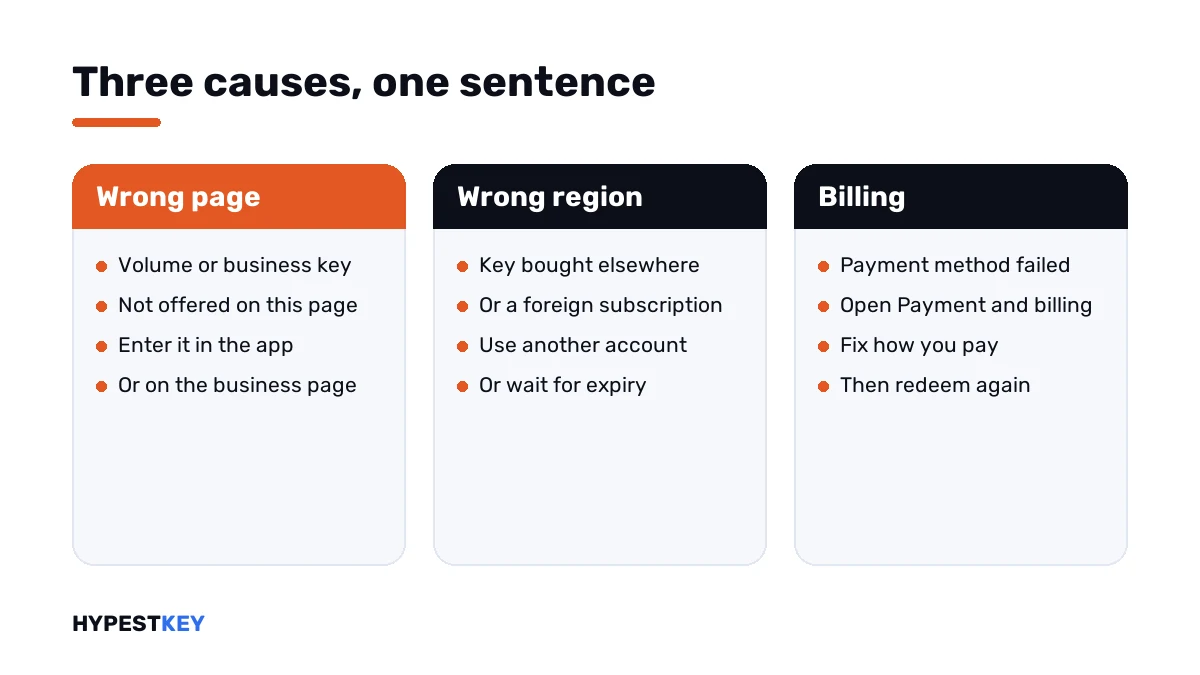
Short answer: "Sorry, we can't set up your account" in Office has three causes, told apart by the code. ERR_MISSING_PARTNUMBER: the key doesn't belong on the redeem page. NoMatchingOrEligibleProductsFound: wrong region. ConversionBlockedSubscriptionViolations: a billing issue. I'd read the code before anything else.
When Office says “Sorry, we can’t set up your account”, the redeem page has hit one of three different problems. The words are almost the same each time. The code under them isn’t, and we’d go by the code.
| Full message | Code | Real cause |
|---|---|---|
| Sorry, we can’t set up your account at the moment | ERR_MISSING_PARTNUMBER or ERR_PKPN_DETAILS_NOTFOUND | The key is for a kind of Office this page doesn’t handle |
| Sorry, we can’t set up your account right now | NoMatchingOrEligibleProductsFound | The key was bought for another country or region |
| Sorry, we can’t set up your account right now. Hang on to your product key, and try again later | ConversionBlockedSubscriptionViolations | A billing issue on the Microsoft account |
All three come from Microsoft’s article Get help with product key errors on Office.com/setup.
Wrong page for this key
ERR_MISSING_PARTNUMBER is the code we hear about most. Microsoft’s explanation: the key belongs to a version of Office that isn’t available for download from the redeem page.
| Key | Where it goes instead |
|---|---|
| A volume key, such as Office LTSC or a volume Professional Plus | Inside the Office app; ask the administrator if it came from an employer |
| Microsoft 365 for business | The business page for entering product keys |
| Office 2010, Office 2011 for Mac | Not downloadable from this page; original media is needed |
Microsoft adds a hint for the unsure. If a key doesn’t work on the redeem sites, it might be a volume license key.
How those keys are entered is shown in how to activate Office 2024 and how to activate Office 2021.
Bought for another region
NoMatchingOrEligibleProductsFound points at geography. Microsoft says Office keys must be redeemed in the country or region where they were purchased.
The second case involves a subscription. Someone starts Microsoft 365 with a key from one region and tries to extend it with a key from another.
| Case | Microsoft’s way out |
|---|---|
| A key from another region, no subscription yet | Contact Microsoft support, or the seller |
| Extending a running subscription with a foreign key | Redeem the key on a different Microsoft account |
| The same, but you want one account | Wait until the subscription has expired, at least a day past the date, then redeem |
A billing issue
“Hang on to your product key, and try again later” sounds like a busy server. With the code ConversionBlockedSubscriptionViolations it isn’t one.
Microsoft says the key can’t be redeemed because of a billing issue with the Microsoft account. We fix it in the account: Payment and billing, then the link to change or fix how you pay.
The key isn’t lost in the meantime. It stays unused until the account is in order.
How to fix “can’t set up your account” on the Office redeem page
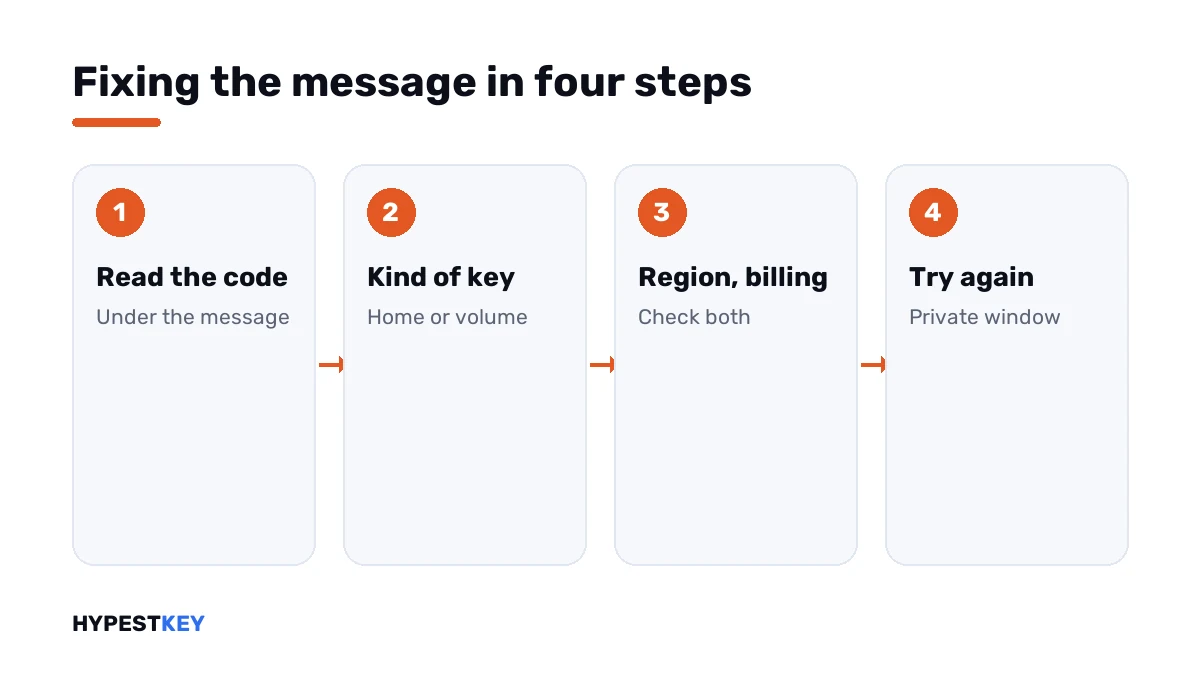
Three checks, in the order of the table.
- Read the code under the message and write it down.
- For ERR_MISSING_PARTNUMBER or ERR_PKPN_DETAILS_NOTFOUND, check the product name: a volume edition goes into the app.
- For NoMatchingOrEligibleProductsFound, compare the region of the purchase with where you are and with any running subscription.
- For ConversionBlockedSubscriptionViolations, open Payment and billing on the Microsoft account and fix the payment method.
- Try again in a private browser window, signed in to the account you mean to use.
- If the message stays, contact the seller with the code and a screenshot.
When there is no code
Now and then the sentence shows up bare. Then the page itself may be the trouble.
| Check | Why |
|---|---|
| Another browser, in a private window | Blocked cookies and switched-off JavaScript stop the page from working |
| Signed in to one Microsoft account only | Two accounts in one browser confuse the sign-in |
| A PC or Mac, not an iPad | Microsoft says redeeming needs another device there |
| Microsoft’s Virtual support agent | It can tell whether a key is supported or blocked |
If the key came from us
Write to support@hypestkey.com with the order number, the code and a screenshot. We’ll tell you which route the key takes.
Most often it’s an LTSC key on the redeem page. Our Office LTSC Professional Plus 2024 key goes into the app under File, Account. The Office Home and Business 2024 key is the one that’s redeemed. Both arrive instant to email.
Neighbouring messages
- Every message of the page: Office.com/setup errors.
- The key is called wrong: this product key isn’t valid.
- The key was redeemed before: this product key has already been used.
- Installed but not licensed: Office unlicensed product.
- Activation fails in the app: Microsoft Office product activation failed.
- An old key is in the way: remove an Office product key.
The editions are compared in Office 2024 Professional Plus vs Home and Business. All keys are under Office keys.
Mistakes we see most
- Waiting a day and retrying, when the code names a cause that waiting won’t cure.
- Entering a volume key on the redeem page.
- Extending a subscription with a key from another region.
- Ignoring an expired card on the Microsoft account.
- Buying a second key before reading the code.
Terms used on this page
| Term | Meaning |
|---|---|
| Redeem page | Office.com/setup, where a new key is exchanged for an Office product on a Microsoft account |
| Volume license key | A key for the volume editions organisations use |
| Payment and billing | The section of a Microsoft account that holds payment methods |
| Private window | A browser window without stored cookies or sign-ins |
FAQ
What does "Sorry, we can't set up your account" mean in Office?
The redeem page couldn't add the product to your Microsoft account. Microsoft lists three causes: the kind of key, the region, or billing. I'd read the code under the message to see which.
What does ERR_MISSING_PARTNUMBER mean?
The key is for a version of Office the redeem page doesn't offer. Microsoft adds that it might be a volume license key. We enter those inside the Office app.
Will waiting and trying again later help?
Rarely. With a code under the message, the cause is the key, the region or billing. I'd fix that cause instead of waiting.
What does NoMatchingOrEligibleProductsFound mean?
The key was bought for a different country or region. It also appears when a running subscription started with a key from elsewhere. We'd redeem on another account or contact the seller.
How do I fix the billing issue?
Open Payment and billing in your Microsoft account. Microsoft's article points to the link for changing or fixing how you pay. I'd redeem the key again afterwards.
Is my key used up after this message?
No. The product wasn't added, so the key wasn't redeemed. We'd keep it safe and solve the cause first.
Can I redeem an Office LTSC key here?
No. Volume editions don't use the redeem page. I'd open an Office app and enter the key under File, Account.