Short answer: To update Microsoft Office on Windows, open an Office app and choose File, Account, Update Options, Update Now. No button? Click Enable Updates, or use Microsoft Update in Windows. On a Mac, Help, Check for Updates runs Microsoft AutoUpdate. We'd leave automatic updates on, since security fixes come the same way.
To update Microsoft Office on Windows, open any Office app and go to File, Account, Update Options, Update Now. On a Mac, Help, Check for Updates opens Microsoft AutoUpdate. Office bought in an app store updates there instead, and Windows Update can deliver Office patches too once one switch is on.
| Where Office came from | How to update it |
|---|---|
| Microsoft 365 or Office 2024, 2021, 2019 on Windows | File, Account, Update Options, Update Now |
| Any Office on Windows, alongside Windows patches | Windows Update, Advanced options, updates for other Microsoft products |
| Office from the Microsoft Store | The Microsoft Store app |
| Office for Mac from microsoft.com | Help, Check for Updates, Microsoft AutoUpdate |
| Office for Mac from the Mac App Store | App Store, Updates, Update All |
| Company PC managed by IT | IT’s tools, or Microsoft Update |
How to update Microsoft Office on Windows
Works for Microsoft 365 and for one-time Click-to-Run copies, Office 2024 and older ones too.
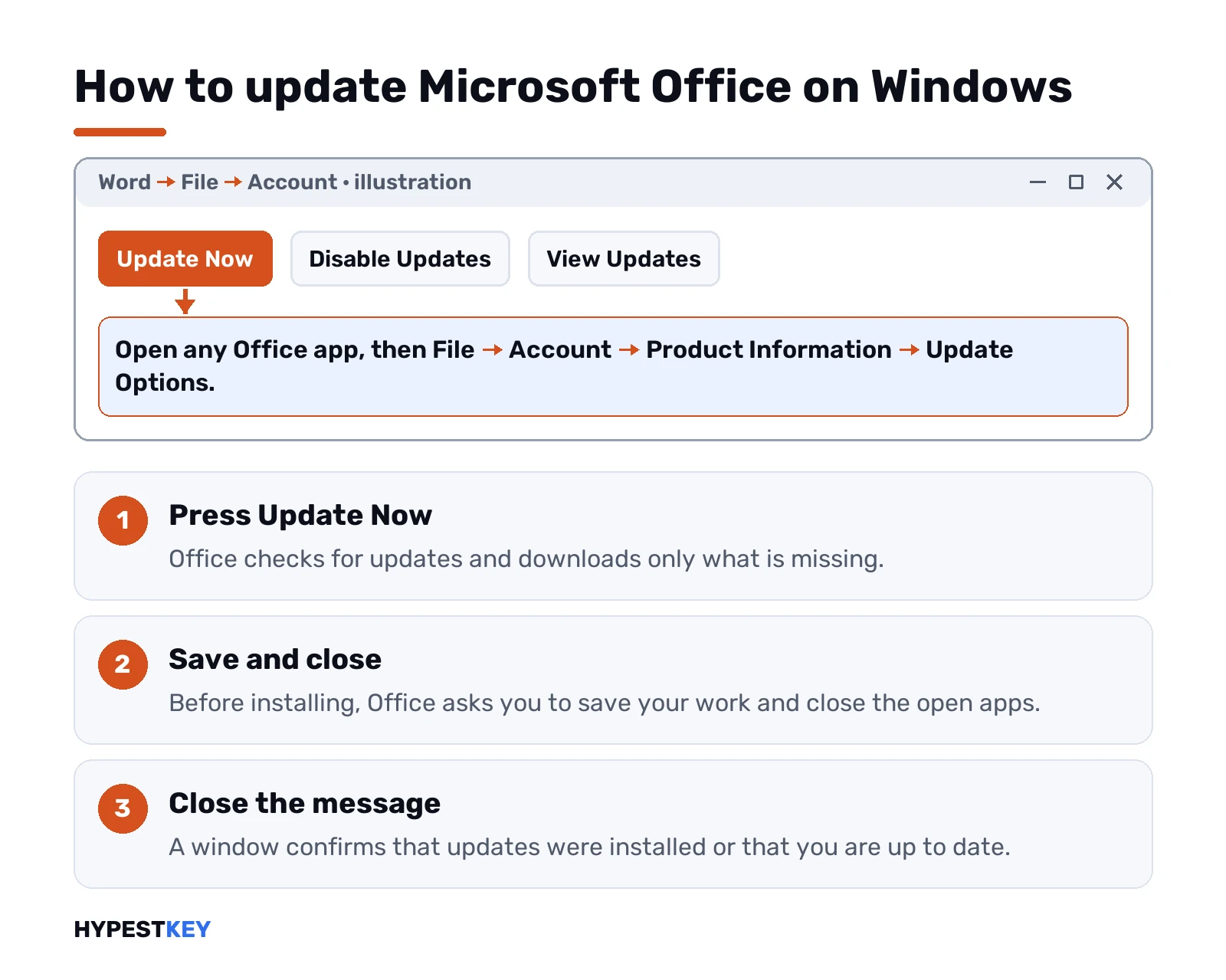
- Open Word, Excel or any Office app. A blank document is fine.
- File, then Account. In classic Outlook it’s called Office Account.
- Product Information. Update Options.
- Update Now.
- Close the window that says you’re up to date or that updates were installed.
Office downloads only what’s missing, and you can keep working while it does. Before installing, it asks you to save and close the open apps. We’d do that right away, because the update waits until they’re closed.
The same Update Options menu has Disable Updates and View Updates. We’d leave updates on. Security fixes arrive through that same channel, and the Click-to-Run service our Click-to-Run guide describes runs the whole thing in the background.
When Update Now is missing
Three situations, three answers.
- You see Enable Updates. Updates were switched off. Click it, then Update Now appears.
- Only an About button. A volume license install, or updates controlled by your organization through Group Policy. Try Microsoft Update below, or ask the help desk.
- No Office app opens at all. Repair Office first, then update.
Company laptops often get Office updates from IT’s own tools, sometimes visible in Software Center. In that case we wouldn’t fight the settings. The admins decide the timing.
Update Microsoft Office through Windows Update
One switch, and Office patches ride along with Windows patches. Handy for older volume installs too.
Windows 11:
- Start, Settings, Windows Update.
- Advanced options.
- Turn on “Receive updates for other Microsoft products”.
Windows 10:
- Start, Settings, Update and Security.
- Windows Update, Advanced options.
- Same switch: “Receive updates for other Microsoft products”.
After that, Check for updates in Windows also looks for Office fixes. Our Windows Update guide covers the rest of that screen, and the Windows Update troubleshooter page helps when it stalls.
Office from the Microsoft Store
Some PCs came with Office through the Microsoft Store app. That copy updates from the Store, not from the Account screen.
Close every Office app first. Then open the Microsoft Store, go to its library of installed apps and get the updates there. Not sure which kind you have? File, Account usually shows Update Options for the regular version.
Update Microsoft Office on a Mac
Two routes, depending on where Office came from.
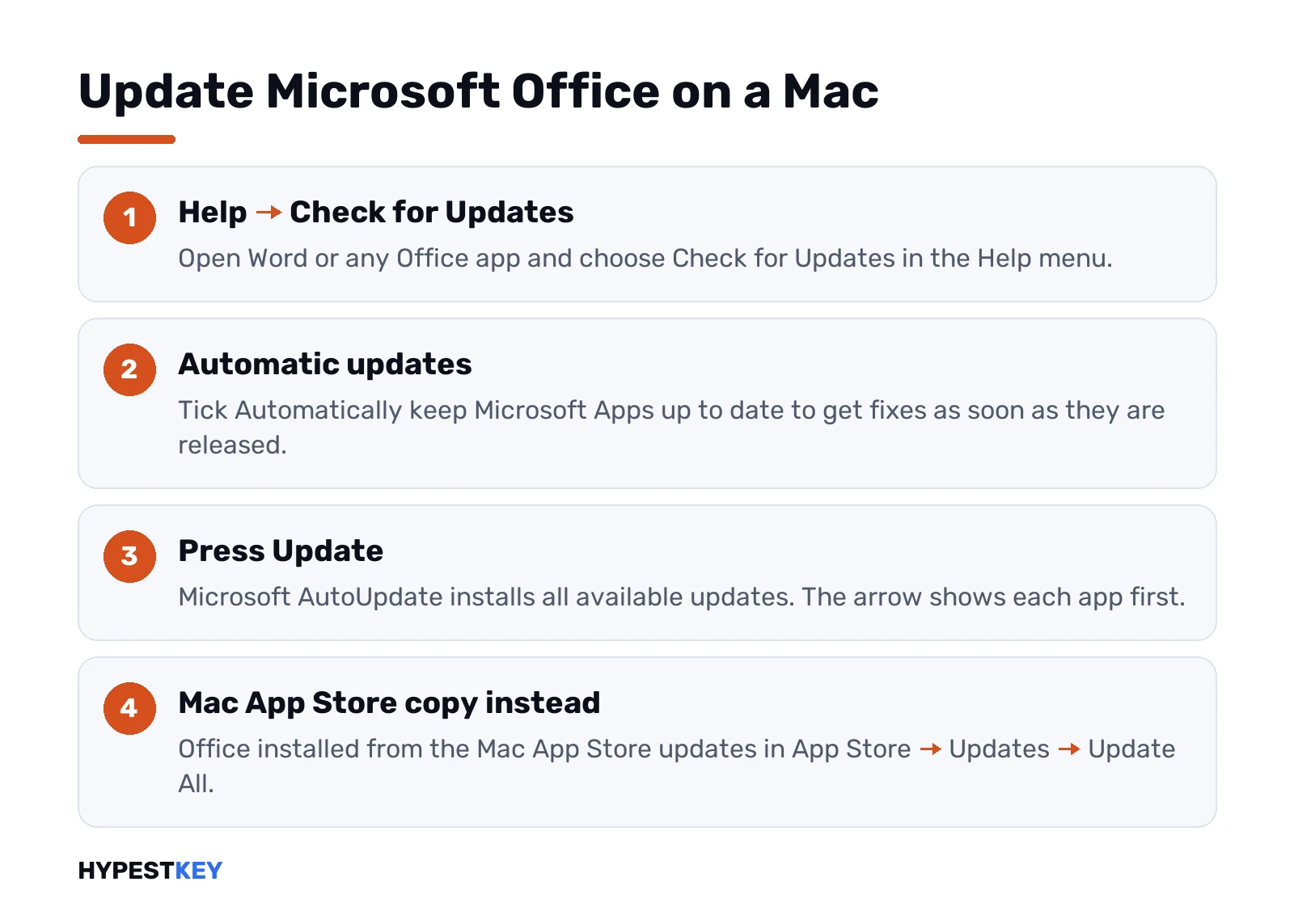
From microsoft.com: Microsoft AutoUpdate.
- Open Word or any Office app.
- Help, Check for Updates.
- Tick “Automatically keep Microsoft Apps up to date” if you want it hands-off.
- Update. Or click the arrow next to it first to see each app’s version.
No Check for Updates in the Help menu? Install the latest Microsoft AutoUpdate from Microsoft’s Mac update page, then try again.
From the Mac App Store. App Store, Updates in the sidebar, Update All. With automatic updates on, the apps update themselves.
Not sure which one you have? Terminal tells you:
mdls -name kMDItemAppStoreReceiptType /Applications/Microsoft\ Word.appAnswer null? AutoUpdate is yours. Answer Production? The App Store. New Office builds can also need a newer macOS, so we’d keep the system current too. Our page on Office 2024 for Mac lists its requirements, and the Office Home and Business 2021 for Mac page describes that edition.
Which update you’re on: version, build and channel
File, Account, then look under About in Product Information. Version, build and the update channel are all shown there.
A feature update changes the version number. A release with only security or bug fixes changes just the build number. So two PCs on the same version can still differ by build.
| Update channel | New features | Security fixes |
|---|---|---|
| Current Channel | As soon as ready, usually monthly | Second Tuesday of the month |
| Monthly Enterprise Channel | Once a month, second Tuesday | Second Tuesday of the month |
| Semi-Annual Enterprise Channel | Twice a year, January and July | Second Tuesday of the month |
Home subscriptions sit on Current Channel, and so do Microsoft 365 Apps for business and enterprise by default. Want early features? The Microsoft 365 Insider program adds preview channels. Admins set channels with the Office Deployment Tool or Group Policy.
How Office LTSC and one-time versions get updates
A one-time Office still updates. It just doesn’t get new features.
Office LTSC 2021, for example, receives security and quality updates about once a month, usually on the second Tuesday. No new features after release. Cumulative, too, so a fresh install from Microsoft’s servers is already current.
In the background, a scheduled task called Office Automatic Updates 2.0 does the checking. Impatient? Update Now forces a check, and we’d use it right after any fresh install.
Keeping up matters for download size too. Office uses binary delta compression, but only from a recent build. Skip many months and the catch-up download gets much bigger.
Want the new features as they land? That’s the subscription model, compared in Microsoft 365 vs Office 2024. Prefer a one-time license? Our Office LTSC Professional Plus 2024 key covers one PC and comes instant to email.
Office 2016, 2013 and older MSI installs
Older Office installed with Windows Installer works differently. No Update Now button.
Those copies take their patches through Microsoft Update in Windows, with the switch from the section above turned on. Manual downloads? Microsoft’s Office Updates page lists them for MSI-based versions.
Which install type do you have? We’d check our guide to Office versions for the families, and the Click-to-Run page for how to tell them apart.
When an Office update gets stuck
- Update Now does nothing. Close the app, open it again, repeat.
- Apps stuck on “updating Office, please wait”. Often error 147-0. See Office error code 147-0.
- No internet, or a strict proxy. The update needs a connection to Microsoft’s servers.
- Office is damaged. Quick Repair, then Online Repair, from Programs and Features.
- Still broken. A clean reinstall with the Microsoft Office uninstall tool clears the leftovers.
Pending Windows updates can get in the way too. We’d install those first, then try Office again.
Updating vs upgrading to a newer Office
Different things. Easy to mix up.
Updating keeps your version and adds fixes. It costs nothing. Upgrading? A new version, say Office 2019 to Office 2024. New product, own license. When we see “update Office 2016 to the latest version” typed, it’s usually an upgrade. Our comparisons Office 2021 vs 2024 and what Microsoft 365 includes help pick the next one.
Common mistakes with Office updates
- Leaving Disable Updates on after a problem. Turn them back on once it’s fixed.
- Keeping apps open during the install. The update waits for them.
- Downloading “Office update” packages from random sites. Updates come from Office itself or from Microsoft.
- Looking for Update Now on a volume copy. Use Microsoft Update or IT’s tools.
- Expecting new features in a one-time version. They come with the subscription.
Microsoft’s own steps are on Install Office updates, and the Mac side is on Check for Office for Mac updates automatically.
Related guides
FAQ
How do I update Office to the latest version?
Open Word or Excel, then File, Account, Update Options and Update Now. Office downloads what's missing and asks you to close the apps.
Why is there no Update Options button?
Usually a volume license copy or one managed by your organization. Turn on Microsoft Update in Windows or ask your IT team.
Is updating Microsoft Office free?
Yes. Updates for the version you own cost nothing, while moving to a newer version needs a new license.
How do I update Office on a Mac?
Open any Office app and choose Help, then Check for Updates. Microsoft AutoUpdate shows and installs what's available.
Does a one-time Office like 2021 still get updates?
Yes, security and quality fixes arrive regularly. New features don't, those come with a Microsoft 365 subscription.
Can Windows Update install Office updates?
Yes, once you turn on updates for other Microsoft products under Advanced options in Windows Update settings.
Office says updating, please wait, and never opens?
That's usually error 147-0. Quick Repair or Online Repair from Programs and Features fixes most cases.