Short answer: Office 2007 product key: look on the sticker of the CD case or packaging or on the Certificate of Authenticity. Bought online? Then it's in the confirmation email. Office 2007 never shows the key once installed. We don't publish Office 2007 keys, and for new work we'd move to Office 2024.
Your Office 2007 product key is the 25-character code on the sticker of the CD case or packaging, on the Certificate of Authenticity, or in the confirmation email of an online purchase. We don’t publish Office 2007 keys, generic ones included. Here’s where to look, what activation does now, and what replaces 2007.
| How you got Office 2007 | Where the key is | If it’s gone |
|---|---|---|
| Boxed copy | Sticker on the CD case or the packaging | Proof of purchase, then Microsoft support |
| Came with a PC | Certificate of Authenticity | The PC maker |
| Bought online | The purchase confirmation email | Search the mailbox for the order |
| Already installed | Not shown inside Word or Excel | No Microsoft method reads it back |
The format is always XXXXX-XXXXX-XXXXX-XXXXX-XXXXX. Five groups of five.
Where the Office 2007 product key is printed
Box first. Most boxed copies had the key on a sticker on the CD case, sometimes on the packaging around it. Then the Certificate of Authenticity, if your copy came with one.
Bought it as a download from an online store? The key was in the confirmation email. We’d search the old mailbox for the store’s name and the word “Office” before giving up.
Microsoft offers a font guide for reading the sticker. That tells you something. B and 8, G and 6, Q and O all get mixed up on worn labels. We’d type it slowly and check each group.
Newer Office instead? Our page on finding an Office product key covers the newer versions, including keys tied to a Microsoft account.
The 25 runs before Office 2007 asks for a key
You can skip the key during setup. Office 2007 then runs 25 times, and some programs you didn’t buy may be switched on during that stretch. Once a valid key goes in, only the purchased ones stay.
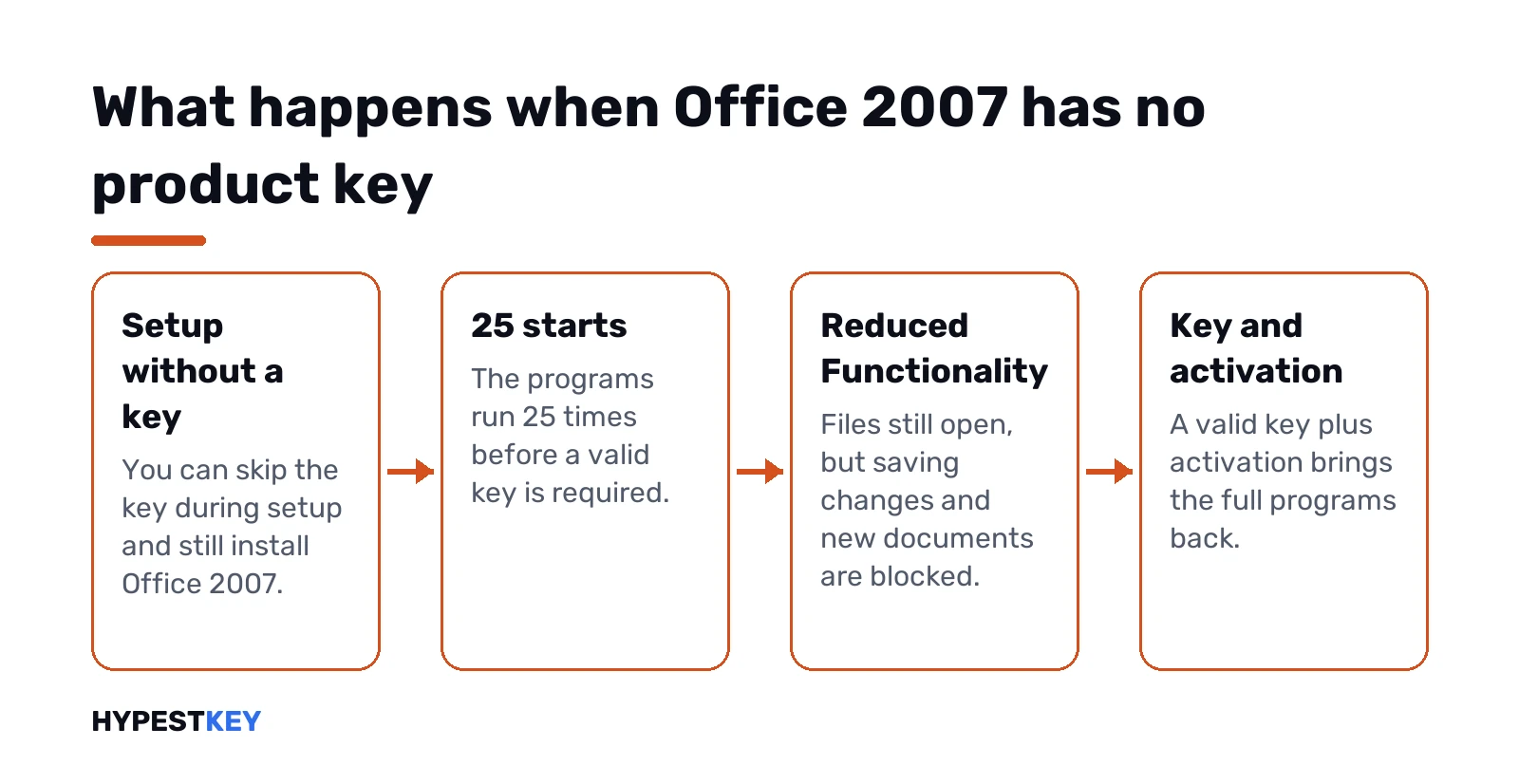
After the 25th start without a key, Office drops into Reduced Functionality mode. It works like a viewer:
- Opening existing documents: still fine, and the files aren’t harmed.
- Saving changes: blocked.
- New documents: blocked.
- Some other features: reduced.
A valid key plus activation brings everything back. Without one, we’d treat the install as a reader for old files and nothing more.
Activating Office 2007 today
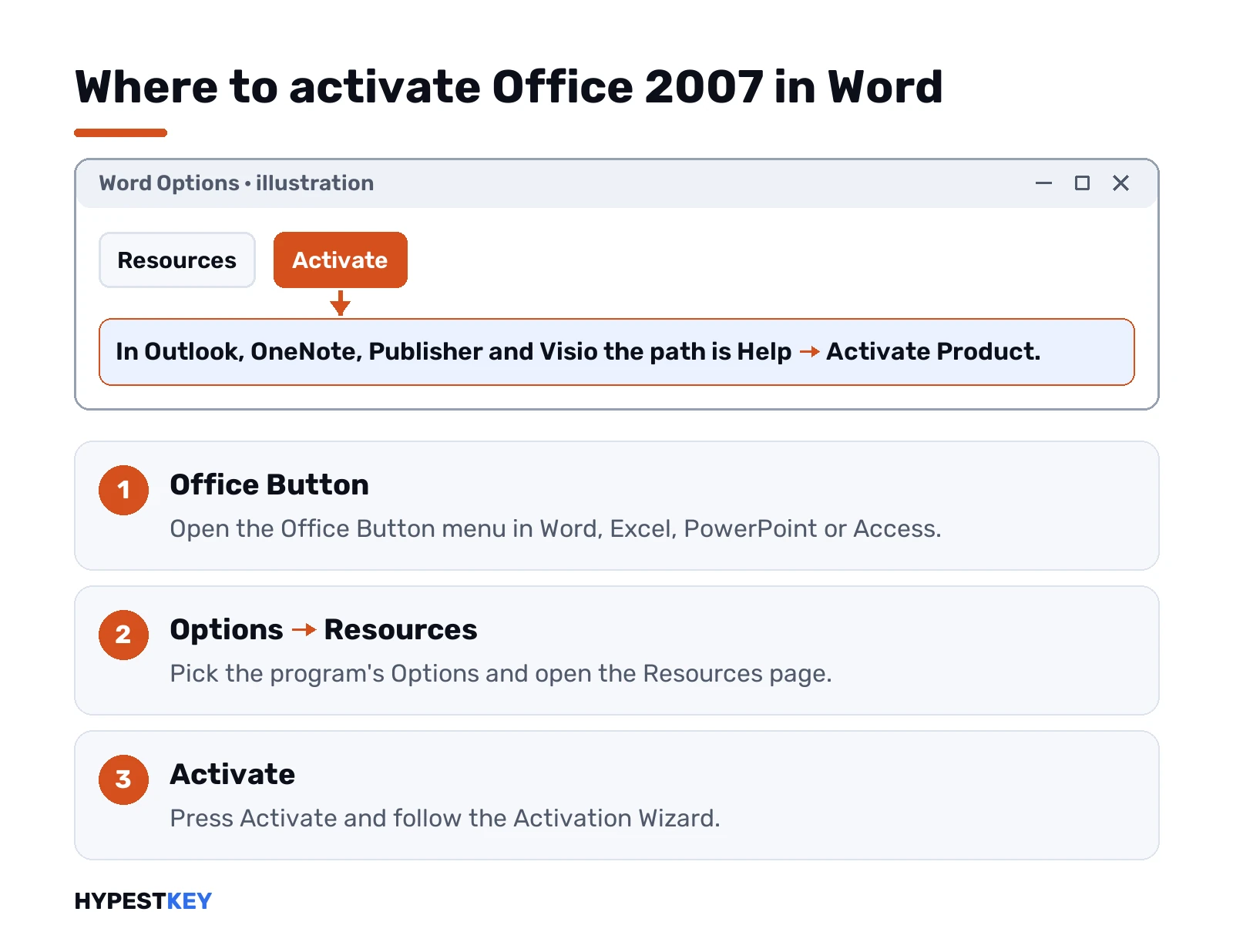
Activation starts by itself once a valid key is in. Missed it? Then by hand.
| Program | Where Activate sits |
|---|---|
| Word, Excel, PowerPoint, Access | Office Button > program Options > Resources > Activate |
| Outlook, OneNote, Publisher, Visio, Project, InfoPath | Help > Activate Product |
The wizard offers two routes. Over the internet it contacts Microsoft’s licensing servers and activates on the spot, as long as the key hasn’t hit its installation limit. By phone, you’d read an installation ID to the Activation Center and type in the confirmation ID you’re given.
Two snags we’d warn about. Microsoft’s own page says you’d possibly get a message that phone activation isn’t available for your product. And Microsoft’s notice about 2007 says there’s no free or paid assisted support for it anymore. We’d expect little to fall back on if activation fails.
Newer Office throws different errors. See Office product activation failed or this product key isn’t valid for those.
Reading the Office 2007 key from the installed program
Short answer: Office 2007 doesn’t show it. No screen inside Word or Excel displays the full key, and we haven’t found a Microsoft method that reads it back.
Third-party finders claim to pull it from the registry. Microsoft doesn’t document that route, so we don’t cover it.
Cleaning a key off a newer install is possible, though. Our guide to removing an Office product key walks through it for the newer versions.
Lost key, blocked key, keys from key lists
Lost it but kept the receipt? Microsoft’s Office 2007 page points you to its support with proof of purchase. Given the support situation above, we’d not count on a new key from there.
Blocked key? The same Microsoft page warns that many sellers offered stolen or unauthorised keys. Fake labels, promotional discs, OEM reinstall discs. Keys like that get blocked. The seller is the one to contact.
Pages full of “free Office 2007 keys”: we’d stay away. Those keys are shared, and shared keys end up blocked. We don’t list any, and we don’t link to old disc images either. Why “free” keys rarely work is something we cover in our honest take on free Office keys.
Key used up on a newer Office? That’s this product key has already been used.
Replacing Office 2007 with Office 2024
Office 2007 still opens. Old .docx, .xlsx and .pptx files come along unchanged, and we’d move them as they are. But the suite gets no security updates, and Microsoft’s advice to people still on it is to move to a current version.
- Office Home and Business 2024: one PC or one Mac, activated at setup.office.com with a Microsoft account. Commercial use is allowed.
- Office LTSC Professional Plus 2024: one Windows PC, with Access on top.
- Office 2021 Professional Plus: the previous one-time version, for Windows.
Not sure which? We compare them in Office 2024 Professional Plus vs Home and Business, and Microsoft 365 vs Office 2024 covers the subscription route. Check the Office 2024 system requirements first: an old PC that still runs 2007 may be too old for 2024.
We’d uninstall Office 2007 before installing the new suite, then follow our Office 2024 install guide and the activation steps. The other versions sit on our Office product keys page, and the Office 2010 product key page covers the version right after 2007.
Need a key today? Ours for Office Home and Business 2024 is a one-time purchase, sent instantly to email.
Sources: Microsoft’s pages find your product key for Office 2007 and activate Office 2007.
FAQ
Can you send me an Office 2007 key?
No. We don't publish Office 2007 keys of any kind, generic ones included.
How many times will it open without a key?
25 times. After that it switches to Reduced Functionality mode and works like a viewer.
Can I still open my files in Reduced Functionality mode?
Yes. Existing documents open fine, but you can't save changes or create new ones.
Where do I click Activate in Word 2007?
The Office Button, then Word Options, then Resources, then the Activate button.
Can I see my key inside Word or Excel?
No. Office 2007 doesn't display it, and Microsoft documents no way to read it back.
Phone activation says it isn't available, now what?
Then the wizard won't take that route for your product, and Microsoft offers no assisted support for 2007.
Will my Office 2007 files open in Office 2024?
Yes. Documents saved as .docx, .xlsx or .pptx open in current Office as they are.