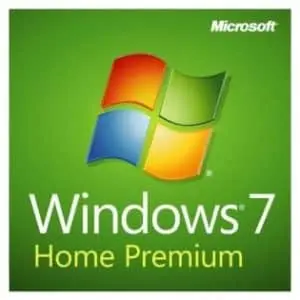






A Windows 7 Home Premium key activates Windows 7 Home Premium, the home edition of Windows 7 with the Aero Glass interface, Windows Media Center, HomeGroup sharing and multi-touch support. People buy it today for an older home PC, a retro gaming rig, a media PC with a TV tuner card, or a program that never ran right on later versions. The key works with the 32-bit or the 64-bit installation, and HypestKey emails it instantly after payment, with a download link for the installation files.
Key takeaways
- Home Premium is the home edition: Aero, Media Center, HomeGroup, Windows Touch and DVD authoring.
- 64-bit Home Premium uses up to 16 GB of RAM; 32-bit stops at 4 GB.
- No domain join, Remote Desktop hosting or XP Mode; those start at Professional.
- Microsoft support ended on January 14, 2020, so keep the PC off the open internet where you can.
What Is Included in Windows 7 Home Premium?
Windows 7 Home Premium includes the Aero Glass desktop with Snap, Peek and Shake, Windows Media Center for TV, music and video, HomeGroup for easy file and printer sharing at home, Windows Touch for touch screens, Windows DVD Maker and full DVD playback. Its 64-bit version addresses up to 16 GB of RAM.
Media Center is the feature retro fans still ask about. Microsoft removed it from Windows 10, so a living-room PC with a TV tuner card or an old remote control often has to stay on Windows 7 to keep its interface. Home Premium includes it out of the box.
HomeGroup makes sharing on a home network painless: one PC creates the group, the others join with a password, and libraries and printers appear on every machine. Home Premium can both create and join a HomeGroup; Starter and Home Basic could only join.
Windows Touch adds multi-touch gestures on supported screens. Add the Snipping Tool, Sticky Notes and libraries in Explorer, and you have the familiar Windows 7 desktop many people still prefer.
Windows 7 Home Premium vs Professional: Do You Need More?
Windows 7 Home Premium covers home use completely. Windows 7 Professional adds business features: joining a Windows Server domain, hosting Remote Desktop sessions, Windows XP Mode, Encrypting File System and backup to a network location, plus RAM support up to 192 GB on 64-bit. For a home PC or a games machine, Home Premium is enough.
| Feature | Windows 7 Home Premium | Windows 7 Professional |
|---|---|---|
| Aero, Media Center, HomeGroup, Windows Touch | Yes | Yes |
| Join a work domain | No | Yes |
| Remote Desktop host (others connect to this PC) | No | Yes |
| Windows XP Mode | No | Yes |
| Encrypting File System | No | Yes |
| Maximum RAM, 64-bit | 16 GB | 192 GB |
Running an XP-era business program, or a PC that must join an office domain? Then pick the Windows 7 Professional key. Need BitLocker or several display languages? That is the Windows 7 Ultimate key. All three are in the Windows 7 category.
Will Windows 7 Home Premium Run on My Old PC?
Windows 7 Home Premium runs on a 1 GHz or faster 32-bit or 64-bit processor with 1 GB of RAM for 32-bit or 2 GB for 64-bit, 16 GB of free disk space for 32-bit or 20 GB for 64-bit, and a DirectX 9 graphics device with a WDDM 1.0 driver. Most PCs built between 2008 and 2016 meet that easily.
| Component | 32-bit (x86) | 64-bit (x64) |
|---|---|---|
| Processor | 1 GHz or faster | 1 GHz or faster, 64-bit |
| Memory | 1 GB RAM (max 4 GB usable) | 2 GB RAM (max 16 GB usable) |
| Free disk space | 16 GB | 20 GB |
| Graphics | DirectX 9, WDDM 1.0 driver | DirectX 9, WDDM 1.0 driver |
Older is easier here. Newer boards often lack Windows 7 drivers, and Windows 7 setup does not include USB 3.0 or NVMe drivers. On a PC that originally shipped with Windows 7 or Windows 8, you will usually find every driver on the maker’s support page. Pair it with an SSD and 4 GB of RAM or more, and the machine feels fresh again.
How Do I Activate Windows 7 Home Premium?
Enter the Windows 7 Home Premium key during setup, or later under Start, right-click Computer, Properties, Change product key. With an internet connection, Windows activates online in seconds. The installed edition must be Home Premium; a key for one edition does not activate another.
- Install from a USB stick or DVD made from the image in our download link. Choose Custom (advanced) for a clean install.
- When setup asks for the product key, type the 25 characters from your email.
- To activate or change the key later, click Start, right-click Computer, choose Properties, then Change product key at the bottom.
- Click Next. The page shows “Windows is activated” when it is done.
- Comfortable with commands? In an administrator Command Prompt, run
slmgr /ipkwith your key, thenslmgr /ato.
Tip: Before you go offline for good, install Service Pack 1 and the updates Windows Update still offers. A fully patched Windows 7 is noticeably safer than a fresh install from an old disc.
Is It Safe to Use Windows 7 Home Premium Today?
Microsoft ended support for all Windows 7 editions on January 14, 2020, so Windows 7 Home Premium no longer gets security updates. It is reasonably safe for offline jobs: retro games, a media PC, scanning with an old driver, or a single legacy program. For banking, shopping or daily browsing, use a supported Windows instead.
Microsoft’s Windows 7 lifecycle page lists the end dates. Browser support is gone as well: Microsoft Edge and Google Chrome both stopped at version 109 in early 2023. A few habits help a lot. Keep the firewall on, avoid opening email attachments on that PC, and copy files in only from sources you trust.
Planning to move on later? Windows 7 keys stopped activating Windows 10 and 11 in September 2023, so a newer system needs its own license, such as the Windows 10 Home key.
How Is the Key Delivered?
HypestKey emails the Windows 7 Home Premium key instantly after payment, along with a download link. No account is needed: everything goes to the email address you enter at checkout. Payment runs through Stripe with a card, Apple Pay or Google Pay.
Something went wrong? We’ll help you fix it. Write to support@hypestkey.com or use the live chat, include your order number and a screenshot, and we help you get the key working or send a replacement. HypestKey has sold genuine Microsoft keys since 2020, more than 30,000 licenses delivered.
Delivery and activation
Visa, Mastercard and other cards, Apple Pay, Google Pay, processed by Stripe. Guest checkout, prices in USD.
Instant delivery to your email: the key is sent automatically as soon as your payment is confirmed. In rare cases (high demand or a fraud check) it can take up to 24 hours.
Check your spam folder first. Still no email? Write to support@hypestkey.com with your order number and we will resend it.
FAQ
Can I still activate Windows 7 Home Premium?
Yes. Type the key during setup or under Start > right-click Computer > Properties > Change product key, and Windows activates online. Security updates stopped in January 2020, but activation still works.
Does the key work on 32-bit and 64-bit?
Yes. One Windows 7 Home Premium key activates either installation. The 64-bit version uses up to 16 GB of RAM, the 32-bit version up to 4 GB.
Does Windows 7 Home Premium include Windows Media Center?
Yes. Media Center is part of Home Premium, Professional and Ultimate. Microsoft removed it from Windows 10, which is why many media PCs stay on Windows 7.
Can I join a work domain with Home Premium?
No. Domain join, Remote Desktop hosting and XP Mode need Windows 7 Professional or Ultimate.
Will my Windows 7 key activate Windows 10 or 11?
No. Since September 2023 Microsoft no longer accepts Windows 7 keys for new Windows 10 or 11 activations.
How fast is delivery?
The key is emailed instantly after payment with a download link. No account is needed. Check the spam folder if it does not show up within a few minutes.
Something went wrong?
We will help you fix it. Email support@hypestkey.com or use the live chat with your order number and a screenshot of the message, and we will get your activation working or send a replacement key.