Short answer: TPM 2.0 is the security chip Windows 11 requires for features such as BitLocker and Windows Hello. Check it under Windows Security, Device security, or run tpm.msc. If it's missing, I'd look for Intel PTT or AMD fTPM in the UEFI firmware and switch it on.
TPM 2.0 is the security chip that Windows 11 requires. Most PCs sold in recent years have one, and on many it’s simply switched off in the firmware. We’d check before assuming a PC can’t run Windows 11.
| Question | Short answer |
|---|---|
| What does TPM stand for? | Trusted Platform Module |
| What does Windows use it for? | Windows Hello and BitLocker, among other features |
| Is it needed for Windows 11? | Yes, version 2.0 |
| How do I check? | Windows Security, Device security; or tpm.msc |
| Where is it switched on? | In the UEFI firmware of the PC |
The checks and the firmware labels follow Microsoft’s support article Enable TPM 2.0 on your PC.
What the module does
The TPM has one job: keeping secrets away from the rest of the system. We can think of it as a vault that creates keys, stores them and never hands them out.
| Feature | What the TPM does for it |
|---|---|
| BitLocker | Holds the key for the system drive and releases it only to an unchanged startup |
| Windows Hello | Protects the keys behind PIN, fingerprint and face sign-in |
| Secure startup | Records measurements of the boot process so tampering can be noticed |
| Credential protection | Backs features such as Credential Guard on business editions |
Microsoft calls it an important building block for security-related features. On its own it doesn’t scan or block anything; other features lean on it.
Discrete and firmware TPM
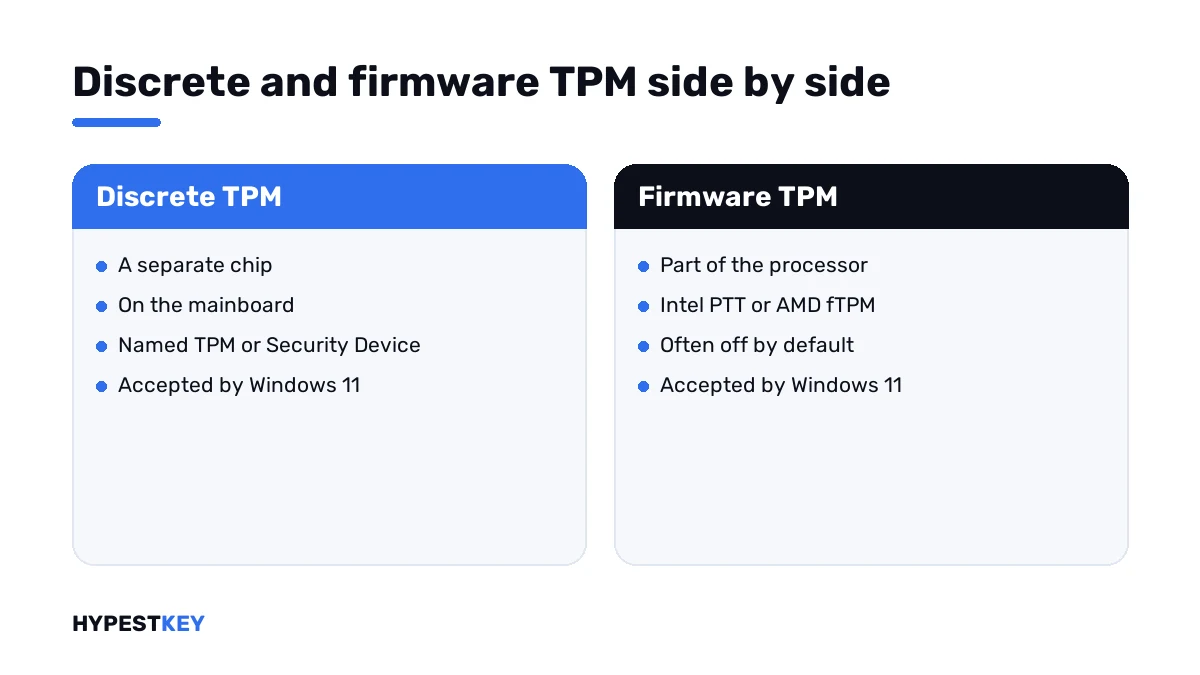
The module comes in two forms, and Windows treats them alike.
| Form | Where it lives | Name in the firmware |
|---|---|---|
| Discrete TPM | A separate chip on the mainboard | TPM, Security Device |
| Firmware TPM on Intel | Inside the processor platform | Intel PTT, Intel Platform Trust Technology |
| Firmware TPM on AMD | Inside the processor | AMD fTPM, AMD PSP fTPM |
That’s why most PCs can do it without an extra part. Microsoft notes that retail mainboards for self-built PCs ship with the TPM turned off by default, though it’s almost always available.
How to check for TPM 2.0 on your PC
Microsoft gives two ways. The first needs no commands.
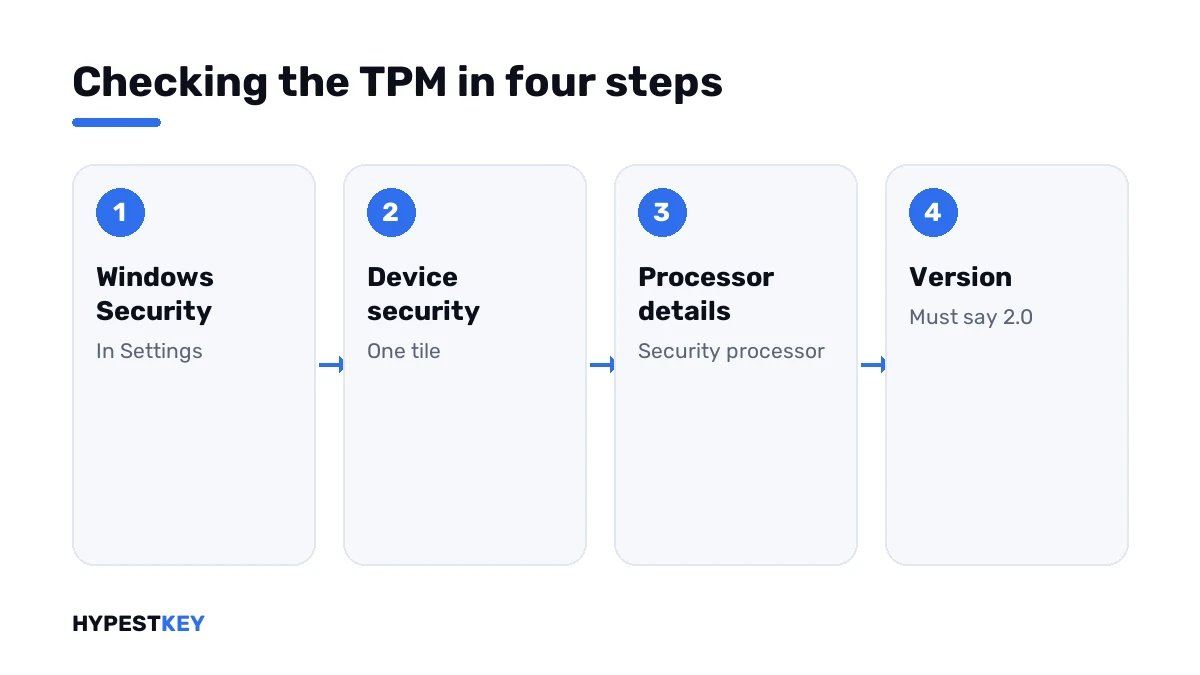
- Open Settings and go to Privacy and security, then Windows Security.
- Select Device security.
- Look for the section Security processor; if it’s missing, the TPM may be disabled.
- Select Security processor details.
- Read Specification version: it has to say 2.0.
The second way uses the management console.
tpm.mscPress Windows + R, type it and select OK. The window answers in one of two ways.
| What you see | Meaning |
|---|---|
| “Compatible TPM cannot be found” | The PC may have a TPM that is disabled; check the firmware |
| “The TPM is ready for use”, Specification Version 2.0 | All set |
| Ready for use, Specification Version below 2.0 | The device doesn’t meet the Windows 11 requirement |
Checking from PowerShell
Open Windows PowerShell as administrator.
Get-Tpm| Line | Good value |
|---|---|
| TpmPresent | True |
| TpmReady | True |
| TpmEnabled | True |
TpmPresent False on a recent PC usually means the module is switched off, not absent. The firmware is the next stop.
Three more places that show it
| Tool | Where to look |
|---|---|
| Device Manager | Security devices: an entry named Trusted Platform Module 2.0 |
| Command prompt | The line TPM Version in the output of the command below |
| PC Health Check | Microsoft’s app lists the TPM among the Windows 11 checks |
tpmtool getdeviceinformationAll of them read the same module. If one says 2.0, the others will agree.
Checking on Windows 10 before an upgrade
The menus sit elsewhere on the older system. Microsoft’s article gives these paths.
| Task | Path on Windows 10 |
|---|---|
| Check the security processor | Settings, Update and Security, Windows Security, Device Security |
| Reach the firmware | Settings, Update and Security, Recovery, Restart now under Advanced startup |
| Run the console | Windows + R, tpm.msc; the same as on Windows 11 |
With the module on and at 2.0, the upgrade question moves to the processor and Secure Boot. We go through the move in Windows 11 vs Windows 10.
Enabling the TPM in the firmware
The setting lives in the UEFI firmware and looks different on every make. Windows can take you there itself.
| Step | Where |
|---|---|
| Open Settings, System, Recovery | Windows 11 |
| Next to Advanced startup, select Restart now | The PC restarts to a blue screen |
| Select Troubleshoot, Advanced options | Blue screen |
| Select UEFI Firmware Settings, then Restart | The firmware setup opens |
| Find the TPM setting and enable it | Often under Advanced, Security or Trusted Computing |
| Save and exit | Usually F10 |
Microsoft lists the labels the option may carry.
| Label in the firmware | Typical platform |
|---|---|
| Security Device, Security Device Support | Any |
| TPM State | Any |
| AMD fTPM switch, AMD PSP fTPM | AMD |
| Intel PTT, Intel Platform Trust Technology | Intel |
After the restart, run the check again. If you’re unsure about a firmware menu, Microsoft’s advice is to use the PC maker’s support pages, and we’d second that.
If the setting isn’t there
| Finding | Next step |
|---|---|
| No TPM, PTT or fTPM entry anywhere in the firmware | Update the firmware from the maker’s site and look again |
| The manual shows a TPM header on the board | The maker’s plug-in module for that board fits there |
| The entry exists but is greyed out | Switch the firmware from Legacy or CSM mode to UEFI first |
| An older PC with version 1.2 only | It stays below the Windows 11 requirement |
The third row is common on PCs that were installed in Legacy mode years ago. Changing that mode can stop the installed Windows from starting, so I’d read up on it before touching it.
Getting into the firmware by key
When Windows doesn’t start, the firmware opens with a key pressed right after power-on. The key differs by maker; these are the common ones.
| Maker | Usual key |
|---|---|
| Dell | F2 |
| HP | Esc, then F10 |
| Lenovo | F1 or F2; on some laptops the Novo button |
| Asus, MSI, Gigabyte and ASRock boards | Del or F2 |
| Microsoft Surface | Hold volume up, then press power |
Microsoft’s article links to the instructions of Asus, Dell, HP, Lenovo and Surface. For other makes we look in the manual of the board.
Virtual machines
A virtual machine has no chip of its own, so the host lends it a virtual one. In Hyper-V that’s a setting of a Generation 2 machine.
| Step | Where |
|---|---|
| Shut the virtual machine down | Hyper-V Manager |
| Open its Settings, then Security | Generation 2 only |
| Tick Enable Trusted Platform Module | Secure Boot is on the same page |
Without that tick, Windows 11 Setup inside the machine reports that the PC can’t run it.
What the module isn’t
| Assumption | Fact |
|---|---|
| It’s a kind of antivirus | It scans nothing; it guards keys for other features |
| It stores my files | It stores keys and measurements, not documents |
| It’s tied to the Windows license | Activation works independently of it |
| Turning it on encrypts the disk | Encryption starts only when BitLocker or device encryption is switched on |
TPM and the Windows 11 requirements
The module is one of several conditions. The others matter just as much to Setup.
| Requirement | Where to check |
|---|---|
| TPM version 2.0 | As above |
| UEFI with Secure Boot capability | System Information, the lines BIOS Mode and Secure Boot State |
| A supported processor | Microsoft’s PC Health Check app |
| Memory and storage | Settings, System, About |
The full list is in our Windows 11 requirements guide. Installing afterwards is covered in clean Windows 11 installation and installing Windows 11 on a new PC.
Version 1.2 can’t be raised to 2.0 by a setting. We’d ask the PC maker whether a firmware update exists for the model.
Clearing the TPM
Windows Security and tpm.msc both offer to clear the TPM. That resets it to factory state and deletes the keys it holds.
| Before clearing | Why |
|---|---|
| Have the BitLocker recovery key | The drive will ask for it at the next start |
| Know your account password | PIN and biometric sign-in have to be set up again |
| Back up your files | Anything tied to keys in the TPM may become unreadable |
| Ask IT on a work device | Organisations manage the TPM themselves |
For a PC that’s being sold, clearing is part of a clean handover. For everyday trouble I’d leave it alone.
Where the TPM shows up later
- Drive encryption: BitLocker in Windows 11.
- A reset that asks for the recovery key: factory reset Windows 11.
- Startup options and the blue screen: Windows 11 safe mode.
- Credential Guard and the business editions: Windows 11 Enterprise vs Pro.
- Moving from the older system: Windows 11 vs Windows 10.
Activation doesn’t depend on the TPM. A key or a digital license works the same with either form of the module: see how to activate Windows 11.
For a PC you’re building or upgrading, the Windows 11 Pro key and the Windows 11 Home key arrive instant to email. We keep every edition under Windows 11 keys.
Mistakes we see most
- Buying a TPM chip for a board that already has fTPM or PTT switched off.
- Reading “Compatible TPM cannot be found” as “this PC has no TPM”.
- Clearing the TPM without the BitLocker recovery key.
- Enabling the TPM and forgetting Secure Boot and UEFI mode.
- Changing firmware settings on a work laptop without asking IT.
Terms used on this page
| Term | Meaning |
|---|---|
| TPM | Trusted Platform Module, a security processor for keys |
| fTPM, PTT | Firmware forms of the TPM on AMD and Intel platforms |
| UEFI | The firmware that starts the PC, successor of the BIOS |
| Secure Boot | The UEFI function that lets only trusted software start |
| Specification version | The TPM standard the module follows: 1.2 or 2.0 |
| Security processor | The name Windows Security uses for the TPM |
FAQ
What is TPM 2.0?
A Trusted Platform Module of specification version 2.0: a security processor that creates and guards cryptographic keys. Windows 11 requires it. We meet it most through BitLocker and Windows Hello.
How do I check if my PC has TPM 2.0?
Open Windows Security, Device security and look at Security processor details. Or press Windows + R and run tpm.msc. I'd read the Specification version line: it has to say 2.0.
How do I enable TPM 2.0?
In the UEFI firmware. From Settings, System, Recovery choose Restart now, then Troubleshoot, Advanced options, UEFI Firmware Settings. We look for Intel PTT, AMD fTPM or Security Device Support and enable it.
Does every PC have a TPM?
Microsoft says most PCs shipped in the last five years can run TPM 2.0. On many it's off by default. I'd check the firmware before buying anything.
What does "Compatible TPM cannot be found" mean?
The console sees no active TPM. Microsoft's article says the PC may have one that is disabled. We enable it in the firmware and run tpm.msc again.
Is it safe to clear the TPM?
Only with preparation. Clearing deletes the keys in it, so BitLocker will ask for the recovery key and Windows Hello has to be set up again. I'd back up first.
Can I upgrade TPM 1.2 to 2.0?
Not with a setting. A few business PCs get a firmware update from the maker for it. We'd ask the maker's support before counting on that.
Why does a game ask for TPM 2.0?
Some anti-cheat systems require the module together with Secure Boot. Riot Games, for one, publishes a TPM guide for its titles. I'd enable the firmware setting as described above and restart.