Short answer: The 0xC03F6506 activation error stops a Windows Home to Pro upgrade with the message that the key can't be used on this copy. I'd make sure Home is activated and the key is a Pro key. Then I'd go offline and switch the edition with the generic key. My own key comes last.
The 0xC03F6506 activation error shows up when Windows Home is asked to become Pro and won’t. The box is titled “Unable to upgrade your edition”. Your key is turned down for this copy of Windows.
| Check | Why |
|---|---|
| Is Home activated? | An unactivated Home often refuses the upgrade |
| Is the key really a Pro key? | Pro N, Education and Enterprise keys don’t lift plain Home to Pro |
| Does the offline switch work? | It takes the activation servers out of the upgrade step |
A word of honesty first. Microsoft has no article for this number. What follows comes from its community answers and from what works in practice, and I’ll mark the difference.
What 0xC03F6506 stands for
The message under the code usually reads: “The last product key you entered can’t be used on this copy of Windows.”
It appears in one situation, the edition upgrade. You press Change product key on a Home PC, enter a Pro key, and the upgrade stops before it starts.
The code isn’t on Microsoft’s activation errors page. Its closest relatives there are the edition codes, which say that key and edition don’t belong together.
Causes people report
| Cause | Where it comes from |
|---|---|
| Home isn’t activated yet | Answers on Microsoft’s Q&A site: activate Home first, then upgrade |
| The key is for another edition or product | The wording of the message itself |
| The upgrade step can’t talk to the servers cleanly | User reports; the offline switch gets around it |
| A blocked or overused key | Reports from buyers of marketplace keys |
| Windows in S mode | S mode has to be left before an edition change |
How to fix the 0xC03F6506 activation error
Start with the two checks that cost nothing. Then change the route.
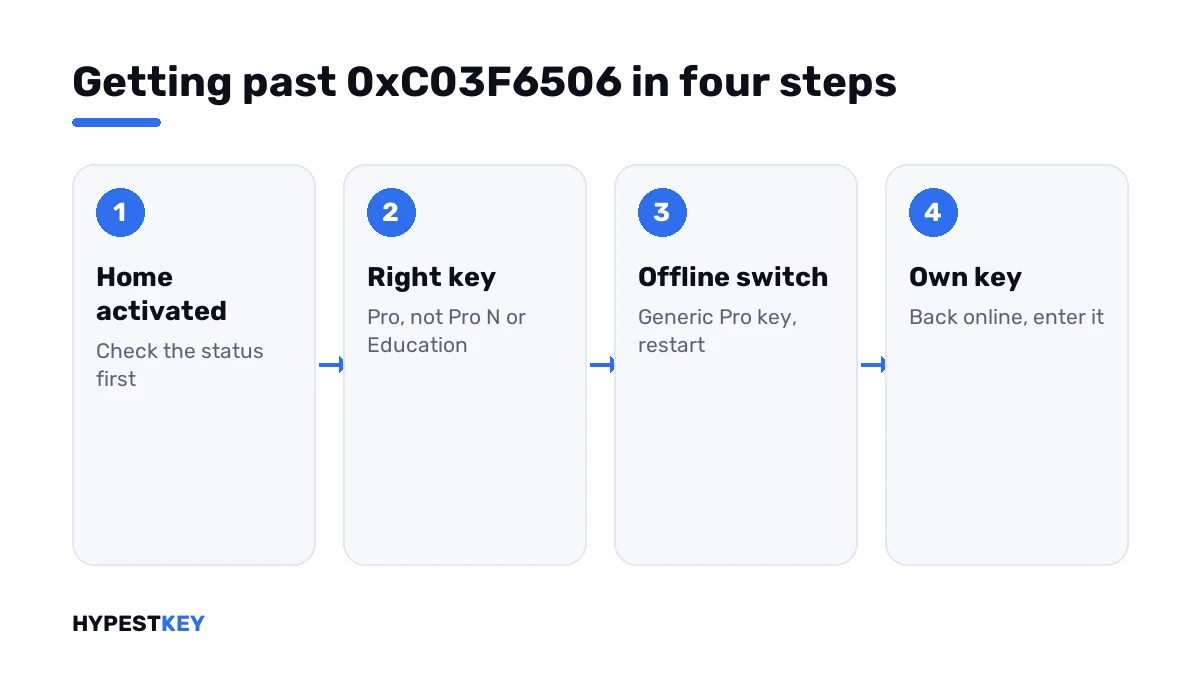
- Open Settings, System, Activation and make sure the status says Home is activated.
- If it isn’t, activate Home first, with its own key or through the troubleshooter.
- Read your order again and confirm the key is sold for Pro, not Pro N or Education.
- Disconnect the network cable and switch Wi-Fi off.
- Press Change product key and enter the generic Pro key; let Windows restart into Pro.
- Reconnect, open Change product key once more and enter your own Pro key.
- If that key is refused, read the new code; it names the reason.
The generic Pro key is public and activates nothing. It’s in the table on our generic keys page.
The command line has an equivalent for steps 5 and 6.
changepk.exe /ProductKey XXXXX-XXXXX-XXXXX-XXXXX-XXXXX
slmgr /ato| Line | What it does |
|---|---|
changepk.exe /ProductKey |
Starts the edition upgrade with the key typed after it |
slmgr /ato |
Asks for activation once your own key is in |
Steps 4 to 6 are the community workaround. Microsoft doesn’t describe them. Steps 1 to 3 match what Microsoft’s own support staff answer in the Q&A threads.
The Store route
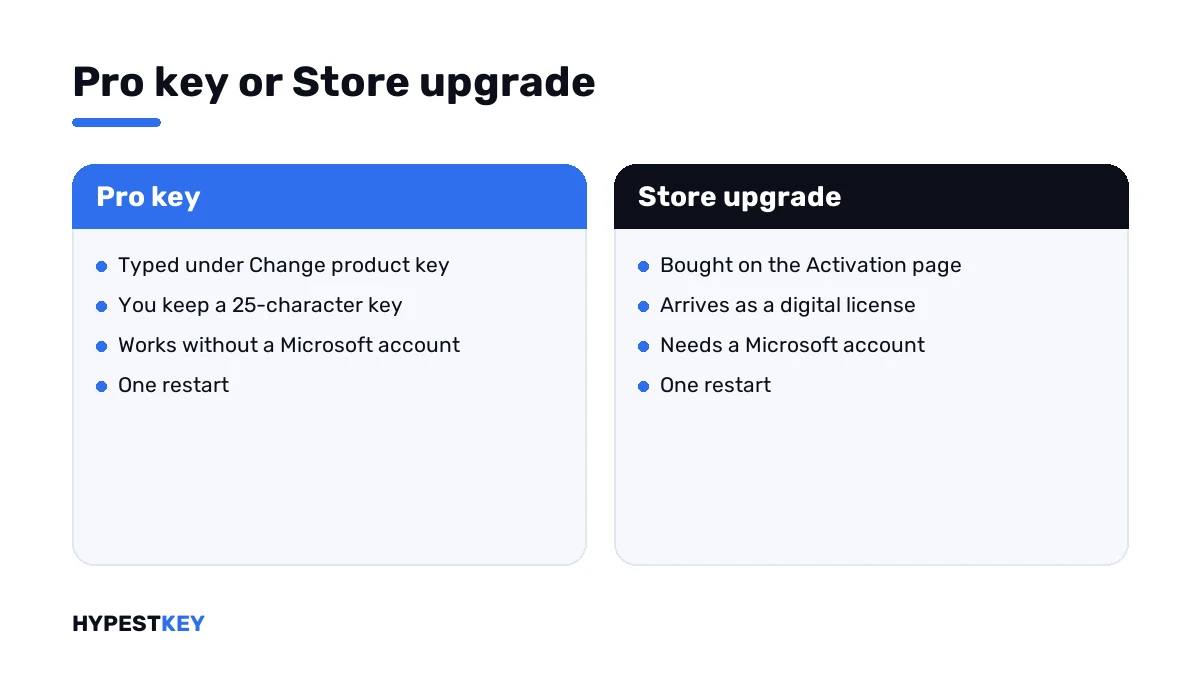
There’s a path with no key in it. On the Activation page, open the Store link under “Upgrade your edition of Windows” and buy the Pro upgrade there.
The Store ties a digital license to your Microsoft account and switches the edition by itself. It costs more than a key and saves the typing.
Both routes are compared in our guides to upgrading Windows 10 Home to Pro and upgrading to Windows 11 Pro.
What I’d leave alone
Search results for this code offer two more “fixes”. Neither comes from Microsoft.
| Advice you’ll find | Why I wouldn’t |
|---|---|
| Editing the edition name in the registry | It changes labels, not the installed edition, and it can break later updates |
| Running setup with a key switch from a downloaded image | It reinstalls Windows over itself to do what Settings does in one restart |
| Third-party “edition changers” | Unknown tools with system rights |
If the offline switch doesn’t take, a clean install of Pro is the dependable fallback. Our clean install guide has the steps.
When your own key is the one refused
After the offline switch, the PC runs Pro and asks the servers about your key for real. A refusal now comes with a clearer number.
| Code | What it points at |
|---|---|
| 0x803FA067 | The upgrade was refused; the sister code of this one |
| 0xC004F050 | The key isn’t valid for this edition |
| 0xC004F210 | Key and edition don’t match |
| 0xC004C003 | The key is blocked |
| 0xC004C770 | The key is already used on another device |
Need a Pro key that goes in? Ours are genuine and arrive instant to email: Windows 11 Pro and Windows 10 Pro.
What Pro adds is listed in Windows 11 Home vs Pro. Other codes are in our list of Windows 11 activation errors.
Where these steps apply
| System | Notes |
|---|---|
| Windows 11 Home | All steps as written |
| Windows 10 Home | Same steps; Activation sits under Settings, Update & Security |
| Home in S mode | Leave S mode in the Store first |
| Work devices | The edition is IT’s decision |
Where the key field is and how to read the status is shown in how to activate Windows 11.
Mistakes we see most
- Trying to upgrade a Home that was never activated.
- Typing the generic key online and expecting it to activate.
- Editing the registry to “rename” the edition.
- Staying offline for the last step.
- Buying a second key before reading what the first refusal says.
Terms used on this page
| Term | Meaning |
|---|---|
| Edition upgrade | A change from Home to Pro that keeps apps and files |
| Generic key | A public key that selects an edition and activates nothing |
| Digital license | Activation stored on Microsoft’s side, with no key to type |
| S mode | A locked-down setup that only runs Store apps |
| Community workaround | A fix passed on by users, not documented by Microsoft |
FAQ
What does error 0xC03F6506 mean?
Windows couldn't upgrade Home to Pro with the key you entered. The box is titled "Unable to upgrade your edition". Microsoft has no article for the code, so I'd rely on checks that are safe to try.
How do I fix 0xC03F6506?
Check that Home is activated and the key is sold for Pro. Then go offline, enter the generic Pro key, restart, reconnect and enter your own key under Change product key.
Does Home have to be activated before upgrading to Pro?
Answers from Microsoft's support staff say so: an unactivated Home can fail the upgrade until activation is done. We'd activate Home first and try the Pro key afterwards.
Is the registry fix for 0xC03F6506 safe?
I wouldn't use it. Changing the edition name in the registry doesn't install Pro. It only relabels the system, and it can cause trouble with later updates. Microsoft doesn't recommend it anywhere.
Will I lose files when I switch to Pro?
No. The edition upgrade keeps apps, files and settings and takes one restart. A backup of anything you can't replace is still a good habit before system changes, and I'd make one.
Is 0xC03F6506 the same as 0x803FA067?
They're close. Both appear during a Home to Pro upgrade that's turned down. We treat them the same way, and the offline switch is the common answer.
What if my Pro key is refused after the switch?
Read the new code. It says whether the key is blocked, used elsewhere or for another edition. With that code and a screenshot, I'd contact the seller.