Short answer: The 0x803FA067 activation error appears when a Home to Pro upgrade is refused by Microsoft's servers. Usually the generic Pro key was typed while online. I'd disconnect from the internet, enter the generic key to switch the edition, restart, reconnect and activate with my own Pro key.
The 0x803FA067 activation error turns up when a Home PC is being switched to Pro and Microsoft’s servers turn the key down. The edition change stops halfway. Windows then says it has no valid digital license or product key.
| What happened | What to do |
|---|---|
| You typed the public generic Pro key | Go offline, enter it again to switch the edition, then activate with your own Pro key |
| You typed your own Pro key | Check the edition and the version it was sold for, wait, try again, then use the offline route |
| The key came from a list or a marketplace | It’s blocked or belongs to a company; a different key is the only way out |
Nothing breaks on the PC. Your files stay, Home keeps running, and you can try as often as you like.
What 0x803FA067 stands for
Microsoft puts this number in one group with several others on its activation errors page. The group has three stated reasons.
- The product key can’t be used to activate Windows. Enter a different one or buy a new one.
- You upgraded, but the activation servers were busy.
- You upgraded with the free offer, and Windows isn’t activated after a reinstall.
In practice we meet it in one spot, the Home to Pro switch. You press Change product key, type 25 characters, and the code appears where the progress bar should be.
The reason sits in the order of events. Windows asks the servers about the key first. Only after a yes does it swap the edition.
Causes
| Cause | Detail |
|---|---|
| Generic Pro key entered while online | The public key switches editions but can’t activate, so the server says no and the switch is cancelled |
| Key for another edition | An Enterprise, Education or Home key typed into a Home to Pro upgrade |
| Key for another product | An Office or Windows Server key in the Windows field |
| Blocked key | A key from a list or a low-priced marketplace that Microsoft has shut off |
| Volume key | A company’s MAK that ran out of activations, or a KMS client key |
| Busy servers | The key is fine and the request simply didn’t get through |
| Home not activated | The upgrade starts from an unactivated system |
How to fix the 0x803FA067 activation error
Two short checks first, then the offline route that gets most people through.
- Read the key again and compare it with the order email, character by character.
- Open Settings, System, About and confirm the PC runs Home, then check that your key is sold for Pro.
- Wait ten minutes and press Change product key once more, in case the servers were busy.
- Still refused: disconnect the network cable and switch Wi-Fi off.
- Open Settings, System, Activation, Change product key, and enter the generic Pro key.
- Let Windows prepare the upgrade and restart; the About page now says Pro.
- Reconnect to the internet, open Change product key again and enter your own Pro key.
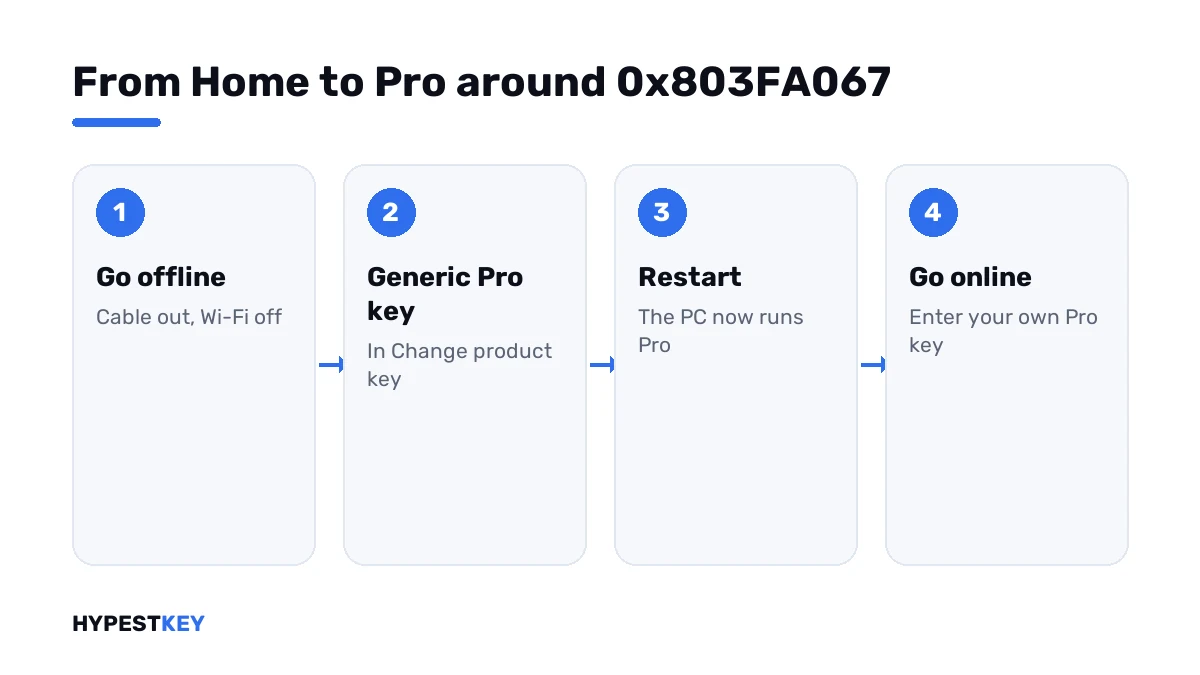
The generic Pro key is public. You’ll find it in the table on our generic keys page, next to the Home one.
Prefer the command line? These two lines do the same as steps 5 and 7.
changepk.exe /ProductKey XXXXX-XXXXX-XXXXX-XXXXX-XXXXX
slmgr /ato| Line | What it does |
|---|---|
changepk.exe /ProductKey |
Starts the edition upgrade with the key typed after it |
slmgr /ato |
Asks for online activation once your own key is in |
One honest note. The offline route isn’t on Microsoft’s page. It’s the workaround that users and support desks have passed around for years, for Windows 10 and Windows 11 alike.
Why going offline works
Online, the generic key gets checked and refused, and the upgrade never starts. Offline, there’s nobody to ask.
Windows accepts the key as an edition switch, unpacks the Pro features that already sit on the disk and restarts. Nothing is downloaded.
After the restart you run Pro without activation. That’s where your own key comes in, and that request does go to the servers.
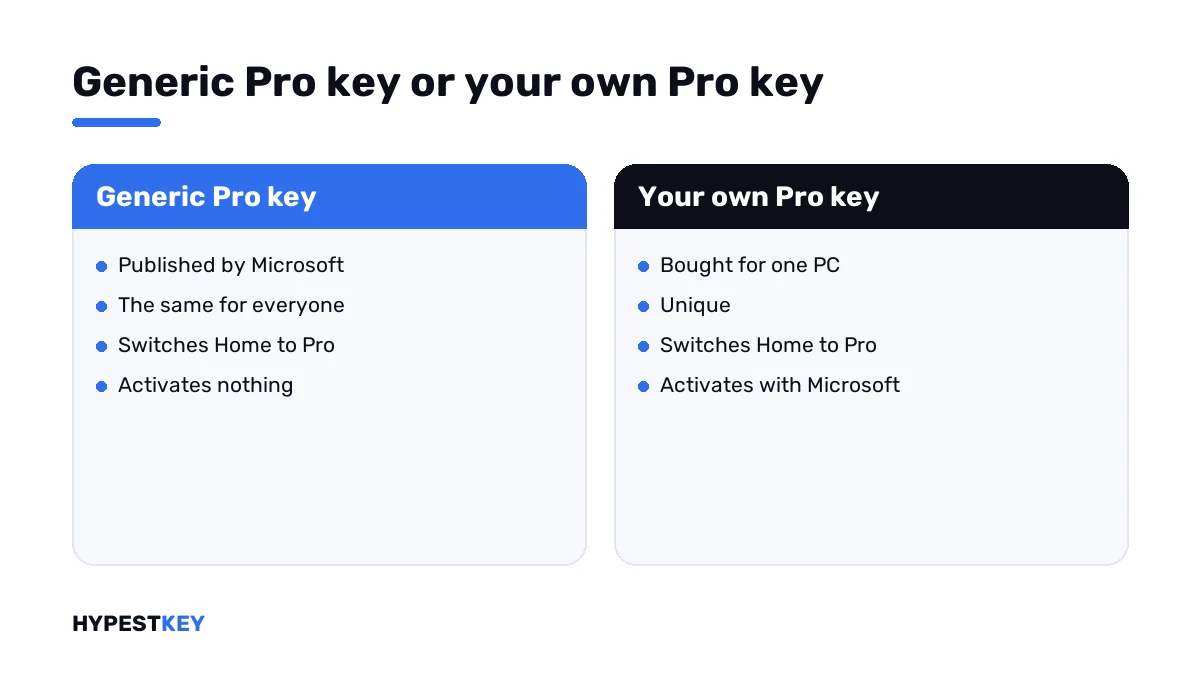
| Generic Pro key | Your own Pro key | |
|---|---|---|
| Where it comes from | Published by Microsoft, the same for everyone | Bought, one per PC |
| Switches Home to Pro | Yes | Yes |
| Activates | No | Yes |
| Works online in the upgrade box | Often refused with this code | Yes, when the key fits |
When your own key is the one refused
Then the first reason on Microsoft’s list applies. The key can’t be used on this system.
| Check | What it tells you |
|---|---|
| The product name in the order | It has to say Pro. A Pro N, Education or Enterprise key won’t lift a plain Home install to Pro |
| Windows 10 or Windows 11 | Keys for the two usually work across, but ask the seller if yours was sold for one only |
| Where it was bought | List keys and auction keys are often shut off after a few weeks |
| How many PCs it has been on | A retail key covers one PC at a time |
A key that fits and still fails online will usually go in after the offline switch. If it doesn’t, the next number you see tells you more.
| Code after the switch | What it points at |
|---|---|
| 0xC004C003 | The key is blocked |
| 0xC004C008 | The key is in use on another PC |
| 0xC004F050 | The key isn’t valid for this edition |
| 0xC004C060 | Microsoft no longer accepts the key |
| 0x803F7001 | No license was found on the device |
Need a Pro key that goes in? Ours are genuine and arrive instant to email: Windows 11 Pro and Windows 10 Pro.
The Microsoft Store route
There’s a way with no key at all. On the Activation page, press Go to the Store and buy the Pro upgrade there.
The Store attaches a digital license to your Microsoft account and switches the edition by itself. It costs more than a key. In exchange, there’s no code to type.
Both ways are compared step by step in our guides to upgrading Windows 10 Home to Pro and upgrading to Windows 11 Pro. What you gain with Pro is in Windows 11 Home vs Pro.
Where these steps apply
| System | Notes |
|---|---|
| Windows 11 Home | All steps as written |
| Windows 10 Home | Same steps; the Activation page sits under Settings, Update & Security |
| Home in S mode | Switch out of S mode in the Store first |
| Pro to Enterprise or Education | Another story with volume keys; this page doesn’t cover it |
Other activation numbers are sorted in our list of Windows 11 activation errors. A wrong clock gives 0x80072F8F. Looks similar on screen. Nothing to do with the key.
Mistakes we see most
- Typing the generic key online and reading the refusal as a broken PC.
- Expecting the generic key to activate anything.
- Reinstalling Windows to get to Pro. The switch takes one restart.
- Entering a Windows 10 Home key and hoping for Pro.
- Buying a second key before trying the offline route with the first.
- Staying offline for the last step. Your own key needs the servers.
Terms used on this page
| Term | Meaning |
|---|---|
| Edition | Home, Pro and the others; each has its own keys |
| Generic key | A public key from Microsoft that selects an edition and activates nothing |
| Digital license | Activation stored on Microsoft’s side, with no key to type |
| Change product key | The link on the Activation page that starts an edition upgrade |
| S mode | A locked-down setup that only runs Store apps |
| MAK | A company key with a fixed number of activations |
FAQ
What does error 0x803FA067 mean?
Windows tried to go from Home to Pro. The key was turned down. Microsoft gives three reasons for this group of codes. The key can't be used, the servers were busy, or Windows was reinstalled after the free upgrade. I'd start with the key.
Why do I get 0x803FA067 with the generic Pro key?
That key only selects the Pro edition. Online, Windows checks it with the servers first, gets a no and cancels the switch. Offline there's no check, so we see the edition change go through.
How do I fix 0x803FA067 when upgrading Home to Pro?
Go offline. Enter the generic Pro key under Settings, System, Activation, Change product key, and restart. The PC now runs Pro. Reconnect and enter your own Pro key in the same place.
Will I lose my files with the offline upgrade?
No. The switch from Home to Pro keeps apps, files and settings, and it takes one restart. I'd still back up anything I can't replace, as before any system change.
My purchased Pro key gives 0x803FA067. Is it fake?
Not necessarily. First check that it's a Pro key and not Pro N or Education. Then try the offline switch and enter it afterwards. If it's refused again with a different code, we'd contact the seller.
Can I upgrade to Pro without any key?
Yes, through the Microsoft Store. The Go to the Store button on the Activation page sells the Pro upgrade and attaches a digital license to your Microsoft account. It costs more than a separate key.
Does the same fix work on Windows 11?
Yes. The upgrade box and the generic key behave the same on both systems. Only the Settings path differs. On Windows 11 it's System, Activation. On Windows 10 I'd look under Update and Security, Activation.