Short answer: The 0xC0EA000A activation error says the hardware on the device has changed and asks you to try again later. I'd stay online and wait first. After that comes the Activation troubleshooter and its hardware change option. With a retail key, I'd enter it again. A preinstalled license on a new motherboard usually needs replacing.
The 0xC0EA000A activation error appears after new hardware went into the PC. Windows noticed the change, tried to activate again and didn’t get a result yet.
| Your license | Way back |
|---|---|
| Digital license linked to your Microsoft account | Wait a little, then the Activation troubleshooter |
| Retail key | Enter the key again; phone activation if it’s refused |
| Preinstalled Windows, new motherboard | A new license is usually needed |
The text that comes with it: “It looks like the hardware on this device has changed. Make sure you’re connected to the Internet and try again later.”
What 0xC0EA000A stands for
Microsoft doesn’t list this number on its activation errors page. The message itself is the best description there is.
It has two halves. The hardware has changed, so the license on record doesn’t fit the device any more. And: try again later, while staying online.
That second half is unusual. Windows is telling you it will keep trying, and that the answer may simply not be ready.
The official route for the first half is Microsoft’s article on reactivating Windows after a hardware change.
Causes
| Cause | Detail |
|---|---|
| New motherboard | For activation, a new board looks like another PC |
| Board and processor together | The same, with more parts changed |
| Firmware update or reset | Some users report the code after it, with no parts swapped |
| Move to a new drive with a fresh install | Usually fine; trouble starts when other parts changed too |
| Servers slow to answer | The “try again later” half of the message |
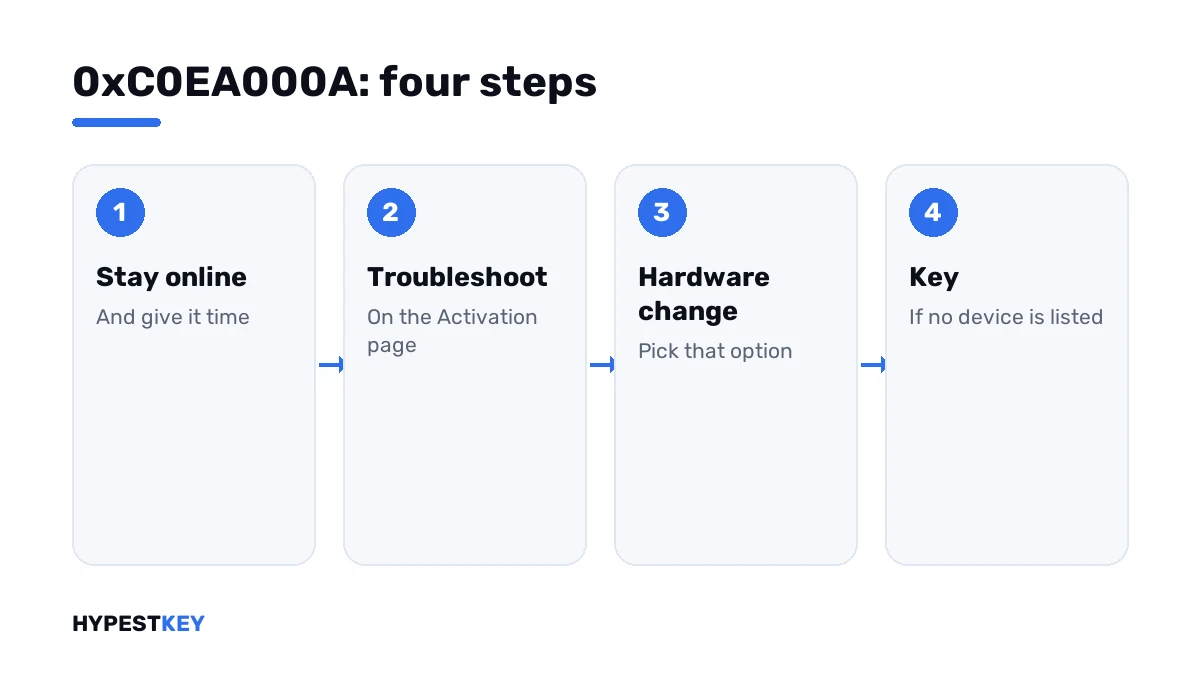
How to fix the 0xC0EA000A activation error
Take the message at its word first. Then help it along.
- Make sure the PC is online and the date and time are right.
- Restart, wait a few minutes and open Settings, System, Activation.
- If it isn’t activated yet, sign in with the Microsoft account you used on this PC before the change.
- Press Troubleshoot and choose “I changed hardware on this device recently”.
- Pick this PC from the list, tick “This is the device I’m using right now” and press Activate.
- No device listed: press Change product key and enter the key you used before.
- Key refused although it’s yours: use phone activation.
slmgr /ato
slmgr /ipk XXXXX-XXXXX-XXXXX-XXXXX-XXXXX
slui 4| Line | What it does |
|---|---|
slmgr /ato |
Asks for activation right now |
slmgr /ipk |
Installs the key typed after it |
slui 4 |
Opens phone activation |
How long is “later”
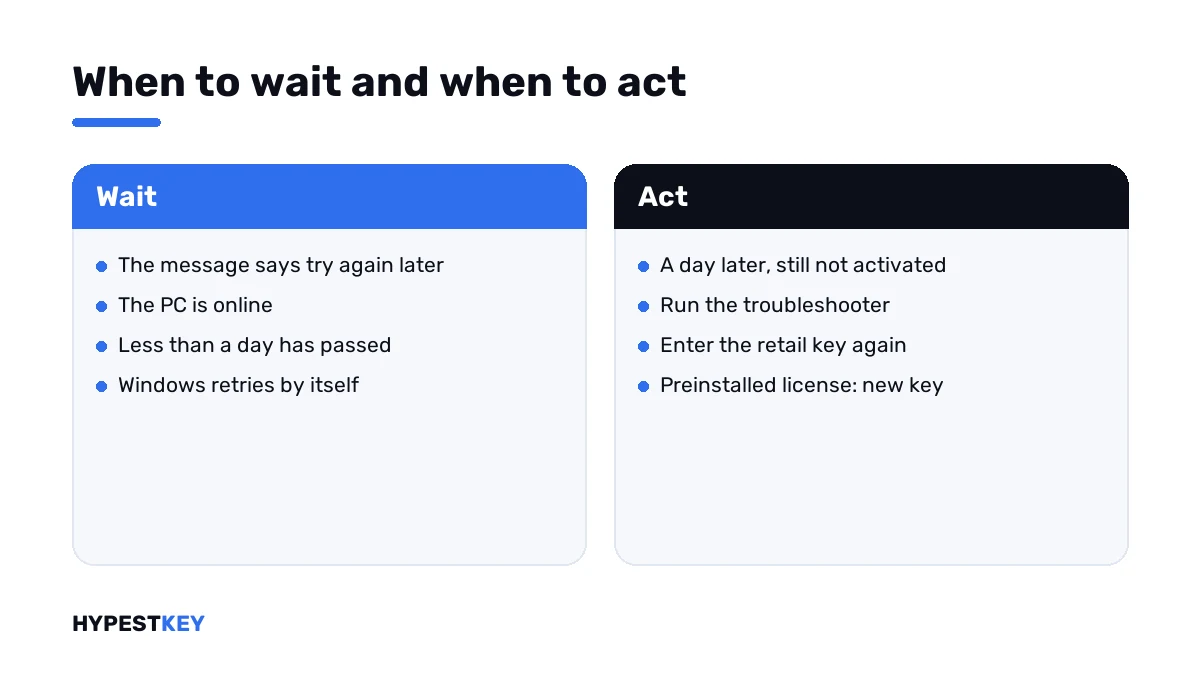
Microsoft gives no figure. Windows retries by itself while the PC is online.
I’d give it an evening. If the status hasn’t changed by the next day, waiting has done what it can, and the troubleshooter is next.
| After waiting you see | Reading |
|---|---|
| Windows is activated | The retry went through; nothing more to do |
| The same code | Go to the troubleshooter or the key |
| 0xC004F211 | Windows now states plainly that the hardware changed |
| 0xC004F213 | No product key was found on the device |
| 0x803F7001 | No valid license was found |
It depends on the license
Which step works for you comes down to how Windows got onto the PC.
| License | After a new motherboard |
|---|---|
| Retail key | Moves with you; enter it again, by phone if needed |
| Digital license, linked to your account before the change | Reactivates through the troubleshooter |
| Digital license, never linked | The troubleshooter has nothing to offer |
| OEM, preinstalled | Stays with the old board; Microsoft says you may need to buy a new license |
The channel line of the license information tells you which one you have.
slmgr /dliThe channels are explained in Retail vs OEM vs Volume license. A planned move of a Retail license is in transferring a Windows license to a new PC.
Preinstalled license and a new board? Then the PC needs a key of its own. Ours are genuine and arrive instant to email: Windows 11 Pro or Windows 11 Home. Check the installed edition first, under Settings, System, About.
No parts changed at all
Some people see the code after a firmware update or a reset of the firmware settings. Nothing was swapped, and Windows still thinks the device is different.
Give it the waiting time first. Then run the troubleshooter with the hardware change option, which is made for exactly this mismatch.
A Retail key settles it in any case. Enter it again and activate.
Where these steps apply
| System | Notes |
|---|---|
| Windows 11 | All steps as written |
| Windows 10 | Same steps; Activation sits under Settings, Update & Security |
| Pro Education and Pro for Workstations | No phone activation |
| Work devices | The organisation’s license applies; tell IT |
The key field and the status lines are shown in how to activate Windows 11. Every other code is in our list of Windows 11 activation errors.
Mistakes we see most
- Reinstalling Windows right away. The license question stays the same.
- Signing in with a different Microsoft account than before.
- Linking the account only after the board was swapped.
- Expecting a preinstalled license to follow a new motherboard.
- Buying a key in the first hour, before the retry had a chance.
Terms used on this page
| Term | Meaning |
|---|---|
| Digital license | Activation stored on Microsoft’s side for one device |
| Linked license | A digital license attached to your Microsoft account |
| OEM | A license preinstalled by the PC maker |
| Retail | A license bought separately, one PC at a time |
| Firmware | The software on the motherboard that starts the PC |
| Activation troubleshooter | The Troubleshoot link on the Activation page |
FAQ
What does error 0xC0EA000A mean?
The text reads: it looks like the hardware on this device has changed, stay connected and try again later. Windows no longer recognises the device for its license. I'd start by waiting a little.
How do I fix 0xC0EA000A?
Stay online and restart. If it isn't activated the next day, run the Activation troubleshooter and choose "I changed hardware on this device recently". With a retail key, enter it again.
How long should I wait?
Microsoft doesn't say. Windows retries by itself while the PC is online. I'd check again after an evening. A day later, waiting has had its chance.
I changed the motherboard. Do I need a new key?
It depends on the license. A retail key can be entered again. A linked digital license reactivates through the troubleshooter. For preinstalled Windows, Microsoft says you may need to buy a new license.
I didn't change any hardware. Why this error?
Some users see it after a firmware update or a reset of the firmware settings. Windows then reads the device as changed. We'd wait, then run the troubleshooter with the hardware change option.
Is 0xC0EA000A the same as 0xC004F211?
Both are about changed hardware. This one adds "try again later", so a retry may still succeed. The other states the change as final. The steps after waiting are the same.
Does the troubleshooter always find my device?
Only if the license was linked to your Microsoft account before the change. Without that link the list stays empty. Then I'd use the key, or get a new one.