Short answer: The 0xC004F210 activation error says the product key or digital license belongs to a different Windows edition than the one installed. I'd check the installed edition and run the Activation troubleshooter to see which edition is licensed. Then enter a matching key or install the licensed edition.
The 0xC004F210 activation error shows up when the license and the installed Windows are two different editions. Home license, Pro install. Or the other way round.
| Situation | Fix |
|---|---|
| You typed a key for another edition | Enter a key that fits the edition on the PC |
| The PC has a digital license for another edition | Run the Activation troubleshooter and install the edition it names |
| You want the edition that’s installed now | Get a key for exactly that edition |
The key isn’t blocked and the PC isn’t broken. The two simply don’t belong together, and Windows tells you with this number.
What 0xC004F210 stands for
Microsoft’s activation errors page gives two readings of the code.
- You entered a product key for a different edition than the one installed.
- You upgraded earlier, and the edition installed now doesn’t match the edition of your digital license.
Its two answers follow from that. Enter a key that matches the installed edition, or reinstall the edition that matches the digital license.
Every edition has its own family of keys. A Home key can’t open up Pro features, and a Pro key isn’t accepted as a Home license either.
Causes
| Cause | How it usually happens |
|---|---|
| Reinstall with the wrong edition | Setup offered a list, Pro was picked, and the laptop’s license is Home |
| Wrong key bought | A Home key for a Pro install, or a key for an N edition |
| Installation media set to one edition | A USB stick prepared for a company installs Pro or Enterprise on every PC |
| Edition changed with a generic key | Home was switched to Pro for a test and never got a Pro key |
| Second-hand PC | The seller installed a higher edition than the license on the board |
How to fix the 0xC004F210 activation error
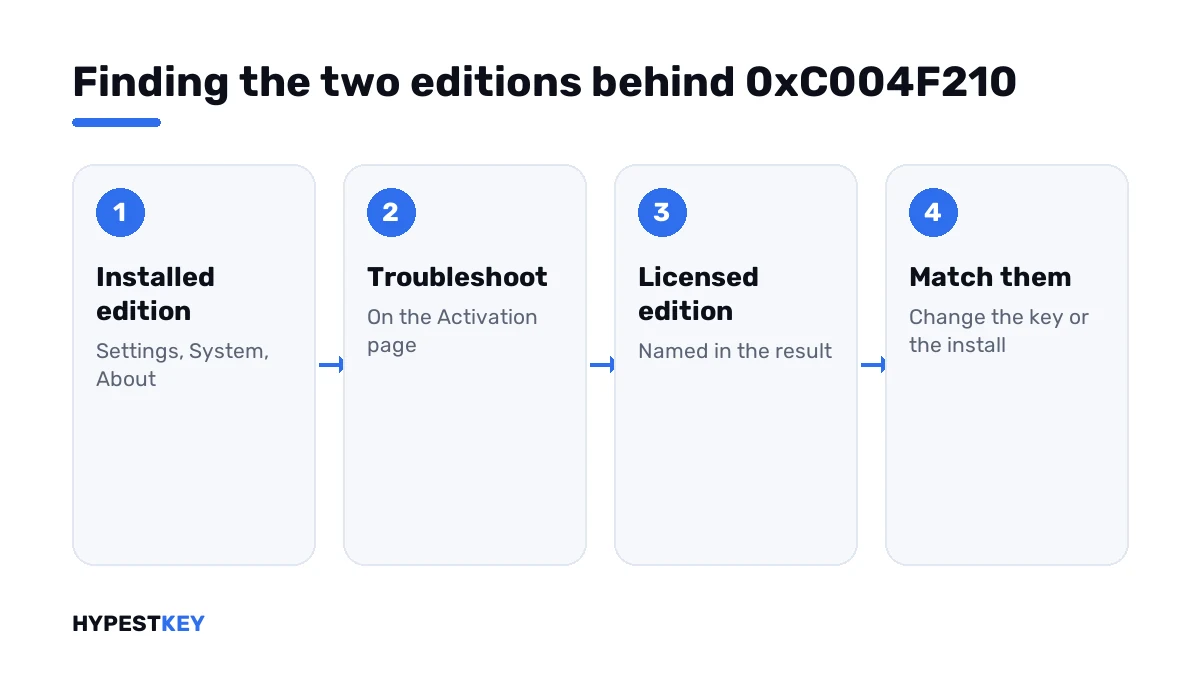
First find out which two editions are in play. Then decide which one you keep.
- Open Settings, System, About and read the edition under Windows specifications.
- Open Settings, System, Activation and press Troubleshoot.
- Read the result: it names the edition of any digital license it finds for this device.
- If you own a key, check the edition printed in the order email or on the card.
- Same edition as installed: press Change product key, type the key and activate.
- License for a lower edition: follow the troubleshooter’s link to install that edition, or reinstall it from a USB stick.
- License for a higher edition: enter that key under Change product key and let Windows upgrade in place.
The command line shows the same facts.
slmgr /dli
slmgr /ipk XXXXX-XXXXX-XXXXX-XXXXX-XXXXX
slmgr /ato| Line | What it does |
|---|---|
slmgr /dli |
Shows the installed edition, the channel and the last five characters of the key |
slmgr /ipk |
Installs the key typed after it |
slmgr /ato |
Asks for activation |
Which way to move
Going up an edition takes a key and one restart. Going down takes a reinstall. Windows has no switch that turns Pro back into Home.
| Installed | Your license | What works |
|---|---|---|
| Pro | Home | Reinstall Home, or buy a Pro key and keep everything as it is |
| Home | Pro | Enter the Pro key; Windows upgrades without a reinstall |
| Pro N | Pro | Reinstall plain Pro; N editions use their own keys |
| Enterprise or Education | Home or Pro | Reinstall the edition you own |
| Pro | Pro | This code shouldn’t appear; type the key again and look for a typo |
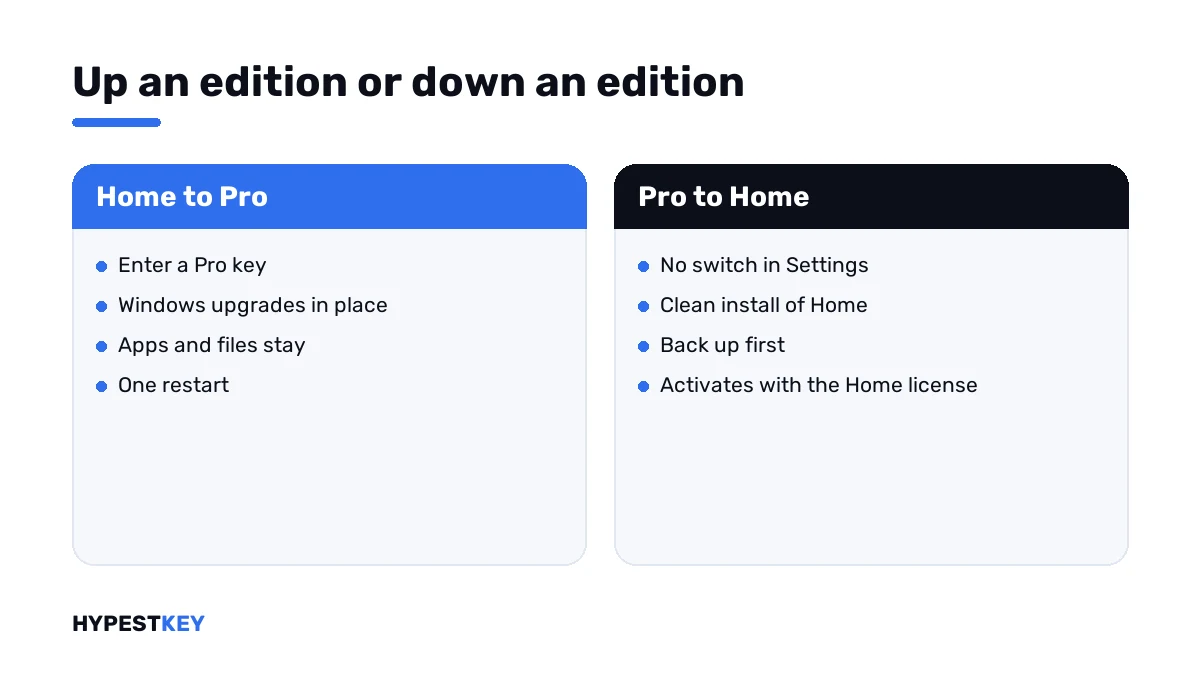
Staying on Pro is often the cheaper hour. A reinstall costs you a backup, the apps and an evening of setting things up again.
Keeping Pro? Our Windows 11 Pro and Windows 10 Pro keys are genuine and arrive instant to email. For a Home install there’s Windows 11 Home.
What Pro adds over Home is in Windows 11 Home vs Pro.
When the troubleshooter finds a license
You’ll get a line like this: “We found a Windows 11 Home digital license for this device running Windows 11 Pro.”
Under it sits a button that installs the named edition. On a Pro install with a Home license, that’s the reinstall route, and I’d back up first.
No license found at all? Then the PC never had one of its own, or the board was replaced. That case has its own number, 0xC004F213.
Reinstalling the right edition
Laptops with Windows preinstalled carry their key in the firmware. Setup reads it and picks the edition by itself, with no list shown.
A list only appears when setup finds no key, or when the USB stick was made to force one edition. That’s where the wrong click happens.
- Make a fresh stick with Microsoft’s tool; our Media Creation Tool guide shows how.
- During setup, choose the edition your license names.
- After the first start, check Settings, System, Activation. With a digital license it activates without typing anything.
The whole procedure is in our clean install guide and in installing Windows 11 from USB.
Codes that look alike
| Code | What it says |
|---|---|
| 0xC004F210 | Key or digital license is for another edition |
| 0xC004F212 | The key isn’t compatible with the installed edition, usually after a reinstall |
| 0xC004F050 | The key isn’t valid for this product at all |
| 0xC004F069 | The key type doesn’t fit the installed edition, common on servers |
| 0x803FA067 | A Home to Pro upgrade was refused |
The rest are in our list of Windows 11 activation errors. Where a key goes in Settings is shown in how to activate Windows 11.
Where these steps apply
| System | Notes |
|---|---|
| Windows 11 | All steps as written |
| Windows 10 | Same steps; Activation sits under Settings, Update & Security |
| Work devices | The edition is chosen by IT; ask before changing it |
Mistakes we see most
- Typing a Home key into a Pro install and expecting a downgrade.
- Buying a second key for the same wrong edition.
- Reinstalling without checking which edition the license names.
- Mixing up Pro and Pro N.
- Calling the key fake when it only belongs to another edition.
Terms used on this page
| Term | Meaning |
|---|---|
| Edition | Home, Pro, Education, Enterprise and their N variants |
| Digital license | Activation stored on Microsoft’s side for this device, with no key to type |
| Firmware key | The key a PC maker stores on the motherboard |
| N edition | An edition sold without media apps, with keys of its own |
| Activation troubleshooter | The Troubleshoot link on the Activation page |
| In-place upgrade | A change of edition that keeps apps and files |
FAQ
What does error 0xC004F210 mean?
The license and the installed Windows are different editions. Microsoft names two cases: a key typed for another edition, or a digital license that doesn't match the edition installed after an upgrade. I'd find out both editions first.
How do I fix 0xC004F210 on Windows 11?
Open Settings, System, Activation and press Troubleshoot. It names the edition of the digital license it finds. Then enter a key for the installed edition, or install the edition the license is for.
Can I use a Home key on Windows Pro?
No. A Home key doesn't activate Pro, and it doesn't turn Pro into Home either. We'd either buy a Pro key and keep the install, or reinstall Home with the key you have.
Can I go from Pro back to Home without reinstalling?
No. Windows upgrades in place from Home to Pro, but it doesn't step down. Going back to Home takes a clean install, so I'd save files and app settings before starting.
Why did my laptop install Pro when its license is Home?
Usually the USB stick was made to install one edition, or setup showed a list and Pro was picked. With standard media, we see setup read the firmware key and choose the edition by itself.
Is my key fake if I see 0xC004F210?
Not for that reason. The code is about the edition, not about the key being genuine. A real Home key gives this result on a Pro install. I'd compare the edition in the order with the edition on the PC.
Does the Activation troubleshooter change my edition?
Only if you press its install button. When it finds a digital license for another edition, it offers to install that edition. Nothing changes before you confirm, and we'd back up first.