Short answer: The 0x80070003 error stands for ERROR_PATH_NOT_FOUND: Windows Update couldn't reach a file or folder it needed, often a driver file. Restart and run the troubleshooter. Then rename SoftwareDistribution and catroot2. Still failing? CBS.log names the path, and Microsoft's sure fix is an in-place upgrade.
The 0x80070003 error is ERROR_PATH_NOT_FOUND: Windows Update went to a folder or file it needed and the path wasn’t there. Usually a driver file inside the update, or a damaged servicing folder. We’d restart, run the troubleshooter and reset the update cache, then read CBS.log for the exact path.
- Restart the PC and try the update once more.
- Run the Windows Update troubleshooter.
- Rename SoftwareDistribution and catroot2.
- Still failing? Find the missing path in CBS.log.
- Last step from Microsoft: an in-place upgrade.
What the 0x80070003 error means
The 8007 part says it’s a normal Windows system error. The 0003 is error number 3. Microsoft’s text: “The system cannot find the path specified.”
In Windows Update you usually see it like this:
Some update files are missing or have problems. We'll try to download the update again later. Error code: (0x80070003).Restart, and the install rolls back. Annoying, but your files are fine. Microsoft ties this case to driver files that are missing or can’t be reached.
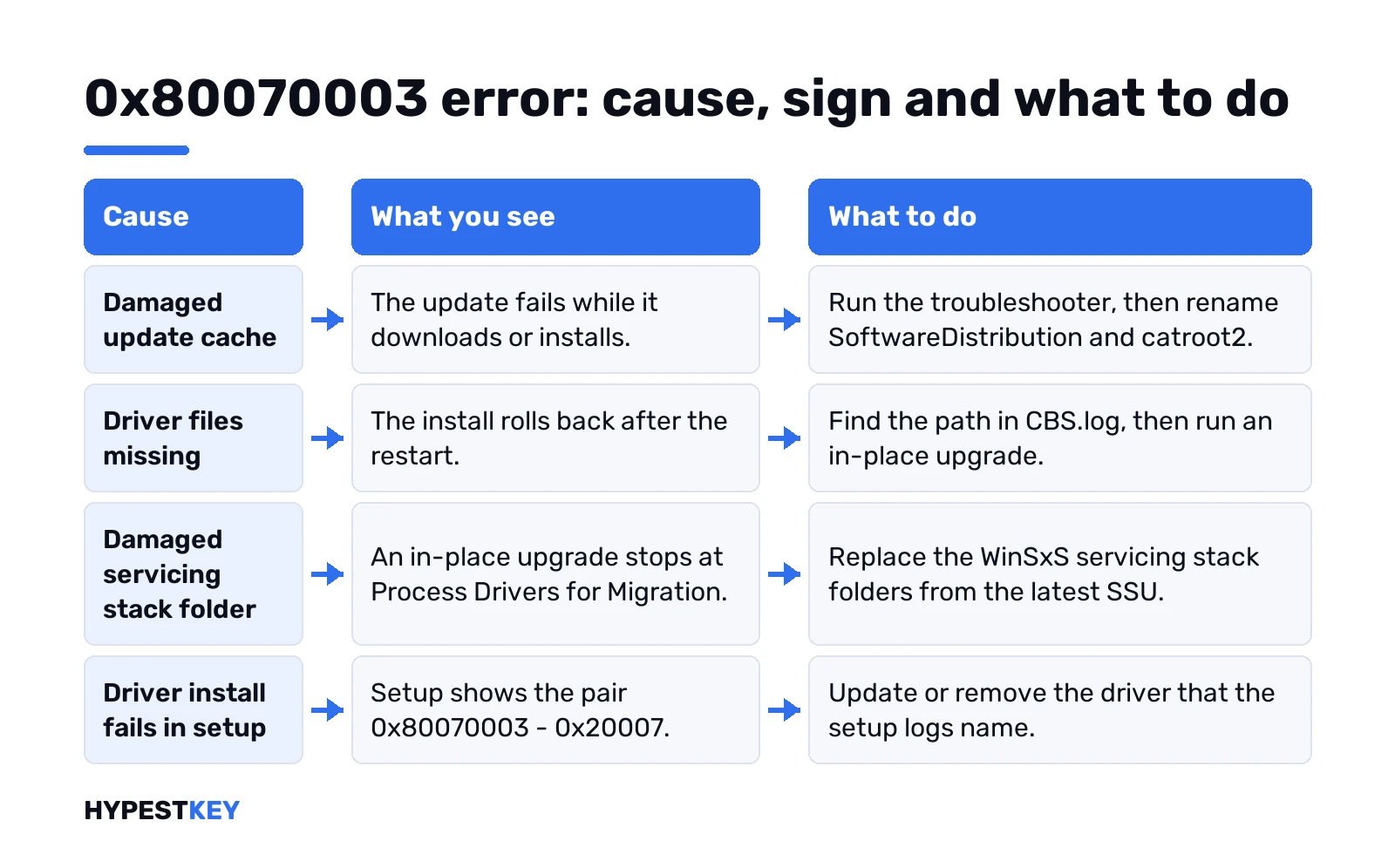
Cause, sign and fix for 0x80070003
| Cause | What you see | Fix |
|---|---|---|
| Damaged update cache | Update fails at download or install | Troubleshooter, then rename SoftwareDistribution and catroot2 |
| Driver files missing or unreachable | Install rolls back after the restart | Find the path in CBS.log; in-place upgrade |
| Damaged servicing stack folder in WinSxS | In-place upgrade stops at Process Drivers for Migration | Replace the folders from the latest SSU |
| Driver install fails during setup | Setup shows 0x80070003 – 0x20007 | Update or remove the driver named in the setup logs |
Quick fixes first
Home PC, one update failing. Start small.
- Restart. Another app may be holding the update back.
- Free space. Microsoft asks for at least 16 GB on 32-bit Windows, 20 GB on 64-bit.
- An administrator account. Some updates need one.
- External drives and docks unplugged.
Then the Windows Update troubleshooter. On Windows 11: Settings, System, Troubleshoot, Other troubleshooters, Windows Update, Run. On Windows 10 it sits under Update & Security, Troubleshoot, Additional troubleshooters.
Reset the update cache
Damaged downloads give “files are missing” messages all the time. Microsoft’s advanced steps rename both caches. Command Prompt, as administrator, one line at a time:
net stop bits
net stop wuauserv
ren %systemroot%\softwaredistribution softwaredistribution.bak
ren %systemroot%\system32\catroot2 catroot2.bak
net start bits
net start wuauserv
Restart and check for updates. Only cached update data goes. We’d also run a repair of system files while the window is open:
DISM /Online /Cleanup-Image /RestoreHealth
SFC /Scannow
Find the missing path in CBS.log
The log names the exact file. Here it is:
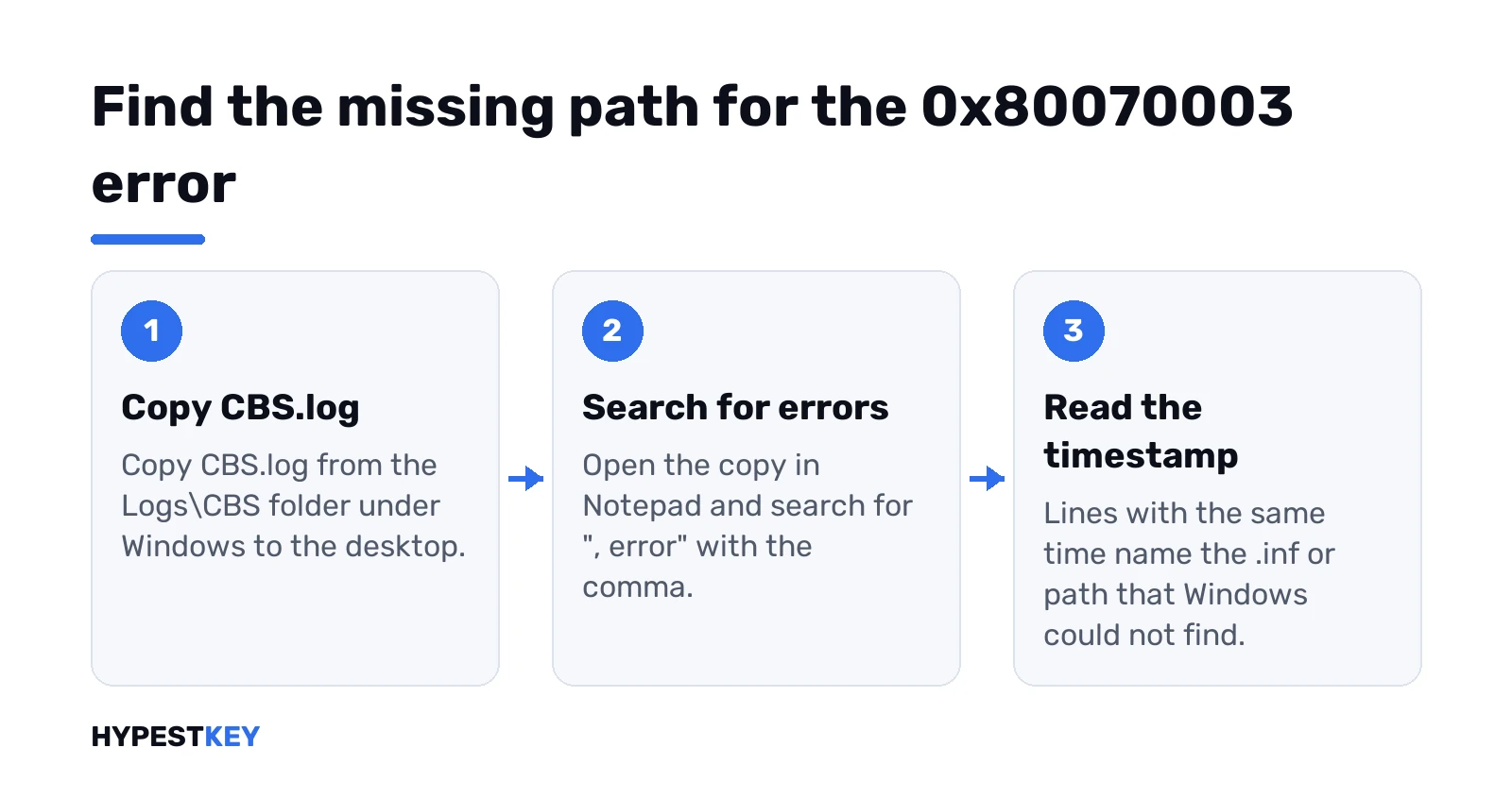
%Windir%\Logs\CBS\CBS.logCopy it to the desktop and open the copy in Notepad. Search for “, error” with the comma. Then read the lines with the same timestamp.
Microsoft’s example? A printer driver. The lines look like this:
Doqe: Recording result: 0x80070003, for Inf: ntprint4.inf
DriverUpdateInstallUpdates failed [HRESULT = 0x80070003 - ERROR_PATH_NOT_FOUND]
Startup: Rolling back KTM, because drivers failed.
The .inf named there is your suspect. “Rolling back KTM, because drivers failed” is the rollback you saw at startup.
Update rolls back at startup
Driver files missing, restart, rollback, repeat. Microsoft’s verdict on this one is short: in-place upgrade, the most reliable fix.
An in-place upgrade reinstalls Windows over itself. Apps, files and settings stay. We’d make a restore point in Windows 11 or a full backup first, since Microsoft asks for a backup of the system disk too.
- Get the Windows 11 Media Creation Tool or the ISO from Microsoft.
- Run setup from inside Windows.
- Pick “Keep personal files and apps”.
Still failing after that? Microsoft support wants the path from CBS.log in the request. Have it ready.
0x80070003 during an in-place upgrade
Different place, different cause. Here the upgrade stops at a step called Process Drivers for Migration. Microsoft says the servicing stack folder in WinSxS is missing or damaged, so DISM can’t move the drivers over.
Where to look. SetupAct.log in the Panther folder holds a line like this:
Operation failed: Process Drivers for Migration. Error: 0x80070003DISM.log may add “Failed to bind the online servicing stack”. Then a quick look at the folder:
C:\Windows\WinSxSFolders with “servicingstack” in the name should not be empty. Empty ones confirm it.
The fix copies those folders back from the latest Servicing Stack Update. It uses robocopy with /B, and Microsoft warns not to take ownership of WinSxS or change its permissions. Admin work, honestly. We’d follow Microsoft’s Process Drivers for Migration article line by line, not a forum copy.
Reading the code after the dash
The part after the dash is the extend code. First digit, the phase. Last two, the operation.
- 0x20007: phase 2 is Safe OS, operation 07 is installing drivers. Microsoft reads it as a driver install failure during that phase.
- 0x40008 and other pairs: same reading, from Microsoft’s extend code tables.
For driver failures: update chipset, storage and network drivers from the PC maker. Unplug everything except keyboard, mouse and display. The setup logs name the driver if it fails again.
Clean install instead? Our Windows 11 USB install guide and clean install guide cover that route.
0x80070003 in Microsoft Store or Minecraft
Store installs throw the same number now and then. This time an app folder went missing, not a Windows one. Microsoft’s first step for Store install trouble is a cache reset. Win + R:
wsreset.exeA blank window, about ten seconds, then the Store opens. Restart after any pending Windows update too, since Store installs wait for it. Minecraft Launcher? Store app too. Same steps.
When the update still won’t install
- Safe Mode once, to rule out a background app: Windows 11 or Windows 10.
- Reset this PC. Our factory reset guide says what you keep.
Related codes: 0x80070490 when an element isn’t found, and 0x800F0922 when an installer inside the update fails.
After a reinstall we’d check the activation status. Need a license for it? Our Windows 11 Pro key is Retail, instant to email.
FAQ
What does 0x80070003 mean?
Path not found. Windows Update looked for a file or folder and it wasn't where it should be.
Will I lose files fixing it?
No. Renaming the update caches removes only update data, and an in-place upgrade keeps apps and files.
Why does the update roll back after restart?
Driver files in the update are missing or unreachable, so Windows undoes the install at startup.
Where is CBS.log?
In the Logs\CBS folder under Windows. Copy it to the desktop and search for ", error".
What is 0x80070003 - 0x20007?
A setup code. Microsoft reads it as a driver install failure during the Safe OS phase.
Is it a virus?
No. It's a plain path error, and nothing in Microsoft's articles about it points to malware.